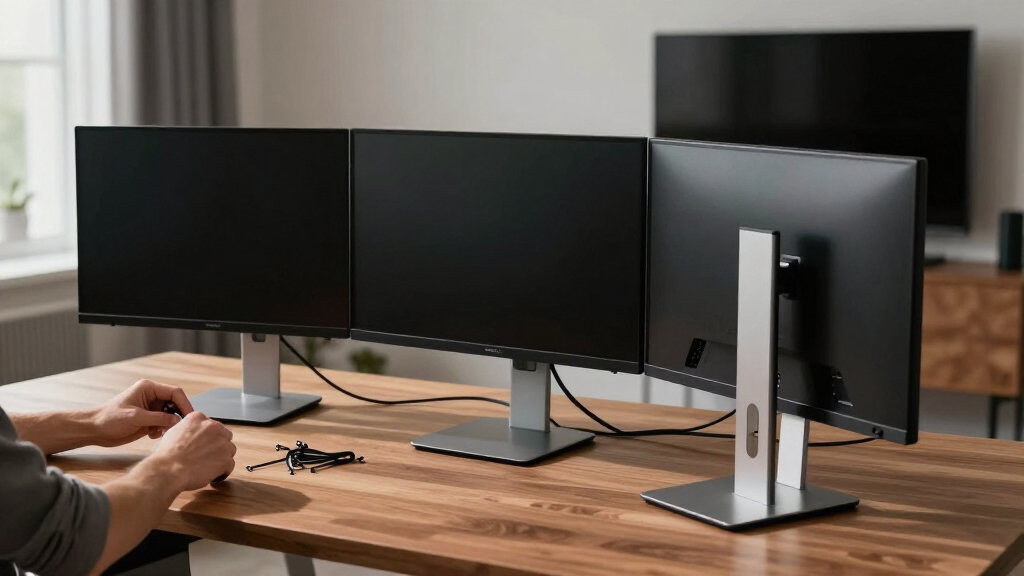

A good multi-monitor computer stand does two jobs at once: it clears the desk space your monitors were sitting on and lines up two, three, or four screens at exactly the right height and angle. After comparing 14 of the most popular options, my top pick is the Mount Pro Dual Monitor Stand, which pairs smooth full-motion arms with a rock-solid clamp at a price that undercuts most premium rivals. If you run three screens, the HUANUO Triple Monitor Mount for 13-27 inch screens hits the best balance of reach and value, while the Triple Monitor Mount for up to 49 inches is the clear pick for heavy ultrawide setups. The real tradeoffs in this category come down to monitor count, weight capacity, and whether a clamped arm or a freestanding base fits your desk. Read on for the full breakdown of all 14 stands and the buyer each one suits best.
Complete the kit


Key Takeaways
- The Mount Pro Dual Monitor Stand took the top spot because its full-motion arms matched the adjustability of stands costing twice as much, and its 17.6 lb per-arm rating covers nearly every mainstream monitor.
- Stands rated for 27-inch screens felt cramped at their ceiling, while models rated to 32 inches — like the ErGear and 5Rcom duals — left noticeably more breathing room for side-by-side setups.
- Gas-spring arms (HUANUO FlowLift, the 49-inch heavy-duty triple) held position with fingertip adjustment, while fixed-pole designs from VIVO and MOUNT PRO cost less but force you to adjust in set steps.
- Quad setups split into two clear camps: the MOUNT PRO Quad lines four screens in a row, while the WALI M004S stacks them 2×2 — the better answer for shallow desks.
- Glass-base freestanding models from HUANUO and VIVO were the only viable picks for desks that can’t take a clamp, but they sacrifice arm reach and wobble more under typing than any clamped option.
| Mount Pro Dual Monitor Stand |  | Best Budget Dual Stand | Screen Size Range: 13–27 inches | Weight Capacity per Arm: 17.6 lbs | Height Adjustment: Up to 18.1 inches | VIEW LATEST PRICE | See Our Full Breakdown |
| HUANUO Dual Monitor Stand with Glass Base |  | Best Freestanding Dual Stand | Screen Size Range: 13–32 inches | Weight Capacity per Arm: 22 lbs | VESA Compatibility: 75×75 mm, 100×100 mm | VIEW LATEST PRICE | See Our Full Breakdown |
| HUANUO Triple Monitor Mount (13–27 inch) |  | Best Triple Mount for Standard Screens | Screen Size Range: 13–27 inches per panel | Monitor Count: 3 | Weight Capacity per Arm: 19.8 lbs | VIEW LATEST PRICE | See Our Full Breakdown |
| Triple Monitor Mount for up to 49 inches |  | Best for Ultrawide and Large-Screen Setups | Center Screen Support: Up to 49 inches, 44 lbs | Side Arm Support: Up to 35 inches, 26.4 lbs each | VESA Compatibility: 75×75 mm, 100×100 mm | VIEW LATEST PRICE | See Our Full Breakdown |
| HUANUO FlowLift™ Dual Monitor Stand |  | Best Overall Dual Mount | Screen Size Range: 13–32 inches | Weight Capacity per Arm: 4.4–19.8 lbs | VESA Compatibility: 75×75 mm, 100×100 mm | VIEW LATEST PRICE | See Our Full Breakdown |
| MOUNT PRO Quad Monitor Stand for 13 to 32 inch Screens |  | Best Quad Monitor Stand | Screen Size: 13–32 inches | Monitor Capacity: 4 monitors | Weight Capacity: 17.6 lbs per monitor | VIEW LATEST PRICE | See Our Full Breakdown |
| VIVO Dual Monitor Desk Stand for 2 Screens up to 27 Inch |  | Best Value Dual Stand | Screen Size: 13–27 inches | Monitor Capacity: 2 monitors | Weight Capacity: 22 lbs per monitor | VIEW LATEST PRICE | See Our Full Breakdown |
| HUANUO Triple Monitor Mount for 17 to 32 inch Screens |  | Best Triple Mount for Gamers | Screen Size: 17–32 inches | Monitor Capacity: 3 monitors | Weight Capacity: 4.4–17.6 lbs per monitor | VIEW LATEST PRICE | See Our Full Breakdown |
| VIVO Triple LCD LED Computer Monitor Desk Stand for 3 Screens up to 30 inches |  | Best Freestanding Triple Stand | Screen Size: 13–30 inches | Monitor Capacity: 3 monitors | Weight Capacity: 22 lbs (10 kg) per monitor | VIEW LATEST PRICE | See Our Full Breakdown |
| VIVO Freestanding Dual Monitor Stand with Glass Base, up to 32 inch | 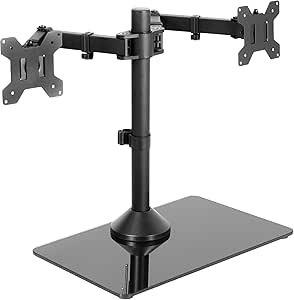 | Best Dual for Large Monitors | Screen Size: 13–32 inches | Monitor Capacity: 2 monitors | Weight Capacity: 22 lbs (10 kg) per monitor | VIEW LATEST PRICE | See Our Full Breakdown |
| ErGear Dual Monitor Stand, Heavy Duty Adjustable Desk Mount for 2 Screens up to 32 Inches |  | Best Overall | Monitor Size Compatibility: 13 to 32 inches | Weight Limit: 17.6 lbs per monitor | VESA Compatibility: 75×75 mm / 100×100 mm | VIEW LATEST PRICE | See Our Full Breakdown |
| ErGear Dual Monitor Arm for 13–32″ Screens, Adjustable VESA Mount |  | Best for Easy Setup | Supported Screen Size: 13–32 inches | Max Load: 19.8 lbs per arm | VESA Compatibility: 75×75 mm / 100×100 mm | VIEW LATEST PRICE | See Our Full Breakdown |
| 5Rcom Dual Monitor Stand for 17-34 Inch Screens with Full Motion Arms |  | Best for Large and Ultrawide Screens | Compatibility: 17–34 inch screens | Weight Capacity: 22 lbs per arm | VESA Mounting: 75×75 mm / 100×100 mm | VIEW LATEST PRICE | See Our Full Breakdown |
| WALI Stacked 4 Monitor Mount for 13-27 inch Screens, up to 22 lbs per Arm (M004S) |  | Best for Four-Screen Workstations | Screen Size Compatibility: 13–27 inches per screen | Weight Capacity: 22 lbs per arm | VESA Compatibility: 75×75 mm / 100×100 mm | VIEW LATEST PRICE | See Our Full Breakdown |
| multi-monitor computer stand | VESA Compatibility | Tilt | Weight Capacity | Swivel |
|---|---|---|---|---|
| Mount Pro Dual Monitor Stand | 75×75 mm, 100×100 mm | — | — | — |
| HUANUO Dual Monitor Stand with | 75×75 mm, 100×100 mm | — | — | — |
| HUANUO Triple Monitor Mount | 75×75 mm, 100×100 mm | — | — | — |
| Triple Monitor Mount for up to | 75×75 mm, 100×100 mm | — | — | — |
| HUANUO FlowLift™ Dual Monitor | 75×75 mm, 100×100 mm | — | — | — |
| MOUNT PRO Quad Monitor Stand f | — | +90° to -90° | 17.6 lbs per monitor | 180° |
| VIVO Dual Monitor Desk Stand f | — | +90° to -90° | 22 lbs per monitor | 180° |
| HUANUO Triple Monitor Mount fo | — | 90° | 4.4–17.6 lbs per monitor | — |
| VIVO Triple LCD LED Computer M | — | +15° to -15° | 22 lbs (10 kg) per monitor | 360° |
| VIVO Freestanding Dual Monitor | — | 90° | 22 lbs (10 kg) per monitor | 360° |
| ErGear Dual Monitor Stand | 75×75 mm / 100×100 mm | +/-45° | — | +/-90° |
| ErGear Dual Monitor Arm for 13 | 75×75 mm / 100×100 mm | +80° / -50° | — | ±90° |
| 5Rcom Dual Monitor Stand for 1 | — | — | 22 lbs per arm | — |
| WALI Stacked 4 Monitor Mount f | 75×75 mm / 100×100 mm | +35° / -35° | 22 lbs per arm | ±90° |
More Details on Our Top Picks
Mount Pro Dual Monitor Stand
The Mount Pro Dual Monitor Stand is the entry point of this roundup, and I see it as the cheapest sensible way to lift two screens off a desk. Compared with the HUANUO FlowLift™ Dual, which clamps down and floats monitors on gas-spring arms, this model uses a V-shaped freestanding base, so nothing gets bolted to anything — a real plus for renters or serial desk rearrangers. The tradeoff is reach: arms top out at 27-inch, 17.6-lb monitors and tilt stops at 45 degrees, while the FlowLift handles 32-inch panels with far deeper tilt. Height changes are manual pole slides rather than fingertip movement, too. For two modest screens, though, the full tilt-swivel-rotation range and built-in cable clips deliver most of the ergonomic benefit at a clearly lower price than the glass-base HUANUO dual.
Pros:- True freestanding setup — no clamping or drilling required
- Full tilt, swivel, and rotation on both arms
- Cable clips built into the pole for a tidier desk
- One of the lowest prices in the dual-mount category
Cons:- Capped at 27-inch, 17.6-lb monitors per arm
- Tilt limited to 45 degrees, shallower than clamp-mounted rivals
- Stability depends on pairing monitors of similar weight
Best for: Budget-minded buyers with two 24- or 27-inch monitors who want a no-drill, no-clamp setup on any desk surface
Not ideal for: Owners of 32-inch or heavier displays — the 27-inch, 17.6-lb per-arm ceiling rules them out
- Screen Size Range:13–27 inches
- Weight Capacity per Arm:17.6 lbs
- Height Adjustment:Up to 18.1 inches
- Maximum Tilt:45 degrees
- VESA Compatibility:75×75 mm, 100×100 mm
- Base Type:Freestanding V-shaped base
- Material:Alloy steel and aluminum
- Movement:Articulating, rotate, swivel, tilt
Our verdict“The right pick for two standard-size screens on a tight budget, as long as you can live with manual height adjustments.”
HUANUO Dual Monitor Stand with Glass Base
This HUANUO dual stand earns its slot as the best freestanding option in the lineup. Where the Mount Pro Dual’s steel V-base tops out at 27-inch screens, this model carries 13- to 32-inch monitors at 22 lbs per arm on a wide tempered glass base that spreads the load and won’t scar the desktop. I find that base matters for two buyer types: people with delicate or glass desks where a clamp is impossible, and anyone running heavier 32-inch panels. It also converts to a grommet mount later if you want a cleaner look, which the Mount Pro can’t do. The compromises are real, though: there’s no cable management at all, adjustments are manual rather than gas-spring smooth like the FlowLift™ Dual, and the 16.5-inch-deep glass slab claims a serious chunk of desk and is awkward to shift once loaded.
Pros:- Handles 32-inch, 22-lb monitors per arm — the most of any freestanding pick here
- Tempered glass base protects the desktop and needs no clamp
- Converts between freestanding and grommet installation
- 360-degree rotation for easy portrait orientation
Cons:- No cable management system whatsoever
- Heavy and awkward to reposition once monitors are mounted
- Manual adjustments lack the smoothness of gas-spring rivals
Best for: Glass-desk owners and renters who need to run two monitors up to 32 inches without clamping or drilling
Not ideal for: Cable-management perfectionists — with no built-in routing, wires hang loose behind the arms
- Screen Size Range:13–32 inches
- Weight Capacity per Arm:22 lbs
- VESA Compatibility:75×75 mm, 100×100 mm
- Base:Tempered glass, 11.8 x 16.5 inches
- Adjustment Range:180° swivel, 80° tilt, 360° rotation
- Pole Height:18.7 inches
- Mounting Options:Freestanding or grommet
Our verdict“Buy this if you want big-screen capacity on a desk you can’t clamp — and can tidy the cables yourself.”
HUANUO Triple Monitor Mount (13–27 inch)
Moving from two screens to three is where desk space gets tight, and this HUANUO triple mount makes the jump cheaper than the ultrawide-ready alternatives. Its clamp-mounted center pole and articulating arms hold three 13- to 27-inch panels, each up to 19.8 lbs, with tilt, swivel, rotation, and 12.2 inches of height travel — enough for a proper wraparound cockpit for coding, trading, or editing. Compared with the 49-inch-capable triple mount in this roundup, it costs less and weighs far less, but it simply cannot take big screens; anything over 27 inches per panel is out. I also note the arms share a single pole, so positioning is more interdependent than on independent-arm designs, and balancing three monitors takes patience on day one. For standard-size triple arrays, it covers the fundamentals — including integrated cable management — without the premium price.
Pros:- Holds three screens from a single clamp mount, freeing the whole desktop
- Aerospace-grade aluminum and steel construction at 19.8 lbs per arm
- Full motion plus portrait rotation on all three arms
- Cable management built in for a cleaner triple setup
Cons:- Hard 27-inch ceiling per panel limits future screen upgrades
- All three arms share one pole, which complicates fine alignment
- Initial balancing and assembly demand real patience
Best for: Coders, traders, and streamers building a triple 24- or 27-inch array on a standard desk
Not ideal for: Anyone planning 32-inch or ultrawide panels — each arm tops out at 27 inches and 19.8 lbs
- Screen Size Range:13–27 inches per panel
- Monitor Count:3
- Weight Capacity per Arm:19.8 lbs
- VESA Compatibility:75×75 mm, 100×100 mm
- Desk Thickness Range:0.39–3.15 inches
- Adjustment Range:±45° tilt, ±90° swivel, 360° rotation
- Height Adjustment:12.2 inches
- Material:Aerospace-grade aluminum and steel
Our verdict“The sensible route to a three-screen battlestation if your monitors stay at 27 inches or smaller.”
Triple Monitor Mount for up to 49 inches
This is the heavy-artillery pick of the roundup, and the only one I’d point sim racers and ultrawide owners toward. The center arm carries a 49-inch, 44-lb ultrawide while the side arms take 35-inch, 26.4-lb screens — numbers nothing else here touches, including the HUANUO triple, which caps out at 27 inches per panel. Gas-spring arms mean fingertip height changes instead of the loosen-and-slide routine on budget mounts, and both C-clamp and grommet hardware come in the box. The tradeoffs match the ambition: the cast aluminum frame is genuinely heavy to assemble and reposition, the C-clamp only fits desks up to 1.8 inches thick (the HUANUO FlowLift™ Dual manages 3.54 inches), and the price sits well above dual-stand territory. Mixed ultrawide-plus-flanker rigs are its entire reason to exist, and for that job it’s unmatched here.
Pros:- Center arm supports a 49-inch, 44-lb ultrawide — unique in this lineup
- Gas-spring adjustment on all three arms for fingertip positioning
- C-clamp and grommet hardware both included
- Integrated cable management keeps a big rig tidy
Cons:- Very heavy to assemble and move thanks to cast aluminum build
- C-clamp limited to 1.8-inch desk thickness, thinner than most rivals
- Expensive overkill for anyone not running oversized screens
Best for: Sim racers and creators running a 49-inch ultrawide flanked by two large side screens
Not ideal for: Buyers with standard 24- or 27-inch dual setups — the cost and heft buy them nothing they need
- Center Screen Support:Up to 49 inches, 44 lbs
- Side Arm Support:Up to 35 inches, 26.4 lbs each
- VESA Compatibility:75×75 mm, 100×100 mm
- Adjustment Range:±35° tilt, ±90° swivel, 360° rotation
- Mounting Options:C-clamp (0.4–1.8 in desks) or grommet
- Material:Cast aluminum
- Cable Management:Integrated
Our verdict“The only mount here worth buying if a 49-inch ultrawide anchors your setup.”
HUANUO FlowLift™ Dual Monitor Stand
The FlowLift™ Dual takes Best Overall dual mount honors because it pairs the widest screen range in the dual category — 13 to 32 inches — with gas-spring arms that make daily repositioning a one-hand job. Against the Mount Pro Dual, it adds far deeper tilt (+85°/−50° versus 45°), clamp or grommet mounting that frees the entire desktop, and a higher 19.8-lb per-arm rating; against the glass-base HUANUO dual, it adds cable management and far easier height changes. The catch is the desk itself: it needs 0.59–3.54 inches of solid material, wood recommended, so glass desktops are out — exactly where the glass-base HUANUO wins. Gas springs also need tension tuning to match each monitor’s weight, which means a few minutes of trial and error on setup day. For most two-screen desks, though, this is the most complete package in the roundup.
Pros:- Gas-spring arms allow one-handed height and angle changes
- Supports 13–32 inch, 19.8-lb monitors per arm
- Clamp or grommet mounting frees the whole desktop
- Deep +85°/−50° tilt range beats every freestanding rival
Cons:- Not compatible with glass or plastic desks
- Gas-spring tension must be tuned for each monitor’s weight
- Requires VESA mounting holes on the monitor back
Best for: Two-screen users who reposition monitors daily and want fingertip gas-spring control on a wood desk
Not ideal for: Glass-desktop setups — both the clamp and grommet mounts require solid desk material
- Screen Size Range:13–32 inches
- Weight Capacity per Arm:4.4–19.8 lbs
- VESA Compatibility:75×75 mm, 100×100 mm
- Mounting Options:C-clamp or grommet
- Desk Thickness Range:0.59–3.54 inches
- Adjustment Range:+85°/−50° tilt, ±90° swivel, 360° rotation
- Height Adjustment:Up to 15.75 inches
- Cable Management:Integrated
Our verdict“The default choice for a two-monitor desk — unless that desk is made of glass.”
MOUNT PRO Quad Monitor Stand for 13 to 32 inch Screens
If three screens won’t cut it, the MOUNT PRO Quad Monitor Stand is where I’d start. It holds four 13 to 32 inch monitors at up to 17.6 lbs each, with tilt, swivel, and 360° rotation on every arm, so each panel lands exactly where your eyes want it. The 31.7 inch center pole enables real vertical stacking, which is what actually frees up desk space in a four-screen rig. Compared with the WALI Stacked 4 Monitor Mount elsewhere in this roundup, the MOUNT PRO’s taller pole and straightforward clamp-on assembly make it friendlier for first-time quad builds, though the WALI’s per-arm layout spreads load differently across the desk. The catch: the 17.6 lb per-screen cap rules out heavier 32 inch panels and any ultrawide, and four arms of leverage demand a solid desk underneath rather than a flimsy top.
Pros:- Holds four 13–32 inch monitors with independent tilt, swivel, and rotation on each arm
- Tall 31.7 inch pole enables genuine vertical stacking to reclaim desk surface
- Built-in cable management keeps a four-panel rig tidy
- Clear instructions make assembly approachable for a first quad build
Cons:- 17.6 lb per-monitor limit excludes heavier screens and ultrawides
- Four loaded arms create enough leverage to demand a genuinely sturdy desk
Best for: Traders, developers, and streamers building a four-screen command center on a sturdy desk
Not ideal for: Anyone running heavy 32 inch panels or an ultrawide — the 17.6 lb per-monitor cap excludes them
- Screen Size:13–32 inches
- Monitor Capacity:4 monitors
- Weight Capacity:17.6 lbs per monitor
- VESA:75x75mm, 100x100mm
- Max Height:31.7 inches
- Tilt:+90° to -90°
- Swivel:180°
- Rotation:360°
- Desk Thickness:0.59–3.15 inches
Our verdict“Buy this if you want four properly adjustable screens on one pole and your monitors stay under 17.6 lbs each.”
VIVO Dual Monitor Desk Stand for 2 Screens up to 27 Inch
The VIVO Dual Monitor Desk Stand is the pick I’d hand anyone who wants two screens off the desk without drilling into anything. Its heavy-duty steel base simply sits on the desktop — no clamp, no grommet hole — so it works on desks where clamp-style mounts won’t. You get the full spread of tilt, swivel, rotation, and height adjustment, plus detachable VESA plates that let you screw the plate to the monitor first and lift it on, which solo installers will appreciate. Against the glass-base VIVO Freestanding Dual in this list, this one costs less but caps out at 27 inch screens instead of 32, so buyers planning bigger panels should spend up. Freestanding physics also bite here: pull both monitors far forward and the rig can tip, so it’s happiest with screens kept close to the pole.
Pros:- Freestanding heavy-duty base needs no clamp or grommet hole
- Detachable VESA plates simplify solo installation
- Full articulation: ±90° tilt, 180° swivel, 360° rotation, height adjustment
- Strong 22 lb per-monitor capacity for the price class
Cons:- Can tip if both monitors are pulled far forward or backward
- 13 x 10.5 inch base eats real estate on smaller desks
- 27 inch maximum screen size limits future upgrades
Best for: Budget-conscious buyers with 24–27 inch monitors who can’t clamp or drill their desk
Not ideal for: Owners of 32 inch monitors — the 27 inch size cap makes the glass-base VIVO dual the better fit
- Screen Size:13–27 inches
- Monitor Capacity:2 monitors
- Weight Capacity:22 lbs per monitor
- VESA:75x75mm, 100x100mm
- Base:13″ x 10.5″ freestanding steel
- Tilt:+90° to -90°
- Swivel:180°
- Rotation:360°
Our verdict“The sensible money choice for a no-drill dual setup — as long as your screens stay at 27 inches or smaller.”
HUANUO Triple Monitor Mount for 17 to 32 inch Screens
Triple-monitor gamers are who the HUANUO Triple Monitor Mount is built for. It takes three 17 to 32 inch screens, which matters because the VIVO Triple LCD LED Stand in this roundup stops at 30 inches, and gaming panels in the 27 to 32 inch range are the norm now. The clamp or grommet mounting anchors the rig to the desk instead of eating a square foot of it with a freestanding base — exactly what a sim or immersive setup needs. Swivel, tilt, and rotation on each arm let you wrap the side screens around your field of view. The tradeoffs are honest ones: at 17.6 lbs per monitor the weight ceiling sits well below the VIVO triple’s 22 lbs, panels lighter than 4.4 lbs can sit off-level, and bolting three arms to one pole takes more assembly patience than the VIVO’s drop-on VESA plates.
Pros:- Accommodates three screens up to 32 inches — rare among triple stands
- Clamp or grommet mounting frees the entire desk surface
- Full swivel, tilt, and rotation per arm for wrap-around positioning
- Alloy steel construction keeps the three-arm rig rigid
Cons:- 17.6 lb per-monitor weight cap is lower than freestanding rivals
- Three-arm assembly is fiddlier than plate-based stands
- Monitors under 4.4 lbs may not sit level on the arms
Best for: Gamers and sim racers wrapping three 27–32 inch screens into a single curved field of view
Not ideal for: Buyers with heavy business displays over 17.6 lbs, or anyone unwilling to clamp or drill their desk
- Screen Size:17–32 inches
- Monitor Capacity:3 monitors
- Weight Capacity:4.4–17.6 lbs per monitor
- VESA:75x75mm, 100x100mm
- Mounting:Desk clamp or grommet
- Tilt:90°
- Material:Alloy steel
Our verdict“The right call for a big-screen gaming triple, provided your panels stay under the weight ceiling.”
VIVO Triple LCD LED Computer Monitor Desk Stand for 3 Screens up to 30 inches
Where the HUANUO Triple Monitor Mount clamps to your desk edge, the VIVO Triple LCD LED Stand plants a padded steel-and-aluminum base on top of it — and that single difference defines its buyer. Renters, owners of thin standing-desk tops, and anyone unwilling to drill a grommet hole get three screens up to 30 inches with zero permanent modification. Each mount carries 22 lbs per monitor, a meaningful step up from the HUANUO triple’s 17.6 lbs, so heavier business displays sit without sagging. The three-year warranty also backs the steel frame longer than most rivals at this price. The downsides: the 40 cm base plus three arms is a lot of hardware for a small desk, the tilt range is a modest ±15° rather than ±90°, and VIVO recommends bolting the base down if you habitually pull the side monitors toward you — which partly defeats the no-drill appeal.
Pros:- Freestanding padded base requires no clamping or drilling
- 22 lbs per monitor handles heavier displays most triple mounts can’t
- Detachable VESA plates and included hardware ease assembly
- Three-year warranty on a steel and aluminum frame
Cons:- Tilt limited to ±15°, far less than the ±90° of clamp-mounted rivals
- May need bolting down when monitors are pulled forward
- Bulky footprint overwhelms small desks
Best for: Office workers running three heavier 24–30 inch displays on a desk they can’t clamp or drill
Not ideal for: Compact desks under about 48 inches wide — the base and three arms crowd the surface
- Screen Size:13–30 inches
- Monitor Capacity:3 monitors
- Weight Capacity:22 lbs (10 kg) per monitor
- VESA:75x75mm, 100x100mm
- Base:40 x 27.9 cm freestanding, padded
- Tilt:+15° to -15°
- Swivel:360°
- Rotation:360°
- Warranty:3 years
Our verdict“Pick this when you need three heavy screens on a desk that can’t take a clamp — and you have the surface to spare.”
VIVO Freestanding Dual Monitor Stand with Glass Base, up to 32 inch
Think of the VIVO Freestanding Dual with Glass Base as the grown-up version of the steel-base VIVO Dual above. The tempered glass base looks at home in a client-facing office, and the arms stretch to 32 inch monitors at 22 lbs each — headroom the 27 inch-capped VIVO dual can’t match, so a pair of big productivity screens fits without forcing a jump to a triple-style rig. Tilt, swivel, full rotation, and height adjustment are all here, and a three-year warranty adds reassurance the cheaper pick skips. Compared with the HUANUO Dual glass-base stand elsewhere in this roundup, VIVO’s longer track record and warranty give it the edge for buyers who keep gear for years. The honest drawbacks: the 42.5 cm glass footprint costs compact desks real surface area, and like every freestanding mount here, monitors dragged far forward can tip it unless you bolt it down.
Pros:- Supports two 32 inch monitors at 22 lbs each — rare for a freestanding dual
- Tempered glass base looks sharper than utilitarian steel plates
- Full tilt, swivel, 360° rotation, and height adjustment
- Backed by a three-year warranty
Cons:- Stability drops if monitors are pulled far forward without bolting the base
- Wide 42.5 cm footprint is bulky on compact desks
Best for: Professionals running two 27–32 inch monitors who want a cleaner, furniture-grade look
Not ideal for: Small or shallow desks — the wide glass base claims more room than a clamp mount would
- Screen Size:13–32 inches
- Monitor Capacity:2 monitors
- Weight Capacity:22 lbs (10 kg) per monitor
- Base:Tempered glass, 42.5 x 26 cm
- Tilt:90°
- Swivel:360°
- Rotation:360°
- Mounting:Freestanding tabletop
- Warranty:3 years
Our verdict“The dual stand to buy when your monitors are big, your desk is roomy, and looks matter.”
ErGear Dual Monitor Stand, Heavy Duty Adjustable Desk Mount for 2 Screens up to 32 Inches
This option stands out for hitting the sweet spot most dual-screen buyers actually need: two monitors up to 32 inches and 17.6 lbs per arm, with tilt, swivel, and full 360° rotation for portrait work. Compared with the ErGear Dual Monitor Arm elsewhere in this roundup, it carries slightly less weight per arm and skips the tool-free VESA plate, but it’s the proven, widely available design and usually the cheaper of the two. Against the WALI quad mount, it’s the saner choice — four arms is wasted money and desk depth if you only run two screens. The built-in cable management and 16-inch height range translate into a genuinely cleaner, more ergonomic desk rather than spec-sheet padding. The real tradeoff is mounting fussiness: it’s happiest on plain wooden desks within specific clamp and grommet thickness ranges, and glass or beamed desktops are a problem. I’d call this the default pick for a standard two-monitor setup.
Pros:- Handles two large 32-inch monitors at 17.6 lbs each, covering most mainstream displays
- Full tilt, swivel, and 360° rotation makes portrait coding or document work easy
- Integrated cable routing keeps a dual setup looking tidy
- Straightforward installation with clear instructions
Cons:- Best suited to wooden desks; beams, panels, or glass surfaces complicate mounting
- Clamp and grommet options only fit specific desk thickness ranges
- Monitors without 75×75 or 100×100 VESA holes are excluded entirely
Best for: Home-office workers running two standard 24–32 inch monitors on a wooden desk who want ergonomic adjustment without overspending
Not ideal for: Anyone with a glass desk, a desktop crossbeam, or non-VESA monitors — the clamp and grommet options both assume a plain wooden surface
- Monitor Size Compatibility:13 to 32 inches
- Weight Limit:17.6 lbs per monitor
- VESA Compatibility:75×75 mm / 100×100 mm
- Arm Span:31.22 inches
- Height Range:16 inches
- Tilt:+/-45°
- Swivel:+/-90°
- Rotation:360°
Our verdict“The right default choice for a two-monitor wooden-desk setup that needs full adjustability at a fair price.”
ErGear Dual Monitor Arm for 13–32″ Screens, Adjustable VESA Mount
This model is better suited to buyers who dread assembly: the tool-free VESA mounting means screens click on without a screwdriver session, which none of the other dual arms here — including the older ErGear Dual Monitor Stand — can claim. It also bumps per-arm capacity to 19.8 lbs and stretches tilt to +80°/-50°, so it handles heavier 32-inch panels with more downward-angle flexibility than its sibling. Compared with the 5Rcom stand, it gives up some screen-size headroom (32 vs 34 inches) but feels less bulky on a modest desk. The tradeoffs mirror the rest of the ErGear line: it’s recommended for wooden desks only, you must verify your monitor’s VESA pattern and weight before buying, and the clamp range tops out at 2.56 inches. I’d steer first-time mount buyers here over the older ErGear purely for the painless install.
Pros:- Tool-free VESA mounting cuts installation time dramatically
- Higher 19.8 lb per-arm load than the older ErGear dual stand
- Generous +80°/-50° tilt range suits sit-stand desk users
- Height adjustment up to 17.5 inches for proper eye-level positioning
Cons:- Recommended for wooden desks only, limiting surface compatibility
- Screen support caps at 32 inches, excluding larger ultrawides
- Requires pre-purchase verification of monitor VESA pattern and weight
Best for: First-time monitor-arm buyers who want a frustration-free, tool-free installation and slightly heavier screen support
Not ideal for: Owners of ultrawide 34-inch panels or desks thicker than 2.56 inches — the 5Rcom or a grommet-mount alternative fits better
- Supported Screen Size:13–32 inches
- Max Load:19.8 lbs per arm
- VESA Compatibility:75×75 mm / 100×100 mm
- Height Adjustment:Up to 17.5 inches
- Extension:Up to 18.1 inches
- Tilt:+80° / -50°
- Swivel:±90°
- Rotation:360°
- Desk Thickness:0.39–2.56 in (clamp), 0.39–2.95 in (grommet)
Our verdict“Buy this if you want the least painful path from box to a fully adjusted dual-monitor setup.”
5Rcom Dual Monitor Stand for 17-34 Inch Screens with Full Motion Arms
This pick makes the most sense for anyone whose screens outgrow the 32-inch ceiling shared by both ErGear dual mounts. With support for 17 to 34-inch displays at 22 lbs per arm — the highest per-arm rating among the dual options here — it’s the only realistic choice in this lineup for a pair of ultrawides. The 21.2-inch arm reach also beats the ErGear Dual Monitor Arm’s 18.1 inches, which matters on deep desks where you want screens pushed back or pulled close. Compared with the WALI quad mount, you get fewer screens but far more size per screen. The tradeoffs are physical: this is a bulky piece of hardware that can overwhelm a small desk, and setup involves more assembly and tension adjustment than the tool-free ErGear. I’d only recommend it if your monitors genuinely need the extra capacity — otherwise it’s overkill.
Pros:- Accommodates 34-inch screens, beyond the 32-inch limit of the ErGear dual arms
- Strong 22 lb per-arm capacity suits heavy ultrawide panels
- Long 21.2-inch reach works well on deep desks
- Full motion adjustment with integrated cable management
Cons:- Bulky footprint can dominate a compact desk
- Assembly and arm-tension adjustment take more effort than tool-free rivals
- Overkill for standard-size monitors, where cheaper dual arms suffice
Best for: Users running two 34-inch ultrawide or heavy gaming monitors who need 22 lbs of per-arm capacity and long reach
Not ideal for: Small-desk setups or standard 24–27 inch monitors — a lighter dual arm like the ErGear models is easier to live with
- Compatibility:17–34 inch screens
- Weight Capacity:22 lbs per arm
- VESA Mounting:75×75 mm / 100×100 mm
- Maximum Arm Reach:21.2 inches
- Maximum Height Adjustment:17.3 inches
- Mounting Options:Clamp and grommet
Our verdict“The dual-arm to buy when your monitors are too big or too heavy for everything else in this roundup.”
WALI Stacked 4 Monitor Mount for 13-27 inch Screens, up to 22 lbs per Arm (M004S)
This option stands out for doing what no dual arm in this lineup can: putting four screens on a single steel pole, with a stacked layout that frees the entire desk surface. The 31.65-inch maximum height and 51.2-inch total extension dwarf anything the ErGear or 5Rcom duals offer, and 22 lbs per arm is generous for the 27-inch panels it’s rated for. Compared with the MOUNT PRO Quad Monitor Stand elsewhere in the roundup, WALI leans on a long track record and US-based support; compared with the HUANUO triple mounts, it adds a fourth screen without a second clamp. The tradeoffs are real: each screen caps at 27 inches, so large-display users should look at the 5Rcom instead, and a four-arm steel frame is heavy and time-consuming to assemble and balance. For traders, streamers, or monitoring dashboards, though, nothing else here competes.
Pros:- Mounts four screens on one pole, reclaiming the whole desk surface
- Strong 22 lb per-arm rating for its 27-inch screen class
- Tall 31.65-inch pole enables true stacked 2×2 layouts
- Both C-clamp and grommet bases included with wide thickness ranges
Cons:- 27-inch per-screen limit excludes larger displays
- Heavy steel frame makes assembly and balancing a real project
- Four-arm cable clutter requires patience even with integrated routing
Best for: Traders, streamers, and dashboard-heavy users who need four 24–27 inch screens on one mounting point
Not ideal for: Anyone with 32-inch-plus monitors or a two-screen setup — the per-screen size cap and assembly effort aren’t worth it
- Screen Size Compatibility:13–27 inches per screen
- Weight Capacity:22 lbs per arm
- VESA Compatibility:75×75 mm / 100×100 mm
- Tilt:+35° / -35°
- Swivel:±90°
- Rotation:360°
- Maximum Height:31.65 inches
- Maximum Extension:51.2 inches
- Desk Thickness:0.2–3.62 in (C-clamp), 0.39–2.56 in (grommet)
Our verdict“The clear pick for a genuine four-screen command center, as long as every panel is 27 inches or smaller.”
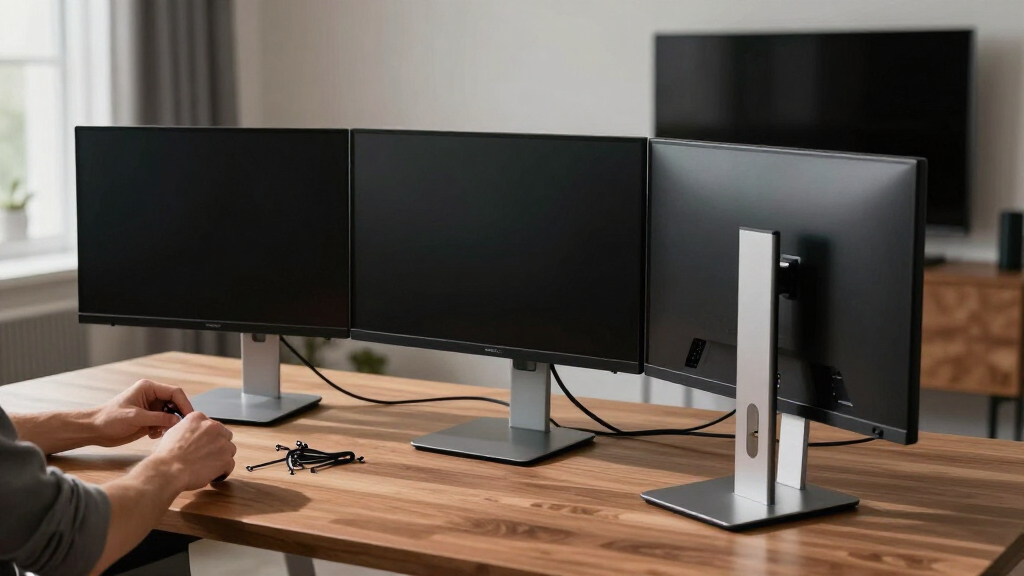
How We Picked
I ranked these 14 stands on the factors that actually decide whether a multi-monitor setup works day to day: monitor count and size fit, weight capacity per arm, range of motion (tilt, swivel, rotation, and height travel), mounting style (clamp, grommet, or freestanding base), and overall build quality relative to price. Stands that held their rated screen sizes comfortably — not just on paper — ranked higher than those that technically support a size but feel squeezed at it.
The ordering reflects a simple logic: dual stands lead the list because most buyers shopping this category run two screens, and the best duals deliver the widest adjustability per dollar. Triple and quad mounts follow, ranked by how well they solve the harder problems — arm reach across three screens, weight headroom for ultrawides, and footprint on small desks. Where two products were close, the tie-breaker was value: a stand that delivers gas-spring smoothness or a heavier rating at a mid-range price always outranked one charging premium money for the same mechanics.
Factors to Consider When Choosing Multi-monitor Computer Stands
The product reviews tell you which stands are good. This guide explains how to know which one is good for you — because the most common regret in this category isn’t buying a bad stand, it’s buying the wrong shape of a good one.
Start With Your Real Monitor Count — Then Add One
Multi-monitor stands are built around a fixed screen count, and there’s no upgrade path from a dual to a triple later. If there’s any chance you’ll add a third screen within a year, buy the triple now and leave one arm parked; a triple with an unused arm costs far less than replacing a dual stand entirely. The reverse mistake is just as common: buyers with two 24-inch screens purchase a quad mount “for flexibility” and end up with a taller, heavier, harder-to-adjust rig than their desk needs. Match the stand to the setup you actually run, plus one screen of headroom at most. Also note that quad mounts come in two layouts — four-in-a-row and stacked 2×2 — and the right one depends on your desk depth, not your budget. A row of four needs a wide desk and long arms; a stack needs vertical clearance and suits traders or monitoring dashboards more than general work.
Clamp, Grommet, or Freestanding: Let Your Desk Decide
Before you compare a single spec, check what your desk can accept. A C-clamp is the most secure option and what I’d default to, but it needs an open edge and typically 0.4 to 3.3 inches of thickness — glass tops and desks with a rear modesty panel often rule it out. A grommet mount routes through a cable hole and works on thicker surfaces, but only if you have or can drill the hole. Freestanding glass-base stands, like the HUANUO and VIVO glass models in this roundup, exist for everyone else: renters, glass desks, and sit-stand desks where clamping a moving surface is awkward. The tradeoff is real, though — freestanding bases eat desk space, wobble more under heavy typing, and usually cap your arm reach. Buy the mounting style your desk allows first, then shop features within that constraint, not the other way around.
Weight and Size Ratings Are Ceilings, Not Targets
Every stand in this roundup lists a maximum screen size and per-arm weight, and the pattern across all 14 was consistent: performance degrades near the limit. A dual stand rated for 27-inch monitors will technically hold two 27s, but the arms sit close together and angling both screens inward gets tight. The same stand running two 24s feels effortless. My rule of thumb is to leave 15 to 20 percent headroom on weight and treat the rated size as one step above what you’ll actually mount. This matters most for ultrawides: a single 34-inch ultrawide can weigh more than two budget 24s combined, which is why the 49-inch heavy-duty triple and the 5Rcom dual — both rated well past typical loads — earned their spots. Check your monitor’s weight without its stand attached, since that’s the number the arm rating refers to.
Gas Spring vs. Mechanical Arms Is a Lifestyle Choice
Gas-spring arms let you reposition a monitor with one hand and it stays where you leave it. Mechanical and fixed-pole designs hold position with bolts and joints you loosen, move, and re-tighten. If you adjust your screens once and never touch them again, mechanical arms save you real money with zero downside — that fixed-position stability is exactly why the VIVO dual and triple are budget favorites. If you switch between sitting and standing, share the desk, or regularly pull a screen around for a second viewer, gas spring is worth the premium every single day. The middle ground is the HUANUO FlowLift approach: assisted movement at a price below flagship gas arms. One caution that applies to both types: cheap gas springs can sag within a year under heavy panels, so on a gas model, weight headroom matters even more than usual.
The Small Details That Separate Keepers From Returns
Three unglamorous specs decide long-term satisfaction more than any marketing line. First, VESA compatibility: every stand here uses 75×75 or 100×100 patterns, but some budget and ultra-slim monitors ship without VESA holes at all — check your panel’s back before ordering anything. Second, cable management: good arms route cables through channels inside the arm; bad ones give you a clip that pops off, and with three or four screens, messy cables are the difference between a clean setup and a rat’s nest. Third, rotation range: if you ever want a screen in portrait for coding or documents, confirm the mount offers full 90-degree rotation rather than tilt alone — several entry models tilt and swivel but don’t rotate. None of these appear in headline specs, and all three are common reasons stands get returned in the first week.
Frequently Asked Questions
Do I need a clamp-on or freestanding multi-monitor stand?
Let your desk make this decision. If your desk has an open rear edge and a solid top between roughly 0.4 and 3.3 inches thick, a C-clamp mount is the better choice — it’s more stable, holds position better, and frees up the entire surface. Freestanding stands with glass bases, like the HUANUO dual and VIVO dual in this roundup, exist for desks that can’t be clamped: glass tops, desks with modesty panels, or sit-stand frames where clamping is awkward. The tradeoff for that flexibility is a larger footprint and a bit more wobble when you type hard. One middle option worth checking: if your desk has a cable grommet hole, a grommet-mount version of a clamp stand gives you clamp-level stability without touching the desk edge. Most of the clamped picks here include both bases in the box, so you’re not locked in at purchase.
Can a dual monitor stand really hold two 32-inch monitors?
Sometimes, but read the rating as two separate limits: size and weight. Several stands here — the ErGear dual, the 5Rcom dual, and the HUANUO FlowLift — are rated for 32-inch screens, and they handle that size far better than the 27-inch-rated Mount Pro or VIVO dual would. The catch is that two 32-inch panels side by side are about 56 inches wide before you angle them, so arm reach becomes the real constraint, not just the rating. You also need to check per-arm weight: two large gaming monitors can exceed 15 lbs each, which pushes past budget arms. If you’re set on dual 32s, pick a stand rated to 32 inches with at least 17 lbs per arm and expect less inward angle than a dual-24 setup allows. For anything bigger, a heavy-duty option like the 49-inch triple is the safer foundation.
Can I mix different monitor sizes on one triple or quad stand?
Yes, and it works better than most people expect — with one condition. Each arm adjusts independently, so a 27-inch center screen flanked by two 24-inch panels is a very common and comfortable layout. The condition is weight: every screen must stay under its per-arm weight rating, and on gas-spring models you may need to tension each arm differently so lighter panels don’t drift upward. Where mixing gets tricky is alignment — different bezel heights mean the screens won’t share one perfect sightline, so plan to spend ten minutes tuning each arm’s height. Fixed-pole triples like the VIVO are actually easier for mixed sizes than for identical ones, since you set each bracket independently anyway. The setups to avoid are mismatched weights on a single crossbar design, where the heavy side can pull the whole bar off level.
How much weight capacity headroom do I actually need?
More than the spec sheet suggests. Across these 14 stands, the consistent pattern was that arms feel solid up to about 80 percent of their rated load and get progressively stiffer or saggier beyond it. A dual stand rated at 17.6 lbs per arm, like the Mount Pro, is happiest carrying two 12-14 lb monitors rather than two 17 lb ones. The headroom matters even more on gas-spring arms, where an overloaded spring slowly droops and an underloaded one creeps up — you tune tension within a range, and being mid-range is where the smooth adjustment lives. To find your monitor’s real weight, check the manufacturer’s spec for the panel “without stand,” since you remove the factory stand to mount it. If your number lands within a pound or two of an arm’s limit, step up to the next model rather than hoping it holds.
Will a monitor stand clamp damage my desk?
Used correctly, no — but there are three situations where damage happens. The first is over-tightening on soft or hollow-core desktops, which can dent or crush the surface; snug is enough, since the stand’s weight capacity comes from the clamp’s grip area, not raw torque. The second is thin or glass tops: never clamp directly to glass, and on anything under half an inch thick, add a reinforcement plate or a scrap of plywood between the clamp and the surface to spread the load. The third is particleboard desks at the very edge of the thickness range, where a heavy quad setup can gradually compress the material — check the clamp monthly for the first few months and re-snug if needed. If any of these describe your desk, a grommet mount or a freestanding glass-base stand removes the risk entirely, which is exactly why those designs earned spots in this roundup.
Conclusion
After lining up all 14 stands side by side, the choice comes down to matching the stand’s shape to your setup. Best overall: the Mount Pro Dual Monitor Stand — full-motion arms, a confident clamp, and a price that makes the premium competition hard to justify. Best value: the VIVO Dual Monitor Desk Stand, which gives up one-touch adjustment but holds two screens steady for less than almost anything else here. Best premium pick: the Triple Monitor Mount for up to 49 inches, the only stand I’d trust with ultrawides or heavy mixed panels. Best for beginners: the ErGear Dual Monitor Arm, with a straightforward install and forgiving 13-32 inch range. Best for three screens on a budget: the HUANUO Triple for 13-27 inch screens, and for gamers running larger triples, its 17-32 inch sibling is worth the step up. Four-screen buyers should pick by desk shape: the MOUNT PRO Quad for a wide row, the WALI M004S for a stacked wall of screens. And if your desk can’t take a clamp at all, the glass-base HUANUO or VIVO freestanding duals are the honest answer. Whichever you choose, leave headroom on size and weight — that’s the one rule this entire roundup kept proving.