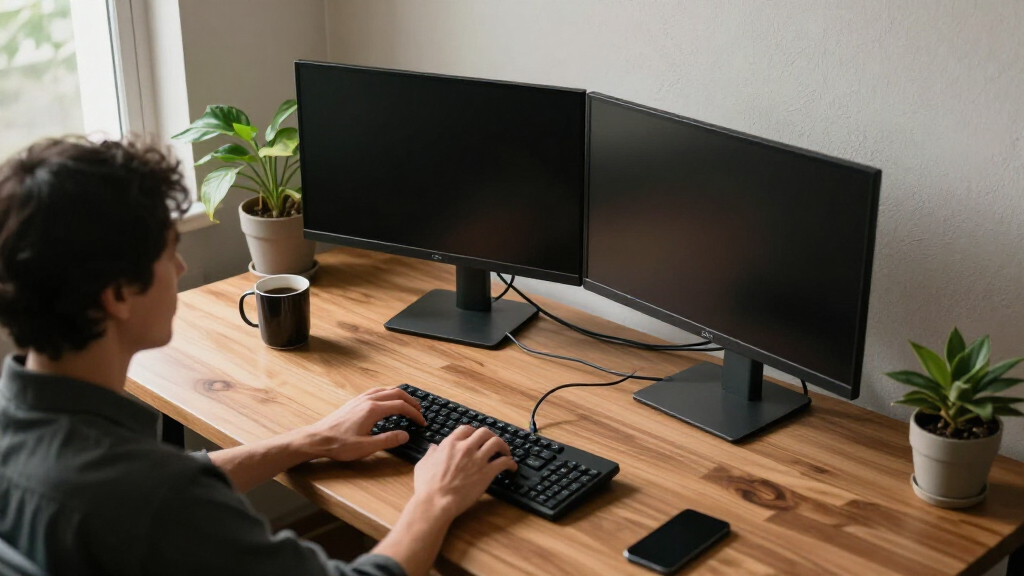

Shopping for dual monitor computer stands usually comes down to one big tradeoff: full-motion articulating arms versus simple fixed risers. Arms like the VIVO Heavy Duty Steel Dual Monitor Desk Mount, my best overall pick, free up desk space and let you position two screens exactly where you want them. The EVEO Premium Gas Spring Mount is the smoother, more premium option if you adjust your monitors constantly, while the 47-Inch Walnut Riser wins for anyone who wants zero installation and a spot for a laptop or printer underneath. Budget shoppers get strong value from the ErGear mounts, and gamers with heavier displays should look at the WALI’s 22-lb-per-arm capacity. Read on for the full breakdown of all twelve stands, including who each one is right for and which ones to skip.
Complete the kit


Key Takeaways
- Gas spring arms (EVEO, HUANUO FlowLift) adjust with one hand but cost more and demand a thicker, sturdier desk than mechanical-spring mounts like the VIVO or ErGear.
- The mount style matters as much as the brand: C-clamp and grommet mounts free up desk surface but require desk edge clearance, while risers and freestanding stands work on any surface yet eat horizontal space.
- Weight capacity varied widely in this lineup, from around 17 lbs total on smaller stands to 44 lbs combined on the WALI — a decisive factor for ultrawide or older, heavier monitors.
- The KS DoubleSight bundles two 24-inch monitors with the stand, which changes the value math entirely: it only makes sense if you’re building a workspace from scratch, not if you already own screens.
- Extras quietly differentiate otherwise similar mounts: the Perlegear‘s built-in power strip and the VIVO Freestanding’s glass base solve real problems (cable clutter and no-drill setup) that cheaper arms ignore.
| VIVO Dual Monitor Desk Mount for 13-30 inch Screens |  | Best Overall | Supported Screen Size: 13-30 inches | Max Weight per Monitor: 22 lbs | VESA Compatibility: 75x75mm, 100x100mm | VIEW LATEST PRICE | See Our Full Breakdown |
| HUANUO FlowLift Dual Monitor Stand |  | Best for Gamers | Supported Screen Size: 13-32 inches | Weight per Monitor: 4.4 to 19.8 lbs | VESA Compatibility: 75x75mm, 100x100mm | VIEW LATEST PRICE | See Our Full Breakdown |
| VIVO Dual Monitor Desk Stand for 2 Screens up to 27 Inch |  | Best for Desks You Can’t Clamp | Supported Screen Size: 13 to 27 inches | Max Weight per Monitor: 22 lbs | VESA Compatibility: 75x75mm, 100x100mm | VIEW LATEST PRICE | See Our Full Breakdown |
| KS DoubleSight Displays 2 Full HD 24″ Monitors with Dual Stand |  | Best Complete Bundle | Display Size: 24 inches each | Resolution: 1920 x 1080 (FHD) | Refresh Rate: 75Hz | VIEW LATEST PRICE | See Our Full Breakdown |
| ErGear Dual Monitor Stand for 2 Screens up to 32 Inches |  | Best Value for Large Screens | Supported Screen Size: 13 to 32 inches | Max Weight per Monitor: 17.6 lbs | VESA Compatibility: 75x75mm, 100x100mm | VIEW LATEST PRICE | See Our Full Breakdown |
| EVEO Premium Dual Monitor Mount 14-32″ Gas Spring Arm |  | Best Full-Motion Flexibility | Supported Screen Size: 14-32 inches | VESA Compatibility: 75×75 mm, 100×100 mm | Mounting Options: Desk clamp, grommet mount | VIEW LATEST PRICE | See Our Full Breakdown |
| 47-Inch Solid Wood Dual Monitor Stand Riser, Walnut Finish |  | Best for Desk Organization | Material: Solid wood | Finish: Walnut | Length: 47 inches | VIEW LATEST PRICE | See Our Full Breakdown |
| Mount Pro Dual Monitor Stand, Full Motion Desk Mount |  | Best Value Full-Motion Mount | Max Monitor Size: 27 inches | Max Weight per Arm: 17.6 lbs | VESA Compatibility: 75×75 mm, 100×100 mm | VIEW LATEST PRICE | See Our Full Breakdown |
| Perlegear Dual Monitor Stand with Power Strip, Glass Base |  | Best All-in-One Convenience | Compatibility: 13″-32″ monitors, VESA 75x75mm or 100x100mm | Weight Capacity: 22 lbs per arm | Material: Carbon steel, tempered glass | VIEW LATEST PRICE | See Our Full Breakdown |
| ErGear Dual Monitor Arm, Fully Adjustable Mount for 13-32″ Screens |  | Best for Quick Setup | Compatibility: Monitors 13-32 inches | Max Load: 19.8 lbs per arm | VESA Pattern: 75x75mm, 100x100mm | VIEW LATEST PRICE | See Our Full Breakdown |
| WALI Adjustable Dual Monitor Arm for 13-43 inch Screens, 22 lbs per Arm |  | Best for Oversized Monitors | Screen Size Compatibility: 13-43 inches | Max Load Capacity: 22 lbs per arm | VESA Pattern: 75x75mm and 100x100mm | VIEW LATEST PRICE | See Our Full Breakdown |
| VIVO Freestanding Dual Monitor Stand with Glass Base and Adjustable Arms |  | Best for Desks You Can’t Clamp | Compatibility: 13″ to 32″ monitors, up to 22 lbs each | Base Dimensions: 42.5 cm x 26 cm | VESA Compatibility: 75x75mm or 100x100mm | VIEW LATEST PRICE | See Our Full Breakdown |
| dual monitor computer stand | VESA Compatibility | Rotation | Swivel | Height Adjustment |
|---|---|---|---|---|
| VIVO Dual Monitor Desk Mount f | 75x75mm, 100x100mm | — | — | — |
| HUANUO FlowLift Dual Monitor S | 75x75mm, 100x100mm | — | — | — |
| VIVO Dual Monitor Desk Stand f | 75x75mm, 100x100mm | 360° | 180° | — |
| KS DoubleSight Displays 2 Full | — | — | — | — |
| ErGear Dual Monitor Stand for | 75x75mm, 100x100mm | — | — | — |
| EVEO Premium Dual Monitor Moun | 75×75 mm, 100×100 mm | 360° | +90° to -90° | Not specified |
| 47-Inch Solid Wood Dual Monito | — | — | — | — |
| Mount Pro Dual Monitor Stand | 75×75 mm, 100×100 mm | 360° | — | Up to 18.1 inches |
| Perlegear Dual Monitor Stand w | — | 360° | ±90° | 10.79" to 14.92" |
| ErGear Dual Monitor Arm | — | 360° | ±90° | Up to 17.5 inches |
| WALI Adjustable Dual Monitor A | — | 360° | +90°/-90° | Up to 20.6 inches |
| VIVO Freestanding Dual Monitor | 75x75mm or 100x100mm | 360° | 360° | Along center pole |
More Details on Our Top Picks
VIVO Dual Monitor Desk Mount for 13-30 inch Screens
VIVO’s clamp-mounted dual arm hits the sweet spot between capacity, adjustability, and price, which is why it earns the top slot. With support for two 30-inch, 22-lb monitors plus a full range of tilt (+90°/-90°), 180° swivel, and 360° rotation, it handles almost any screen pairing a home office can throw at it. Compared with the ErGear Dual Monitor Stand, it carries heavier panels, though ErGear pulls ahead on 32-inch widescreen support. Unlike the VIVO Freestanding model, this clamp version doesn’t eat 13 x 10.5 inches of desktop, but it does demand a solid desk up to 3.25 inches thick. The 3-year warranty adds peace of mind that most budget rivals skip. The tradeoff is unremarkable cable management — the clips work, but messy setups will still show wires.
Pros:- 22 lb per-arm capacity handles heavier monitors than most rivals
- Both C-clamp and grommet mounting included for flexible installation
- Full range of tilt, swivel, and rotation for portrait or landscape setups
- 3-year manufacturer warranty on steel construction
Cons:- Basic cable management clips won’t fully conceal cables
- Requires VESA-compatible monitors — no adapters included for non-standard backs
Best for: Home office workers with mixed monitor sizes up to 30 inches who want maximum weight capacity on a sturdy desk
Not ideal for: Anyone with a glass desk or a thin composite tabletop — the C-clamp needs a genuinely rigid surface to stay stable
- Supported Screen Size:13-30 inches
- Max Weight per Monitor:22 lbs
- VESA Compatibility:75x75mm, 100x100mm
- Mounting Options:C-Clamp, Grommet
- Tilt / Swivel / Rotation:+90° to -90° / 180° / 360°
- Clamp Thickness:up to 3.25 inches
- Material:Steel
Our verdict“If you want one mount that covers nearly every dual-monitor scenario without paying premium prices, this is the safest pick in the lineup.”
HUANUO FlowLift Dual Monitor Stand
Stability is the FlowLift’s whole argument, and it’s a good one for gamers who pound keyboards at 2 a.m. The dual C-clamp base with an enlarged platform locks down harder than the single-clamp designs on the VIVO clamp mount, so fast mouse flicks don’t translate into screen wobble. One-handed arm movement is smooth enough to pull a screen close for an FPS session and push it back for cutscenes, with a 15.75-inch maximum lift for better posture. Compatibility demands are stricter than most, though: monitors must fall between 4.4 and 19.8 lbs, and it’s wooden desks only — no plastic or glass, and no cross-beams underneath. That makes it less flexible than the WALI dual arm‘s 43-inch, 22-lb range, but steadier under active use.
Pros:- Dual C-clamp plus enlarged base platform eliminates wobble during intense sessions
- Smooth one-handed adjustment for pulling screens closer or pushing them back
- Raises monitors up to 15.75 inches to reduce neck and shoulder strain
- Built-in cable management along the arms keeps the battlestation tidy
Cons:- Wooden desks only — plastic and glass tops are explicitly unsupported
- 19.8 lb per-arm ceiling is lower than the VIVO clamp mount’s 22 lbs
- Requires at least 0.59 inches of desk thickness, ruling out very thin tabletops
Best for: PC gamers and fast-paced typists who prioritize rock-solid stability and one-handed repositioning on a wooden desk
Not ideal for: Owners of glass desks, thin plastic tabletops, or monitors under 4.4 lbs or over 19.8 lbs — the fit checklist rules them out entirely
- Supported Screen Size:13-32 inches
- Weight per Monitor:4.4 to 19.8 lbs
- VESA Compatibility:75x75mm, 100x100mm
- Mounting Options:C-Clamp, Grommet
- Desk Thickness:0.59 to 3.54 inches (wood only)
- Tilt / Swivel / Rotation:+85°/-50° / ±90° / 360°
- Max Height Lift:15.75 inches
Our verdict“Gamers on solid wooden desks who hate screen shake will find the FlowLift’s locked-down base worth its strict compatibility requirements.”
VIVO Dual Monitor Desk Stand for 2 Screens up to 27 Inch
Not every desk tolerates a clamp — glass tops, heirloom wood, or sit-stand frames with cross-beams all rule out most mounts in this guide. That’s where this freestanding VIVO base earns its place: no drilling, no clamping, just a 13 x 10.5-inch heavy base that sits on any surface. You keep the full adjustment range of the clamp version, including ±90° tilt and 360° rotation, plus detachable VESA plates that make mounting noticeably faster. The catch is physics: pull a monitor too far forward and the whole assembly gets tippy, a problem the clamp-mounted VIVO never has. It also sacrifices desk real estate rather than freeing it, the opposite of what a riser-style stand like the 47-inch wood organizer offers for storage. If your desk simply can’t be clamped, though, this is the most stable drill-free option here.
Pros:- No clamping or drilling required — works on glass, stone, and any surface
- Detachable VESA plates make monitor installation quick and painless
- Same full tilt, swivel, and rotation range as VIVO’s clamp mount
- Heavy base keeps typical dual 27-inch setups steady in normal use
Cons:- Stability degrades when arms are extended too far forward or backward
- Base consumes 13 x 10.5 inches of desktop rather than freeing space
Best for: Anyone with a glass, stone, or beam-obstructed desk who can’t use a C-clamp or grommet mount
Not ideal for: Small workstations — the large footprint eats desk space instead of reclaiming it, and heavy monitors extended far forward can destabilize the base
- Supported Screen Size:13 to 27 inches
- Max Weight per Monitor:22 lbs
- VESA Compatibility:75x75mm, 100x100mm
- Base Dimensions:13 x 10.5 inches
- Tilt Range:+90° to -90°
- Swivel:180°
- Rotation:360°
Our verdict“The right choice when your desk forbids clamps — just keep the arms centered and accept the lost desktop space.”
KS DoubleSight Displays 2 Full HD 24″ Monitors with Dual Stand
This is the odd one out in the roundup — and deliberately so. Every other entry assumes you already own monitors; the KS DoubleSight package includes two 24-inch Full HD panels plus the stand, making it the only true one-purchase solution. For someone building a first dual-screen workstation, that removes all the VESA-compatibility guesswork that trips up buyers of the VIVO and ErGear mounts. The VA panels deliver a 3000:1 contrast ratio that makes text and media look richer than typical bundled displays, and dual HDMI ports per monitor keep wiring simple. The compromises are real, though: 1080p at 24 inches is fine for office work but dated for serious gaming, refresh tops out at 75Hz, and there’s no stated warranty. You also give up the fine-grained arm articulation of a dedicated mount.
Pros:- Two 24-inch Full HD monitors and stand included — no compatibility guesswork
- 3000:1 VA contrast ratio delivers deeper blacks than typical bundle panels
- 75Hz refresh and 250 nits brightness handle everyday work and media smoothly
- Multiple HDMI ports simplify connectivity for laptops and desktops
Cons:- 1080p resolution and 75Hz cap limit appeal for gaming or detailed creative work
- No warranty information provided, a risk for a two-screen purchase
Best for: First-time dual-monitor buyers who want screens and stand in a single purchase without researching VESA compatibility
Not ideal for: Enthusiasts who already own quality monitors, or anyone wanting 1440p/high-refresh panels — you’re paying for hardware you’d replace
- Display Size:24 inches each
- Resolution:1920 x 1080 (FHD)
- Refresh Rate:75Hz
- Display Technology:VA
- Contrast Ratio:3000:1
- Brightness:250 cd/m²
- Ports:2 HDMI per monitor
- Total Weight:23 lbs
Our verdict“Buy this only if you need both monitors and the stand from scratch — everyone else gets more flexibility from a standalone mount.”
ErGear Dual Monitor Stand for 2 Screens up to 32 Inches
ErGear covers the 32-inch widescreen territory that the 30-inch-capped VIVO clamp mount misses, and typically at a lower price — that combination defines its value case. Its 31.22-inch arm span gives two large panels room to breathe side by side without crowding, and the tilt, swivel, and rotation range covers every ergonomic position a hybrid worker or content creator needs. The 17.6 lb per-arm rating is the sticking point: heavier ultrawides and older 32-inch panels often exceed it, so the HUANUO FlowLift (19.8 lbs) and VIVO (22 lbs) both carry more confidently. Like the HUANUO, it also prefers wooden tables without under-desk beams, and the 0.39-inch minimum thickness excludes some modern thin-topped desks. For lighter 27-to-32-inch monitors, though, this delivers most of the premium-mount experience at a midrange price.
Pros:- Supports two 32-inch monitors, larger than the 30-inch VIVO clamp mount
- 31.22-inch arm span fits two widescreens side by side comfortably
- Full tilt, swivel, and rotation with cable management included
- Straightforward installation with detailed instructions
Cons:- 17.6 lb per-arm limit is the lowest among the heavy-duty picks here
- Works best on beam-free wooden desks 0.39 to 3 inches thick — a real constraint for sit-stand frames
Best for: Budget-conscious buyers with lighter 27-32 inch monitors who want wide-screen support without paying gas-spring prices
Not ideal for: Owners of heavy ultrawides or monitors over 17.6 lbs — the weight ceiling is genuinely limiting and the arms will sag
- Supported Screen Size:13 to 32 inches
- Max Weight per Monitor:17.6 lbs
- VESA Compatibility:75x75mm, 100x100mm
- Arm Span:31.22 inches
- Tilt / Swivel / Rotation:±45° / ±90° / 360°
- Table Thickness:0.39-3 in (clamp), 0.39-2.36 in (grommet)
- Material:Metal
Our verdict“The smart money pick for lighter widescreen pairs, as long as you’ve weighed your monitors first.”
EVEO Premium Dual Monitor Mount 14-32″ Gas Spring Arm
This option stands out for its complete range of motion across the largest screen range in this lineup — 14 to 32 inches — paired with a gas spring mechanism that lets you reposition both monitors with a light touch rather than loosening knobs. Compared with the Mount Pro Dual Monitor Stand, which caps out at 27 inches, the EVEO accommodates bigger displays, though it gives up the Mount Pro’s clearly documented 18.1-inch height range — a spec EVEO leaves unspecified, which matters if you’re tall or want both screens at eye level. The tradeoff is transparency: it’s a capable, flexible mount, but buyers have to trust the build rather than verify the numbers. Dual mounting options (clamp and grommet) put it on par with the HUANUO FlowLift for installation flexibility.
Pros:- Wide 14-32 inch screen compatibility with full 360° rotation
- Gas spring adjustment allows effortless one-touch repositioning
- Both clamp and grommet mounting options included
- Suitable for both home and office environments
Cons:- Maximum height adjustment is not documented, making fit uncertain
- No dedicated cable management system mentioned
- Limited to VESA 75×75 and 100×100 patterns only
Best for: Owners of mixed or large monitor setups (up to 32 inches) who reposition their screens frequently throughout the day
Not ideal for: Buyers who need guaranteed height clearance — the unspecified maximum height makes it a gamble for tall users or deep desks
- Supported Screen Size:14-32 inches
- VESA Compatibility:75×75 mm, 100×100 mm
- Mounting Options:Desk clamp, grommet mount
- Rotation:360°
- Swivel:+90° to -90°
- Mechanism:Gas spring
- Height Adjustment:Not specified
Our verdict“A strong pick for large-screen users who value smooth, frequent repositioning over verified height specs.”
47-Inch Solid Wood Dual Monitor Stand Riser, Walnut Finish
This riser takes a completely different approach from the arm-based mounts in this roundup: instead of clamping to your desk, it sits on top and lifts both monitors, freeing the space beneath for keyboards, laptops, or a printer. Unlike the ErGear Dual Monitor Arm, there’s no VESA requirement, no clamp, and no compatibility math — if your monitors sit on it, it works. The walnut-finished solid wood also looks at home on a wooden desk in a way no steel arm can match. The tradeoff is fundamental: you get fixed elevation with zero adjustability, and at 47 inches long, it demands serious desk real estate. Compared with the Perlegear Glass Base Stand, it trades motion flexibility for storage and aesthetics.
Pros:- No VESA or weight-pattern compatibility requirements
- Generous storage space underneath for keyboards and devices
- Solid wood construction with an attractive walnut finish
- Tool-free assembly with non-slip pads for stability
Cons:- Zero adjustability — height is fixed at the riser’s elevation
- At 47 inches, too large for compact desks
- Heavy and awkward to reposition once set up
Best for: Home office workers with spacious desks who want hidden storage and a warm, furniture-like look rather than an industrial arm
Not ideal for: Small-desk users or anyone who needs frequent height, tilt, or swivel adjustments — this riser offers none
- Material:Solid wood
- Finish:Walnut
- Length:47 inches
- Supports:2 monitors, laptops, TV up to 47 inches, printers
- Non-slip Pads:Yes
- Assembly:Tool-free
Our verdict“The right choice if your priority is an organized, stylish desktop rather than ergonomic fine-tuning.”
Mount Pro Dual Monitor Stand, Full Motion Desk Mount
This model makes the most sense for buyers who want verified, clearly published specs without paying a premium. The 18.1-inch height range is documented — unlike the EVEO Premium Mount, which leaves its maximum height unspecified — and the -90° to +70° tilt range covers portrait-to-landscape flips and downward-facing setups for standing workstations. The V-shaped base and integrated cable management give it a tidier footprint than most budget arms, though it falls short of the Perlegear’s built-in power strip for charging convenience. The real limitation is capacity: 27 inches and 17.6 lbs per arm rules out the ultrawide-adjacent displays the EVEO and ErGear can handle. It also demands patience during setup — two monitors of similar weight balance far better than mismatched pairs.
Pros:- Clearly documented 18.1-inch height adjustment range
- Full motion: tilt, swivel, and 360° rotation
- Stable V-shaped base with cable management included
- Universal VESA 75×75/100×100 compatibility
Cons:- Caps at 27-inch monitors, smaller than several rivals here
- Two monitors must be similar in weight to balance well
- Assembly can frustrate first-time mount buyers
Best for: Budget-conscious buyers with two standard 24-27 inch monitors who want full motion and honest specs
Not ideal for: Owners of 32-inch or heavyweight monitors — the 27-inch/17.6 lb ceiling is a hard limit
- Max Monitor Size:27 inches
- Max Weight per Arm:17.6 lbs
- VESA Compatibility:75×75 mm, 100×100 mm
- Height Adjustment:Up to 18.1 inches
- Tilt Range:-90° to +70°
- Swivel Range:-90° to +90°
- Rotation:360°
- Base:V-shaped with cable management
Our verdict“A dependable, well-documented full-motion mount for standard-sized dual setups at a sensible price.”
Perlegear Dual Monitor Stand with Power Strip, Glass Base
The differentiator here is the built-in power strip with USB ports and outlets — no other mount in this lineup integrates charging, which means one less cable snake under your desk. With 22 lbs per arm and support up to 32 inches, it out-muscles both the Mount Pro (17.6 lbs) and the ErGear arm (19.8 lbs), making it the safer choice for heavier displays. However, its height range of 10.79 to 14.92 inches is the shallowest among the freestanding and clamping options here — the Mount Pro reaches over 18 inches — so very tall users may find their screens sit low. The tempered glass base looks sleek but eats desk depth compared with a clamp-style arm like the ErGear, which attaches at the edge and frees your work surface.
Pros:- Highest weight capacity in this batch at 22 lbs per arm
- Integrated power strip with USB ports and outlets
- Supports large monitors up to 32 inches
- Tempered glass base adds stability and a premium look
Cons:- Shortest height range of the adjustable options (10.79-14.92 inches)
- Glass base consumes considerable desk surface
- Requires careful verification of monitor size, weight, and VESA fit
Best for: Desk setups drowning in cables — especially anyone charging phones, tablets, or accessories right at their monitors
Not ideal for: Tall users or shallow desks — the modest height ceiling and bulky glass base limit ergonomic range and eat workspace
- Compatibility:13″-32″ monitors, VESA 75x75mm or 100x100mm
- Weight Capacity:22 lbs per arm
- Material:Carbon steel, tempered glass
- Height Adjustment:10.79″ to 14.92″
- Tilt:±45°
- Swivel:±90°
- Rotation:360°
- Extras:Built-in power strip with USB ports and outlets, cable management
Our verdict“The pick for cable-chaotic workspaces that need heavy monitor support and charging built right into the stand.”
ErGear Dual Monitor Arm, Fully Adjustable Mount for 13-32″ Screens
This model’s standout feature is tool-free VESA mounting — a genuine time-saver when the Mount Pro and most clamping rivals require a screwdriver and some wrestling during assembly. The 13-32 inch range and 19.8 lb load capacity put it in the same class as the EVEO for versatility, while the documented 17.5-inch height adjustment and 18.1-inch extension beat the Perlegear’s shorter reach. Cable management is included, closing the gap the EVEO leaves open. The catch is desk compatibility: it’s recommended only for wooden desks without crossbeams, and the clamp accepts thicknesses up to 2.56 inches — anyone with a metal frame or reinforced desk should look at a freestanding option like the Perlegear instead.
Pros:- Tool-free VESA mounting for genuinely quick setup
- Independent height, tilt, swivel, and rotation per arm
- Built-in cable management keeps cords hidden
- Supports the full 13-32 inch monitor range
Cons:- Only suitable for wooden desks without crossbeams underneath
- 19.8 lb per-arm limit excludes heavyweight monitors
- VESA compatibility still needs verification before purchase
Best for: Buyers with standard wooden desks who want a fast, frustration-free installation and wide monitor support
Not ideal for: Owners of metal-framed or crossbeam-reinforced desks — the clamp design won’t seat properly
- Compatibility:Monitors 13-32 inches
- Max Load:19.8 lbs per arm
- VESA Pattern:75x75mm, 100x100mm
- Height Adjustment:Up to 17.5 inches
- Extension:Up to 18.1 inches
- Tilt:+80°/-50°
- Swivel:±90°
- Rotation:360°
- Clamp Range:Desk thickness 0.39″-2.56″ (clamp), 0.39″-2.95″ (grommet)
Our verdict“The easiest path to a fully adjustable dual-monitor setup — provided your desk is solid wood all the way through.”
WALI Adjustable Dual Monitor Arm for 13-43 inch Screens, 22 lbs per Arm
Most dual monitor arms in this roundup tap out at 32 or 33 inches, which makes the WALI’s 43-inch ceiling genuinely rare. If you’re pairing two large displays — say a 34-inch ultrawide alongside a 40-inch 4K panel — this is one of the few mounts here that won’t buckle, thanks to a 22 lbs per-arm rating. The 20.6 inches of height travel also beats shorter-pole options like the VIVO Dual Monitor Desk Stand, giving tall users room to raise screens to eye level without a riser block underneath.
The tradeoff is strict about where it lives. WALI recommends wooden desks without crossbeams, so if your desk is metal, glass, or has a support frame under the mounting zone, the ErGear clamp-mount options will fit your furniture better. The clamp also caps out at 1.96 inches of desk thickness.
Pros:- Supports monitors up to 43 inches, far beyond the 32-inch ceiling of most competitors
- 22 lbs per-arm capacity handles heavy ultrawides and older plasma-style panels
- Full motion range including ±55° tilt and 24.5-inch arm extension
- Both C-clamp and grommet mounting hardware included
Cons:- Only recommended for wooden desks without crossbeams underneath
- No gas spring assist, so larger monitors feel heavy when repositioning
Best for: Owners of two large monitors (35-43 inches) who work at a solid wooden desk and need serious height range
Not ideal for: Anyone with a metal, glass, or crossbraced desk — the clamp and grommet mounts require solid wood seating for safety
- Screen Size Compatibility:13-43 inches
- Max Load Capacity:22 lbs per arm
- VESA Pattern:75x75mm and 100x100mm
- Height Adjustment:Up to 20.6 inches
- Extension Length:Up to 24.5 inches
- Tilt:+55°/-55°
- Swivel:+90°/-90°
- Rotation:360°
- Mounting Options:C-clamp or grommet base
Our verdict“This is the pick if you need to mount two very large screens and your desk can take a clamp — everyone with standard 27-inch monitors gets more convenience elsewhere.”
VIVO Freestanding Dual Monitor Stand with Glass Base and Adjustable Arms
Nearly every mount in this roundup — the HUANUO FlowLift, the ErGear arms, the Mount Pro — attaches by clamping or drilling into your desk. The VIVO freestanding design skips that entirely, resting on a tempered glass base that works on glass tops, heirloom wood, or standing desks with irregular edges. That’s a real advantage if you rent, move often, or simply don’t want bolt holes in your workstation. The removable VESA plates also make monitor swaps easier than fixed-plate rivals, and VIVO backs it with a 3-year warranty, longer than most here.
Freedom from clamping comes at a price: the base measures 42.5 x 26 cm, so it eats a meaningful strip of desk real estate, and VIVO advises bolting it down if you frequently pull monitors forward. Compared with the Perlegear glass-base stand, this one skips the built-in power strip but gains the tilt range of ±90°.
Pros:- No clamping or drilling required, works on any desk surface
- Tempered glass base looks premium and stays stable under two 22 lbs monitors
- Removable VESA plates simplify monitor attachment and removal
- 3-year manufacturer warranty
Cons:- Base may need to be bolted down if you adjust monitor depth frequently
- 42.5 x 26 cm base consumes considerable desk space versus clamp mounts
Best for: Renters and anyone with a glass, stone, or clamp-unfriendly desk who still wants articulated dual-monitor arms
Not ideal for: Small or shallow desks — the large base footprint plus monitors overhanging the front edge gets cramped fast
- Compatibility:13″ to 32″ monitors, up to 22 lbs each
- Base Dimensions:42.5 cm x 26 cm
- VESA Compatibility:75x75mm or 100x100mm
- Material:Tempered glass, steel
- Tilt Range:+90° to -90°
- Swivel:360°
- Rotation:360°
- Height Adjustment:Along center pole
Our verdict“Buy this if your desk can’t take a clamp and you want full articulation; skip it if surface area is already tight.”
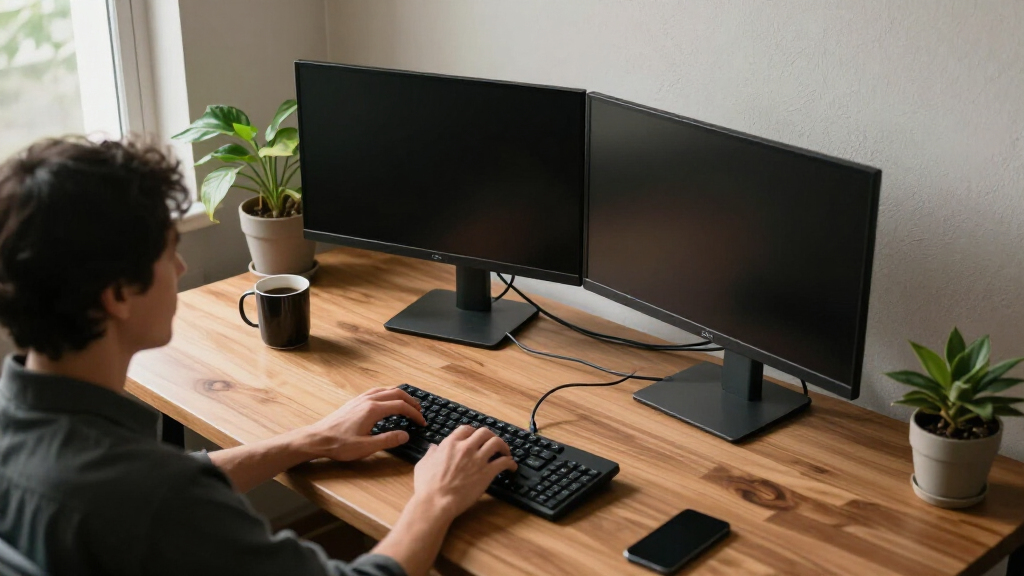
How We Picked
I compared these twelve stands on five factors that actually determine satisfaction: mount security and stability (whether two monitors sag, wobble, or drift after setup), adjustability range (height, tilt, swivel, and rotation for portrait mode), weight and size capacity relative to typical dual-monitor setups, installation demands including VESA compatibility and desk thickness requirements, and price-to-performance value. Because this category spans mechanical-spring arms, gas spring arms, freestanding poles, and fixed risers, I also judged each product against its own format’s best practices rather than forcing a single standard.
The ranking logic favors versatility and long-term reliability at the top — the best overall pick had to handle heavy monitors, offer full motion, and mount two ways. Value picks earned their spots by matching 80 percent of premium performance at half the price. Niche products like the riser, the monitor bundle, and the power-strip model were ranked on how well they serve their specific buyer, not on how they compare as general-purpose mounts. Products with thinner arms, tighter weight limits, or wobblier bases landed lower even when their price was attractive.
Factors to Consider When Choosing Dual Monitor Computer Stands
Before picking a specific stand, it helps to understand the structural decisions that shape every option in this category. These six factors separate the stands that transform a workspace from the ones that end up back in the box.Mount Type: The Decision Everything Else Depends On
The first fork in the road is how the stand attaches to your desk, and it changes everything downstream. C-clamp mounts grip the desk edge and are the most common, but they need 2–4 inches of clear edge and can dent soft wood over time. Grommet mounts bolt through a hole in the desk and are the most secure, though most desks don’t have a pre-drilled hole — you may need to drill one yourself. Freestanding stands and risers sit flat on the surface, which makes them the only real option for glass desks, shallow countertops, or rented workspaces where drilling is off-limits. The tradeoff is horizontal space: a riser can consume 20 inches or more of desk depth that a clamp mount would leave completely free. Match the mount type to your desk before you look at anything else, because no amount of adjustability fixes a clamp that doesn’t fit.
Weight Capacity: The Spec That Causes Sag
Every mount lists a per-arm weight limit, and this is where cheap stands fail months after purchase rather than on day one. Running a monitor near the top of a mount’s rated range causes slow spring fatigue and arm droop — the screens gradually tilt downward and no amount of re-tightening holds for long. The safest practice is to keep each monitor’s weight at or below 70 percent of the rated maximum, especially on gas spring arms where the spring tension is tuned to a weight window rather than a ceiling. Heavier displays like older 27-inch panels or anything with built-in speakers often exceed 15 lbs each, which rules out the lighter-duty entries in this category entirely. Check the weight of your actual monitors (with stands removed but cables considered) before comparing specs, not after.
Spring Mechanism: Gas Versus Mechanical
There are two adjustment systems in this lineup, and they feel completely different in daily use. Gas spring arms float — you can reposition a monitor with one hand mid-task, which matters for shared desks, sit-stand workflows, or anyone who switches between reference work and focused typing. Mechanical (coil) spring arms cost less but require loosening a knob, moving the arm, and retightening, which most people stop doing after the first week. The catch: gas springs need correct tension tuning out of the box, and a mis-tuned arm will drift upward or slam down. If you set your monitors once and never touch them, a mechanical arm saves real money. If you fidget with position daily, the gas spring premium pays for itself within a month.
VESA Compatibility and the Adapter Problem
Nearly every arm in this category uses the VESA 75×75 or 100×100 mounting pattern, a square hole layout on the back of your monitor. Most modern monitors support it, but many consumer-grade displays — particularly budget Dell, HP, and Lenovo office models — hide the VESA holes behind the factory stand or skip them entirely. Confirm the pattern before buying, because a non-VESA monitor requires an adapter bracket that adds cost, weight, and offset that can push a heavy panel past an arm’s balance point. This is also worth checking on curved screens, where recessed backs sometimes need longer bolts. Discovering a missing VESA pattern on installation day is the single most common reason dual monitor stands get returned.
Desk Strength and the Wobble Cascade
Buyers routinely audit the stand but never audit the desk under it, and that’s a mistake — a flimsy desk amplifies every movement of a dual monitor arm. Two monitors on an articulating arm create leverage that turns a wobbly particleboard desk into a pendulum: every keystroke makes the screens sway. Thin desktops (under an inch) also flex under C-clamp pressure, and some cheap desks crack at the clamp point. If your desk is lightweight, prioritize freestanding stands with wide, heavy bases, which distribute weight instead of concentrating it at one edge. If you have a sit-stand desk, check its weight rating too — two monitors plus a heavy steel mount can eat 25 lbs of a desk’s listed capacity before you place anything else on it.
Cable Management and Hidden Costs
The listed price is rarely the full cost of a dual monitor setup. Good arms include internal cable channels that route wires through the arm itself; cheap ones expect you to zip-tie cables to the outside, where they snag every time you swivel a screen. Factor in whether you’ll need longer display cables — a monitor moved 18 inches away from your tower often needs a longer HDMI or DisplayPort cable than shipped with it. Some setups also benefit from a right-angle adapter where the cable exits the monitor, since straight plugs can block a full pivot into portrait mode. The Perlegear’s integrated power strip is one response to this problem, but a simpler fix is budgeting $20–30 for cables and routing accessories on top of whatever the stand costs.
Frequently Asked Questions
Can a dual monitor stand hold two different sized monitors?
Yes, but the stand needs independent arm adjustment for the setup to look and function right. Full-motion mounts like the VIVO Heavy Duty, EVEO, and ErGear models let you position each screen at its own height and angle, which is what you need when pairing, say, a 27-inch main display with a 24-inch secondary. Pole-style stands where both arms share one height setting are much weaker here, because a size mismatch forces one monitor uncomfortably high or low. One thing to watch: pairing one very heavy and one very light monitor on a dual gas spring arm can make tuning awkward, since each arm needs different tension. In that case, choose a mount with separately adjustable springs per arm rather than a shared mechanism.
Is a gas spring mount worth the extra money over a basic mechanical arm?
It depends entirely on how often you reposition your monitors. A gas spring lets you move a screen with one hand at any time, which genuinely changes behavior — people with gas arms adjust position multiple times a day, while people with mechanical arms typically set it once and never touch it again. If you have a sit-stand desk, share the workstation, or do mixed tasks (reading, drafting, video calls), the gas spring is worth the premium. If you set your monitors at eye level on day one and leave them, a mechanical arm delivers the same final position for noticeably less money. The other honest drawback of gas springs is that they require tension tuning at setup, and an untuned arm drifts — a problem mechanical arms simply don’t have.
Will a C-clamp mount damage my desk?
On a solid wood or thick composite desk, a properly torqued C-clamp causes at most a slight compression mark, and most mounts include protective padding that prevents even that. Problems arise with thin particleboard, bamboo, or laminate desktops under about 0.8 inches thick, where the combined weight and leverage of two monitors can warp or crack the surface over months. If your desk is fragile, a grommet mount spreads force through a bolt rather than squeezing the edge, or you can switch to a freestanding stand and skip clamping entirely. Another quiet risk: clamps on sit-stand desks can slowly loosen as the frame moves up and down, so re-check the tension occasionally. When in doubt, place a small wood block between clamp and desk to distribute the pressure.
What’s the better choice for a small desk: a dual arm or a monitor riser?
For small desks, the dual arm wins on usable surface area — it clamps at the edge and lifts both monitors off the desk entirely, freeing the footprint under and beside the screens for a keyboard, laptop, or documents. A riser does the opposite: it raises the monitors a few inches but consumes its full footprint, which on a 47-inch riser means losing a strip of desk real estate several inches deep. The riser’s advantage is simplicity — no VESA holes, no installation, no compatibility checks, and you get storage shelves underneath for a laptop or console. If your desk is small because it’s shallow rather than narrow, though, an arm’s reach may push monitors past the back edge, so measure depth first. As a rule: narrow-but-deep desks suit risers; shallow or cluttered desks suit arms.
Do I need to remove my monitors’ original stands before mounting?
Yes — the factory stand has to come off before the VESA holes on the back of the monitor are exposed, and this step surprises more first-time buyers than any other. Removing it is usually straightforward: a few screws under a plastic cover near the hinge, sometimes requiring a Phillips head or occasionally a hex key. Once the stand is off, keep the screws, because many monitor manufacturers use them for the VESA mount as well. What you can’t do is attach a VESA arm to a monitor that has no VESA holes at all, which is common on some ultra-budget and all-in-one style screens. Check the back of your monitors for the four-hole square pattern before you order anything, since an adapter bracket adds cost and pushes the monitor’s center of gravity outward.
Conclusion
After comparing all twelve stands, the right pick depends less on price and more on your desk, your monitors, and how often you adjust things. For most buyers, the VIVO Dual Monitor Desk Mount (13–30 inch, Heavy Duty Steel) is the best overall choice — it mounts two ways, handles real monitor weight, and costs less than gas spring rivals. The ErGear Dual Monitor Stand (up to 32 Inches) is the best value, matching the core performance of pricier arms for budget shoppers. For a premium experience, the EVEO Premium Gas Spring Mount offers one-handed, float-smooth adjustment that justifies its price for anyone who repositions screens daily.
Beginners and anyone who wants zero installation should choose the 47-Inch Walnut Riser or the VIVO Freestanding Glass Base Stand — no VESA holes, no clamps, no tuning. Specific needs round out the list: gamers with heavy displays should pick the WALI (22 lbs per arm), anyone building a workspace from scratch should price out the KS DoubleSight monitor-and-stand bundle, and cable-clutter sufferers will appreciate the Perlegear’s built-in power strip. Whatever you choose, verify your monitors’ weight and VESA pattern first — that single check prevents the most common disappointment in this category.