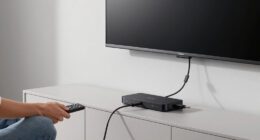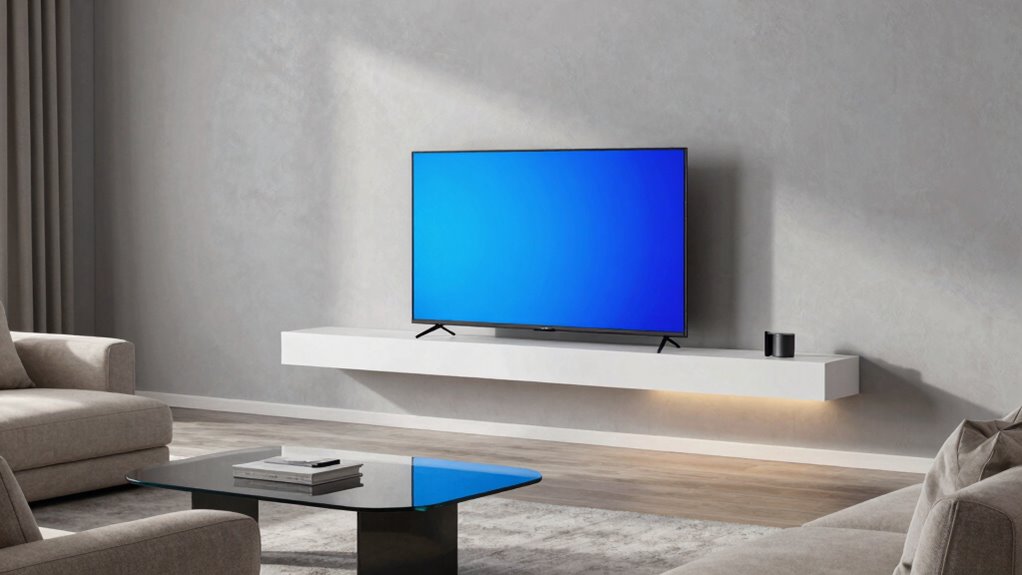

To optimize your smart display placement, position it within easy reach and at eye level for smooth interactions, but away from main gathering areas for privacy. Keep it near your Wi-Fi router for strong connectivity and away from electronics that cause interference. Choose a spot that complements your decor and maintains a balanced visual flow. Balancing convenience, privacy, and style can be tricky—stay with us to discover tips you might not have considered.
Key Takeaways
- Place the smart display at eye level near main seating for easy interaction without obstructing pathways.
- Select a private, less cluttered spot away from main gathering areas to enhance privacy and reduce distractions.
- Keep the device away from Wi-Fi routers and electronic interference sources for reliable connectivity and voice accuracy.
- Integrate the device aesthetically by matching it with room decor and positioning near other tech for a cohesive look.
- Balance accessibility and privacy by choosing a location that allows effortless voice commands while minimizing exposure during sensitive use.

Placing a smart display in your living room can substantially enhance your daily routines, but choosing the right spot is crucial for maximizing its benefits. You want it within easy reach for voice control, so you can effortlessly ask for weather updates, control smart home devices, or play your favorite music. Positioning it at a comfortable eye level makes interaction smoother, reducing the need to bend or stretch. Think about the natural flow of your living space—placing the display where it doesn’t obstruct pathways or clutter your decor ensures it feels integrated rather than intrusive.
However, while convenience is key, you should also consider privacy concerns. Smart displays are always listening for voice commands, which means they’re constantly processing sounds in the background. Placing your device in a more private area of the room, away from the main seating or gathering spots, can help you feel more secure about your conversations and personal information. If you’re worried about sensitive topics or private calls, avoid positioning the display in spaces like bedrooms or personal offices where privacy is more critical.
Another often overlooked factor is the device’s proximity to other electronics that might cause interference. Placing your smart display too close to Wi-Fi routers or Bluetooth devices can affect its responsiveness and voice control accuracy. You want a spot that maintains a strong Wi-Fi connection without being overwhelmed by electronic noise. Additionally, think about lighting—direct sunlight can wash out the screen, making it hard to see, while glare from lamps or windows can be distracting during use. Ensuring proper placement can also help protect your privacy and data security, especially if the device is integrated into your home network. Considering electronic interference can further improve your device’s performance and reliability.
Furthermore, it’s beneficial to think about the device’s placement in relation to your overall home setup to maximize both function and aesthetics. The placement impacts not only functionality but also the overall look of your living room. You don’t want the device to stick out awkwardly or clash with your decor. A strategically placed smart display can be a sleek addition that complements your space, especially if it’s positioned near other tech gadgets or integrated into a media setup. Being mindful of device positioning can help create a cohesive and harmonious environment that enhances your living space.
Ultimately, the ideal spot balances accessibility, privacy, and aesthetics. You want to be able to use voice control comfortably without feeling exposed or worried about privacy breaches. Position it where it feels natural to speak commands, but also where you’re comfortable with what it might be listening to. Additionally, considering user habits when placing your device can help tailor its position to your specific needs. By thoughtfully considering these factors, you ensure your smart display adds convenience and style to your living room—without sacrificing your privacy or comfort.

Smart Wall Mount SMART
- UPC Code: 628012400108
- Product Weight: 9.35 lbs
As an affiliate, we earn on qualifying purchases.
As an affiliate, we earn on qualifying purchases.
Frequently Asked Questions
How Do I Hide Cables for a Clean Look?
To hide cables for a clean look, start with cable concealment solutions like cable raceways or conduit that match your wall color. Use adhesive clips to route cables neatly along furniture edges or behind the TV stand. Consider using aesthetic wiring sleeves to bundle cords together, reducing clutter. You can also hide cables behind furniture or within wall channels for an even sleeker appearance, making your living room look tidy and modern.
What Are the Best Wall Mount Options?
The best wall mount options depend on your smart display’s mounting height and wall compatibility. Look for adjustable mounts that fit your device’s VESA pattern and can be installed at eye level for easy viewing. Consider strong, versatile brackets that support different wall types, like drywall or brick. Make certain the mount securely holds the display while allowing easy adjustments, so your setup remains sleek and functional.
How to Optimize Sound Quality With Placement?
Your sound quality can be mind-blowingly clear if you optimize placement properly. Start with sound calibration to fine-tune audio, then focus on speaker positioning—place your smart display at ear level and avoid walls that muffle sound. Keep it centered and away from corners for balanced audio. Proper placement transforms your device’s sound from meh to magnificent, making every movie night an immersive experience you won’t forget.
Can Smart Displays Be Used Outdoors?
Smart displays aren’t really designed for outdoor use due to weatherproofing concerns. Exposure to rain, sun, and humidity can damage the device. However, you can use outdoor mounting options like weatherproof enclosures or covers to protect your smart display. If you decide to set it up outdoors, make sure it’s properly weatherproofed and mounted securely, but remember, most manufacturers recommend keeping these devices indoors for peak performance and longevity.
How to Prevent Glare From Windows?
You might notice glare from windows unexpectedly, but glare reduction is simple when you adjust your smart display’s placement. Position your device away from direct sunlight and consider angling it differently. Using window coverings like blinds or curtains helps block harsh light, while strategic window positioning minimizes glare. These small adjustments guarantee your smart display remains visible and functional, even during bright days, without sacrificing style or comfort.
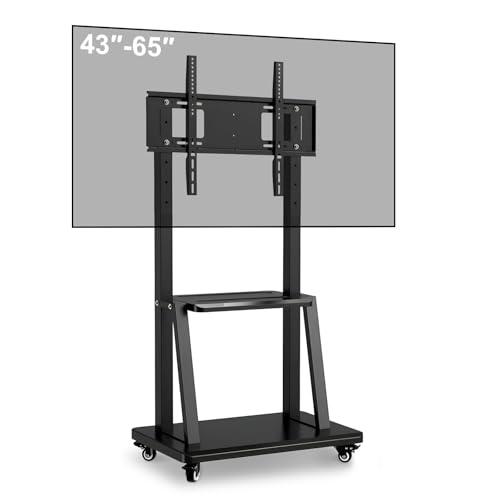
43-65" Height Adjustable Mobile Stand for Smart Boards | with 4 Lockable Wheels & Universal Mount | Versatile Classroom, Home, Office Whiteboard Stand – Heavy-Duty Steel Frame
- Fits 43-65 inch Smart Boards: Universal for most smart boards and TVs
- Heavy-Duty Steel Construction: Supports up to 158 lbs for stability
- 360° Lockable Casters: Smooth, silent mobility with locking wheels
As an affiliate, we earn on qualifying purchases.
As an affiliate, we earn on qualifying purchases.
Conclusion
Ultimately, placing your smart display is like tuning an instrument — when done right, it harmonizes seamlessly with your living room. By considering sightlines, accessibility, and aesthetics, you create a space where technology enhances rather than disrupts. Remember, a well-placed smart display isn’t just a gadget; it’s the heartbeat of your smart home symphony, guiding you effortlessly through daily life with elegance and ease. Your living room’s perfect harmony starts with thoughtful placement.

Magicmoon 2-Pack 24 Inch Computer Privacy Screen Filter, Anti-Spy/Glare Protector Film for Widescreen Monitor with 16:9 Aspect Ratio (Width x Height: 531mm x 298mm)
- Compatible Model: For 24-inch widescreen monitors
- Privacy Enhancement: Dark screen from side angles
- Adjustable Privacy Level: Change privacy with brightness
As an affiliate, we earn on qualifying purchases.
As an affiliate, we earn on qualifying purchases.

Amazon Echo Hub (newest model), 8", Redesigned with customizable control and Alexa+, Compatible with thousands of devices
- Smart Home Control Panel: Easy-to-use home control interface
- Customizable Dashboard: Arrange and resize device controls
- Alexa+ Integration: Enhanced voice control features
As an affiliate, we earn on qualifying purchases.
As an affiliate, we earn on qualifying purchases.