
TL;DR

Get business pricing on your home office setup
- Business-only prices and quantity discounts
- Tax-exempt purchasing
- Multiple users, one account, clear invoices
A report by Bosscher describes using a $10 OpenStick as a low-power, silent homelab running Debian and a collection of lightweight services. The account gives an example of how small ARM hardware can host practical tools, though performance, security and the device’s suitability for other users are not independently verified.
Bosscher says a $10 OpenStick with 512 MB of RAM now runs a small homelab of Debian services, including DNS filtering, monitoring, RSS and bookmark tools. The report offers a low-cost example of self-hosting on modest hardware, while leaving open how the setup performs under heavier use and how its security choices would suit other users.
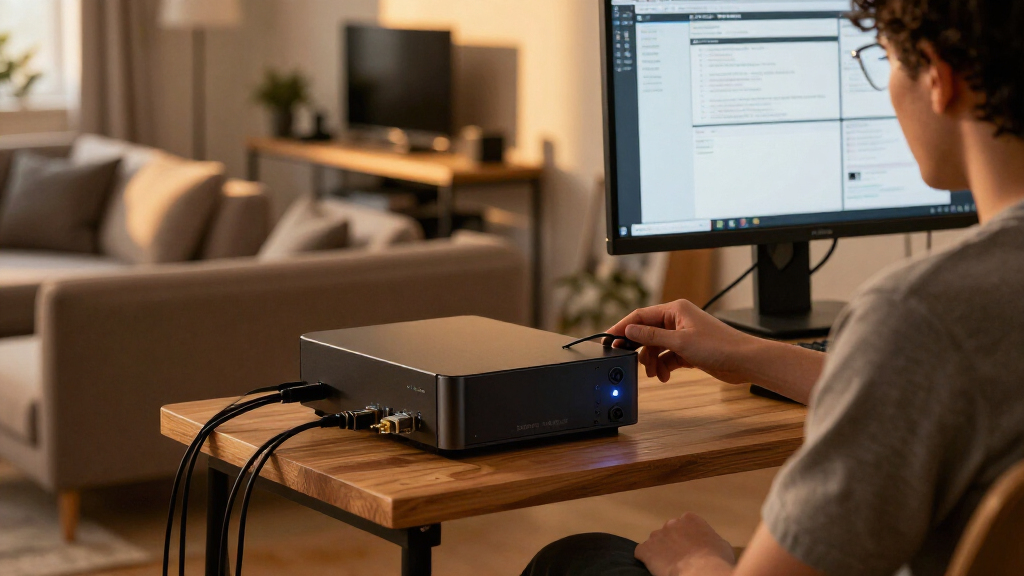
The device, bought for $10 including shipping according to Bosscher, has four 1 GHz ARM Cortex-A53 cores, 4 GB of eMMC storage, Wi-Fi, a 4G modem and GPS. Bosscher estimates about 450 MB of usable memory and describes the passively cooled unit as silent. The report says installation takes some work; after setup, it runs Debian, with systemd for managing services and Podman for containers.
The software list includes AdGuard Home for DNS-level blocking, CastSponsorSkip for Google Cast devices, and Zeroclaw, an AI-agent framework used through Telegram to ask about the server’s logs and disk space. Bosscher reports Zeroclaw uses about 3 MB of memory at idle, compared with more than 1 GB for OpenClaw in the author’s earlier Kubernetes setup. These are the author’s own measurements and experience, not independently tested figures.
Other services include Cloudflare Tunnel for remote access without opening ports, Beszel for resource monitoring and alerts, Dozzle for viewing Podman logs, Gatus for checking whether services respond, Fusion as an RSS reader, and Shiori for managing and archiving bookmarks. Bosscher lists memory use for several tools, including about 20 MB for Beszel, 10 MB for Gatus and 22 MB for Fusion. The report does not specify whether all listed services were running simultaneously or provide a workload benchmark.
Small Hardware, Useful Self-Hosting
The account illustrates that a home server does not always require a full-size computer or a large monitoring stack. For people interested in self-hosting, a small, low-power device may be enough for selected personal services, especially when those services have modest resource demands. Its silent operation and reported low purchase price also make the hardware an approachable experiment, rather than a replacement for every server use.
The limitations matter as much as the cost. With roughly 450 MB of usable RAM and 4 GB of storage, the device leaves little room for resource-heavy applications or a large number of services. Bosscher’s account is a single-user report; it does not establish typical reliability, total operating costs, or how the hardware behaves with more users, sustained traffic, or failures. Readers should treat the listed memory figures as an example of one setup, not a guarantee.
The report also shows trade-offs in remote access and automation. Bosscher says Cloudflare Tunnel avoids exposing ports directly, while acknowledging the concern that traffic handled by a third-party service may raise privacy questions. Zeroclaw is given access to the OpenStick itself, which the author describes as effectively a root shell, but not to systems beyond it. That permission still carries risk if the agent or its communication account is compromised.
Popular right now

Vitamix 64 oz Low-Profile Blender Container with SELF-DETECT, BPA-Free

Ninja Luxe Café Mini Espresso and Drip Coffee Machine, ES301

Dyson Omni-Glide Cordless Stick Vacuum, Gold/Iron
As an affiliate, we earn on qualifying purchases.
From Novelty Device to Debian Server
Bosscher says the OpenStick was bought on a whim because it seemed like an unusual piece of hardware for its price. The report frames the project as an entry point into self-hosting: the device’s specifications are limited, but it can run standard Linux software after a somewhat involved installation. The story is a practical account of one configuration, not a product review or controlled comparison with other home servers.
The author contrasts lightweight tools with heavier alternatives used previously. Bosscher says a Kubernetes cluster and Grafana monitoring stack felt like more than the task required, and that OpenClaw consumed more than 1 GB of memory and caused workflow problems after updates. The author chose Zeroclaw after considering Picoclaw and Nullclaw, citing its documentation and community activity as personal reasons. Those observations describe the author’s preferences and setup rather than a general ranking of the software.
“It uses ~3 MB RSS when idle, covers all the functionality that I need”
— Bosscher, on Zeroclaw
Limits of the Reported Setup
The report does not give its publication date, the OpenStick model or supplier, the installation steps, or the exact software versions. It also does not state whether every listed application runs concurrently, provide measured power consumption, or document uptime, network throughput under load, storage endurance or performance with multiple users. Those details are needed to judge how repeatable the setup is.
Security and privacy are also not independently assessed. Bosscher says the AI agent can access a root shell on the OpenStick, while Cloudflare Tunnel routes remote connections through an external provider. The author considers the limited scope acceptable for this homelab, but readers would need to evaluate their own threat model, credentials and data before adopting similar settings. The report’s estimate that 60% of DNS queries are blocked is based on the author’s setup; it does not identify the measurement period or a comparison baseline.
More Services and Practical Testing
Bosscher says a forthcoming Zeroclaw version is expected to add richer message support for Telegram and points readers to the relevant pull request. The report does not give a release date, so that feature remains a planned development rather than an available capability confirmed here.
For readers considering a similar build, the next useful evidence would be a documented installation, measurements of power use and sustained resource load, and a clear account of which services run together. Until those details are available, the OpenStick is best understood as one hobbyist’s working example of a compact Debian homelab, not a tested recommendation for production or sensitive services.
Key Questions
What does the OpenStick cost?
Bosscher says the device cost $10 including shipping. The report does not identify the seller or say whether that price is generally available.
What are the OpenStick’s specifications?
The reported device has 512 MB of RAM, four 1 GHz ARM Cortex-A53 cores, 4 GB of eMMC storage, Wi-Fi, a 4G modem and GPS. Bosscher estimates about 450 MB of usable memory.
Which services does the homelab run?
The report lists tools for DNS filtering, Cast sponsorship skipping, AI-assisted server checks, remote access, monitoring, container logs, service availability, RSS reading and bookmark archiving. It does not confirm whether they all run at once.
Is the setup secure for sensitive data?
The report is not a security audit. Bosscher gives Zeroclaw root-level access to the OpenStick and uses Cloudflare Tunnel for remote access; those choices carry risks that depend on configuration and the data involved.
Can the OpenStick replace a conventional server?
The report shows it running lightweight personal services, but does not include load testing or reliability data. Its limited memory and storage make it unsuitable to assume it can handle heavier workloads without testing.
Source: blog.bosscher.ch