
TL;DR
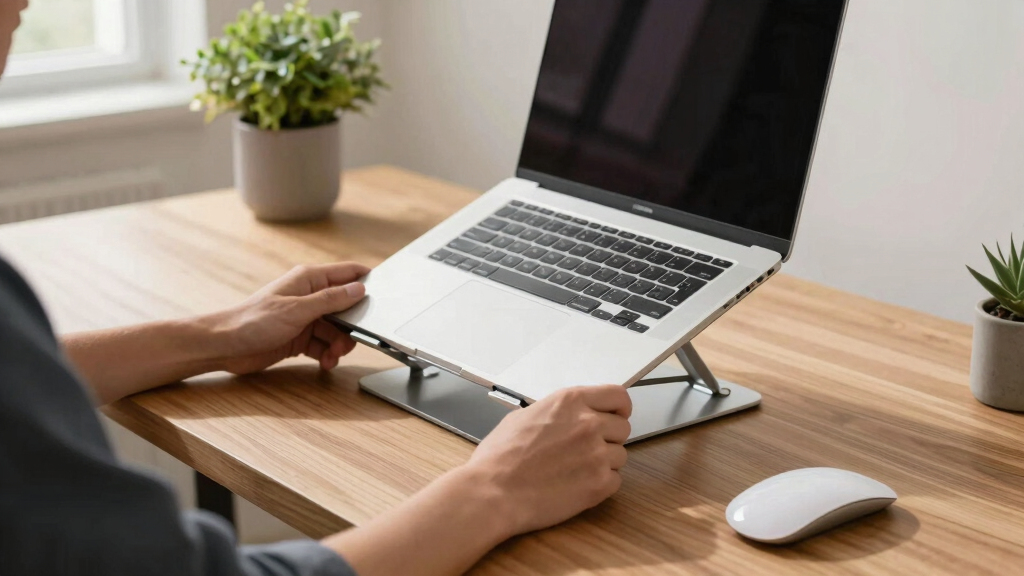
Adjustable laptop stands lift your screen to eye level, reducing neck and shoulder strain. They come with various features like tilt, portability, and cooling options, making your workspace healthier and more efficient.
Prioritize adjustable height and tilt to customize your ergonomic setup.
Invest in stable, durable materials like aluminum for supporting larger laptops.
Smart features like wireless charging or app controls enhance convenience.
A well-chosen stand can cut neck and shoulder strain by up to 60%.
Budget options can be effective, but premium models offer longevity and extra features.
What Makes a Good Adjustable Laptop Stand? Focus on These Key Features
Choosing the right stand hinges on a handful of must-have features. Adjustability is king — a stand with multiple height and tilt options lets you personalize your setup. Why does this matter? Because everyone’s body and workspace are different, and a one-size-fits-all approach can lead to discomfort or poor posture. The ability to fine-tune your stand ensures your screen is at eye level, reducing neck strain and promoting better spinal alignment. However, consider that too many adjustments might make the stand complex to set up or less stable, so find a balance that suits your routine.
Next, think about stability. A wobbly stand makes you nervous every time you type, which can distract you and even cause accidents. Material choice is crucial: aluminum offers strength and a sleek look, while thick plastic can be lightweight and durable. For supporting larger laptops, stability isn’t optional — it directly impacts your safety and the longevity of your device. Portability is another key factor — lightweight, foldable stands are ideal for those who work on the go, but they might sacrifice some stability or features. The tradeoff is between convenience and robustness, so prioritize based on your typical use case. Additional features like cooling pads or built-in USB hubs can enhance your workflow, but they also add to the cost and complexity. Think about your specific needs: if your laptop runs hot, a stand with ventilation can prevent overheating, which can cause performance issues or hardware damage over time.

Anifrim Telescopic Laptop Stand with 360° Rotation, Adjustable Height & Tilt Swivel Laptop Riser, Ergonomic Standing Desk Converter for 10-17" MacBook Pro/Air, Dell, HP – Supports up to 22lbs (Gray)
360Rotation: The rotating laptop stand for desk allows you to easily share your screen with someone sitting across…
As an affiliate, we earn on qualifying purchases.
As an affiliate, we earn on qualifying purchases.
How Modern Designs Are Making Your Desk Cooler and Smarter
The latest adjustable stands aren’t just about function — they’re about style and tech integration. Sleek, minimalist designs like matte black or brushed aluminum aren’t just visually appealing; they also contribute to a professional, organized workspace that can boost your motivation and focus. The aesthetic aspect matters because an attractive workspace encourages regular use and creates a sense of pride in your setup.
Smart features are transforming how we interact with our desks. Wireless charging pads integrated into stands eliminate clutter from cables, allowing you to charge your phone effortlessly while working. App-controlled stands, which can be adjusted via your smartphone, offer precise control over height and tilt, enabling quick adjustments for different tasks or postures. Imagine a motorized stand that rises or lowers at the push of a button — this convenience can help you switch between sitting and standing effortlessly, promoting movement and reducing the health risks associated with prolonged sitting.
Eco-conscious materials like recycled plastics or sustainably harvested wood reflect a growing awareness of environmental impact. Using such materials not only reduces waste but also aligns your workspace with your values, making your ergonomic upgrade a responsible choice. These innovations show that ergonomic functionality can go hand-in-hand with sustainability and style, creating a workspace that’s both efficient and ethically sound.

LOXP Adjustable Laptop Stand for Desk, Metal Foldable Laptop Riser Holder, Portable Ventilated Cooling Desk Book Shelf, Ergonomic Computer Notebook Stand Compatible with 10-15.6" Laptops
Adjustable & Ergonomic Design: This laptop stand can be adjusted to a comfortable height and angle according to…
As an affiliate, we earn on qualifying purchases.
As an affiliate, we earn on qualifying purchases.
Compare Top Features & Price Ranges to Find Your Perfect Fit
| Feature | Budget Options (~$20-$50) | Mid-Range (~$50-$100) | Premium ($100+) |
|---|---|---|---|
| Material | Plastic or lightweight aluminum | Solid aluminum, eco-friendly woods | High-end metals, innovative composites |
| Adjustability | Basic height and tilt | Multiple tilt angles, some height options | Motorized, app-controlled, 360° rotation |
| Additional Features | None or basic cooling | Cooling pads, USB hubs | Wireless charging, smart controls |
| Stability & Durability | Good for light use | Supports larger laptops securely | Heavy-duty, lifetime warranty |
When selecting a stand, it’s important to consider how each feature aligns with your daily needs. Budget options are suitable for casual use or light laptops but might lack durability or advanced features. Mid-range models strike a balance, offering better stability and additional functionalities that support longer work sessions. Premium models are designed for heavy users or those who want cutting-edge features like motorized adjustment and smart controls, but they come with a higher price tag. Understanding these tradeoffs helps you make an informed decision that balances cost, functionality, and longevity, ensuring your investment supports your ergonomic health over the long term.

havit HV-F2056 15.6"-17" Laptop Cooler Cooling Pad – Slim Portable USB Powered (3 Fans), Black/Blue
Ultra-Portable: Slim, portable, and light weight allowing you to protect your investment wherever you go
As an affiliate, we earn on qualifying purchases.
As an affiliate, we earn on qualifying purchases.
Step-by-Step: How to Pick the Right Adjustable Laptop Stand for You
- Measure your laptop: Know your size and weight to ensure compatibility. This prevents purchasing a stand that can’t support your device or isn’t adjustable enough, reducing frustration and the need for returns.
- Identify your workspace needs: Do you prioritize portability for frequent travel, or do you need a stable, stationary setup? Clarifying this helps narrow down options, as portable stands often compromise stability for ease of transport.
- Set your budget: Determine how much you’re willing to spend, considering the features that matter most to you. Investing more might mean better durability and additional features, but there are effective options across all price ranges.
- Choose your features: Decide on adjustable height, tilt, cooling, and extra ports. Prioritize features that directly impact your comfort and workflow, as unnecessary extras can inflate costs without adding value.
- Read reviews and test if possible: Feedback from other users provides insight into real-world stability, ease of use, and durability. If possible, test the stand in person to assess how well it suits your ergonomic needs.
- Check warranty and return policies: Ensure that you have options for exchanges or repairs if the stand doesn’t meet expectations. Good warranty coverage indicates manufacturer confidence in product quality.
This methodical approach minimizes the risk of buyer’s remorse and helps you select a stand that seamlessly integrates into your workflow, supporting both your health and productivity.

BESIGN LS03 Aluminum Laptop Stand, Ergonomic Detachable Computer Stand, Notebook Riser, Laptop Mount Compatible with Air, Pro, Dell, HP, Lenovo More 10-15.6" Laptops, Silver
Broad Compatibility: Besign LS03 Laptop Mount is compatible with all laptops from 10''-15.6'', such as Air 13, Pro…
As an affiliate, we earn on qualifying purchases.
As an affiliate, we earn on qualifying purchases.
Why Your Desk Setup Won’t Be Complete Without One
Think about your current pain points. Neck pain? Shoulder fatigue? Eyes straining at an unraised screen? An adjustable laptop stand directly addresses these issues by promoting proper posture, which is essential for long-term health. Poor ergonomics can lead to chronic discomfort, reduced productivity, and even musculoskeletal disorders. By elevating your screen to eye level, you help maintain a neutral neck position, decreasing strain and preventing pain that often worsens over time.
Imagine working late into the evening, your laptop elevated at just the right height, with a cooling breeze keeping your device cool and quiet. This setup not only enhances comfort but also reduces the risk of hardware overheating, which can cause performance degradation or damage. The improved airflow can extend your device’s lifespan and ensure consistent performance, especially during intensive tasks.
Furthermore, a good stand helps declutter your workspace, creating a more organized environment. A tidy desk reduces distractions and mental clutter, leading to better focus and efficiency. The combination of ergonomic benefits and workspace organization makes an adjustable stand a crucial upgrade for anyone serious about their health and productivity.
Frequently Asked Questions
Why should I use an adjustable laptop stand instead of just placing my laptop on my desk?
An adjustable stand raises your screen to eye level, helping you avoid neck strain and promoting better posture. It also improves airflow, preventing overheating and prolonging your device’s lifespan.What features should I look for in an adjustable laptop stand?
Look for adjustable height and tilt, stable materials like aluminum, portability if needed, cooling features, and extra ports or USB hubs if you require them for connectivity.Are adjustable stands suitable for all laptop sizes?
Most are designed to support a range of sizes, from small ultrabooks to large gaming laptops. Always check the maximum supported weight and dimensions before purchasing.Can an adjustable stand improve my workspace ergonomics?
Absolutely. When properly adjusted, they align your screen with your eyes, reduce physical strain, and help maintain healthy posture throughout the workday.How do I choose the best adjustable stand for my needs?
Assess your workspace, consider portability versus stability, set your budget, and prioritize features like cooling or extra ports. Reading customer reviews also helps ensure quality and durability.Conclusion
Don’t underestimate the power of a good adjustable laptop stand. It’s more than just a desk accessory — it’s your ticket to better posture, fewer aches, and a more productive workday.
Imagine your workspace with your laptop elevated, cool, and perfectly aligned with your eyes. That’s the kind of simple upgrade that makes a real difference. So, pick a stand that fits your needs and watch your comfort—and efficiency—rise.