
TL;DR
Prebuilt AI workstations now often match or beat DIY on price thanks to component shortages and bulk buying. The decision boils down to whether you want convenience and support or customization and control.
Imagine this: you need a powerful AI workstation, but you’re torn between building it yourself or buying a ready-made system. The old advice was simple—DIY saves money, prebuilt saves time. But in 2026, that advice no longer holds true. Build vs Buy a Prebuilt AI Workstation. Supply chain chaos and bulk discounts have flipped the script.
Now, your decision is more complex. It’s a tradeoff between upfront cost, customization, support, and speed. Understanding what each option offers in real-world scenarios will help you make the right call—whether you’re a hobbyist, researcher, or business.
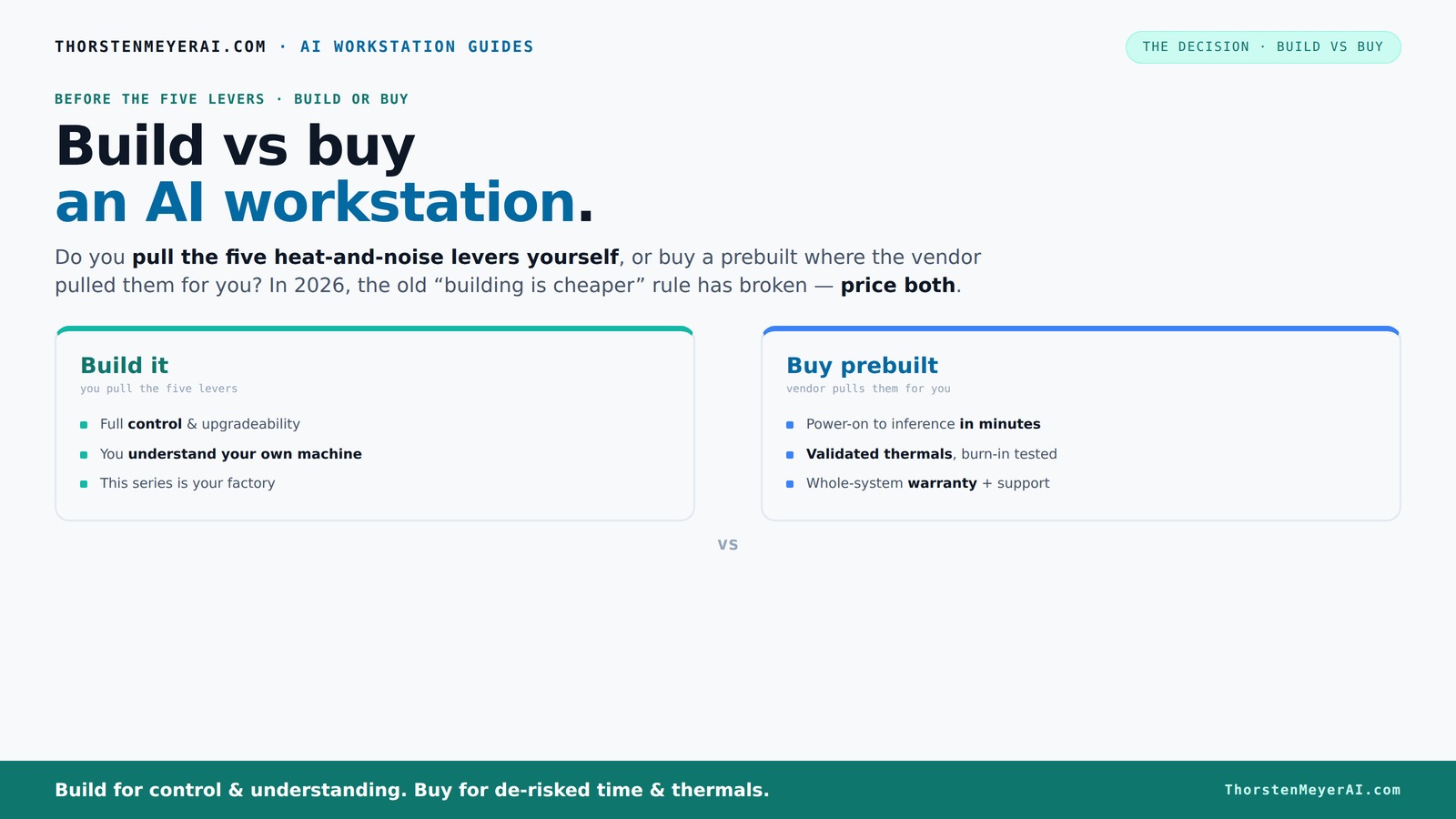
Build vs buy
an AI workstation.
The real question behind this whole series: do you pull the five heat-and-noise levers yourself, or buy a prebuilt where the vendor pulled them for you? And in 2026, the old “building is cheaper” rule has broken. Match your situation in Part 3.
Key Takeaways
- Component shortages in 2026 make prebuilts often cost-competitive or cheaper than DIY builds, especially for high-end AI setups.
- Prebuilts save time with ready-to-run systems, validated thermals, and support, making them ideal for professionals who value quick deployment.
- Building your own system offers maximum customization, upgradeability, and a deeper understanding of your hardware, perfect for hobbyists or those with specific needs.
- Support and warranty differences are significant—vendor support simplifies troubleshooting for prebuilts, while DIY requires managing multiple warranties.
- The decision now hinges on your priorities: speed and support versus control and customization.
As an affiliate, we earn on qualifying purchases.
What Exactly Is a Prebuilt AI Workstation? Think Plug-and-Play Power
A prebuilt AI workstation is a system assembled, tested, and ready to run out of the box. It comes with the OS installed, drivers configured, and often optimized for AI tasks. For example, Dell's AI PCs are tuned for efficiency, with validated thermals and cooling, so you just turn it on and start training models.
This setup reduces setup time dramatically, especially if you choose a prebuilt AI workstation from a reputable vendor. You avoid the hassle of sourcing parts, mounting GPUs, or BIOS tweaks. Instead, you get a machine that’s ready for deep learning, inference, or data crunching—built by experts who’ve tested every thermal curve and noise level.
Choosing a prebuilt means trusting the vendor’s validation processes, which are designed to ensure stability and performance under demanding workloads. You can learn more about prebuilt AI workstations and their benefits. This can be crucial if you need reliable, consistent results without the hassle of troubleshooting hardware issues yourself. However, it also means you're limited to the configurations the vendor offers, which may not perfectly match your specific needs or future upgrade plans.
As an affiliate, we earn on qualifying purchases.
What Is a Custom-Built AI Workstation? Your DIY Powerhouse
A custom-built AI workstation is assembled by you or a third-party builder from selected components. You choose your GPU, CPU, RAM, cooling system, and case—tailoring everything to your needs. Think of it as crafting your own racing car, not buying a factory model.
For example, you might pick a quiet GPU like the RTX 4090 with 24 GB VRAM, a high-end CPU, and an ultra-efficient cooler. You optimize airflow, undervolt the GPU, and install the exact software stack you prefer. For tips on building or customizing AI workstations, see Build vs Buy a Prebuilt AI Workstation. It’s a labor of love, but it gives you total control.
This approach allows for maximum customization—if you need specific cooling solutions, overclocking potential, or future upgrade paths, building your own system offers these advantages. But it also requires a good understanding of hardware compatibility, thermal management, and troubleshooting. The tradeoff is that it can be more time-consuming and potentially more expensive if not managed carefully, especially when factoring in the cost of mistakes or upgrades down the line.
As an affiliate, we earn on qualifying purchases.
Build vs Buy: The Pros and Cons You Need to Know
| Factor | Buy Prebuilt |
|---|---|
| Speed to Start | Instant—plug in and go |
| Compatibility Risk | Low—validated by vendor, minimized mismatches |
| Customization | Limited but sufficient for most needs, with some options |
| Support & Warranty | Single vendor support, streamlined troubleshooting |
| Cost | Often comparable or better due to bulk buying and economies of scale |
| Upgrade Flexibility | Dependent on vendor’s design; some limitations |
Choosing between build and buy involves understanding these tradeoffs. Prebuilts offer rapid deployment and hassle-free operation, which can be critical if time is tight or if you lack technical expertise. However, they might not offer the same level of upgradeability or customization as a self-built system. Conversely, building your own allows you to fine-tune every aspect, but it demands more time, effort, and a deeper understanding of hardware interactions. The market dynamics in 2026, with component shortages and bulk deals, have shifted the typical cost advantage, making the decision more about your priorities than just price.
As an affiliate, we earn on qualifying purchases.
Performance, Thermals, and Upgrades: Which Really Matters?
Performance isn't just CPU and GPU numbers. To understand how to get the most out of your AI hardware, check out Build vs Buy a Prebuilt AI Workstation. Thermals and cooling directly impact sustained AI workloads. A prebuilt like BIZON or Lambda tests every system under load, ensuring no thermal throttling—crucial for training large models. Without proper thermal management, the system can slow down during long training sessions, wasting time and resources. This validation process means you get a system designed to handle continuous heavy loads without overheating, which is essential for professional AI development.
If you build yourself, you can fine-tune airflow, undervolt components, and even add water-cooling to push performance higher and noise lower. For example, a DIY setup with a custom liquid cooler can run quieter and cooler than a stock air-cooled prebuilt, but only if you know what you're doing. The ability to upgrade thermals later—adding better fans or cooling solutions—can extend the lifespan of your system and maintain peak performance over time. This is especially important as AI models grow larger and require more sustained compute power.
Cost, Speed, and Support: What's the Real Tradeoff?
In 2026, the cost difference between building and buying isn’t clear-cut. For more insights, visit Build vs Buy a Prebuilt AI Workstation. Component shortages and bulk deals mean prebuilts can match or beat DIY prices. For instance, a high-end prebuilt with a multi-GPU setup might cost around $4,500—comparable to assembling one yourself if you buy smart. But the true value lies in the overall experience—saving time, reducing hassle, and ensuring reliability.
Support and warranty are where prebuilts shine. Vendors offer validated systems, burn-in testing, and support contracts—saving you time and headaches. This can be especially valuable if you lack the technical skills or need rapid deployment. DIY, on the other hand, means troubleshooting hardware issues yourself or juggling multiple warranties, which can be time-consuming and stressful. The choice depends on your comfort with hardware management and how critical support is to your workflow.
Who Should Build? When DIY Makes More Sense
If you love tinkering, have time, and want maximum control, building your own AI workstation remains attractive. Hobbyists and students often find DIY more satisfying and budget-friendly—especially if they’re willing to learn about cooling, BIOS tuning, and component compatibility. This approach also allows you to optimize for specific workloads or experimental setups that might not be available in prebuilt options.
For example, a researcher might choose to assemble a machine with a specific GPU cooling solution, tweaking fan curves and undervolting to optimize heat and noise. If you’re comfortable with hardware and software, DIY can be a rewarding project that deepens your understanding of system performance and limitations. However, it’s essential to weigh the time investment against the benefits, especially if your primary goal is to get AI training up and running quickly.
When Buying Prebuilt Is the Smarter Move
If your priority is getting up and running fast, or if you prefer a system tested and supported by pros, prebuilts are a lifesaver. For busy professionals, a preconfigured system like a Dell or Lambda can be ready in a day, with all AI stacks installed and validated. This reduces the risk of configuration errors and ensures compatibility with your software ecosystem.
Plus, if you’re deploying multiple systems or need robust support, vendor warranties and burn-in testing reduce downtime risk. For example, a startup needing quick AI deployment might find prebuilts a smarter, less stressful choice. The tradeoff is that you sacrifice some customization, but for many, the convenience and reliability outweigh the potential benefits of building from scratch.
Frequently Asked Questions
Is it cheaper to build or buy a prebuilt AI workstation?
It depends. Due to component shortages and bulk discounts, prebuilts can now match or beat DIY costs for high-end systems. Always compare exact configurations before deciding—what seems cheaper on paper might not be in practice.
Which performs better for AI workloads: a prebuilt or a custom build?
Performance largely depends on how well the system is tuned. Prebuilts from vendors like Lambda have validated thermals and optimized configurations, often matching custom builds. However, DIY allows for tailored cooling and overclocking if you know what you’re doing, which can push performance even further when done correctly.
How important is thermal management in AI workstations?
Very important. AI workloads generate intense heat, and poor thermals cause throttling, which slows training and inference. Prebuilts come with validated cooling, ensuring consistent performance, while DIYers can customize airflow and cooling solutions to optimize performance and noise levels—crucial for long training sessions or large models.
Will a prebuilt limit my future upgrades?
Potentially. Some prebuilts use proprietary parts or limited expansion options, which can restrict future upgrades. Carefully review upgrade paths and component compatibility before purchasing. DIY systems typically offer more flexibility, allowing you to swap or add components as your needs grow or change.
Is it worth building my own AI workstation if I have limited technical skills?
Probably not. Building requires hardware knowledge, patience, and troubleshooting skills. For most users, a prebuilt offers a faster, safer, and more reliable route—especially if you need to start AI tasks quickly without the risk of assembly errors or compatibility issues.
Conclusion
In 2026, choosing between build and buy isn’t about price alone. It’s about what you value more—convenience and support or control and customization. The right choice depends on your workload, expertise, and how fast you need results.
Remember, the best system is the one that gets your AI work done with the least hassle. So ask yourself: do you want to tinker or to start training models today? The heat and noise of your AI rig depend on your decision—choose wisely.