To fix glass desk glare issues, focus on proper lighting, monitor placement, and workspace organization. Position light sources to minimize reflections, use softer, diffused lighting, and keep your monitor perpendicular to natural light sources. Adding a non-reflective mat can also help reduce glare from the surface. Small adjustments in each of these areas can make a huge difference. Stay with us to discover more simple fixes that can transform your workspace comfort.
Key Takeaways
- Adjust lighting to diffuse sources and reduce direct reflections on the glass surface.
- Position monitors perpendicular to light sources to minimize glare.
- Use non-reflective, matte-finish mats to absorb light and reduce bounce.
- Control natural light with blinds or curtains to prevent window reflections.
- Proper desk and monitor placement enhances visibility and minimizes glare issues.
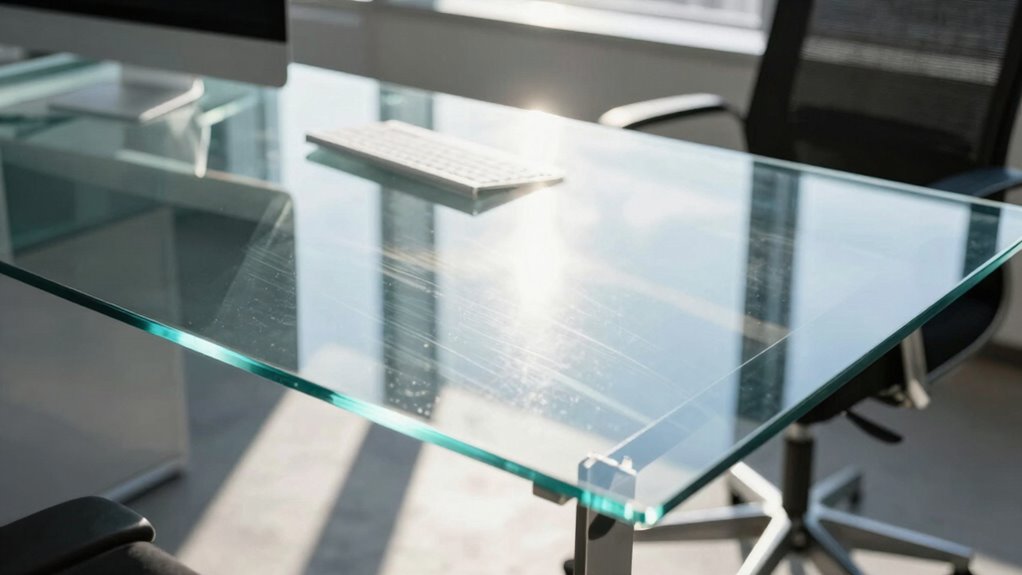
Glass desks have become popular for their sleek, modern look, but they often come with a common problem: glare. That annoying reflection can make it difficult to see your screen clearly, causing eye strain and reducing productivity. Fortunately, there are simple, overlooked fixes that can make a big difference. One of the most effective strategies involves making lighting adjustments around your workspace. Instead of relying solely on overhead lights, consider positioning your light sources to minimize direct reflections on the glass surface. For example, using softer, diffused lighting or placing lamps behind you can help prevent glare from bouncing directly into your eyes or onto your screen. Adjusting the angle and brightness of your lights can dramatically improve visibility and comfort, especially during long work sessions. Proper lighting adjustments can significantly reduce glare and create a more comfortable workspace. Additionally, experimenting with different light positioning can help identify the most effective setup for your specific environment.
Another key factor is mat placement. The right placement of a desk mat or pad can serve multiple purposes. First, it creates a barrier between your hands and the glass, reducing the transfer of oils and dirt that can cause reflections or smudges, which exacerbate glare. Second, choosing a darker or matte-finish mat can help absorb light rather than reflect it, further decreasing glare. Positioning the mat properly ensures that your keyboard and mouse are comfortable and ergonomically aligned, but it also helps manage how light interacts with your workspace. By strategically placing a non-reflective mat near your monitor, you effectively reduce the amount of light bouncing off the surface, cutting down on glare and making your workspace more visually comfortable. Additionally, ergonomic workspace design can contribute to reducing eye strain and improving overall comfort. Paying attention to the arrangement of your desk can also improve the effectiveness of these strategies and help you maintain focus during long hours of work. Incorporating proper lighting techniques can further enhance your workspace comfort and reduce glare issues.
It’s also worth noting that adjusting your monitor’s position can complement lighting changes and mat placement. Keep your screen perpendicular to your light sources and avoid reflections from windows or lamps. If possible, use window treatments like blinds or curtains to control natural light, which can be unpredictable and cause glare at different times of the day. Combining these tactics—lighting adjustments, proper mat placement, and monitor positioning—can transform your workspace from frustrating to efficient. These small, often overlooked details can greatly alleviate glare issues, ensuring you stay focused and comfortable throughout your workday. By paying attention to how light interacts with your glass desk, you regain clarity and reduce eye strain, making your workspace both stylish and functional.

DAWNTREES Felt Desk Mat, Computer Mat for Desk, Dark Gray (36x12Inches)
- Premium Felt Material: Soft, durable, and high-quality felt
- Spacious Size: 36×12 inches for ample workspace
- Enhanced Mouse Control: Smooth surface for accurate mouse movement
As an affiliate, we earn on qualifying purchases.
As an affiliate, we earn on qualifying purchases.
Frequently Asked Questions
Can Glare on a Glass Desk Cause Eye Strain or Headaches?
Yes, glare on a glass desk can cause eye strain and headaches. You might notice discomfort after long hours of work, especially if your eyes struggle to focus or if there’s excessive reflection. To improve eye comfort, use glare prevention techniques like placing a matte cover or adjusting your lighting. Regular breaks and proper screen positioning also help reduce eye strain, ensuring you stay comfortable and productive throughout the day.
Are There Specific Lighting Conditions That Worsen Glass Desk Glare?
Yes, certain lighting conditions can worsen glass desk glare. Indoor lighting, especially harsh or uneven artificial lights, can create reflections that intensify glare. Natural sunlight is a major contributor, especially if it hits the glass directly or through windows without proper diffusing. To reduce glare, you should use softer, evenly distributed lighting indoors and position your desk away from direct sunlight, or use blinds and curtains to control sunlight exposure.
Do Anti-Glare Coatings on Glass Desks Really Work Effectively?
Yes, anti-glare coatings on glass desks work effectively in reducing reflections, enhancing your desk aesthetics, and making your workspace more comfortable. They also help protect the material’s durability by minimizing surface scratches caused by glare-related adjustments. With an anti-glare coating, you’ll notice less eye strain and clearer visibility, allowing you to focus better. Overall, it’s a smart investment that improves both the look and longevity of your glass desk.
How Does the Position of Windows Affect Glare Levels?
The position of windows greatly affects glare levels on your glass desk. When windows are directly facing your workspace, the window angles can cause intense reflections and harsh natural light, increasing glare. To minimize this, position your desk perpendicular to windows or use window treatments to diffuse the light. Adjusting window angles or installing blinds helps control natural light, reducing glare and creating a more comfortable environment for work.
Can Glare Issues Be Permanently Eliminated or Just Mitigated?
You might think glare issues can’t be fully eliminated, but with permanent solutions like specialized surface treatments, you can drastically reduce or even eliminate glare. While some mitigation methods provide temporary relief, surface treatments—such as anti-glare coatings—offer long-lasting results. These treatments modify the glass surface, making glare less intense and more manageable, so you can work comfortably without constantly adjusting your environment.

Airlonv LED Desk Lamp with Clamp, 17" Stepless Dimming Light, Black
- Stepless Dimming and Color Adjustment: Adjust brightness and color temperature seamlessly
- 360° Adjustable Flexible Gooseneck: Full control over light direction
- Long Lifespan and Heat Dissipation: Up to 60,000 hours with durable materials
As an affiliate, we earn on qualifying purchases.
As an affiliate, we earn on qualifying purchases.
Conclusion
Just like a lighthouse guides ships through foggy waters, addressing glare on your glass desk clears the way for productivity and comfort. When you take simple steps—like adjusting lighting or adding a matte finish—you transform your workspace from a blinding obstacle into a smooth sailing sea. Don’t let glare be the storm that clouds your focus. Instead, steer your environment towards clarity and calm, making every workday a breeze rather than a glare-filled challenge.

Magicmoon 2-Pack 24 Inch Computer Privacy Screen Filter, Anti-Spy/Glare Protector Film for Widescreen Monitor with 16:9 Aspect Ratio (Width x Height: 531mm x 298mm)
- Compatible Model: For 24-inch widescreen monitors
- Privacy Enhancement: Dark screen from side angles
- Adjustable Privacy Level: Change privacy with brightness
As an affiliate, we earn on qualifying purchases.
As an affiliate, we earn on qualifying purchases.
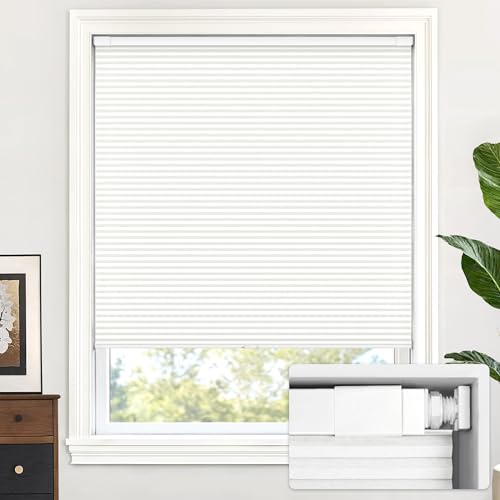
LazBlinds No Drill Cordless Cellular Shades, 22" W × 36" H, White
- No Drill Installation: Install without drilling in 30 seconds
- Universal Fit: Fits various wall types including wood and tile
- Inside Mount Only: Designed for inside window frame mounting
As an affiliate, we earn on qualifying purchases.
As an affiliate, we earn on qualifying purchases.