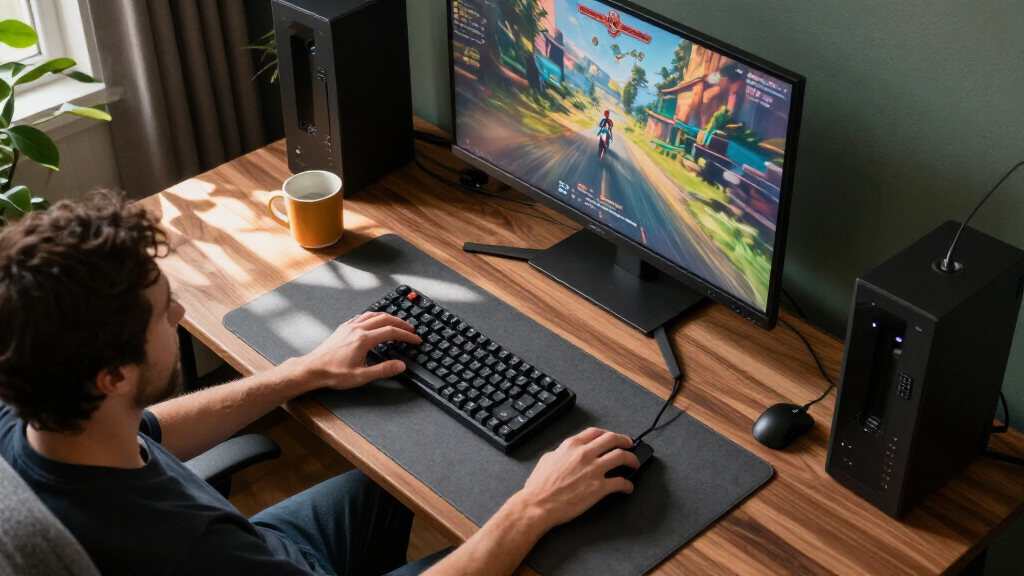
For most small-desk gaming setups, I’d start with the Dell SE2426HG: its 24-inch Full HD screen and 240Hz refresh rate make it the strongest balance of compact size and responsive play in this lineup. The MSI PRO MP243L E14 is a more modest-refresh desktop alternative, while the ARZOPA Z1FC brings 144Hz gaming to a portable 16.1-inch screen. The main tradeoff is between a larger, faster fixed display and a smaller screen you can pack or connect to multiple devices. I also weigh resolution, connection needs, and stand usability, since compact screens can vary sharply in those areas. Read on for how all 15 options compare and which one fits your desk, travel kit, or gaming setup.

Get business pricing on your home office setup
- Business-only prices and quantity discounts
- Tax-exempt purchasing
- Multiple users, one account, clear invoices
Complete the kit



Key Takeaways
- The Dell SE2426HG leads the fixed-screen picks: its 24-inch format and 240Hz refresh target fast desktop play without moving up to a 27-inch panel.
- Portable does not have to mean slow: the ARZOPA Z1FC and InnoView 16-inch model offer 144Hz in a carryable size, unlike the 60Hz and 75Hz portable options.
- Refresh rate and portability are separate choices: ForHelp, MNN, WGK, Kado, KYY, and Yxk prioritize travel-friendly Full HD screens over high-refresh gaming.
- The 22- to 24-inch models are the strongest small-desk middle ground: they occupy less space than the 27-inch curved Sceptre and Dell while offering dedicated desktop connections.
- Stand, speakers, and ports can decide the portable pick: a built-in kickstand or included stand helps with setup, but buyers should check how the screen connects to their device before choosing.
| Dell SE2426HG 24-Inch FHD 240Hz Gaming Monitor |  | Best Compact High-Refresh Pick | Screen size: 23.8 inches | Resolution: 1920 × 1080 (Full HD) | Refresh rate: 240Hz | VIEW LATEST PRICE | See Our Full Breakdown |
| ForHelp 15.6-Inch Portable Monitor, 1080p IPS Display with USB-C and Mini HDMI |  | Best Portable Gaming Companion | Screen size: 15.6 inches | Resolution: 1920 × 1080 (Full HD) | Refresh rate: 60Hz | VIEW LATEST PRICE | See Our Full Breakdown |
| Dell SE2726HG 27-inch FHD 240Hz Gaming Monitor |  | Best for a Larger High-Refresh View | Screen size: 27 inches | Resolution: 1920 × 1080 (Full HD) | Refresh rate: 240Hz | VIEW LATEST PRICE | See Our Full Breakdown |
| MNN 15.6-Inch FHD Portable Monitor |  | Best for Flexible Travel Setups | Screen size: 15.6 inches | Resolution: 1920 × 1080 | Refresh rate: 60Hz | VIEW LATEST PRICE | See Our Full Breakdown |
| WGK 15.6-Inch Portable FHD Monitor with Stand and Speakers |  | Best Portable Pick with a Built-In Stand | Model: W156F1 | Screen size: 15.6 inches | Resolution: 1920 × 1080 | VIEW LATEST PRICE | See Our Full Breakdown |
| InnoView 16-Inch 144Hz Portable Monitor |  | Best Compact Pick for Extra Screen Height | Screen size: 16 inches | Resolution: 1920 × 1200 | Aspect ratio: 16:10 | VIEW LATEST PRICE | See Our Full Breakdown |
| ARZOPA Z1FC 16.1-Inch 144Hz Portable Gaming Monitor |  | Best for a Built-In Kickstand | Screen size: 16.1 inches | Resolution: 1920 × 1080 | Refresh rate: 144Hz | VIEW LATEST PRICE | See Our Full Breakdown |
| Sceptre C248W-1920RN 24-inch Curved 1080p Gaming Monitor |  | Best for a Curved Desk Setup | Screen size: 24 inches | Resolution: 1920 × 1080 | Panel and curvature: VA LED, 1800R | VIEW LATEST PRICE | See Our Full Breakdown |
| MSI PRO MP243L E14 24-inch FHD IPS Monitor, 144Hz |  | Best Fixed-Desk Gaming Upgrade | Screen size: 23.8 inches | Resolution: 1920 × 1080 | Panel: IPS | VIEW LATEST PRICE | See Our Full Breakdown |
| Kado K16 15.6-Inch FHD Portable Monitor, 75Hz |  | Best for Simple Portable Setups | Screen size: 15.6 inches | Resolution: 1920 × 1080 | Panel: IPS | VIEW LATEST PRICE | See Our Full Breakdown |
| SANSUI 24-Inch FHD 180Hz Gaming Monitor |  | Best for Fast-Refresh Desk Gaming | Screen size: 24 inches | Resolution: 1920 × 1080 (FHD) | Refresh rate: 180Hz | VIEW LATEST PRICE | See Our Full Breakdown |
| KYY 15.6-Inch FHD Portable Monitor |  | Best Portable Pick with Included Accessories | Screen size: 15.6 inches | Display type: IPS LCD | Resolution: 1920 × 1080 | VIEW LATEST PRICE | See Our Full Breakdown |
| Sceptre E225W-FW144 22-Inch FHD Gaming Monitor, 144Hz, HDMI and DisplayPort |  | Best for Tight Desk Spaces | Screen size: 22 inches | Resolution: 1920 × 1080 (FHD) | Refresh rate: Up to 144Hz | VIEW LATEST PRICE | See Our Full Breakdown |
| Sceptre 27-Inch Curved Full HD Gaming Monitor, 180Hz, 1ms, 1500R (C275B-FW180T) |  | Best for a Larger Curved Gaming View | Screen size: 27 inches | Resolution: 1920 × 1080 (Full HD) | Panel type: VA | VIEW LATEST PRICE | See Our Full Breakdown |
| Yxk 15.6 Inch Portable Monitor, 1080P 60Hz IPS HDR Travel Screen with USB-C/HDMI, Dual Speakers, and Kickstand |  | Best Lightweight Travel Gaming Screen | Screen size: 15.6 inches | Resolution: 1920 × 1080 (FHD) | Refresh rate: 60 Hz | VIEW LATEST PRICE | See Our Full Breakdown |
| compact gaming monitor | Screen size | Resolution | Refresh rate | Ports |
|---|---|---|---|---|
| Dell SE2426HG 24-Inch FHD 240H | 23.8 inches | 1920 × 1080 (Full HD) | 240Hz | 2 HDMI, DisplayPort 1.4 |
| ForHelp 15.6-Inch Portable Mon | 15.6 inches | 1920 × 1080 (Full HD) | 60Hz | 2 USB-C, 1 Mini HDMI |
| Dell SE2726HG 27-inch FHD 240H | 27 inches | 1920 × 1080 (Full HD) | 240Hz | 2 HDMI, DisplayPort 1.4 |
| MNN 15.6-Inch FHD Portable Mon | 15.6 inches | 1920 × 1080 | 60Hz | 2 full-feature USB-C, HDMI |
| WGK 15.6-Inch Portable FHD Mon | 15.6 inches | 1920 × 1080 | — | 2 USB-C, 1 Mini HDMI |
| InnoView 16-Inch 144Hz Portabl | 16 inches | 1920 × 1200 | 144Hz; up to 120Hz via HDMI | — |
| ARZOPA Z1FC 16.1-Inch 144Hz Po | 16.1 inches | 1920 × 1080 | 144Hz | 2 USB-C, 1 Mini HDMI |
| Sceptre C248W-1920RN 24-inch C | 24 inches | 1920 × 1080 | 75Hz | 2 HDMI, VGA, PC audio input |
| MSI PRO MP243L E14 24-inch FHD | 23.8 inches | 1920 × 1080 | 144Hz | 1 HDMI 2.0, VGA (D-Sub) |
| Kado K16 15.6-Inch FHD Portabl | 15.6 inches | 1920 × 1080 | 75Hz | — |
| SANSUI 24-Inch FHD 180Hz Gamin | 24 inches | 1920 × 1080 (FHD) | 180Hz | 1 HDMI 2.0, 1 DisplayPort 1.4, audio jack |
| KYY 15.6-Inch FHD Portable Mon | 15.6 inches | 1920 × 1080 | 60 Hz | — |
| Sceptre E225W-FW144 22-Inch FH | 22 inches | 1920 × 1080 (FHD) | Up to 144Hz | 1 HDMI, DisplayPort |
| Sceptre 27-Inch Curved Full HD | 27 inches | 1920 × 1080 (Full HD) | 180 Hz | — |
| Yxk 15.6 Inch Portable Monitor | 15.6 inches | 1920 × 1080 (FHD) | 60 Hz | 2 USB-C, 1 Mini HDMI |
More Details on Our Top Picks
Dell SE2426HG 24-Inch FHD 240Hz Gaming Monitor
The Dell SE2426HG is my pick for desk-based players who want high refresh without moving to a larger screen. Its 23.8-inch Full HD panel fits tighter setups, while 240Hz and FreeSync Premium are aimed at keeping fast play fluid and reducing tearing. Compared with the 27-inch Dell SE2726HG, this model takes up less room and keeps the same resolution on a smaller display, which can make the image look sharper at typical desk distance. The tradeoff is less screen area for immersive games, and Full HD still lacks the detail of a higher-resolution panel. Dell lists response time as both 0.5 ms and 5 ms, so I would not choose it based on the faster figure alone. Tilt-only adjustment also limits positioning flexibility.
Pros:- 240Hz refresh rate supports fluid motion in fast-paced games
- FreeSync Premium helps reduce screen tearing with compatible systems
- 23.8-inch size suits compact desk setups
- 99% sRGB coverage and 178-degree viewing angles
Cons:- Full HD has less detail than higher-resolution gaming monitors
- Response time is listed as both 0.5 ms and 5 ms
- Stand offers tilt adjustment only
Best for: Competitive PC or console players with limited desk space who prioritize high refresh and a smaller Full HD screen.
Not ideal for: Buyers seeking a larger, more immersive display, higher resolution, or an adjustable stand beyond tilt.
- Screen size:23.8 inches
- Resolution:1920 × 1080 (Full HD)
- Refresh rate:240Hz
- Panel:IPS
- Adaptive sync:AMD FreeSync Premium
- Color gamut:99% sRGB
- Ports:2 HDMI, DisplayPort 1.4
- Adjustments:Tilt
Our verdict“Choose the SE2426HG for a compact, high-refresh gaming setup; choose the Dell SE2726HG if you want a larger screen instead.”
ForHelp 15.6-Inch Portable Monitor, 1080p IPS Display with USB-C and Mini HDMI
The ForHelp 15.6-inch makes sense when compact means packable: at 1.52 pounds and 0.3 inches thick, it can serve as a travel screen for a compatible laptop, phone, or console. Its 1080p matte IPS display gives games a clear, wide-view image, but the 60Hz refresh rate is far below the 240Hz Dell SE2426HG and better suited to casual play than competitive gaming. USB-C and Mini HDMI broaden connection options, though USB-C video only works with devices that support Thunderbolt 3/4 or DisplayPort Alt Mode; a matching port alone is not enough. The magnetic cover doubles as a stand and protects the panel, but its two viewing positions offer less flexibility than a built-in adjustable stand. Built-in speakers are convenient, though they do not replace a dedicated audio setup.
Pros:- Lightweight 1.52-pound design with a slim 0.3-inch profile
- Full HD matte IPS screen with wide viewing angles
- USB-C and Mini HDMI connections support a range of compatible devices
- Magnetic cover protects the screen and serves as a stand
Cons:- 60Hz refresh rate is less suited to fast competitive games
- USB-C video requires Thunderbolt 3/4 or DisplayPort Alt Mode support
- Cover stand provides only two viewing positions
Best for: Traveling console and laptop players who want a lightweight second screen for casual gaming and portable work.
Not ideal for: Competitive players who need refresh rates above 60Hz or buyers whose USB-C device lacks video output support.
- Screen size:15.6 inches
- Resolution:1920 × 1080 (Full HD)
- Refresh rate:60Hz
- Panel:IPS LCD
- Brightness:300 cd/m²
- Ports:2 USB-C, 1 Mini HDMI
- Weight:1.52 lb
- Stand:Magnetic cover with two viewing positions
Our verdict“Pick the ForHelp for a lightweight travel screen and casual gaming, not for high-refresh play like the Dell SE2426HG.”
Dell SE2726HG 27-inch FHD 240Hz Gaming Monitor
The Dell SE2726HG brings a 240Hz refresh rate to a 27-inch screen, making it the larger-screen alternative to the compact Dell SE2426HG. FreeSync Premium and HDMI VRR can help keep motion smooth with compatible hardware, while 99% sRGB coverage supports a broad range of everyday color. Its larger image can feel more absorbing for games, but the same Full HD resolution spread across 27 inches looks less dense than on the 23.8-inch SE2426HG. That makes this a better fit for players who value screen size and smooth motion over fine detail. I would also factor in the listed response-time mismatch—0.5 ms in one place and 5 ms in another—and the tilt-only stand. For a compact gaming desk, this is the least space-conscious Dell option here.
Pros:- 240Hz refresh rate supports fluid gameplay
- FreeSync Premium and HDMI VRR support compatible adaptive sync
- 27-inch screen offers a larger view than the Dell SE2426HG
- 99% sRGB coverage and matte finish
Cons:- Full HD is less dense on 27 inches than on the 23.8-inch Dell SE2426HG
- Response time is listed as both 0.5 ms and 5 ms
- Tilt-only adjustment offers limited positioning
Best for: Players who want a roomier 27-inch gaming view, high refresh, and adaptive sync while staying with Full HD.
Not ideal for: Small-desk users or buyers who prioritize sharper pixel density, higher resolution, or broad stand adjustments.
- Screen size:27 inches
- Resolution:1920 × 1080 (Full HD)
- Refresh rate:240Hz
- Panel:IPS
- Adaptive sync:AMD FreeSync Premium, HDMI VRR
- Color gamut:99% sRGB
- Ports:2 HDMI, DisplayPort 1.4
- Weight:8.2 lb
Our verdict“Choose the SE2726HG if screen size matters more than compactness and pixel density; choose the SE2426HG for a tighter desk.”
MNN 15.6-Inch FHD Portable Monitor
The MNN 15.6-inch portable monitor is a straightforward pick for players who want a small screen that can also serve as a second display on the road. The Full HD IPS panel and 178-degree viewing angle suit shared viewing, while its listed display modes include extended, second-screen, and portrait use. Compared with the ForHelp 15.6-inch, the MNN emphasizes flexible screen orientation and modes, but the supplied details do not list a refresh rate beyond portable-monitor gaming alternatives’ typical 60Hz class; buyers should not expect the 144Hz or 240Hz motion of dedicated gaming displays. Its PU leather cover provides protection and a stand, yet the setup depends on that cover rather than a described adjustable built-in stand. USB-C video also requires Thunderbolt 3.0 or USB-C with DP Alt Mode, so device compatibility needs checking.
Pros:- Compact 15.6-inch Full HD IPS panel
- 178-degree viewing angle supports off-center viewing
- Supports copy, extended, second-screen, and portrait modes
- Protective PU leather cover doubles as a stand
Cons:- No high refresh rate is specified, limiting its appeal for competitive gaming
- USB-C video requires Thunderbolt 3.0 or DP Alt Mode support
- Cover-based stand may offer less positioning flexibility than a dedicated adjustable stand
Best for: Traveling laptop and handheld-console owners who want a portable second display with portrait and extended-screen modes.
Not ideal for: Competitive gamers seeking a confirmed high refresh rate or users whose USB-C device lacks DisplayPort Alt Mode.
- Screen size:15.6 inches
- Resolution:1920 × 1080
- Refresh rate:60Hz
- Panel:IPS
- Viewing angle:178°
- Ports:2 full-feature USB-C, HDMI
- Display modes:Copy, extended, second screen, portrait
- Cover:PU leather cover that doubles as a stand
Our verdict“Choose the MNN for portable, multi-mode screen use, but favor a high-refresh monitor if gaming responsiveness is the priority.”
WGK 15.6-Inch Portable FHD Monitor with Stand and Speakers
The WGK W156F1 stands out among these portable options because its built-in stand removes the need to prop the display up with a cover. The 15.6-inch Full HD IPS panel, USB-C and Mini HDMI inputs, and built-in speakers make it a self-contained companion for compatible laptops and consoles. Compared with the MNN 15.6-inch, WGK specifies a built-in stand and VESA mounting; the MNN, by contrast, lists more display modes, including portrait orientation. Neither is a substitute for the 240Hz Dell SE2426HG: this portable WGK listing does not specify a gaming refresh rate, so I would treat it as a casual-play screen rather than a competitive monitor. Its 2.7-pound weight is also heavier than the ForHelp, and some devices may need an external 5V/2A power supply.
Pros:- Built-in stand avoids relying on a protective cover for support
- USB-C and Mini HDMI connectivity
- Built-in speakers and VESA mounting support
- Full HD IPS display with 178-degree viewing angle
Cons:- Refresh rate is not specified, so high-refresh gaming performance cannot be confirmed
- At 2.7 pounds, it is heavier than the ForHelp 15.6-inch
- May need an external 5V/2A power supply when the connected device provides insufficient power
Best for: Console and laptop owners who want a portable Full HD screen with its own stand, speakers, and VESA mounting option.
Not ideal for: Competitive gamers seeking a confirmed high refresh rate or frequent travelers who prioritize the lightest possible monitor.
- Model:W156F1
- Screen size:15.6 inches
- Resolution:1920 × 1080
- Panel:IPS LCD
- Ports:2 USB-C, 1 Mini HDMI
- Weight:2.7 lb
- Features:HDR, low blue light, built-in speakers
- Mounting:Built-in stand and VESA mountable
Our verdict“Choose the WGK for a portable screen with convenient built-in support and speakers, but pick a dedicated high-refresh monitor for competitive play.”
InnoView 16-Inch 144Hz Portable Monitor
The 16:10, 1920 × 1200 display gives this portable monitor more vertical workspace than the 16:9 ARZOPA Z1FC, which can help keep game menus or companion apps in view without making the screen wider. Its 144Hz refresh rate and FreeSync suit fast-paced play when connected over USB-C; HDMI is limited to 120Hz, so connection choice affects the smoothness ceiling. At 1.7 pounds, it is easy to carry, and the included sleeve adds basic travel protection. The IPS panel offers broad viewing angles, but its 300 cd/m² brightness is better suited to indoor use than bright outdoor settings. I’d pick it over the ARZOPA for the taller image and adaptive sync, but skip it if you want a monitor that needs no separate power adapter.
Pros:- 1920 × 1200 resolution and 16:10 aspect ratio provide more vertical space than standard 16:9 portable screens.
- 144Hz refresh rate with FreeSync supports smoother gameplay over a compatible connection.
- Light 1.7-pound design includes a protective sleeve.
- USB-C and HDMI connectivity support laptops and gaming consoles.
Cons:- HDMI connection is limited to 120Hz rather than the full 144Hz.
- Power adapter is not included.
- 300 cd/m² brightness may be limiting in bright environments.
Best for: Portable gaming-laptop owners who want a lightweight second screen, a taller-than-standard image, and adaptive sync over USB-C.
Not ideal for: Console players who need 144Hz over HDMI or travelers who do not want to pack a separate power adapter.
- Screen size:16 inches
- Resolution:1920 × 1200
- Aspect ratio:16:10
- Refresh rate:144Hz; up to 120Hz via HDMI
- Panel:IPS LCD
- Connectivity:HDMI, dual USB-C
- Weight:1.7 lb
- Features:FreeSync, HDR support, Low Blue Light, matte screen
Our verdict“Choose the InnoView if you want a travel-friendly 16:10 gaming screen with FreeSync and can work around its HDMI refresh-rate limit and missing adapter.”
ARZOPA Z1FC 16.1-Inch 144Hz Portable Gaming Monitor
The ARZOPA Z1FC is a straightforward portable gaming screen for buyers who value setup flexibility: its built-in adjustable kickstand avoids the separate cover-stand arrangement some travel monitors rely on, and the screen can be used in landscape or portrait orientation. Its 144Hz IPS panel matches the InnoView’s refresh rate, while the 16.1-inch 1080p image keeps the format familiar for games designed around 16:9. The InnoView pulls ahead for adaptive sync and its taller 1920 × 1200 workspace; the ARZOPA instead offers a wider stated color gamut and a two-year warranty. The key compromise is that adaptive sync is not supported, so variable frame rates may look less consistent. I’d choose it for its stand and simple portability, not for sync-focused PC gaming.
Pros:- 144Hz IPS display supports smooth motion in compatible games.
- Built-in adjustable kickstand makes positioning straightforward.
- Can be used in landscape or portrait orientation.
- Two USB-C ports and Mini HDMI offer multiple connection options.
Cons:- No adaptive sync or FreeSync support.
- 1920 × 1080 provides less vertical workspace than the InnoView’s 1920 × 1200 display.
- At 1.42 kg, it is heavier than the InnoView despite its portable format.
Best for: Laptop and console players who want a portable 144Hz screen with a built-in adjustable stand and portrait-orientation option.
Not ideal for: PC gamers who prioritize FreeSync or other adaptive sync, or buyers who want the extra vertical resolution of a 16:10 display.
- Screen size:16.1 inches
- Resolution:1920 × 1080
- Refresh rate:144Hz
- Panel:IPS LCD
- Color gamut:106% sRGB
- Ports:2 USB-C, 1 Mini HDMI
- Weight:1.42 kg
- Adaptive sync:Not supported
Our verdict“Pick the ARZOPA if an integrated kickstand and flexible orientation matter more to you than adaptive sync or a taller image.”
Sceptre C248W-1920RN 24-inch Curved 1080p Gaming Monitor
Among these five options, the Sceptre C248W-1920RN is the one for a fixed desk where a curved screen matters more than a high refresh rate or easy travel. Its 24-inch, 1800R VA panel is larger than the portable InnoView and Kado screens, while the 3000:1 contrast ratio can give dark scenes more depth than the MSI’s IPS display. The tradeoff is a 75Hz ceiling: the MSI MP243L E14 and both 144Hz portable models are better suited to fast competitive play. Adaptive Sync and FreeSync are included, but they do not make this a high-refresh monitor. Two HDMI ports, VGA, speakers, and VESA mounting add setup flexibility; at 220 cd/m², though, the listed brightness may feel limited in a brightly lit room.
Pros:- 24-inch 1800R curved VA screen provides a larger, more enveloping desk display than the portable options.
- 3000:1 contrast ratio suits games with dark scenes.
- Adaptive Sync and FreeSync support are included.
- Two HDMI ports, VGA, built-in speakers, and VESA compatibility offer flexible setup choices.
Cons:- 75Hz refresh rate is well below the 144Hz MSI and portable gaming options.
- Listed brightness of 220 cd/m² may be limiting in bright rooms.
- Full HD resolution is less detailed than higher-resolution displays.
Best for: Desk-based players who prefer a larger curved screen for casual gaming and want multiple HDMI inputs or VESA mounting.
Not ideal for: Competitive players seeking 144Hz or higher, and anyone whose priority is a monitor small and light enough for regular travel.
- Screen size:24 inches
- Resolution:1920 × 1080
- Panel and curvature:VA LED, 1800R
- Refresh rate:75Hz
- Contrast ratio:3000:1
- Brightness:220 cd/m²
- Ports:2 HDMI, VGA, PC audio input
- Mounting:VESA compatible
Our verdict“Choose the Sceptre if you want a curved 24-inch desk monitor for casual gaming, but look to the MSI or a 144Hz portable model for faster play.”
MSI PRO MP243L E14 24-inch FHD IPS Monitor, 144Hz
The MSI PRO MP243L E14 is the strongest fit here for someone who wants a compact fixed-desk monitor without giving up a high refresh rate. Its 23.8-inch IPS screen combines 144Hz and FreeSync, a more compelling match for quick PC games than the Sceptre C248W’s 75Hz panel. The MSI also has a tilt-adjustable stand, VESA mounting, and Flicker Free and Low Blue Light features for a setup that doubles as an everyday work screen. Unlike the InnoView and ARZOPA, it is not designed to travel; its 9.5-pound weight and desktop dimensions make that distinction clear. Connectivity is another tradeoff: the listed inputs are HDMI 2.0 and VGA, with no DisplayPort listed. I’d choose it for a stationary gaming-and-work setup, not a portable console companion.
Pros:- 144Hz refresh rate with FreeSync supports smoother play than the Sceptre’s 75Hz panel.
- IPS panel offers wide 178-degree viewing angles.
- Flicker Free and Low Blue Light features suit longer mixed-use sessions.
- Tilt adjustment and 100 × 100 mm VESA mounting support flexible desk placement.
Cons:- Full HD resolution is less detailed than higher-resolution screens.
- Listed ports include HDMI 2.0 and VGA but no DisplayPort.
- At 9.5 pounds, it is much less suited to travel than the portable monitors.
Best for: PC players who want a stationary 23.8-inch IPS screen for high-refresh gaming, daily work, and VESA mounting.
Not ideal for: Traveling gamers, or buyers whose PC setup requires DisplayPort connectivity or a higher-than-Full-HD resolution.
- Screen size:23.8 inches
- Resolution:1920 × 1080
- Panel:IPS
- Refresh rate:144Hz
- Adaptive sync:FreeSync
- Ports:1 HDMI 2.0, VGA (D-Sub)
- Stand adjustment:Tilt from -5° to 20°
- VESA compatibility:100 × 100 mm
Our verdict“Choose the MSI for a fixed desk where 144Hz IPS gaming and work-friendly features matter more than portability or extra resolution.”
Kado K16 15.6-Inch FHD Portable Monitor, 75Hz
The Kado K16 trades the 144Hz speeds of the InnoView and ARZOPA for a simple, low-power portable display that can also serve as a charging hub. Its 45W USB-C reverse charging may help reduce cable clutter when paired with compatible gear, while USB-C and mini-HDMI cover common laptop and console connections. The built-in kickstand and speakers mean fewer accessories to pack, though the speakers are best treated as a backup rather than a replacement for headphones. At 75Hz, it offers a modest step up from a standard 60Hz screen, but its 12ms response time makes it a weaker choice for fast competitive games than the 144Hz InnoView. For casual gaming, travel, and general second-screen use, its 5.5W power consumption is appealing; for high-speed play, look elsewhere.
Pros:- 15.6-inch IPS Full HD screen is compact and offers broad viewing angles.
- USB-C and mini-HDMI support common portable-device connections.
- 45W USB-C reverse charging can reduce power-cable clutter with compatible devices.
- Built-in kickstand, speakers, and VESA mounting provide flexible placement options.
Cons:- 75Hz refresh rate is far below the InnoView and ARZOPA’s 144Hz.
- 12ms response time is a poor fit for fast competitive gaming.
- Built-in speakers may not satisfy buyers who want fuller game audio.
Best for: Traveling laptop or handheld-console users who want a compact second screen with a built-in stand and USB-C reverse charging.
Not ideal for: Competitive gamers who want high refresh rates and fast response, or buyers who rely on monitor speakers for full, clear game audio.
- Screen size:15.6 inches
- Resolution:1920 × 1080
- Panel:IPS
- Refresh rate:75Hz
- Response time:12ms
- Connectivity:USB-C, mini-HDMI
- Reverse charging:45W USB-C
- Power consumption:5.5W
Our verdict“Pick the Kado for casual portable gaming and a tidy, low-power setup, but choose a 144Hz model if fast motion response is your priority.”
SANSUI 24-Inch FHD 180Hz Gaming Monitor
The SANSUI 24-inch is a sensible compact pick for desk gaming when motion smoothness matters more than extra pixels. Its 180Hz refresh rate and FreeSync support give it a stronger fast-play focus than the portable KYY and Yxk screens, both of which are limited to 60Hz. The VA panel’s stated 4000:1 contrast ratio can also make dark scenes look more distinct, while the 24-inch size keeps Full HD from being stretched across as much screen area as it is on the 27-inch Sceptre C275B-FW180T. The tradeoff is a familiar one: Full HD is less detailed than higher-resolution choices, and there are no built-in speakers. I’d shortlist it for a fixed gaming setup, not for travel or users who want an all-in-one display.
Pros:- 180Hz refresh rate supports smoother motion in fast games.
- FreeSync can reduce screen tearing with compatible systems.
- VA panel lists a 4000:1 contrast ratio for pronounced light-dark separation.
- Includes HDMI and DisplayPort connectivity and an HDMI cable.
Cons:- No built-in speakers, so audio requires headphones or external speakers.
- Full HD offers less fine detail than higher-resolution displays.
- Its 24-inch, 3.95 kg design is for a desk rather than frequent travel.
Best for: PC or console players who want a compact 24-inch desk monitor with high refresh and adaptive sync.
Not ideal for: Buyers who need built-in audio, a portable screen, or sharper-than-Full-HD detail.
- Screen size:24 inches
- Resolution:1920 × 1080 (FHD)
- Refresh rate:180Hz
- Response time:1ms MPRT
- Panel type:VA LCD
- Adaptive sync:FreeSync
- Ports:1 HDMI 2.0, 1 DisplayPort 1.4, audio jack
- VESA mount:75 × 75 mm
Our verdict“Choose the SANSUI for a compact fixed setup where 180Hz gaming matters more than built-in audio or higher resolution.”
KYY 15.6-Inch FHD Portable Monitor
The KYY is built for people who need a 15.6-inch screen away from a desk, rather than a high-refresh gaming panel. Its IPS display offers 178-degree viewing angles, and the included smart cover stand, screen protector, and connection cables make it more ready to carry than the desk-focused SANSUI 24-inch. That convenience comes with a major gaming compromise: the 60Hz refresh rate is far below the 144Hz Sceptre E225W-FW144 and 180Hz SANSUI, so fast motion will not look as fluid. Built-in stereo speakers are useful when traveling light, though they are not a substitute for a dedicated audio setup. I’d pick this for console sessions or a secondary display, after checking that the source device supports the required video connection. Its listed 1.88 kg weight is also worth factoring into a travel kit.
Pros:- IPS panel and 178-degree viewing angles suit shared viewing and flexible placement.
- Smart cover stand and screen protector are included.
- USB-C and mini HDMI support a range of compatible devices.
- Built-in stereo speakers provide audio without separate speakers.
Cons:- 60Hz refresh rate is less suitable for fast competitive gaming than the Sceptre E225W-FW144.
- Compatibility depends on the connected device and its available video output.
- Listed weight of 1.88 kg is substantial for a portable 15.6-inch display.
Best for: Traveling laptop and handheld-console owners who want a Full HD second screen with a cover stand and included cables.
Not ideal for: Competitive players seeking high refresh rates, or travelers prioritizing the lightest possible monitor.
- Screen size:15.6 inches
- Display type:IPS LCD
- Resolution:1920 × 1080
- Refresh rate:60 Hz
- Viewing angle:178 degrees
- Connectivity:2 USB-C ports, mini HDMI, 3.5 mm audio
- Weight:1.88 kg
- Features:HDR, FreeSync, built-in stereo speakers, smart cover stand
Our verdict“Choose the KYY as a portable secondary screen when included accessories and speakers matter more than high-refresh gaming.”
Sceptre E225W-FW144 22-Inch FHD Gaming Monitor, 144Hz, HDMI and DisplayPort
At 22 inches, the Sceptre E225W-FW144 is the smallest fixed-screen gaming option in this group, a useful distinction for narrow desks or close seating. It still brings up to 144Hz and a 1ms response time, giving it a clearer gaming advantage over the 60Hz portable KYY and Yxk than its modest size might suggest. FreeSync, a matte surface, and Blue-Light Shift add practical touches for longer sessions; built-in speakers also remove the need for an immediate audio add-on. Compared with the 24-inch SANSUI, though, you give up screen area and some refresh-rate headroom, while the single listed HDMI port limits convenient multi-device hookups. I’d favor it when desk footprint is the priority, but players who sit farther away may find the screen cramped.
Pros:- Compact 22-inch footprint fits tighter desk setups than the 24-inch SANSUI.
- Up to 144Hz refresh rate and 1ms response time support responsive gameplay.
- FreeSync helps limit tearing with compatible hardware.
- Built-in speakers, matte finish, and Blue-Light Shift add everyday convenience.
Cons:- 22-inch screen may feel cramped for games viewed from a distance.
- Only one HDMI port is listed for connecting devices.
- Refresh rate is lower than the 180Hz SANSUI and 27-inch Sceptre.
Best for: Gamers with a small desk or close viewing position who want a high-refresh fixed monitor with built-in speakers.
Not ideal for: Players who want a larger screen, multiple HDMI connections, or a more immersive view from farther away.
- Screen size:22 inches
- Resolution:1920 × 1080 (FHD)
- Refresh rate:Up to 144Hz
- Response time:1ms
- Contrast ratio:2000:1
- Viewing angle:170 degrees
- Ports:1 HDMI, DisplayPort
- Weight:7 pounds
Our verdict“Pick this Sceptre when desk space is tight but you still want a fixed monitor with gaming-oriented refresh and response specs.”
Sceptre 27-Inch Curved Full HD Gaming Monitor, 180Hz, 1ms, 1500R (C275B-FW180T)
The Sceptre C275B-FW180T stretches the meaning of compact: it is a 27-inch curved monitor, better for buyers who want a more enveloping desk display than the 22-inch E225W-FW144 or 24-inch SANSUI. Its 180Hz refresh rate, 1ms response specification, and Adaptive-Sync keep gaming performance in focus, while the 1500R curve is intended to bring the broad screen into a more wrapped viewing position. Four video inputs—two HDMI and two DisplayPort—make it more convenient for a setup with several connected devices than the SANSUI’s two main video inputs. The compromise is resolution density: Full HD across 27 inches can look less crisp than the same resolution on the smaller SANSUI. I’d choose it for size and connectivity, not for a truly small footprint or sharpest text.
Pros:- 180Hz refresh rate and 1ms response specification target smooth, responsive play.
- 1500R curve creates a more wrapped viewing layout than flat compact options.
- Two HDMI and two DisplayPort inputs support multiple connected devices.
- Built-in speakers, Adaptive-Sync, and VESA mounting add setup flexibility.
Cons:- 27-inch size takes more desk space than the 22-inch and 24-inch options.
- Full HD can look less sharp at this screen size than on the smaller SANSUI.
- The curve and large panel may not suit users who want a simple portable setup.
Best for: Desk gamers who want a curved, larger-than-compact view, high refresh, and several video inputs.
Not ideal for: Buyers with limited desk depth, those seeking a genuinely small monitor, or readers prioritizing sharper detail at 27 inches.
- Screen size:27 inches
- Resolution:1920 × 1080 (Full HD)
- Panel type:VA
- Curvature:1500R
- Refresh rate:180 Hz
- Response time:1 ms with blur reduction
- Connectivity:2 HDMI ports, 2 DisplayPort ports, audio out
- Mounting:VESA wall-mountable
Our verdict“Choose the C275B-FW180T if a curved, spacious gaming view matters more than keeping your monitor genuinely compact.”
Yxk 15.6 Inch Portable Monitor, 1080P 60Hz IPS HDR Travel Screen with USB-C/HDMI, Dual Speakers, and Kickstand
The Yxk earns its place as the lightest travel-oriented choice here: at 1.43 pounds and 0.31 inches thick, it is easier to pack than the KYY, whose listed weight is 1.88 kg. Its 15.6-inch IPS panel keeps Full HD gaming available for laptops, consoles, and compatible phones, while the kickstand and built-in speakers help create a quick setup without extra accessories. The main limit is speed: 60Hz makes it a companion screen for casual play, not a substitute for the 144Hz Sceptre E225W-FW144 or 180Hz SANSUI. Its 250-nit brightness may also be less comfortable in bright surroundings. Single-cable USB-C use depends on DP Alt Mode or Thunderbolt support, so I’d check device compatibility before buying. For mobile gaming, portability is the clear priority over refresh rate.
Pros:- At 1.43 pounds and 0.31 inches thick, it is easy to carry.
- IPS panel provides 178-degree viewing angles for flexible positioning.
- Dual USB-C ports and mini HDMI support several device types.
- Built-in speakers and a kickstand support a quick portable setup.
Cons:- 60Hz refresh rate is a clear step down from the 144Hz Sceptre E225W-FW144 and 180Hz SANSUI.
- 250-nit brightness may struggle in bright environments.
- Single-cable USB-C operation requires DP Alt Mode or Thunderbolt support.
Best for: Traveling players who need a light Full HD screen for compatible laptops, consoles, or phones and value a built-in kickstand.
Not ideal for: Competitive gamers seeking high refresh rates, or users who play outdoors or in very bright rooms.
- Screen size:15.6 inches
- Resolution:1920 × 1080 (FHD)
- Refresh rate:60 Hz
- Panel type:IPS
- Brightness:250 nits
- Viewing angle:178 degrees
- Ports:2 USB-C, 1 Mini HDMI
- Weight and thickness:1.43 pounds; 0.31 inches
Our verdict“Choose the Yxk for lightweight travel gaming and flexible device connections, not for high-refresh competitive play.”
How We Picked
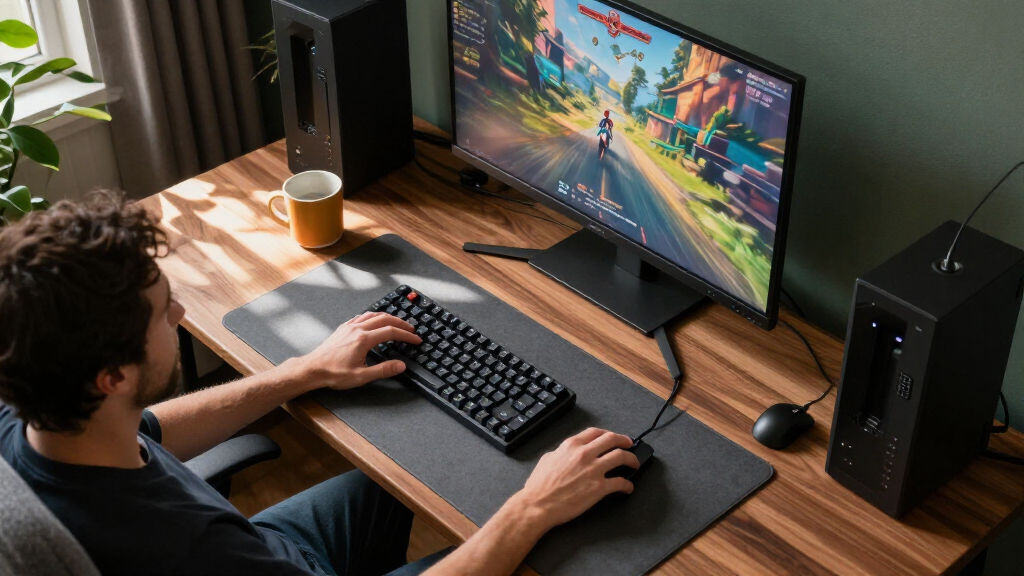
I compared these compact gaming monitors by the choices buyers actually face: fixed desktop screen or portable panel, screen size, refresh rate, resolution, connection options, and included setup features. For gaming, I gave weight to higher refresh rates and desktop-ready connectivity; for travel screens, I weighed portability, built-in support, and whether the listed connections can suit a laptop, console, or handheld. I also treated Full HD as a practical fit for these screen sizes, while recognizing that it offers less workspace detail than a higher-resolution panel.
The ranking favors options that match their stated role without asking buyers to accept unnecessary compromises. The Dell SE2426HG ranks ahead for its combination of 24-inch size and 240Hz, while the 144Hz portable ARZOPA and InnoView stand apart from the basic 60Hz and 75Hz travel screens. Larger 27-inch displays rank lower for buyers prioritizing a compact footprint, and portable screens rank lower for competitive play when their refresh rate is modest. I also account for tradeoffs: a high refresh rate cannot compensate for an unsuitable connection or awkward support setup, and a portable monitor does not replace a full-size desktop display for every use.
Factors to Consider When Choosing Compact Gaming Monitors
Before choosing a compact gaming monitor, decide what “compact” means for your setup: a small desktop screen, or a panel that can travel in a bag. Those two categories solve different problems, and comparing them by refresh rate alone can lead to a poor fit.
Choose Between a Desk Monitor and a Portable Screen
A fixed 22- to 24-inch monitor gives you a larger viewing area and a more permanent desk setup, while a 15.6- to 16.1-inch portable screen is easier to carry and store. Do not assume a portable display is a direct substitute for a desktop monitor: the smaller image can feel cramped for games with dense menus or distant targets. Conversely, a fixed screen may be inconvenient if you routinely move between rooms or use a laptop away from home. Measure the full space available, including the stand and cable clearance, rather than comparing panel width alone. If you need one display to travel, prioritize the packed dimensions and how it is supported on different surfaces. If it will stay in one place, a desktop model may give you a more comfortable playing area.
Match Refresh Rate to Your Games and Hardware
High refresh rates can make motion appear smoother, but the benefit depends on your game, graphics hardware, and connection path. The 240Hz desktop models in this group suit buyers who play fast-paced titles and have a system capable of producing high frame rates. A 144Hz portable screen can be a useful compromise when you want more responsive play in a travel-sized format. Basic 60Hz or 75Hz portable models make more sense for casual gaming, handheld use, or general second-screen duties. Avoid paying attention to the monitor’s refresh figure without checking whether your computer or console can output it at the screen’s resolution. A display’s advertised ceiling is not the same as the frame rate your setup will deliver.
Check the Connection Before You Buy
Connection compatibility is a frequent source of frustration with portable monitors. USB-C may carry both video and power from some devices, but not every USB-C port supports video output, and some setups may still need a separate power source. Mini HDMI or standard HDMI can make a portable screen easier to pair with consoles and older devices, though the right cable may not be included. For desktop monitors, compare the available inputs with the ports on your graphics card rather than assuming the monitor’s connection list will match your machine. If you want to switch between a console and a PC, count inputs and plan how you will change sources. Confirm the exact port capabilities in the product specifications for your devices before relying on a single-cable setup.
Treat Resolution as a Workload and Viewing-Distance Choice
Full HD is common across this lineup and can be a sensible match for compact screens, since it asks less of a gaming system than higher resolutions. It also keeps text and interface elements readable without requiring a large display. The tradeoff is that Full HD provides less detail and workspace than a higher-resolution monitor, especially if you sit close or use the screen for detailed creative work. At 27 inches, the same resolution spreads across a larger panel than it does at 22 or 24 inches, so image sharpness may matter more to sensitive buyers. Think about the games you play, how far you sit from the screen, and whether you also use it for work. A compact gaming display should suit your viewing habits, not just fit on the desk.
Plan for Stand, Sound, and Power
A screen that fits in a bag still needs a stable place to sit, and a small kickstand may not offer the height or angle you want for long sessions. Check whether the monitor has an integrated stand, a protective cover that props it up, or a mounting option that suits your setup. Built-in speakers can handle basic audio, but buyers who care about game sound should plan for headphones or separate speakers rather than treating them as a replacement for a dedicated audio system. Portable screens may also draw power from the connected device or need their own supply, which affects cable clutter and battery life. For a fixed setup, check whether the stand gives enough adjustment to align the screen with your posture. These practical details can matter more day to day than a small difference in refresh rate.
Pay More Only for a Benefit You Will Use
A faster screen is worthwhile when your games and hardware can make use of it; otherwise, a lower-refresh model may be a better fit for casual play or travel. Likewise, a curved 27-inch panel can add a more enveloping viewing shape, but it takes more desk space and keeps Full HD resolution across a larger screen. Portable buyers may get more value from a sensible stand and dependable connections than from a feature that sounds impressive but does not fit their devices. Beginners should favor a straightforward setup with familiar inputs and support rather than buying around a single headline specification. Write down your must-haves—screen size, travel needs, refresh target, and connection type—before comparing models. That list helps prevent paying for performance or extras your setup cannot use.
Frequently Asked Questions
Is a 15.6-inch portable monitor large enough for gaming?
It can work well for handheld gaming, travel, or a compact second screen, but it will look smaller than a typical desktop monitor when you sit at a desk. The reduced size is useful when space and portability matter more than an expansive view. Before buying, consider whether your games rely on small text, detailed maps, or distant targets that are easier to read on a larger screen. Viewing distance also changes the experience: a portable display placed close can feel more comfortable than one positioned across a desk. If this will be your only monitor for long sessions, compare its usable size with a 22- or 24-inch desktop option first.
Should I choose a 144Hz portable monitor or a 240Hz desktop monitor?
Choose based on where and how you play, not just the higher number. A 240Hz desktop option is the better match for competitive PC gaming when your system can produce high frame rates and the monitor will stay on your desk. A 144Hz portable model gives up some refresh headroom but can travel with a laptop or handheld and still offer a smoother experience than basic 60Hz screens. Check that your device can output the chosen refresh rate through the connection you plan to use. If portability is not a real need, a fixed desktop screen is usually the simpler gaming setup.
Can I connect a portable monitor to a console with one USB-C cable?
Do not assume a single USB-C cable will work with a console. Many consoles use HDMI for video, while USB-C video output depends on the device and the monitor’s supported inputs. A portable display with HDMI or Mini HDMI may be easier to pair, but you still need to confirm cable compatibility and how the screen receives power. Check the console’s output options and the monitor’s connection requirements before ordering. If the monitor needs separate power, plan for an outlet or power source near your gaming spot.
Is a 27-inch Full HD monitor still a compact choice?
It can be compact compared with larger gaming displays, but it takes noticeably more desk space than the 22- and 24-inch options in this roundup. Full HD also covers a larger area at 27 inches, which may look less sharp if you sit close or are used to a denser image. Buyers who want a larger, curved view may still prefer that tradeoff, especially if their games suit a more immersive layout. Measure the desk and check your usual viewing distance before choosing. If footprint and crispness matter more, a smaller Full HD model may fit better.
What should I prioritize if I want one monitor for gaming and travel?
Start with the device you will connect most often, then confirm its video output, power needs, and supported refresh rate. A 144Hz portable option offers a stronger gaming focus than the 60Hz and 75Hz travel screens, while the basic models may suit casual play and general laptop use. Next, check the stand arrangement and whether you can set the screen at a stable, comfortable angle in different locations. Consider the cables and power supply you will need to carry, since a portable monitor can still create a bulky kit. If you rarely travel, a fixed 24-inch screen may give you a more comfortable everyday experience.
Conclusion
For the best overall compact desktop gaming pick, I’d choose the Dell SE2426HG for its 24-inch footprint and 240Hz refresh rate. The best value depends on your use: the Sceptre E225W-FW144 is a space-conscious fixed-screen option with 144Hz, while the ForHelp 15.6-inch portable is a straightforward choice for buyers who mainly need a travel screen. My premium-style pick for portable gaming is the ARZOPA Z1FC, which pairs a carryable size with 144Hz; it suits buyers willing to prioritize gaming responsiveness over the simpler portable models’ basic refresh rates. Beginners who want a familiar desk setup should start with a 22- or 24-inch desktop monitor and check that its inputs match their computer. For travel-first use, choose the InnoView 16-inch 144Hz or ARZOPA; for casual second-screen duties, the MNN, KYY, Kado, WGK, or Yxk may be more appropriate. Pick the screen that matches your space, device connections, and gaming habits rather than buying by refresh rate alone.
Fall Picks
fall essentials
As an affiliate, we earn on qualifying purchases.