
For a fast, versatile gaming drive, I’d start with the Samsung T9 2TB; its high transfer ceiling and roomy capacity make it the strongest all-around fit, provided your device supports USB 3.2 Gen 2×2. The Samsung T7 Shield suits players who need a tougher portable drive, while the WD_BLACK P40 adds gaming-focused styling. The main tradeoffs are interface compatibility, how much storage your game library needs, and whether you value ruggedness or compact simplicity more than peak speed. I compare all 15 options below so you can match a drive to your setup.

Get business pricing on your home office setup
- Business-only prices and quantity discounts
- Tax-exempt purchasing
- Multiple users, one account, clear invoices
Complete the kit


Key Takeaways
- The Samsung T9 models lead on stated speed, but their USB 3.2 Gen 2×2 advantage depends on a compatible host; a port with a different USB standard may limit throughput.
- Capacity changes the buying decision as much as speed: the 4TB T9 fits large libraries, while the 500GB SSK is better suited to a small rotating selection.
- The T7 Shield prioritizes a more rugged design, giving it a clearer role for players who carry a drive between rooms or locations than the standard T7 models.
- The USB4 Samsung P7 is the interface outlier; buyers should check their computer’s USB4 support before paying attention to its headline positioning.
- Several options share similar speed claims, including the SanDisk portable models and Samsung T7 variants, so capacity, compatibility, and physical design can matter more than the label.
| Samsung T9 Portable SSD 2TB, USB 3.2 Gen 2×2, Up to 2,000 MB/s | 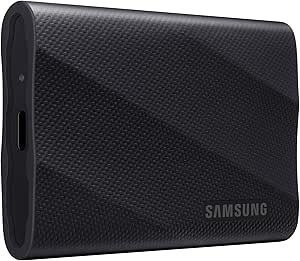 | Best Overall | Storage capacity: 2 TB | Drive type: Portable solid-state drive | Interface: USB 3.2 Gen 2×2 | VIEW LATEST PRICE | See Our Full Breakdown |
| Lexar ES3 1TB Portable SSD, Silver, USB 3.2 Gen 2 |  | Best for Beginners | Storage capacity: 1 TB | Interface: USB 3.2 Gen 2 | Read speed: Up to 1,050 MB/s | VIEW LATEST PRICE | See Our Full Breakdown |
| Western Digital WD_BLACK P40 1TB Portable Game Drive SSD |  | Best for a Gaming Setup | Storage capacity: 1 TB | Interface: USB 3.2 Gen 2×2 | Read speed: Up to 2,000 MB/s | VIEW LATEST PRICE | See Our Full Breakdown |
| Samsung T7 Shield 1TB Portable SSD, USB 3.2 Gen 2 |  | Best for Rugged Portability | Storage capacity: 1 TB | Interface: USB 3.2 Gen 2 | Technology: PCIe NVMe | VIEW LATEST PRICE | See Our Full Breakdown |
| Samsung T9 Portable SSD 4TB, USB 3.2 Gen 2×2 External Solid State Drive | | Best for Large Game Libraries | Storage capacity: 4 TB | Interface: USB 3.0 (product data); USB 3.2 Gen 2×2 required for listed maximum speeds | Read speed: Up to 2,000 MB/s | VIEW LATEST PRICE | See Our Full Breakdown |
| Samsung T7 Portable SSD, 2TB, Titan Gray, USB 3.2 Gen 2 | 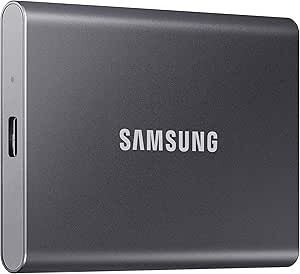 | Best for Large Game Libraries | Capacity: 2 TB | Drive type: Solid-state drive | USB standard: USB 3.2 Gen 2 | VIEW LATEST PRICE | See Our Full Breakdown |
| Samsung T9 Portable SSD 1TB, USB 3.2 Gen 2×2, Up to 2,000 MB/s | | Best for Fast Game Transfers | Capacity: 1 TB | Interface: USB 3.2 Gen 2×2 | Maximum read speed: Up to 2,000 MB/s | VIEW LATEST PRICE | See Our Full Breakdown |
| SSK Portable SSD 500GB External Solid State Drive USB-C/USB-A |  | Best Compact Starter Drive | Capacity: 500 GB | Interface: USB 3.2 Gen 2 | Maximum read speed: Up to 1,050 MB/s | VIEW LATEST PRICE | See Our Full Breakdown |
| Samsung Portable SSD P7 1TB USB4 External Solid State Drive |  | Best for USB4 Gaming PCs | Capacity: 1 TB | Connectivity: USB; USB Type-C | Maximum read speed: Up to 4,000 MB/s | VIEW LATEST PRICE | See Our Full Breakdown |
| SanDisk 1TB Extreme Portable SSD, Up to 1050MB/s |  | Best for Rugged Travel | Capacity: 1 TB | Maximum read speed: Up to 1,050 MB/s | Maximum write speed: Up to 1,000 MB/s | VIEW LATEST PRICE | See Our Full Breakdown |
| Samsung T7 Portable SSD 1TB Titan Gray, USB 3.2 Gen 2, Up to 1,050MB/s | | Best Overall for a Familiar Setup | Capacity: 1 TB | Read speed: Up to 1,050 MB/s | Write speed: Up to 1,000 MB/s | VIEW LATEST PRICE | See Our Full Breakdown |
| SanDisk 2TB Portable SSD, Up to 1000 MB/s Read Speed, Black |  | Best for Extra Game Library Space | Capacity: 2 TB | Read speed: Up to 1,000 MB/s | Interface: USB 3.0 | VIEW LATEST PRICE | See Our Full Breakdown |
| Garmese 1TB Portable External SSD, USB 3.2 Gen 2×2, Up to 2000MB/s |  | Best for Gen 2×2 Setups | Capacity: 1 TB | Read speed: Up to 2,000 MB/s | Write speed: Up to 1,800 MB/s | VIEW LATEST PRICE | See Our Full Breakdown |
| KingSpec Z5 1TB External SSD with RGB Lighting |  | Best for a Showpiece Gaming Desk | Capacity: 1 TB | Read speed: Up to 2,100 MB/s | Interface: USB 3.2 Gen 2×2 Type-C | VIEW LATEST PRICE | See Our Full Breakdown |
| SanDisk 1TB Portable SSD, Up to 1000MB/s Read Speed, Black | | Best Lightweight Starter Drive | Capacity: 1 TB | Read speed: Up to 1,000 MB/s | Interface: USB 3.0 | VIEW LATEST PRICE | See Our Full Breakdown |
| portable SSDs for gaming setup | Interface | Capacity | Read speed |
|---|---|---|---|
| Samsung T9 Portable SSD 2TB | USB 3.2 Gen 2×2 | — | — |
| Lexar ES3 1TB Portable SSD | USB 3.2 Gen 2 | — | Up to 1,050 MB/s |
| Western Digital WD_BLACK P40 1 | USB 3.2 Gen 2×2 | — | Up to 2,000 MB/s |
| Samsung T7 Shield 1TB Portable | USB 3.2 Gen 2 | — | Up to 1,050 MB/s |
| Samsung T9 Portable SSD 4TB | USB 3.0 (product data); USB 3.2 Gen 2×2 required for listed maximum speeds | — | Up to 2,000 MB/s |
| Samsung T7 Portable SSD | — | 2 TB | — |
| Samsung T9 Portable SSD 1TB | USB 3.2 Gen 2×2 | 1 TB | — |
| SSK Portable SSD 500GB Externa | USB 3.2 Gen 2 | 500 GB | — |
| Samsung Portable SSD P7 1TB US | — | 1 TB | — |
| SanDisk 1TB Extreme Portable S | — | 1 TB | — |
| Samsung T7 Portable SSD 1TB Ti | USB 3.2 Gen 2 | 1 TB | Up to 1,050 MB/s |
| SanDisk 2TB Portable SSD | USB 3.0 | 2 TB | Up to 1,000 MB/s |
| Garmese 1TB Portable External | USB 3.2 Gen 2×2 | 1 TB | Up to 2,000 MB/s |
| KingSpec Z5 1TB External SSD w | USB 3.2 Gen 2×2 Type-C | 1 TB | Up to 2,100 MB/s |
| SanDisk 1TB Portable SSD | USB 3.0 | 1 TB | Up to 1,000 MB/s |
More Details on Our Top Picks
Samsung T9 Portable SSD 2TB, USB 3.2 Gen 2×2, Up to 2,000 MB/s
For a gaming setup that needs room for a substantial game library and quick transfers, I’d put the 2TB Samsung T9 first. Its up to 2,000 MB/s read and write speeds can make moving large installs between compatible devices quicker than with the USB 3.2 Gen 2 Lexar ES3, though reaching that ceiling calls for a USB 3.2 Gen 2×2 host, suitable cable, and UASP. The T9’s thermal management is a practical advantage during extended transfers, while its broad device support makes it useful beyond a single PC. The tradeoff is that many gaming setups may not support Gen 2×2, so real performance can fall below the headline figure. Choose the 4TB T9 if capacity matters more than keeping the drive compact and easier to fill selectively.
Pros:- 2TB capacity leaves space for a sizable game library.
- Up to 2,000 MB/s read and write speeds with a compatible setup.
- Thermal management is designed for sustained workloads.
- Hardware encryption and compatibility across computers, consoles, tablets, and supported iPhones.
Cons:- Maximum speeds depend on a USB 3.2 Gen 2×2 host, compatible cable, and UASP.
- Device compatibility and actual performance may vary.
Best for: PC and console players who want a roomy drive for game storage and have a compatible USB 3.2 Gen 2×2 host for faster transfers.
Not ideal for: Players whose devices lack USB 3.2 Gen 2×2 support or who need more than 2TB for a large game library.
- Storage capacity:2 TB
- Drive type:Portable solid-state drive
- Interface:USB 3.2 Gen 2×2
- Maximum read speed:Up to 2,000 MB/s
- Color:Black
- Compatible devices:Gaming console, Mac, PC, tablet, iPhone 15/16
- Additional features:Hardware encryption, thermal management
- Included accessory:SSD cable
Our verdict“I’d choose this T9 for a broad gaming setup that can use its fast interface and benefits from 2TB of portable storage.”
Lexar ES3 1TB Portable SSD, Silver, USB 3.2 Gen 2
The Lexar ES3 is a straightforward first external game drive: it includes a USB Type-C cable, weighs 42g, and has a slim profile that is easy to carry between a laptop and console. Its up to 1,050 MB/s read speed is well suited to moving games and files on compatible USB 3.2 Gen 2 systems. Compared with the Samsung T9 2TB, it offers half the capacity and a lower speed ceiling, but its more modest interface requirements can suit setups that do not support Gen 2×2. The limits matter for gaming: 1TB fills faster with large installs, and console support does not mean every game can be played from external storage. It also lacks MagSafe support, so it is less suited to buyers seeking a magnetic phone accessory.
Pros:- USB Type-C cable is included for plug-and-play use.
- Lightweight 42g design with 10.5mm thickness.
- Up to 1,050 MB/s read and 1,000 MB/s write on compatible systems.
- Includes 256-bit AES encryption software.
Cons:- 1TB capacity can fill quickly with large game installs.
- Performance may be lower on systems without USB 3.2 Gen 2.
- MagSafe is not supported.
Best for: New PC or console owners who want a light, cable-included drive for moving and storing a smaller set of games.
Not ideal for: Players with large libraries or anyone who needs more than 1TB and expects every console game to run from external storage.
- Storage capacity:1 TB
- Interface:USB 3.2 Gen 2
- Read speed:Up to 1,050 MB/s
- Write speed:Up to 1,000 MB/s
- Weight:42 g
- Thickness:10.5 mm
- Encryption:256-bit AES (Lexar DataShield software)
- Cable included:USB Type-C
- Compatible devices:iPhone 17 series, Android devices, laptops, cameras, Xbox Series X|S, PS4, PS5
Our verdict“I’d pick the ES3 as a simple, portable starter drive for players with a modest game collection and compatible USB 3.2 Gen 2 devices.”
Western Digital WD_BLACK P40 1TB Portable Game Drive SSD
The WD_BLACK P40 is the most gaming-focused pick here, pairing a USB 3.2 Gen 2×2 interface with customizable RGB lighting and a drop-resistant enclosure. Its up to 2,000 MB/s read speed gives compatible PCs a higher transfer ceiling than the Lexar ES3, while the lighting adds a desk-friendly look that the Samsung T9 does not emphasize. That appeal comes with conditions: RGB customization requires Windows and the WD_BLACK Dashboard, and the 1TB capacity is more limited than either T9 option. Console compatibility also needs a careful read; supported storage and gameplay vary by console and game generation. I’d choose it for a PC-centered gaming station where appearance and portability matter, but players focused on capacity or simple console expansion may prefer the 4TB T9.
Pros:- Up to 2,000 MB/s read speed with a compatible host.
- Customizable RGB lighting through WD_BLACK Dashboard on Windows.
- Drop resistance rated up to two meters.
- Compatible with PlayStation, Xbox, PC, and Mac devices, subject to console limitations.
Cons:- RGB customization requires Windows.
- Console storage and gameplay support varies by console and game generation.
- 1TB offers less room than the 2TB and 4TB Samsung T9 options.
Best for: PC players building a compact gaming desk who want RGB lighting, a fast interface, and a drive designed to withstand drops.
Not ideal for: Console-first players who need broad, predictable game playback support or a capacity beyond 1TB.
- Storage capacity:1 TB
- Interface:USB 3.2 Gen 2×2
- Read speed:Up to 2,000 MB/s
- Lighting:Customizable RGB; WD_BLACK Dashboard required (Windows only)
- Drop resistance:Up to 2 meters
- Enclosure material:Polycarbonate
- Color:Black
- Compatible devices:Gaming consoles, laptops, PC, Mac
- Console compatibility:PlayStation 4/5 and Xbox One/Series X|S; supported gameplay and storage vary by console
Our verdict“I’d choose the P40 for a PC gaming desk where RGB and rugged portability matter more than extra capacity or straightforward console use.”
Samsung T7 Shield 1TB Portable SSD, USB 3.2 Gen 2
If a game drive is likely to travel in a backpack alongside a laptop or handheld setup, I’d favor the Samsung T7 Shield for its IP65 water and dust resistance and rated drop protection up to 9.8 feet. Its USB 3.2 Gen 2 speeds, up to 1,050 MB/s read and 1,000 MB/s write, are below the 2,000 MB/s ceiling of the Samsung T9 and WD_BLACK P40, but may be a better fit for systems without Gen 2×2. The grippy, protective exterior prioritizes resilience over the P40’s RGB desk presence. Capacity is the bigger compromise: 1TB leaves less room for a rotating library than either T9. Resistance ratings also do not promise protection in every real-world accident.
Pros:- IP65-rated water and dust resistance.
- Designed to withstand drops up to 9.8 feet.
- Up to 1,050 MB/s read and 1,000 MB/s write with supported devices.
- Works with gaming consoles, computers, tablets, Android devices, and compatible iPhones.
Cons:- 1TB capacity is smaller than the Samsung T9 2TB and 4TB options.
- Maximum speeds require USB 3.2 Gen 2 and UASP support.
- Protection can vary with actual conditions.
Best for: Players who carry a console or PC game drive between home, school, and gaming sessions and want added water, dust, and drop protection.
Not ideal for: Players prioritizing a large game library or the highest transfer ceiling on a USB 3.2 Gen 2×2 setup.
- Storage capacity:1 TB
- Interface:USB 3.2 Gen 2
- Technology:PCIe NVMe
- Read speed:Up to 1,050 MB/s
- Write speed:Up to 1,000 MB/s
- Water and dust resistance:IP65
- Drop resistance:Up to 9.8 feet (3 meters)
- Compatible devices:Gaming consoles, Mac, PC, tablets, Android devices, iPhone 15/16
- Additional features:Hardware encryption, Dynamic Thermal Guard, Samsung Magician software
Our verdict“I’d choose the T7 Shield for a frequently carried gaming drive where its protective design matters more than capacity or Gen 2×2 speeds.”
Samsung T9 Portable SSD 4TB, USB 3.2 Gen 2×2 External Solid State Drive
For a player who keeps many large installs ready to go, the 4TB Samsung T9 offers the most capacity in this batch. That extra space is its main distinction from the 2TB Samsung T9: both list up to 2,000 MB/s read and write speeds and dynamic thermal management, but the 4TB version can hold a much larger library before reshuffling becomes necessary. Its AES 256-bit hardware encryption adds a layer of data protection for a drive that may travel between devices. The tradeoff is substantial capacity in a portable package, which can be more than a smaller collection needs. As with the other T9, the top speed depends on a compatible USB 3.2 Gen 2×2 host, cable, and UASP; the supplied interface details are not fully consistent, so check the host connection before relying on that ceiling.
Pros:- 4TB capacity supports a larger library than the other drives in this batch.
- Up to 2,000 MB/s read and write speeds with a compatible setup.
- AES 256-bit hardware encryption and dynamic thermal management.
- Drop resistance rated up to 9.8 feet.
Cons:- Maximum speeds require a compatible USB 3.2 Gen 2×2 host, cable, and UASP support.
- Host-device compatibility may vary.
- Its capacity may be more than needed for players who keep only a few games installed.
Best for: Players with a large PC or console game library who want to keep more installs on one portable drive.
Not ideal for: Players with small game collections or systems that cannot use USB 3.2 Gen 2×2 speeds.
- Storage capacity:4 TB
- Interface:USB 3.0 (product data); USB 3.2 Gen 2×2 required for listed maximum speeds
- Read speed:Up to 2,000 MB/s
- Write speed:Up to 2,000 MB/s
- Encryption:AES 256-bit hardware encryption
- Durability:Drop resistance up to 9.8 ft
- Form factor:Portable external SSD
- Color:Black
- Compatible game consoles:Xbox Series S, Xbox Series X, PlayStation 5
Our verdict“I’d choose the 4TB T9 when keeping a large game library together matters more than carrying a smaller-capacity drive.”
Samsung T7 Portable SSD, 2TB, Titan Gray, USB 3.2 Gen 2
For players who want room for a broad rotation of games, the Samsung T7’s 2TB capacity is its main advantage over the 1TB Samsung T9 and SanDisk Extreme. Its listed speeds of up to 1,050 MB/s read and 1,000 MB/s write can shorten transfers when the host supports USB 3.2 Gen 2 and UASP; the T9 can move data faster, but only with a compatible Gen 2×2 setup. The T7’s aluminum body and stated six-foot drop protection suit a drive that may travel between a desk and console. I’d pick it for capacity and broad cable options, while players chasing the fastest transfers or especially rugged protection should compare the T9 or SanDisk. Host compatibility affects actual speeds.
Pros:- 2TB capacity gives a larger game rotation more room than the 1TB options here.
- Listed read and write speeds reach 1,050 MB/s and 1,000 MB/s with a compatible setup.
- Aluminum unibody with stated drop protection up to six feet.
- Includes USB-C-to-C and USB-C-to-A cables.
Cons:- Maximum listed speeds depend on USB 3.2 Gen 2, UASP, and host compatibility.
- The Samsung T9 can transfer faster with a compatible USB 3.2 Gen 2×2 host.
Best for: Console and PC players who want 2TB of portable space for a sizable game rotation and can use USB 3.2 Gen 2.
Not ideal for: Players prioritizing the fastest possible transfers or who lack a compatible USB 3.2 Gen 2 connection and UASP.
- Capacity:2 TB
- Drive type:Solid-state drive
- USB standard:USB 3.2 Gen 2
- Maximum read speed:Up to 1,050 MB/s
- Maximum write speed:Up to 1,000 MB/s
- Construction:Aluminum unibody
- Drop protection:Up to 6 feet
- Included cables:USB-C-to-C and USB-C-to-A
Our verdict“Choose the T7 if capacity and included cable options matter more to your gaming setup than the T9’s higher potential transfer speed.”
Samsung T9 Portable SSD 1TB, USB 3.2 Gen 2×2, Up to 2,000 MB/s
The Samsung T9’s up-to-2,000 MB/s read and write speeds make it the speed-first pick here, with more transfer headroom than the USB 3.2 Gen 2 Samsung T7 and SanDisk Extreme. That advantage depends on having a USB 3.2 Gen 2×2 host, cable, and UASP support; without them, the headline speed may be out of reach. Its 1TB capacity is also half the T7’s, so a large game library may need more frequent culling. Dynamic Thermal Guard is intended to manage heat during extended use, and the stated 9.8-foot drop resistance gives it a sturdier travel profile than the SSK’s compact casing. I’d choose it when fast transfers and protection outweigh capacity; otherwise, the T7 stores more.
Pros:- Up to 2,000 MB/s read and write speeds with the required compatible setup.
- Dynamic Thermal Guard helps manage heat during extended use.
- AES 256-bit hardware encryption.
- Stated drop resistance up to 9.8 feet.
Cons:- Maximum speeds require a USB 3.2 Gen 2×2 host, cable, and UASP support.
- 1TB capacity is less than the Samsung T7’s 2TB.
Best for: PC players with a USB 3.2 Gen 2×2 setup who regularly move large game files and want a durable external drive.
Not ideal for: Players who need 2TB of room or whose console or computer cannot use USB 3.2 Gen 2×2.
- Capacity:1 TB
- Interface:USB 3.2 Gen 2×2
- Maximum read speed:Up to 2,000 MB/s
- Maximum write speed:Up to 2,000 MB/s
- Encryption:AES 256-bit hardware encryption
- Drop resistance:Up to 9.8 feet
- Thermal feature:Dynamic Thermal Guard
- Form factor:2.5-inch external
Our verdict“Pick the T9 for fast transfers if your setup supports Gen 2×2 and 1TB is enough for your game rotation.”
SSK Portable SSD 500GB External Solid State Drive USB-C/USB-A
The SSK’s 36.6 g weight and compact aluminum case make it easy to carry alongside a handheld, laptop, or console, while USB-C and USB-A cables widen its connection options. Its listed speeds of up to 1,050 MB/s read and 1,000 MB/s write put it in the same stated speed class as the Samsung T7, but its 500GB capacity offers much less room than that 2TB drive. That makes the SSK better suited to a small set of frequently played games than to a broad library. The aluminum casing is described as helping dissipate heat, though the product data notes that the case can get warm under heavy use and that SLC caching covers only part of the capacity. I’d skip it if storage headroom is the priority.
Pros:- Lightweight at 36.6 g and small enough for easy carry.
- Listed read and write speeds reach 1,050 MB/s and 1,000 MB/s.
- Aluminum alloy casing is described as aiding heat dissipation.
- Includes USB-C and USB-A connectors.
Cons:- 500GB capacity is limited for a growing game library.
- SLC caching is limited to 25% of available capacity.
- The case can reach 105.58°F during heavy use, according to the supplied product data.
Best for: Players who want a light, compact drive for a small selection of games and need both USB-C and USB-A connections.
Not ideal for: Players building a large external game library, since 500GB leaves far less room than the Samsung T7’s 2TB.
- Capacity:500 GB
- Interface:USB 3.2 Gen 2
- Maximum read speed:Up to 1,050 MB/s
- Maximum write speed:Up to 1,000 MB/s
- Weight:36.6 g
- Dimensions:2.6 × 1.5 × 0.5 inches
- Material:Aluminum alloy
- Connectors:USB-C and USB-A
Our verdict“Choose the SSK for a lightweight drive holding a small game rotation, but choose the Samsung T7 if you need substantially more space.”
Samsung Portable SSD P7 1TB USB4 External Solid State Drive
With listed read speeds up to 4,000 MB/s and write speeds up to 3,700 MB/s, the Samsung P7 has the highest stated transfer ceiling among these five. It is aimed at setups with a compatible USB4 Gen 3×2 host and cable; the product data says maximum speeds also rely on UASP, so a typical lower-spec connection may not deliver that performance. Against the Samsung T9, the P7’s headline ceiling is higher, while the T9 specifies a more common USB 3.2 Gen 2×2 interface and 2,000 MB/s speeds. The P7’s 1TB capacity and broad device compatibility suit a fast workstation shared with gaming gear, but its premium-speed case is weaker if your console or PC cannot use USB4. Samsung Magician adds drive health monitoring.
Pros:- Highest listed speeds in this batch: up to 4,000 MB/s read and 3,700 MB/s write.
- Portable drive with stated resistance to everyday bumps, vibration, and drops up to 6.5 feet.
- Samsung Magician provides drive optimization and health monitoring.
- Compatibility listed for computers, mobile devices, cameras, TVs, and gaming consoles.
Cons:- Maximum speeds require a compatible USB4 Gen 3×2 host and cable, with UASP enabled.
- 1TB capacity is less than the Samsung T7’s 2TB.
- Drop protection varies by conditions, and drop damage is not covered under warranty.
Best for: Players with a USB4 Gen 3×2 computer who want fast portable storage for game files and other demanding workloads.
Not ideal for: Console-focused buyers or players without a compatible USB4 Gen 3×2 host and cable to access its listed maximum speeds.
- Capacity:1 TB
- Connectivity:USB; USB Type-C
- Maximum read speed:Up to 4,000 MB/s
- Maximum write speed:Up to 3,700 MB/s
- Drop resistance:Up to 6.5 feet
- Weight:0.1 kg
- Software:Samsung Magician for Windows, macOS, and Android
- Listed game console compatibility:Microsoft Xbox Series X
Our verdict“The P7 suits players with compatible USB4 hardware who value high transfer speeds, while most console setups should favor a drive with a better-matched connection.”
SanDisk 1TB Extreme Portable SSD, Up to 1050MB/s
The SanDisk Extreme is the travel-oriented choice: its IP65 rating as stated in the features, drop protection, and carabiner loop make it easier to secure and carry than the Samsung T7’s aluminum unibody. Its listed speeds—up to 1,050 MB/s read and 1,000 MB/s write—match the T7’s speed class, though neither reaches the Samsung T9’s 2,000 MB/s ceiling with a compatible Gen 2×2 setup. The 1TB capacity works for a moderate game rotation, but the T7 provides twice as much space. The supplied data conflicts on water and dust rating (IP65 versus IP55) and drop protection, so I’d verify the exact specification for your unit before relying on it outdoors. This is a practical carry-around pick, with that specification ambiguity as a real caveat.
Pros:- 1TB capacity for a moderate portable game library.
- Listed read and write speeds reach 1,050 MB/s and 1,000 MB/s.
- Carabiner loop and stated water, dust, and drop protection support travel use.
- 256-bit AES hardware encryption with password protection.
Cons:- The supplied data conflicts on the water and dust rating, listing both IP65 and IP55.
- Drop-protection specifications also vary in the supplied product information.
- The Samsung T7 offers twice the capacity, while the Samsung T9 has higher listed peak speeds.
Best for: Players who carry an external game drive between locations and value a carabiner loop, water and dust resistance, and encryption.
Not ideal for: Buyers who need unambiguous protection specifications, 2TB capacity, or the T9’s higher potential transfer speeds.
- Capacity:1 TB
- Maximum read speed:Up to 1,050 MB/s
- Maximum write speed:Up to 1,000 MB/s
- Connector:USB Type-C
- Water and dust resistance:IP65 in features; IP55 also listed
- Encryption:256-bit AES hardware encryption
- Weight:1.76 ounces
- Warranty:5-year limited warranty
Our verdict“Choose the SanDisk Extreme for a carry-friendly drive with stated environmental protection, provided you confirm the protection specifications for your model.”
Samsung T7 Portable SSD 1TB Titan Gray, USB 3.2 Gen 2, Up to 1,050MB/s
The Samsung T7 balances speed, durability, and broad compatibility for a gaming setup that moves between a PC, laptop, and console. Its aluminum body is rated to withstand drops up to six feet, and hardware encryption adds protection for stored files. Compared with the SanDisk 1TB Portable SSD, the T7 lists faster read and write speeds and a tougher stated drop rating; the SanDisk counters with a lighter, simpler pocket-drive profile. The T7’s headline speeds depend on a USB 3.2 Gen 2 connection and UASP support, so an older or limited host may not reach them. Some devices may also need reformatting. I’d choose it for a dependable all-round game library drive, while buyers prioritizing capacity should look at a 2TB option such as the SanDisk 2TB Portable SSD.
Pros:- Read speeds up to 1,050 MB/s and write speeds up to 1,000 MB/s
- Aluminum unibody rated for drops up to six feet
- Works with PC, Mac, Android, and gaming consoles
- 256-bit AES hardware encryption
Cons:- Maximum speeds require USB 3.2 Gen 2 and UASP support
- Some devices may require reformatting
- Offers less capacity than the SanDisk 2TB Portable SSD
Best for: PC and console players who want a durable 1TB drive for moving games and files between compatible devices
Not ideal for: Players who need more than 1TB or whose console and computer connections cannot use USB 3.2 Gen 2 speeds
- Capacity:1 TB
- Read speed:Up to 1,050 MB/s
- Write speed:Up to 1,000 MB/s
- Interface:USB 3.2 Gen 2
- Enclosure:Aluminum unibody
- Drop resistance:Up to 6 feet
- Security:256-bit AES hardware encryption
Our verdict“Choose the T7 if you want a durable, broadly compatible 1TB gaming drive and have a host that supports its faster connection.”
SanDisk 2TB Portable SSD, Up to 1000 MB/s Read Speed, Black
Twice the listed capacity of the 1TB SanDisk Portable SSD makes this model a practical choice for players who want a larger portable library without stepping up to a higher-speed drive. Its read speed reaches up to 1,000 MB/s, and the pocket-sized, 1.12-ounce body is rated for drops up to two meters. That makes it easier to carry than the larger-capacity Samsung T9 2TB, though the T9 lists up to 2,000 MB/s and may suit compatible high-bandwidth setups better. SanDisk lists a USB 3.0 interface and USB-C connector, with actual performance depending on the host. Write speeds are lower than the stated read speed, so frequent large installs may take longer than the headline figure suggests. I’d pick this for capacity and portability over peak transfer speed.
Pros:- 2TB capacity for a larger portable game library
- Read speeds up to 1,000 MB/s
- Lightweight 1.12-ounce pocket-sized design
- Drop protection rated up to 2 meters
Cons:- Write speeds are lower than the listed read speed
- Actual performance varies with the host device and usage
- The Samsung T9 2TB lists higher peak read speeds
Best for: Console and PC players who want to carry a larger selection of games in a lightweight drive
Not ideal for: Players seeking the fastest transfers or maximum write performance for frequent large game installs
- Capacity:2 TB
- Read speed:Up to 1,000 MB/s
- Interface:USB 3.0
- Connector:USB Type-C
- Weight:1.12 oz
- Dimensions:1.77 x 3.35 x 0.39 in
- Drop protection:Up to 2 meters
Our verdict“Choose this SanDisk when carrying more games matters more than matching the faster transfer figures of the Samsung T9.”
Garmese 1TB Portable External SSD, USB 3.2 Gen 2×2, Up to 2000MB/s
The Garmese targets players with a USB 3.2 Gen 2×2 port who want faster stated transfers than the 1,000 MB/s SanDisk drives. Its listed speeds reach 2,000 MB/s read and 1,800 MB/s write, which can help move large game files when the connected hardware supports Gen 2×2. That speed advantage is conditional: on a slower port, the drive cannot deliver its headline rates. The included USB-C cable and USB-A adapter make it easier to connect across a mixed setup, while the 33g body, keychain hole, and shock- and dust-resistant design favor travel. Compared with the zinc-alloy KingSpec Z5, Garmese claims slightly lower peak read speed but offers a much lighter listed build and both connector options. Its ABS enclosure is a tradeoff for buyers focused on premium case materials.
Pros:- Listed read and write speeds up to 2,000 MB/s and 1,800 MB/s
- USB-C cable and USB-C-to-USB-A adapter included
- Light 33g design with a keychain hole
- Shock- and dust-resistant design
Cons:- Peak speeds depend on a compatible USB 3.2 Gen 2×2 port
- ABS enclosure may feel less substantial than the KingSpec Z5’s zinc alloy case
Best for: Players with USB 3.2 Gen 2×2 computers who regularly move large game files and want adapters included
Not ideal for: Console players or laptop owners without Gen 2×2 support who would pay for speed their hardware cannot use
- Capacity:1 TB
- Read speed:Up to 2,000 MB/s
- Write speed:Up to 1,800 MB/s
- Interface:USB 3.2 Gen 2×2
- Weight:33 g
- Enclosure material:ABS
- Included connectors:USB-C cable and USB-C-to-USB-A adapter
- Protection:Shock and dust resistant
Our verdict“Choose the Garmese if your setup supports Gen 2×2 and you value fast file transfers, low weight, and included connector options.”
KingSpec Z5 1TB External SSD with RGB Lighting
RGB lighting gives the KingSpec Z5 a desk-focused identity that most portable drives in this lineup lack. Its zinc alloy case and listed read speeds up to 2,100 MB/s make it a more visually distinctive option than the understated Samsung T7, while the USB 3.2 Gen 2×2 interface sets a ceiling that requires matching host hardware. Apple MacBook and iMac connections are limited to up to 10 Gbps, and the drive is not compatible with iPhone. The stated console compatibility is limited to Sony PlayStation 4, so I would check a specific setup before buying it for another console. Compared with the Garmese, the Z5 offers RGB and a metal enclosure, but Garmese is lighter and includes a USB-A adapter. Pick this for a compatible desk setup, not broad device flexibility.
Pros:- Read speeds listed up to 2,100 MB/s
- Zinc alloy enclosure
- 128-color breathing RGB lighting
- USB 3.2 Gen 2×2 Type-C interface
Cons:- Not compatible with iPhone
- MacBook and iMac speeds are limited to up to 10 Gbps
- Listed game-console compatibility names PlayStation 4
Best for: PC or PlayStation 4 players who want a metal portable drive with lighting for a gaming desk
Not ideal for: iPhone users, Apple computer owners expecting full Gen 2×2 speeds, or buyers needing confirmed broad console compatibility
- Capacity:1 TB
- Read speed:Up to 2,100 MB/s
- Interface:USB 3.2 Gen 2×2 Type-C
- Data transfer rate:Up to 20 Gbps
- Enclosure material:Zinc alloy
- Lighting:128-color breathing RGB
- Apple computer limit:Up to 10 Gbps with MacBook or iMac
- Warranty:Limited 3-year warranty
Our verdict“Choose the KingSpec Z5 for RGB and a metal case on a compatible gaming desk, after checking your device’s connection limits.”
SanDisk 1TB Portable SSD, Up to 1000MB/s Read Speed, Black
This 1TB SanDisk keeps the setup simple: USB-C connectivity, a small 1.12-ounce body, and read speeds up to 1,000 MB/s make it easy to carry between a gaming PC and other devices. It shares the same dimensions and stated read speed as the SanDisk 2TB Portable SSD, but halves the listed capacity; that makes it a better fit for a smaller game rotation than a library you want to keep installed. The Samsung T7 lists faster read and write speeds and a six-foot drop rating, while this SanDisk is rated for drops up to two meters and emphasizes portability. Write speeds are lower than the read figure, and real performance depends on the host. I’d choose it for straightforward storage and transfers, not for speed-focused game management.
Pros:- Read speeds up to 1,000 MB/s
- Compact 1.12-ounce design
- USB-C connection with no drivers or setup required
- Drop protection rated up to 2 meters
Cons:- Write speeds are lower than the listed read speed
- Actual performance varies with the host device and usage
- The 1TB capacity is half that of the SanDisk 2TB Portable SSD
Best for: Players new to portable game storage who want a lightweight 1TB USB-C drive for a compact game rotation
Not ideal for: Players keeping many large games installed or seeking faster listed writes and tougher stated drop protection
- Capacity:1 TB
- Read speed:Up to 1,000 MB/s
- Interface:USB 3.0
- Connector:USB Type-C
- Weight:1.12 oz
- Dimensions:1.77 x 3.35 x 0.39 in
- Drop protection:Up to 2 meters
Our verdict“Choose this SanDisk as a simple, lightweight starter drive for a smaller game rotation and routine file transfers.”
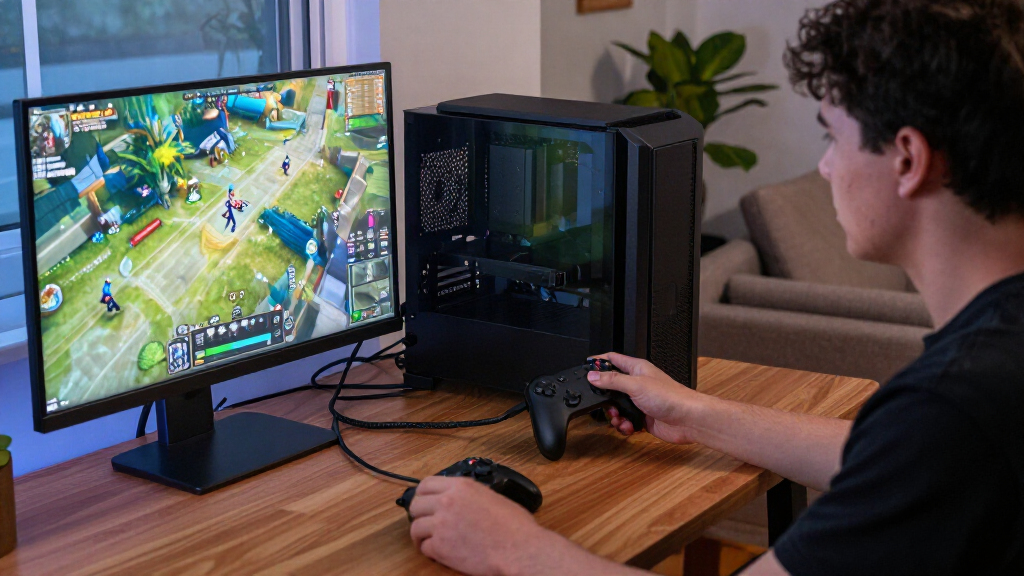
How We Picked
I ranked these drives for gaming setups by weighing usable speed, host compatibility, capacity, and portability. A high transfer-rate claim only helps when a computer or console can use the drive’s interface, so I gave practical compatibility real weight alongside peak specifications. I also considered whether the stated capacity can hold a useful game rotation and whether a model’s build or gaming-focused features address a particular setup need.
The Samsung T9 2TB takes the lead as a balanced mix of capacity and speed, with the 4TB model serving players who value library space over a smaller footprint. The T7 Shield and WD_BLACK P40 rank for distinct durability and gaming-style priorities, while the T7 and SanDisk models offer simpler alternatives where headline speed is less of a differentiator. USB4, RGB, and lesser-known brands can suit specific setups, but their appeal depends more heavily on host support, feature preference, and buyer comfort with the product details.
| portable SSDs for gaming setup | Interface | Read speed |
|---|---|---|
| Samsung T9 Portable SSD 2TB | USB 3.2 Gen 2×2 | — |
| Lexar ES3 1TB Portable SSD | USB 3.2 Gen 2 | Up to 1,050 MB/s |
| Western Digital WD_BLACK P40 1 | USB 3.2 Gen 2×2 | Up to 2,000 MB/s |
| Samsung T7 Shield 1TB Portable | USB 3.2 Gen 2 | Up to 1,050 MB/s |
| Samsung T9 Portable SSD 4TB | USB 3.0 (product data); USB 3.2 Gen 2×2 required for listed maximum speeds | Up to 2,000 MB/s |
| Samsung T7 Portable SSD | — | — |
| Samsung T9 Portable SSD 1TB | USB 3.2 Gen 2×2 | — |
| SSK Portable SSD 500GB Externa | USB 3.2 Gen 2 | — |
| Samsung Portable SSD P7 1TB US | — | — |
| SanDisk 1TB Extreme Portable S | — | — |
| Samsung T7 Portable SSD 1TB Ti | USB 3.2 Gen 2 | Up to 1,050 MB/s |
| SanDisk 2TB Portable SSD | USB 3.0 | Up to 1,000 MB/s |
| Garmese 1TB Portable External | USB 3.2 Gen 2×2 | Up to 2,000 MB/s |
| KingSpec Z5 1TB External SSD w | USB 3.2 Gen 2×2 Type-C | Up to 2,100 MB/s |
| SanDisk 1TB Portable SSD | USB 3.0 | Up to 1,000 MB/s |
Factors to Consider When Choosing Portable SSDs For Gaming Setups
Before choosing a portable SSD, I’d map the drive to the device and games you actually plan to use. A gaming drive is only useful when its connection works with your system and its capacity fits your library habits.
Check the Host Port Before Chasing Speed
USB names can make drive comparisons confusing: a fast SSD may advertise USB 3.2 Gen 2×2 or USB4, while the host device supports a different interface. The connection usually falls back to a supported mode, so the drive can still work but deliver less than its maximum stated rate. Check the exact port specification for your PC, dock, or console, and confirm the supplied cable fits that port. Console compatibility can depend on both the console generation and how external storage is supported. A useful rule is to buy for the slowest link in your setup, not the largest number on the product page. That avoids paying for performance your current hardware cannot use.
Plan Capacity Around Your Rotation
Think about how many games you want installed at once and their actual sizes, which can vary widely and grow with updates. Leave room for patches, saved captures, and other files instead of treating the advertised capacity as entirely available game space. A smaller drive can work well if you move games on and off regularly or keep only a few titles installed. A larger model makes more sense when you want a broad library ready without repeated transfers. Check whether your platform lets you play games directly from external storage; some systems restrict which titles can run from an external drive. That distinction can change whether extra capacity saves time or simply acts as an archive.
Separate Loading Needs From Transfer Needs
Peak sequential speed mostly describes large, continuous file transfers, while game loading also depends on the device, game engine, and storage interface. A higher advertised rate can make moving a large installation between drives quicker when the host supports it, but it does not guarantee proportionally shorter load screens. For a player who rarely transfers games, compatibility and capacity may matter more than chasing the fastest specification. If you frequently reinstall or move large titles, faster host and drive links can reduce waiting during those tasks. Compare like with like and look for independent performance data for your exact platform when available. Treat headline speed as one part of the choice rather than a promise about every gaming task.
Choose Durability for How You Carry the Drive
A drive that stays beside a desktop has different needs from one carried in a backpack to a friend’s house. Consider the enclosure, its stated protection, cable strain, and whether you have a safe place to store it when unplugged. Rugged features can add peace of mind during travel, though they do not make a drive immune to damage or water. A slim model may fit a crowded desk or console shelf more easily, but a protective case can take up extra room. Avoid leaving a portable drive dangling from a port where a bump could stress the connector. Match protection to your routine instead of treating it as a substitute for careful handling.
Factor in Cable, Port, and Placement
External drives need a stable connection, and a cable that is too short or poorly placed can be a nuisance in a gaming setup. Check what cables come in the box and whether they suit the ports you intend to use; adapters can add clutter and another possible point of failure. Leave airflow around the drive and avoid placing it where console heat or desk clutter can trap it. If the drive will move between devices, label cables or keep a compatible spare with it. RGB lighting may suit a visible gaming desk, but it adds little if the drive sits behind a console. Favor an installation that stays connected securely and is easy to access when you need it.
Decide When a Premium Interface Is Worth It
A premium interface is most useful when your host supports it and you regularly move large files or game libraries. If your setup has a slower USB port, the extra interface capability may not change daily play. Compare the cost of higher capacity against higher speed: for many players, room for more installed games has a more direct benefit than faster transfers. Also check warranty terms, support availability, and the exact model details, especially for less familiar brands. RGB or gaming styling can be a valid preference, but it should not obscure questions about compatibility and reliability. Spend more when a feature solves a real constraint in your setup, not simply because the specification sounds future-proof.
Frequently Asked Questions
Will a USB 3.2 Gen 2×2 SSD reach its advertised speed on my gaming PC?
Only if the PC has a compatible USB 3.2 Gen 2×2 port and a suitable cable. A drive connected to a slower USB port can still operate, but transfers will be limited by that connection. Check the motherboard or laptop specifications rather than relying on the shape of the USB-C connector, since the same connector can support different data rates. If your computer lacks Gen 2×2, compare the drive’s capacity and design against a model better matched to your current ports. That keeps the purchase aligned with performance you can use.
Can I play games directly from a portable SSD on a console?
That depends on the console and the game. Some systems allow compatible titles to run from external storage, while others use an external drive mainly to store games that must be moved back to internal storage before play. Check the console maker’s current rules for your model and game generation before buying. Also confirm whether the drive needs a particular format or setup process. If direct play is restricted, a portable SSD can still help manage a library, but it may not remove the need to transfer titles.
Should I choose 2TB or 4TB for a portable gaming drive?
Estimate how many large games you want available at once, then leave room for updates and other files. A 2TB drive can suit a regular rotation, especially if you uninstall titles you have finished. A 4TB option better fits players who want to keep a broad library installed or share the drive across devices. The larger capacity is less useful if your platform limits external play or you do not mind redownloading games. Consider your internet speed and transfer habits as part of the decision.
Is a tougher drive worth choosing if it stays connected to my console?
It can be, but the benefit is smaller if the drive rarely moves and sits somewhere protected. A rugged enclosure is more useful when you carry the SSD between rooms, take it on trips, or share it among systems. It does not prevent every kind of damage, so keep the drive clear of cable snags and console heat. If portability is not part of your routine, you may prefer to prioritize capacity or a connection that matches your device. Buy protection for a real handling risk in your setup.
Does a faster portable SSD make games load faster?
It can help in some situations, but a higher peak transfer figure does not translate directly into the same percentage improvement in game loading. Results depend on the game, the host device, and the connection between them. Faster speeds are often easier to notice when copying or installing large files than during ordinary play. If your goal is shorter load times, look for evidence from your platform and the specific games you play. For most buyers, compatible capacity and reliable placement deserve attention alongside speed.
Conclusion
I’d choose the Samsung T9 2TB as the best overall for a gaming setup that supports USB 3.2 Gen 2×2 and needs a balance of capacity and transfer speed. The Lexar ES3 1TB is my best value-oriented pick for a straightforward compact option, while the Samsung T9 4TB is the premium capacity choice for players who want a larger library ready. For beginners, the Samsung T7 1TB offers a simple starting point when its interface matches the device. Pick the T7 Shield for a more rugged carry drive, the WD_BLACK P40 for gaming-focused styling, or the Samsung P7 if your setup can use USB4. Before deciding, match the port and storage rules to your PC or console.