Home theater ambient lighting kits range from simple USB powered strips to HDMI sync systems and smart light bars. My best overall pick is the Govee TV Backlight 3 Lite Kit with RGBICW LED Strip and Smart Light Bars for buyers who want screen lighting plus separate room accents. The Linkind HDMI Sync TV Backlight Kit is a standout for larger screens and direct video sync, while the simpler KANTUTOE strips suit viewers who want basic bias lighting. The main tradeoffs are how accurately lights follow the picture, how much setup and calibration they need, and whether they fit your TV and room. Read on for the full breakdown and to see which approach best fits your setup.

Get business pricing on your home office setup
- Business-only prices and quantity discounts
- Tax-exempt purchasing
- Multiple users, one account, clear invoices
Complete the kit


Key Takeaways
The Govee 3 Lite Kit with Light Bars is the most room-filling option here because it combines TV backlighting with separate accent lights; that added coverage also means more hardware to place and configure.
Linkind’s HDMI sync kit offers a direct route to screen-matched lighting for larger TVs, but buyers should check how their video sources connect before choosing an HDMI-based system.
The two KANTUTOE strips favor straightforward ambient glow over picture sync, making them simpler choices when lighting effects matter less than basic backlighting.
Govee’s TV Backlight 3 Lite strip is a more focused fit for 55–65-inch TVs, while the USB powered kit is specified for larger 70–82-inch screens.
Light bars change the room effect: they add lighting beyond the screen edge, whereas a strip-only kit keeps the visual effect closer to the TV.
| KANTUTOE 13.1 ft RGB TV Backlight Strip for 32–65 Inch TVs |  | Best for Music Sync on a Smaller TV | Strip length: 13.1 feet | TV compatibility: 32–65 inches | Light color: RGB | VIEW LATEST PRICE | See Our Full Breakdown |
| USB-Powered LED TV Backlight Kit for 70–82-Inch TVs |  | Best for Large TVs on a Simple Setup | TV compatibility: 70–82 inches | Strip length: 18 feet | LED type: RGB 3528 SMD | VIEW LATEST PRICE | See Our Full Breakdown |
| Govee Smart Light Bar RGBICWW TV Lights for Living Room and Gaming – Black |  | Best for Compact Smart Setups | Lighting format: RGBICWW light bars | Recommended screen size: Monitors under 45 inches | Light sources: 192 LEDs | VIEW LATEST PRICE | See Our Full Breakdown |
| KANTUTOE 16.4 ft RGB LED TV Backlight with Bluetooth App and Remote Control |  | Best for Larger TVs with Music Sync | Strip length: 16.4 feet | TV compatibility: Up to 75 inches | Light color: RGB, 16 million colors | VIEW LATEST PRICE | See Our Full Breakdown |
| Govee TV Backlight 3 Lite LED Strip Lights, 11.8 ft, for 55–65 Inch TVs | 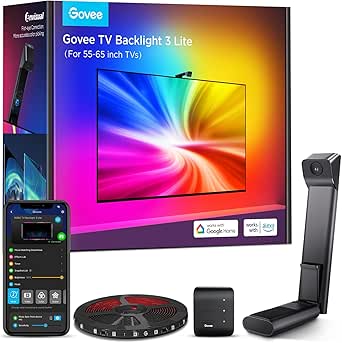 | Best for Screen-Matched Lighting | TV compatibility: 55–65 inches | Strip length: 11.8 feet | Light color: Multicolor RGBICW | VIEW LATEST PRICE | See Our Full Breakdown |
| Linkind HDMI Sync TV Backlight Kit, 20 ft, for 55–90 Inch TVs |  | Best for HDMI Source Sync | Brand and model: Linkind LS06001 | TV size compatibility: 55–90 inches | Strip length: 20 ft, trimmable | VIEW LATEST PRICE | See Our Full Breakdown |
| Govee TV Backlight 3 Lite Kit with RGBICW LED Strip and Smart Light Bars |  | Best for a More Immersive Multi-Light Setup | Brand and model: Govee H605A | TV size compatibility: 55–65 inches | LED strip: 11.8 ft RGBICW | VIEW LATEST PRICE | See Our Full Breakdown |
| home theater ambient lighting kit | Power | Strip length | TV compatibility | Connectivity |
|---|---|---|---|---|
| KANTUTOE 13.1 ft RGB TV Backli | 5V USB, 5 watts | 13.1 feet | 32–65 inches | Bluetooth |
| USB-Powered LED TV Backlight K | 5V USB; 5 watts | 18 feet | 70–82 inches | — |
| Govee Smart Light Bar RGBICWW | 12V DC, corded; 18 watts | — | — | — |
| KANTUTOE 16.4 ft RGB LED TV Ba | USB 5V; 5 watts | 16.4 feet | Up to 75 inches | Bluetooth |
| Govee TV Backlight 3 Lite LED | 12V DC, corded | 11.8 feet | 55–65 inches | Bluetooth and Wi-Fi |
| Linkind HDMI Sync TV Backlight | — | 20 ft, trimmable | — | — |
| Govee TV Backlight 3 Lite Kit | Corded electric; 12 V DC, 24 W | — | — | Bluetooth, Wi-Fi |
More Details on Our Top Picks
KANTUTOE 13.1 ft RGB TV Backlight Strip for 32–65 Inch TVs
Music-reactive lighting gives this KANTUTOE strip a clear role: it can shift with nearby sound, adding motion during a film or game without needing a screen camera. At 13.1 feet, it suits TVs from 32 to 65 inches, while app, remote, and button controls let buyers adjust it without relying on one interface. Compared with the longer KANTUTOE 16.4 ft RGB LED TV Backlight, this model is a better fit for smaller screens, though it leaves less room for larger setups. Ten brightness levels help tune the glow for a dark room, but the four dynamic modes offer a limited palette for buyers who want extensive effects. Its adhesive and clips help with mounting; the USB cord still needs a nearby power source.
Pros:- Built-in microphone can sync effects to music and surrounding sound.
- App, remote, and button controls offer flexible adjustments.
- Ten brightness levels allow the glow to be tuned to the room.
- Adhesive and clips help keep the strip in place behind a TV.
Cons:- USB power requires a nearby compatible output.
- Not water resistant, so it is intended for indoor use.
- Four dynamic modes may feel limited to buyers seeking varied effects.
Best for: Owners of 32–65-inch TVs who want music-reactive color and several ways to control a simple USB backlight.
Not ideal for: Owners of larger TVs or viewers who want screen-matched lighting, waterproofing, or a wireless power setup.
- Strip length:13.1 feet
- TV compatibility:32–65 inches
- Light color:RGB
- LEDs:90
- Power:5V USB, 5 watts
- Controls:App, remote, and button
- Connectivity:Bluetooth
- Brightness and modes:10 brightness levels; 4 dynamic modes
- Warranty:1 year
Our verdict“Choose this for a smaller TV when sound-reactive color and straightforward controls matter more than screen-matched effects.”
USB-Powered LED TV Backlight Kit for 70–82-Inch TVs
Four-sided coverage for 70–82-inch screens is this kit’s main advantage: its 18-foot strip is sized for TVs that shorter options, such as the KANTUTOE 13.1 ft RGB TV Backlight, may not cover as fully. The RF remote can work from up to 60 feet, which is handy when the TV’s USB port is hard to reach. Its 17 colors and fade and flash modes keep the controls simple, though they offer less flexibility than app-based kits. USB power may let the lights switch with the TV, but behavior depends on the set, and some owners will need the remote to operate them. This is a practical choice for a large screen and basic ambient color; it does not match screen content and needs a 5V, 1A USB output.
Pros:- 18-foot strip is sized to cover all four sides of compatible large TVs.
- RF remote works from up to 60 feet.
- Offers 17 colors plus fade and flash modes.
- Black strip is less visible behind the TV.
Cons:- USB power behavior varies by TV, and some sets require remote operation.
- Requires a 5V, 1A USB output.
- Not water resistant and intended for indoor use.
Best for: Owners of 70–82-inch TVs who want simple colored backlighting around all four sides and a long-range remote.
Not ideal for: Buyers seeking screen-matched color, app or voice features, or dependable TV-linked power behavior across different sets.
- TV compatibility:70–82 inches
- Strip length:18 feet
- LED type:RGB 3528 SMD
- Power:5V USB; 5 watts
- Colors:17, including white
- White brightness:100 lumens
- Remote:Wireless RF, up to 60 feet
- Installation:3M VHB tape
Our verdict“Pick this for straightforward four-sided lighting on a large TV if basic colors and remote control are enough.”
Govee Smart Light Bar RGBICWW TV Lights for Living Room and Gaming – Black
Light bars instead of a perimeter strip make this Govee a flexible pick for a desk or compact theater, especially where adhesive lighting around the TV is awkward. Its RGBICWW LEDs provide both vivid color and tunable warm-to-cool white, giving it more range for everyday room lighting than the KANTUTOE 13.1 ft RGB TV Backlight’s RGB strip. Matter support and sound sync add voice control and audio-reactive effects, while brackets allow table, vertical, or behind-TV placement. The tradeoff is scale: Govee optimizes these bars for monitors under 45 inches, so they are less suited to lighting a large living-room screen. Setup also depends on the Govee Home app, and the corded design needs continuous power.
Pros:- RGBICWW combines vivid color with tunable warm-to-cool white.
- Matter support enables voice integration with Alexa, Google Home, and SmartThings.
- Built-in microphone can sync effects to music and on-screen sound.
- Mounting options include table, vertical, and behind-TV placement.
Cons:- Optimized for monitors under 45 inches, limiting its fit for larger TVs.
- Requires continuous corded power.
- Full feature access depends on Govee Home app setup.
Best for: Desk gamers and compact-screen viewers who want smart voice control, sound-reactive color, and tunable white light.
Not ideal for: Owners of large TVs who want even perimeter coverage or buyers who prefer a simple strip without app setup.
- Lighting format:RGBICWW light bars
- Recommended screen size:Monitors under 45 inches
- Light sources:192 LEDs
- Power:12V DC, corded; 18 watts
- Cord length:106 inches
- Controls and smart home:Govee Home app; Matter support for Alexa, Google Home, and SmartThings
- Sound response:Built-in microphone
- Mounting:Table, vertical, or behind-TV placement
Our verdict“Choose these bars for a compact smart viewing setup that needs tunable white and voice control more than full-screen coverage.”
KANTUTOE 16.4 ft RGB LED TV Backlight with Bluetooth App and Remote Control
Extra strip length for TVs up to 75 inches gives this KANTUTOE a broader fit than the 13.1-foot KANTUTOE 32–65-inch model. It retains the smaller strip’s appealing microphone-based music sync and app, remote, and button controls, so buyers can choose between phone adjustments and quick physical controls. The USB-powered design keeps the setup familiar, but does not add screen-content matching like the Govee TV Backlight 3 Lite. The listed 16 million colors promise plenty of mood options, though the data does not specify how many dynamic modes are available. A CR5 battery is included for the remote, adding a component to track, and the strip is not water resistant. This is a longer, sound-reactive strip, not a screen-sync system.
Pros:- 16.4-foot strip supports TVs up to 75 inches.
- Built-in microphone syncs lighting with music.
- App, remote, and button controls provide several adjustment methods.
- USB 5V power and low 5-watt draw suit continuous indoor use.
Cons:- Does not match lighting to screen content like the Govee TV Backlight 3 Lite.
- Remote requires a CR5 battery.
- Not water resistant.
Best for: Owners of TVs up to 75 inches who want a longer RGB strip with microphone music sync and app or remote controls.
Not ideal for: Viewers who want lighting that follows on-screen colors, smart voice integration, or a setup without a replaceable remote battery.
- Strip length:16.4 feet
- TV compatibility:Up to 75 inches
- Light color:RGB, 16 million colors
- Power:USB 5V; 5 watts
- Controls:App, button, and remote
- Connectivity:Bluetooth
- Music sync:Built-in microphone
- Remote battery:1 CR5 battery included
- Warranty:1 year
Our verdict“Choose this longer KANTUTOE for music-reactive lighting on a larger TV when screen color matching is not a priority.”
Govee TV Backlight 3 Lite LED Strip Lights, 11.8 ft, for 55–65 Inch TVs
Camera-based screen matching is the key reason to choose this Govee: its camera reads the picture and adjusts the strip’s multicolor effects, giving movies and games a more connected glow than the sound-reactive KANTUTOE 16.4 ft RGB LED TV Backlight. Fish-eye correction is intended to improve color matching near the screen edges, while an RGBICW strip adds a warm white option for less saturated scenes. App and voice controls, plus the ability to link up to seven compatible lights, suit buyers building a coordinated setup. The 11.8-foot strip is designed for 55–65-inch TVs, so it is less flexible across screen sizes than the 18-foot USB-Powered LED TV Backlight Kit. A camera-based system also means more setup and a corded power connection.
Pros:- Camera-based lighting syncs multicolor effects with screen content.
- Fish-eye correction is designed to improve color matching along the screen edges.
- RGBICW LEDs include a warm white chip for more natural white light.
- App and voice control support linking up to seven compatible lights.
Cons:- Designed for 55–65-inch TVs, limiting fit outside that range.
- Requires corded power.
- Not water resistant and intended for indoor use.
Best for: Movie and game viewers with 55–65-inch TVs who want ambient light that follows screen colors and can link with other compatible lights.
Not ideal for: Buyers who want a simple sound-reactive strip, minimal setup, broad TV-size compatibility, or battery-powered lighting.
- TV compatibility:55–65 inches
- Strip length:11.8 feet
- Light color:Multicolor RGBICW
- Power:12V DC, corded
- Wattage:24 watts
- Connectivity:Bluetooth and Wi-Fi
- Control:App and voice
- Use:Indoor
Our verdict“Pick this for a 55–65-inch screen when matching ambient light to movies and games matters more than a simple installation.”
Linkind HDMI Sync TV Backlight Kit, 20 ft, for 55–90 Inch TVs
The Linkind HDMI Sync Kit is the clearest fit for a large-screen setup where movies or games come from an external HDMI device. It reads that signal and coordinates the 20-foot RGB strip with on-screen content, while HDMI 2.0 pass-through supports 4K HDR up to 30 FPS. That makes it a better match for source-based syncing than the KANTUTOE 16.4 ft RGB LED TV Backlight, which offers app and remote control but does not list HDMI video sync. The tradeoff is significant for some viewers: Linkind cannot sync with built-in TV apps, and its 4K HDR pass-through is limited to 30 FPS. App and voice controls add flexibility, but buyers should check that their viewing devices route through the kit before choosing it.
Pros:- Real-time lighting sync for content from external HDMI devices.
- Supports HDMI 2.0 pass-through up to 4K HDR at 30 FPS.
- Trimmable 20-foot strip is specified for 55–90 inch TVs.
- Offers AiDot app, Alexa, Google Assistant, and four music-sync modes.
Cons:- Does not sync with apps running directly on the TV.
- 4K HDR pass-through is limited to 30 FPS.
- Requires video sources to connect through the HDMI kit.
Best for: Owners of 55–90 inch TVs who watch through an external HDMI streamer, console, or other source and want lighting that follows its video.
Not ideal for: Viewers who mainly use built-in TV apps or need 4K HDR pass-through above 30 FPS.
- Brand and model:Linkind LS06001
- TV size compatibility:55–90 inches
- Strip length:20 ft, trimmable
- Light source and color:LED, multicolor RGB
- HDMI support:HDMI 2.0
- Video pass-through:Up to 4K HDR at 30 FPS
- Controls:AiDot app, Alexa, Google Assistant
- Music sync:4 modes
Our verdict“Choose Linkind if your large TV setup runs through external HDMI sources and video-reactive lighting matters more than built-in app support or higher 4K frame rates.”
Govee TV Backlight 3 Lite Kit with RGBICW LED Strip and Smart Light Bars
This Govee Backlight 3 Lite Kit spreads reactive light beyond the TV’s edges: an 11.8-foot RGBICW strip works with two 15-inch light bars, while a fish-eye correction camera reads the screen for video effects. That fuller arrangement gives it a different role from the Govee TV Backlight 3 Lite LED Strip Lights in this roundup, which lists a strip but not the added bars. The RGBICW strip includes a warm white chip, so it can produce a more natural white tone alongside color effects; app and voice controls also support custom effects and scheduling. The added hardware needs space and visible cable routing, and this model is specified for 55–65 inch TVs. It also depends on corded power and is intended for indoor use.
Pros:- Combines a reactive TV strip with two 15-inch smart light bars.
- RGBICW lighting includes a warm white chip for a purer white tone.
- Fish-eye correction camera is designed to read the screen, including on ultra-thin TVs.
- App and voice controls support custom effects and scheduling.
Cons:- The camera, control box, bars, and wiring require more setup and space than a strip-only kit.
- Specified for 55–65 inch TVs, limiting fit for smaller or larger screens.
- Corded and not water resistant, so it is for indoor setups near power.
Best for: Owners of 55–65 inch TVs who want screen-reactive lighting around the set plus separate light bars to extend the effect into the room.
Not ideal for: Buyers seeking a simple strip-only setup, a fit for TVs outside the 55–65 inch range, or lighting for damp or outdoor spaces.
- Brand and model:Govee H605A
- TV size compatibility:55–65 inches
- LED strip:11.8 ft RGBICW
- Light bars:Two 15-inch RGBIC light bars
- Light sources:150
- Connectivity:Bluetooth, Wi-Fi
- Control:App, voice; Alexa and Google Assistant
- Power:Corded electric; 12 V DC, 24 W
- Included components:LED strip, two light bars, adapter, control box, fish-eye camera
Our verdict“Pick this Govee kit if you want screen-reactive strip lighting plus room-filling bars for a 55–65 inch TV and have space for the extra hardware.”
How We Picked
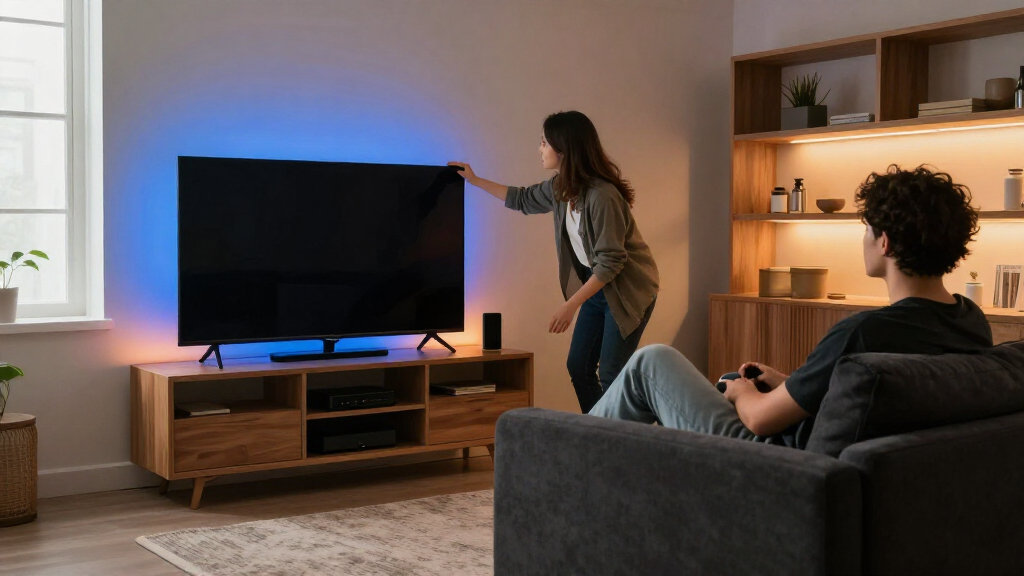
I compared these kits as home theater lighting systems, prioritizing screen-size fit, the way each product creates ambient light, control options, and the work involved in setup. I gave extra weight to sync capability and coverage because they shape whether a kit feels like simple bias lighting or an extension of the on-screen picture. I also considered versatility: a strip-only kit has fewer placement decisions, while a kit with light bars can reach farther into the room.
The order reflects those differences and the needs each product serves. The Govee kit combining a strip and light bars ranks highest for buyers seeking a fuller setup; Linkind stands out for HDMI based synchronization and larger TVs. Govee’s strip kit follows for a defined screen-size range, while the remaining options favor simpler lighting or particular TV sizes. Product descriptions do not establish details such as compatibility with every streaming device or the performance of a given room, so buyers should verify those against their setup.
| home theater ambient lighting kit | Connectivity |
|---|---|
| KANTUTOE 13.1 ft RGB TV Backli | Bluetooth |
| USB-Powered LED TV Backlight K | — |
| Govee Smart Light Bar RGBICWW | — |
| KANTUTOE 16.4 ft RGB LED TV Ba | Bluetooth |
| Govee TV Backlight 3 Lite LED | Bluetooth and Wi-Fi |
| Linkind HDMI Sync TV Backlight | — |
| Govee TV Backlight 3 Lite Kit | Bluetooth, Wi-Fi |
Factors to Consider When Choosing Home Theater Ambient Lighting Kits
Choosing a kit starts with how you watch and where the light should go. I would match the synchronization method, screen coverage, and installation demands to the actual TV and room before weighing extra effects.
Match the Sync Method to Your Video Sources
Sync systems can read video in different ways, and that choice affects what content they can follow. An HDMI-based kit may suit a setup where video passes through a compatible HDMI path, but it can complicate connections involving multiple devices or formats. Camera based systems can capture what is on screen without requiring every source to route through a sync box, though placement and room lighting can affect the camera view. App controlled strips that do not sync to picture offer color changes and ambient glow without the same source compatibility questions. Before buying, sketch the path from console or streamer to receiver and TV, and check which device the lights will actually observe.
Measure the TV and the Space Behind It
Screen-size labels are a useful starting point, but the TV’s rear layout and mounting position matter too. Measure the perimeter you intend to light, accounting for ports, vents, stands, wall brackets, and corners where a strip may bend. A strip cut to fit a smaller screen may not cover a larger set evenly, while excess length can create bright overlaps or awkward gaps. Wall mounted TVs may leave little room for a camera or diffused light to spread. Leave enough space between the TV and wall for the glow to read as a halo rather than a narrow line.
Decide Whether You Want Bias Lighting or Room Accents
Bias lighting sits behind the screen and can make viewing in a dark room feel less stark. Light bars or other separate fixtures add color beyond the TV and can make a setup feel more immersive, particularly in a gaming or entertainment space. That wider effect needs clear surfaces and thoughtful placement; a bar tucked behind furniture may contribute little. More light sources also mean more power connections and more controls to manage. Choose based on the room effect you want, not the number of included components.
Plan for Color, Brightness, and Viewing Habits
Fast color changes may suit games and music, while steady, restrained light tends to fit films better. Strong saturated effects can distract from dialogue scenes or alter the perceived colors of the picture. If you watch in a fully dark room, dimming control matters more than a long list of animated modes. Shared rooms may call for a neutral default that can shift to brighter effects for games. Look for accessible brightness and color controls, then consider whether everyone who uses the TV can reach them easily.
Check Installation and Everyday Control
Adhesive strips need a clean, dry surface and careful routing around corners; dusty or textured TV backs can weaken the bond. Camera systems add a placement and calibration step, while HDMI systems can add connections to an already crowded cabinet. A remote is easy to share, an app can offer finer adjustments, and smart home controls may help if the lights are part of a wider routine. Think about how often you expect to change settings after installation. A simpler kit can be the better choice when you mainly want one dependable color or a steady glow.
Spend for the Experience You Will Actually Use
Paying for synchronization and multiple light zones makes sense when you watch varied content and want the lighting to respond to it. For a single-purpose TV or a bedroom screen, basic backlighting may deliver the effect you want with fewer setup steps. Added bars, cameras, and control features are useful only if their placement and operation suit your room. Consider long-term convenience too: accessible replacement parts, reliable app support, and a power arrangement that stays tidy can matter more day to day than extra effects. Decide which improvement you would notice during an ordinary movie night, then choose a kit that provides it.
Frequently Asked Questions
Will an HDMI sync kit work with every streaming app and console?
Not automatically; the key is whether the video signal travels through the kit’s supported HDMI connection. Some TVs run streaming apps internally, so their picture may not pass through an external sync device. Consoles, receivers, and streaming boxes can also have format or connection requirements. Map your sources and check the kit’s supported signal formats before buying. If you rely on built in TV apps, a camera based system or a non-sync strip may be a simpler match.
Should I choose a camera based kit or an HDMI based kit?
Choose based on where your video comes from and how much setup you accept. HDMI systems read a source routed through their connection, which can work well in a device centered setup but may leave internal TV apps outside the sync path. Camera based systems observe the screen itself, so they can cover more sources, but the camera needs a suitable view and may require calibration. Bright room reflections and a visible camera can also affect the experience. Check the installation and source compatibility details before deciding.
Is a light strip enough, or do I need separate light bars?
A strip is usually enough when you want a glow close to the TV and a cleaner installation. Light bars can spread color farther into the room and add accents that a rear strip cannot create on its own. They also need stable placement, power, and room around the TV, so they can look cluttered in a tight entertainment center. Think about the walls and surfaces that will reflect the light before adding extra fixtures. For a focused viewing setup, the strip may be the more comfortable choice.
How do I choose the right strip length for my TV?
Use the TV’s stated size range as a first filter, then measure the rear perimeter you actually plan to cover. The mount, stand, vents, and recessed sections can make the usable path shorter or less regular than the screen dimensions suggest. Check whether the kit permits trimming and whether a cut end can still connect or be reused. A strip that is too short can leave visibly uneven illumination, while excess length may bunch up around corners. Leave room for the controller and power lead when planning the route.
Can ambient lighting improve viewing in a dark room without distracting me?
It can make a bright screen feel less isolated against a dark wall, but the result depends on brightness and color choice. Start with a low, steady setting and avoid effects that change rapidly during films. Neutral or restrained colors are less likely to compete with the image than intense saturated hues. The wall behind the TV also affects how diffuse the glow appears; a very dark or textured surface may reflect less light. If you find yourself watching the lights instead of the film, lower the brightness or use a static setting.
Conclusion
For the broadest room effect, I’d choose the Govee TV Backlight 3 Lite Kit with RGBICW LED Strip and Smart Light Bars as best overall, while the Linkind HDMI Sync TV Backlight Kit is my pick for buyers whose sources suit HDMI sync and who have a larger screen. The KANTUTOE 13.1 ft strip is the best value style of choice for shoppers who want straightforward backlighting, and the USB Powered LED TV Backlight Kit is the easiest fit for buyers prioritizing a basic setup for a 70–82-inch TV. For a more focused screen-matched option in its specified size range, consider Govee TV Backlight 3 Lite; choose the KANTUTOE Bluetooth strip when app and remote control matter more than video sync. If the room has space for added fixtures and you want lighting beyond the screen edge, favor the Govee kit with light bars; if simplicity is the goal, start with a strip-only option.