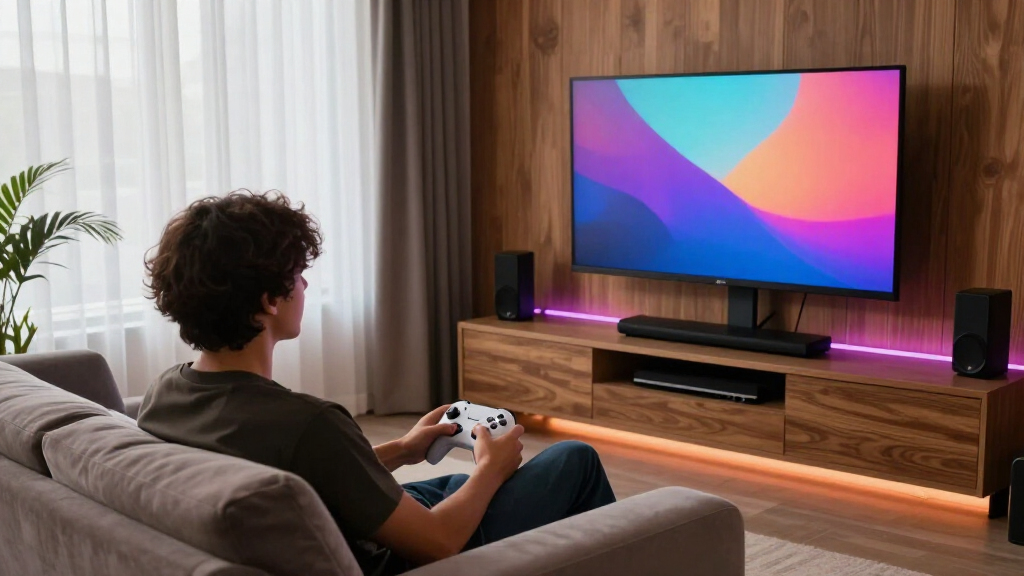

The best gaming monitor for a media room has to do two jobs at once: deliver the fast refresh rates and low response times that make games feel great, and produce the rich contrast and wide viewing angles that make movies and shows enjoyable from a couch. After comparing 13 leading models, the LG 45GX950A-B 5K2K OLED stands out as the best overall pick — its OLED panel with HDR True Black 400 delivers home-theater picture quality that no LCD in this lineup can match. The Samsung 57″ Odyssey Neo G9 is the statement choice for huge rooms, while the Samsung Odyssey G3 and Acer KB272 prove you can build a media-room setup on a tight budget. The main tradeoff you’ll face is spending up for OLED contrast versus saving with LCD panels that cost a third as much — and choosing between ultrawide immersion and standard 16:9 screens that fit traditional TV-style seating. Keep reading for the full breakdown, including who each monitor is actually for.

Get business pricing on your home office setup
- Business-only prices and quantity discounts
- Tax-exempt purchasing
- Multiple users, one account, clear invoices
Complete the kit


Key Takeaways
- OLED was the single biggest differentiator in this roundup: the LG 45GX950A’s per-pixel contrast and 0.03ms response made it the only monitor here that genuinely doubles as a premium TV replacement.
- Screen curvature divided the lineup sharply — immersive from a desk or single chair, but curved panels like the Odyssey G55C and G7 lose fidelity when viewed from off-center couch angles common in media rooms.
- Samsung dominates the midrange with seven of thirteen slots, but the models overlap heavily; the 27″ G51F and 32″ G50F differ mainly in size, so choosing between them comes down to seating distance, not features.
- The 49″ and 57″ super-ultrawides (Odyssey G9 family) are phenomenal for gaming but demand at least 3.5 feet of viewing distance — too close and the 32:9 aspect ratio becomes a workout for your eyes.
- Budget picks under $200 (Odyssey G3, Acer KB272) cover the basics well but lack HDR entirely, which matters more in a dark media room than in a bright office.





| gaming monitors for media room | Resolution | Refresh Rate | Response Time | Screen Size |
|---|---|---|---|---|
| SANSUI 34-Inch Curved Ultrawid | 3440 x 1440 (UWQHD) | 200Hz | 1ms | — |
| Samsung 32” Odyssey G5 | 2560 x 1440 (QHD) | 180Hz | 1ms (GtG) | 32 inches |
| LG 45GX950A-B 45-inch Ultragea | 5120 x 2160 (5K2K WUHD) | 165Hz | 0.03ms (GtG) | — |
| Samsung 40” Odyssey G7 | WUHD 4K | 180Hz | 1ms (GtG) | — |
| Samsung 32-Inch Odyssey G3 | FHD (1920 x 1080) | 180Hz | 1ms | — |
| Samsung 32" Odyssey G55C Serie | QHD (2560×1440) | 165Hz | 1ms (MPRT) | 32 inches |
| Samsung 57" Odyssey Neo G9 | Dual 4K UHD (7680×2160) | 240Hz | 1ms (GTG) | 57 inches |
| Samsung 27" Odyssey G5 | QHD (2560×1440) | 180Hz | 1ms | 27 inches |
| Samsung 49-inch Odyssey G9 | Dual QHD (5120×1440) | 144Hz | 1ms | 49 inches |
| Acer 27-inch FHD IPS Gaming Mo | 1920 x 1080 (FHD) | 120Hz | 1ms (VRB) | 27 inches |
| Samsung 37” Odyssey G7 | 4K UHD | 165Hz | 1ms (GtG) | 37 inches |
| LG 34G630A-B 34-Inch Ultragear | 3440 x 1440 (WQHD) | 240Hz | 1ms (GtG) | 34 inches |
| ASUS TUF Gaming 34” Ultra-Wide | 3440 x 1440 (QHD) | 180Hz | 1ms MPRT | 34 inches |
More Details on Our Top Picks
SANSUI 34-Inch Curved Ultrawide Gaming Monitor UWQHD 3440 x 1440P 200Hz
This SANSUI option earns the value ultrawide slot by combining a 34-inch 1500R curved panel, 200Hz refresh, and HDMI 2.1 inputs at a price the big brands simply don’t touch. In a media room, the curved ultrawide format doubles as a movie-watching canvas and a split-screen gaming station, which flat 16:9 picks like the Samsung Odyssey G5 can’t replicate without letterboxing. The AI blue light reduction also helps for long binge sessions where eye fatigue creeps in. The tradeoffs are real: the stand tilts only and offers no height adjustment, and there are no built-in speakers, so you’ll need a soundbar or audio system anyway — which most media rooms already have. Compared with the ASUS TUF VG34VQ3B, its FastVA panel trades some color consistency for deeper contrast, a fair swap for dark-room viewing.
Pros:- Immersive 1500R curved ultrawide at an aggressive price
- 200Hz refresh with 1ms response for smooth motion
- HDMI 2.1 and DP 1.4 inputs ready for modern consoles and PCs
- AI blue light reduction helps with extended viewing sessions
Cons:- No built-in speakers, so external audio is mandatory
- Stand only tilts — height or swivel requires a VESA mount
Best for: Budget-conscious buyers who want an immersive curved ultrawide for both gaming and movie nights without paying flagship prices
Not ideal for: Buyers who want a do-everything monitor out of the box — no speakers and a tilt-only stand mean extra purchases are likely
- Size:34 inches
- Resolution:3440 x 1440 (UWQHD)
- Refresh Rate:200Hz
- Response Time:1ms
- Curvature:1500R
- Panel Type:FastVA
- Input Ports:DP 1.4, 2x HDMI 2.1
- VESA Compatibility:100 x 100mm
Our verdict“The most cost-effective way to get a curved ultrawide centerpiece into a media room, provided you already own audio and a monitor arm or don’t mind the fixed stand.”
Samsung 32” Odyssey G5 (G50F) Series QHD Gaming Monitor
For most media rooms, the Odyssey G5 G50F hits the sweet spot where versatility beats excess. Its IPS panel with 178° viewing angles means the picture holds up from couch positions off to the side — something curved VA panels like the SANSUI 34-inch or the Odyssey G55C struggle with when someone isn’t dead center. QHD at 32 inches keeps text sharp for streaming menus and web browsing while staying easy on the GPU. The fully ergonomic stand (height, tilt, swivel, pivot) is a genuine differentiator here, since several cheaper picks in this roundup force you into a VESA arm. The catch: at 16:9 it lacks the cinematic sweep of the ultrawides, and HDR10 on an IPS panel at this brightness is more of a checkbox than a visual upgrade. G-Sync also demands a compatible NVIDIA card to matter.
Pros:- 178° IPS viewing angles hold up for off-axis couch viewing
- Fully adjustable stand with height, pivot, tilt, and swivel
- 180Hz with 1ms GtG response keeps fast games smooth
- QHD resolution balances sharpness with GPU-friendly performance
Cons:- HDR10 support is shallow without local dimming or high peak brightness
- G-Sync benefits require a compatible NVIDIA GPU
Best for: Households that want one screen that handles couch gaming, casual desktop work, and group movie viewing without ergonomic compromises
Not ideal for: Cinephiles chasing true immersion — a 16:9 flat panel can’t match the wraparound feel of the 21:9 curved options in this guide
- Screen Size:32 inches
- Resolution:2560 x 1440 (QHD)
- Refresh Rate:180Hz
- Response Time:1ms (GtG)
- Panel Type:IPS
- HDR:HDR10
- Sync:G-Sync compatible
- Stand:Height-adjustable, pivot, tilt, swivel
Our verdict“The safest pick in the roundup — a flexible, well-built all-rounder for shared media spaces, as long as ultrawide immersion isn’t the priority.”
LG 45GX950A-B 45-inch Ultragear 5K2K WUHD OLED Curved Gaming Monitor
This is the statement piece of the roundup. The 45GX950A-B pairs a 5K2W OLED panel with HDR True Black 400, 1300-nit peaks, and a 1.5M:1 contrast ratio — in a darkened media room, movie nights look closer to a high-end TV than a monitor. Its dual-mode feature is uniquely useful: switch from full 5K2K resolution for cinematic content to a lower-resolution, higher-refresh mode for competitive play, something no other pick here offers. Compared with the Samsung Odyssey G7 40-inch, the LG’s per-pixel OLED contrast makes the Samsung’s DisplayHDR 600 edge lighting feel like a compromise. The tradeoffs mirror its price: this costs as much as an entire mid-range gaming setup, its 800R curvature demands serious viewing distance, and OLED brings burn-in risk for static content. The USB-C port with 90W power delivery is a nice bonus for laptop users.
Pros:- True per-pixel OLED contrast with up to 1300 nits brightness
- Dual-mode switching between resolution and refresh priorities
- USB-C with 90W power delivery for single-cable laptop connections
- 0.03ms response time eliminates motion blur entirely
Cons:- Premium price that exceeds most complete gaming setups
- OLED panels carry burn-in risk with static content like HUDs
- Enormous footprint requires a deep desk or mount
Best for: Enthusiasts building a no-compromise media room where the monitor doubles as the primary movie screen and flagship gaming display
Not ideal for: Anyone on a realistic budget or with a shallow desk — at 45 inches with an 800R curve, it needs a deep setup to shine
- Display Size:45 inches
- Resolution:5120 x 2160 (5K2K WUHD)
- Panel Type:OLED
- Refresh Rate:165Hz
- Response Time:0.03ms (GtG)
- Brightness:Up to 1300 nits
- HDR:DisplayHDR True Black 400
- Connectivity:DP 2.1, 2x HDMI 2.1, USB-C (90W)
Our verdict“If the media room budget allows one showpiece that outperforms most TVs for movies and gaming alike, this is it — everyone else should look further down the list.”
Samsung 40” Odyssey G7 (G75F) Series WUHD Curved Gaming Monitor
Positioned neatly between the 34-inch SANSUI and the LG 45-inch OLED flagship, this Odyssey G7 delivers the big-curved experience at a mid-premium price. Its 21:9 WUHD panel at 180Hz means you’re not choosing between resolution and speed, and VESA DisplayHDR 600 gives dark-scene movie content genuine punch — noticeably more than the HDR400-class LG 34G630A-B. The 1000R curvature wraps the frame around a seated viewer, which works beautifully for single-player campaigns and films. Where it falls short of the LG 45GX950A-B is fundamental: edge-lit HDR can’t match per-pixel OLED contrast, so blacks look gray in a truly dark room. It’s also power-hungry for a monitor, and the 40-inch footprint assumes you’ve measured your desk or wall mount first.
Pros:- 40-inch 21:9 WUHD panel balances sharpness with speed at 180Hz
- DisplayHDR 600 delivers meaningful contrast in dark scenes
- Deep 1000R curvature enhances seated immersion
Cons:- Edge-lit HDR can’t match OLED black levels in dark rooms
- Large footprint and notable power consumption
Best for: Players who want a large-format curved HDR screen for cinematic single-player gaming and movies without paying OLED flagship prices
Not ideal for: Small setups or energy-conscious households — the size and power draw demand both space and a willingness to pay on the utility bill
- Display Size:40 inches
- Resolution:WUHD 4K
- Refresh Rate:180Hz
- Response Time:1ms (GtG)
- Curvature:1000R
- Aspect Ratio:21:9
- HDR:VESA DisplayHDR 600
Our verdict“The smart middle path for immersive media room gaming — most of the big-screen drama of the LG OLED at a fraction of the cost, if you can live with grayish blacks.”
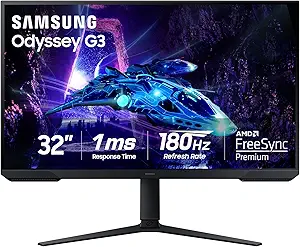
Samsung 32-Inch Odyssey G3 (G30D) Series FHD Gaming Monitor, 1ms, 180Hz
The Odyssey G3 G30D proves a media room doesn’t need a four-figure screen. It shares the same 180Hz / 1ms performance as its pricier QHD sibling, the Odyssey G5 G50F — the difference is resolution, not responsiveness. At 32 inches, FHD pixels are visible up close, but at typical couch distance in a media room, that softness mostly disappears. The Black Equalizer is a sleeper feature for dark-room gaming, brightening shadowed areas so you can actually see enemies in dim scenes. Samsung also didn’t cheap out on ergonomics: the full swivel, tilt, pivot, and height-adjustable stand puts it ahead of the tilt-only SANSUI in flexibility. What you give up is image sharpness for desktop work and 4K streaming clarity, and there are no built-in speakers — pair it with whatever sound system the room already has.
Pros:- 180Hz and 1ms performance matches pricier QHD models
- Full ergonomic stand including height, pivot, swivel, and tilt
- Black Equalizer improves visibility in dark scenes
- Borderless three-sided design suits multi-monitor or clean setups
Cons:- FHD resolution limits sharpness at 32 inches, especially up close
- No built-in speakers for standalone use
Best for: First-time builders or secondary-room setups where smooth frame rates and flexible positioning matter more than pixel density
Not ideal for: Detail-focused users — anyone using it up close for work or 4K streaming will notice the FHD resolution ceiling immediately
- Size:32 inches
- Resolution:FHD (1920 x 1080)
- Refresh Rate:180Hz
- Response Time:1ms
- Adaptive Sync:AMD Radeon FreeSync
- Design:Borderless 3-sided bezel
- Adjustments:Swivel, tilt, pivot, height adjustable
Our verdict“The cheapest legitimate entry into this lineup’s performance tier — buy it for frame rates and flexibility, skip it if resolution is your priority.”
Samsung 32″ Odyssey G55C Series QHD Curved Gaming Monitor
For a media room where you sit closer than a typical living-room couch distance, the 32-inch G55C hits a sweet spot that bigger panels miss. Its 1000R curvature wraps around your field of view at arm’s length, and QHD at this size keeps pixel density sharp without demanding a flagship GPU like the Odyssey Neo G9 does. The 165Hz refresh rate and 1ms response make fast-paced games feel fluid, while HDR10 adds punch to movie nights — though HDR out of the box needs tweaking to avoid a washed-out look. Compared with the flat Odyssey G5 (G51F), the curve is the real differentiator: cinematic content feels more encompassing, but it narrows viable viewing angles for people sitting off-center. That’s the tradeoff for immersion at this price.
Pros:- 1000R curvature delivers genuine wraparound immersion at close seating distances
- 165Hz plus 1ms response keeps fast action smooth and clear
- QHD resolution balances sharpness with modest GPU demands
- Eye Saver Mode and flicker reduction make long sessions easier on the eyes
Cons:- HDR10 requires manual settings adjustments to look its best
- Limited stand ergonomics compared with the height- and tilt-adjustable G51F
Best for: Solo gamers and movie watchers who sit 3-4 feet from the screen and want wraparound immersion without ultra-wide desk demands
Not ideal for: Group viewing setups where people sit at side angles — the aggressive 1000R curve distorts the image off-center
- Screen Size:32 inches
- Resolution:QHD (2560×1440)
- Refresh Rate:165Hz
- Response Time:1ms (MPRT)
- Curvature:1000R
- Adaptive Sync:AMD FreeSync
- HDR:HDR10
- Eye Comfort:Blue light filter, flicker reduction
Our verdict“The right pick if you want a curved, immersive screen for close-range media room gaming without stepping up to ultra-wide pricing or footprint.”
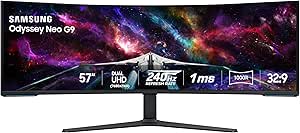
Samsung 57″ Odyssey Neo G9 (G95NC) Dual 4K UHD Curved Gaming Monitor
If the media room doubles as a showpiece, the Neo G9 replaces your TV outright. Its dual 4K panel is effectively two 32-inch 4K monitors joined seamlessly, and Quantum Mini LED backlighting with DisplayHDR 1000 and 1000 nits peak brightness produces contrast the 49-inch Odyssey G9 (G91F) can’t match at HDR 600. The 240Hz refresh rate also outguns every Samsung in this lineup. But the demands are real: you need a graphics card with DisplayPort 2.1 or HDMI 2.1 to drive it properly, a desk or mount rated for a 57-inch panel, and a budget that could otherwise buy a decent OLED TV. Compared with the LG 45GX950A OLED, it trades OLED-level black levels for raw size and brightness — a deliberate choice for a room-scale setup rather than a desk one.
Pros:- Quantum Mini LED with 1000 nits and DisplayHDR 1000 delivers genuine HDR impact
- Dual 4K at 240Hz is unmatched in this lineup for both resolution and speed
- Full ergonomic stand with swivel, tilt, height, and VESA mounting
- DP 2.1 and HDMI 2.1 plus a USB hub give it true AV-hub flexibility
Cons:- Requires a high-end modern GPU to use its full feature set
- Massive footprint demands serious space planning and mounting considerations
- Premium price that competes with large OLED TVs
Best for: Enthusiasts building a flagship media room who want a single screen that handles immersive gaming, HDR movies, and heavy multitasking
Not ideal for: Anyone with a mid-range GPU or a standard desk — it simply can’t be driven fully, and it won’t physically fit most setups
- Screen Size:57 inches
- Resolution:Dual 4K UHD (7680×2160)
- Curvature:1000R
- Refresh Rate:240Hz
- Response Time:1ms (GTG)
- HDR:DisplayHDR 1000
- Brightness:1000 nits
- Contrast Ratio:1,000,000:1
- Inputs:DisplayPort 2.1, HDMI 2.1, USB hub
Our verdict“A no-compromise centerpiece for a dedicated media room — if your GPU, desk, and budget can all keep up with it.”
Samsung 27″ Odyssey G5 (G51F) Series QHD Gaming Monitor
Not every media room corner has space for a curved ultra-wide, and the G51F makes the case for going small and flat. At 27 inches with QHD, it offers the sharpest pixel density of any Samsung here, and its 180Hz refresh rate actually beats the larger G55C’s 165Hz — a reminder that size and speed are separate purchases. The flat panel also means no off-center distortion, which matters if a second viewer shares the screen, unlike the curved G55C. Where it gives ground is spectacle: HDR10 on a 27-inch edge-lit panel adds less cinematic punch than the 49-inch G9, and the Black Equalizer, while handy for dark game scenes, won’t transform movie nights. The tilt, pivot, and height-adjustable stand is genuinely better ergonomics than the G55C offers, a real point in its favor for shared setups.
Pros:- 180Hz refresh rate tops even larger Samsung models in this lineup
- QHD at 27 inches delivers very high pixel density and crisp text
- Full ergonomic stand with tilt, pivot, and height adjustment
- Black Equalizer improves visibility in dark game scenes
Cons:- Small screen limits movie-watching impact in a media room context
- Sparse documentation on ports and built-in audio options
Best for: Gamers with limited space or a secondary media room setup who prioritize sharpness and ergonomics over screen size
Not ideal for: Viewers seeking a cinematic big-screen experience for movies — 27 inches simply can’t deliver that scale
- Screen Size:27 inches
- Resolution:QHD (2560×1440)
- Refresh Rate:180Hz
- Response Time:1ms
- HDR:HDR10
- Adaptive Sync:AMD FreeSync
- Stand Adjustments:Tilt, pivot, height
Our verdict“A smart pick for tight spaces where speed and image sharpness matter more than sheer screen real estate.”
Samsung 49-inch Odyssey G9 (G91F) Curved Gaming Monitor
The 49-inch G9 is the practical giant in this roundup — you get the full panoramic 32:9 experience at a notably lower bar of entry than the 57-inch Neo G9, and with far lighter GPU requirements since dual QHD is much easier to drive than dual 4K. Its Picture-in-Picture and split-screen support make it feel like two monitors in one, which suits a media room that doubles as a work or streaming station. Against the SANSUI 34-inch ultrawide, it offers a far more enveloping field of view, though its 144Hz refresh rate trails smaller rivals like the G51F’s 180Hz — a fair trade for the scale. HDR 600 is respectable but a clear step below the Neo G9’s HDR 1000, so true cinephiles will notice the difference in dark scenes. Plan for a deep desk or a wall mount.
Pros:- 32:9 aspect ratio at 1000R curvature fills peripheral vision for immersive gaming
- PiP and split-screen make it productive as a dual-screen workstation
- HDR 600 delivers solid contrast for movies at this price tier
- Dual QHD is far less demanding on GPUs than dual 4K alternatives
Cons:- 144Hz is slower than several smaller and cheaper options here
- Enormous footprint demands a deep desk or wall mounting
Best for: Media rooms that juggle gaming, movie watching, and multitasking, where one panoramic screen should do it all
Not ideal for: Competitive players prioritizing maximum refresh rate, or anyone without the desk depth a 49-inch curve requires
- Screen Size:49 inches
- Resolution:Dual QHD (5120×1440)
- Aspect Ratio:32:9
- Curvature:1000R
- Refresh Rate:144Hz
- Response Time:1ms
- HDR:DisplayHDR 600
- Adaptive Sync:AMD FreeSync Premium Pro
Our verdict“The smartest way to get a true panoramic media room screen without the Neo G9’s cost or GPU demands.”
Acer 27-inch FHD IPS Gaming Monitor (KB272 G0bi)
Every media room needs a budget option, and the Acer KB272 is the affordable way in. Its IPS panel delivers the wide, accurate viewing angles that curved Samsung models like the G55C can’t — a genuine advantage when two or three people crowd around for a movie. The 120Hz refresh rate and 1ms VRB response handle casual gaming and video playback smoothly, and FreeSync compatibility keeps tearing at bay without any tuning. The compromises are equally clear: 1080p at 27 inches is noticeably softer than the G51F’s QHD at the same size, and 250 nits of brightness struggles in a sunlit room. Compared with the 32-inch Odyssey G3, it gives up refresh rate but gains color consistency from any seat. For a spare room or a kid’s media corner, that trade is easy to accept.
Pros:- IPS panel provides consistent colors from wide viewing angles for group watching
- 120Hz with 1ms response keeps casual gaming and video smooth
- FreeSync-compatible Adaptive-Sync eliminates screen tearing
- Lowest barrier to entry in the roundup
Cons:- 1080p resolution looks visibly soft at 27 inches compared with QHD rivals
- 250 nits of brightness struggles in bright, sunlit rooms
Best for: Budget-conscious buyers setting up a secondary media space, dorm, or kids’ gaming corner without a big investment
Not ideal for: Enthusiasts who want sharp visuals — 1080p at 27 inches looks soft next to any QHD option in this lineup
- Screen Size:27 inches
- Resolution:1920 x 1080 (FHD)
- Panel Type:IPS
- Refresh Rate:120Hz
- Response Time:1ms (VRB)
- Brightness:250 nits
- Adaptive Sync:Supported (FreeSync compatible)
Our verdict“A sensible budget pick when viewing angles and price matter more than resolution — just don’t expect QHD-level detail.”
Samsung 37” Odyssey G7 (G75F) Series 4K UHD Curved Gaming Monitor
This model is the pick if sharp 4K detail on a curved panel is the priority for your media room. The 37-inch size hits a sweet spot: noticeably bigger than the Samsung 32” Odyssey G5, yet far easier to accommodate than the 57-inch Odyssey Neo G9 sitting elsewhere in this lineup. The aggressive 1000R curvature wraps around your field of view, which pairs nicely with DisplayHDR 600 for movie night contrast — a step above the HDR 400 tier on the LG 34G630A-B. Gaming feels smooth too, with 165Hz and 1ms response.
The tradeoff is price and pixel density demands. Pushing 4K at high frame rates requires a serious GPU, and unlike the LG, there’s no USB-C convenience for console-adjacent setups. Casual buyers may find the premium hard to justify over cheaper curved options in this guide.
Pros:- Genuine 4K resolution on an immersive 1000R curved panel
- DisplayHDR 600 delivers stronger contrast than HDR 400 rivals
- 165Hz refresh with 1ms response for smooth gameplay
- Large 37-inch canvas that doubles well for movies
Cons:- Premium price sits well above comparable curved options
- Demanding on desk space and GPU horsepower
- No USB-C connectivity unlike some competitors
Best for: Media room owners who want a large curved 4K screen for both cinematic viewing and high-end PC gaming
Not ideal for: Budget-conscious buyers or anyone with a mid-range GPU that can’t feed 4K at high frame rates
- Screen Size:37 inches
- Resolution:4K UHD
- Refresh Rate:165Hz
- Response Time:1ms (GtG)
- Curvature:1000R
- HDR:VESA DisplayHDR 600
Our verdict“Buy this if you want the sharpest, most cinematic curved experience in the roundup and have the hardware to drive 4K.”
LG 34G630A-B 34-Inch Ultragear WQHD Curved Gaming Monitor
Where the Samsung 37” Odyssey G7 chases resolution, this one chases raw speed at 240Hz — the fastest refresh rate among the ultrawides here. For fast-paced competitive titles, that difference is tangible: motion stays cleaner than the ASUS TUF VG34VQ3B at 180Hz, giving esports-leaning players an edge while still enjoying the 21:9 wraparound format. The 95% DCI-P3 coverage and built-in speakers make it a genuinely flexible media room screen, and USB-C plus an ergonomic stand round out a strong convenience story the Samsung can’t match.
Be aware of the fine print: hitting 240Hz requires DisplayPort 1.4 or HDMI 2.1, so older GPUs or consoles will cap you lower. And those integrated speakers are fine for casual streaming, not for filling a room with sound — pair them with real audio for movie nights.
Pros:- 240Hz refresh rate leads the ultrawide picks for competitive play
- 95% DCI-P3 coverage for vivid, colorful media playback
- USB-C, HDMI, and DisplayPort connectivity with an adjustable stand
- Built-in speakers for clutter-free casual setups
Cons:- Full 240Hz requires modern DisplayPort 1.4 or HDMI 2.1 support
- Priced above casual-user comfort levels
- Integrated speakers underwhelm for true media room audio
Best for: Competitive gamers who want ultrawide immersion without giving up esports-grade speed, plus movie watchers who value color-rich visuals
Not ideal for: Owners of older GPUs without DisplayPort 1.4 or HDMI 2.1, who would pay for refresh rates they can’t access
- Screen Size:34 inches
- Resolution:3440 x 1440 (WQHD)
- Refresh Rate:240Hz
- Response Time:1ms (GtG)
- Color Gamut:95% DCI-P3
- HDR:DisplayHDR 400
- Connectivity:HDMI, DisplayPort, USB Type-C
- Built-in Speakers:Yes
Our verdict“The clear choice if fast-paced gaming comes first in your media room and your PC can actually push 240Hz.”
ASUS TUF Gaming 34” Ultra-Wide Curved Monitor (VG34VQ3B)
This option makes the most sense for buyers who want the 21:9 curved ultrawide experience without the premium markup. Compared with the LG 34G630A-B, you give up 60Hz of refresh and a few points of DCI-P3 coverage, but the 180Hz you keep is still plenty smooth for the vast majority of games and movie playback — and the money saved can go toward speakers or a better chair. The gentler 1500R curvature is also less polarizing than the tighter bends on Samsung’s Odyssey panels, which some viewers find fatiguing during long sessions.
The compromises are real, though. HDR support here is basic rather than certified like DisplayHDR 400 or 600 tiers elsewhere in this roundup, so dark-scene contrast won’t impress film buffs. There’s no USB-C either, and the sheer width still demands a deep desk.
Pros:- Ultrawide curved immersion at a more accessible price than rivals
- 180Hz with 1ms MPRT keeps gameplay smooth
- Gentler 1500R curve suits longer viewing sessions
- Ships with full accessory bundle and 3-year warranty
Cons:- HDR support lacks the certified punch of DisplayHDR 400/600 panels
- No USB-C connectivity
- Wide footprint requires substantial desk space
Best for: Value-focused buyers building an ultrawide media room setup who’d rather spend savings on peripherals
Not ideal for: HDR enthusiasts and color-critical users who need certified contrast and wider gamut coverage
- Screen Size:34 inches
- Resolution:3440 x 1440 (QHD)
- Curvature:1500R
- Refresh Rate:180Hz
- Response Time:1ms MPRT
- Color Gamut:90% DCI-P3
- Sync Technology:FreeSync Premium
- Warranty:3 years
Our verdict“A smart budget entry into ultrawide gaming that trades HDR punch and top-end refresh for meaningful savings.”
How We Picked
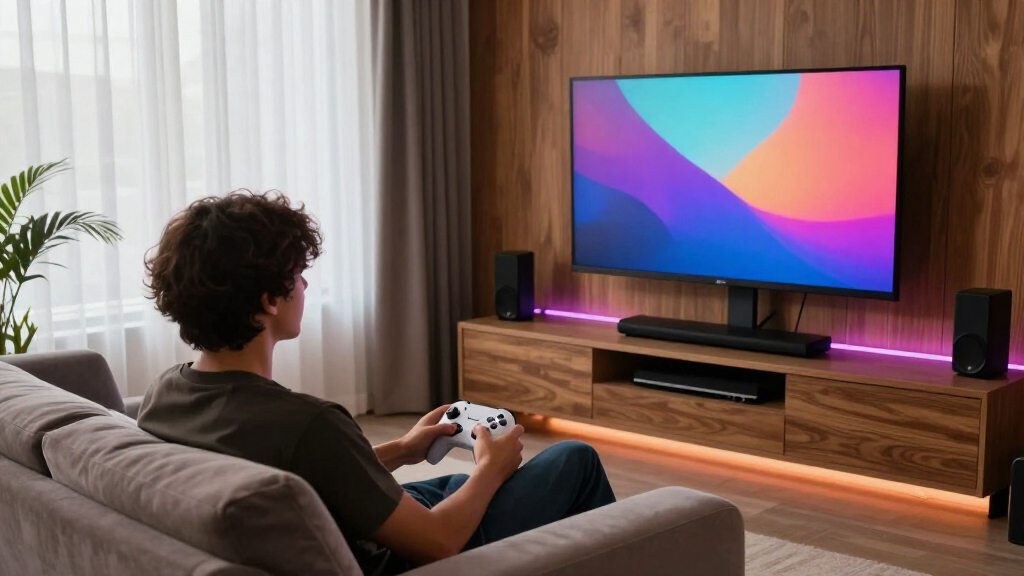
Because a media room is a different environment from a desk setup, I judged every monitor against a specific set of buyer-relevant criteria rather than pure gaming specs. Picture quality for movies and shows came first — HDR support, contrast, and color accuracy matter enormously when the lights are off. Viewing angles were weighted heavily since media rooms usually mean seating spread across a couch, not one centered chair, which penalized aggressive curves. I also scored size-to-distance fit (a 57″ panel three feet from your face is misery), connectivity (HDMI 2.1 and USB-C determine whether consoles, soundbars, and streaming boxes all plug in cleanly), and value per dollar at realistic street prices.
The ranking logic follows a simple hierarchy: monitors that excel at both gaming and movie watching rank highest, one-trick gaming monitors rank mid-pack, and budget models earn their spots by doing the fundamentals well at aggressive prices. That’s why the LG OLED leads despite its steep price, and why the curved super-ultrawides — spectacular for solo gaming — sit below more versatile 16:9 and gentle-curve options for this particular use case.
| gaming monitors for media room | HDR |
|---|---|
| SANSUI 34-Inch Curved Ultrawid | — |
| Samsung 32” Odyssey G5 | HDR10 |
| LG 45GX950A-B 45-inch Ultragea | DisplayHDR True Black 400 |
| Samsung 40” Odyssey G7 | VESA DisplayHDR 600 |
| Samsung 32-Inch Odyssey G3 | — |
| Samsung 32" Odyssey G55C Serie | HDR10 |
| Samsung 57" Odyssey Neo G9 | DisplayHDR 1000 |
| Samsung 27" Odyssey G5 | HDR10 |
| Samsung 49-inch Odyssey G9 | DisplayHDR 600 |
| Acer 27-inch FHD IPS Gaming Mo | — |
| Samsung 37” Odyssey G7 | VESA DisplayHDR 600 |
| LG 34G630A-B 34-Inch Ultragear | DisplayHDR 400 |
| ASUS TUF Gaming 34” Ultra-Wide | — |
Factors to Consider When Choosing Gaming Monitors For Media Rooms
Before settling on a model from the roundup, it helps to understand the bigger picture. A monitor that wins awards for desk gaming can be the wrong tool for a media room, and a few common mistakes trip up buyers in this category every year.Panel Type Sets Your Ceiling
The single biggest decision is OLED versus LCD, and it matters more in a media room than anywhere else. OLED panels like the LG 45GX950A turn individual pixels off for true black, which transforms dark-scene movie watching in a dim room — something no edge-lit LCD can replicate. The tradeoffs are price (often double an equivalent LCD) and the theoretical risk of burn-in if you leave static content on screen for thousands of hours. Mini-LED and VA LCDs, like the Neo G9’s panel, close much of the contrast gap at lower cost but can show blooming around bright objects on dark backgrounds. For most media rooms, my advice is simple: stretch to OLED if movies are half of your usage, stick with VA if gaming dominates.
Measure Your Seating Distance Before Choosing Size
The most common mistake in this category is buying too much screen for the room. A general rule that works well: you want roughly one foot of viewing distance per 10 inches of diagonal for high-resolution panels — so a 49″ super-ultrawide wants at least four feet, and the 57″ Neo G9 really wants six. Buyers consistently underestimate how overwhelming a huge curved panel feels at couch-adjacent distances, and unlike a TV, you can’t easily wall-mount many of these monitors to fix the problem later. Also remember that ultrawide aspect ratios display 16:9 video with black bars on the sides, which some people tolerate fine and others can’t unsee. Match the screen to the room, not your ambition.
Curvature Helps One Person and Hurts the Rest
Curved monitors exist to wrap the image around a single centered viewer, which is exactly right for solo gaming and exactly wrong for a shared couch. At 1000R or tighter, anyone sitting off-center sees visible color and brightness shift — a real problem when two or three people are watching a movie. Gentler 1500R curves, like on the SANSUI 34-inch and ASUS TUF VG34VQ3B, are much more forgiving. Flat panels remain the safest choice for group viewing, which is part of why the flat 32″ Odyssey G50F ranks above its curved siblings for this use case despite similar specs. Decide honestly how often more than one person will be watching.
HDR Support Varies Wildly — Read the Fine Print
Every monitor in this roundup except the true budget models claims some form of HDR, but the experience ranges from stunning to nearly invisible. HDR True Black 400 on OLED and DisplayHDR 600 on the 49″ G9 produce genuinely expanded contrast, while the HDR400 badge on cheaper panels often means little more than slightly brighter highlights. In a dark media room this difference is not subtle — weak HDR can actually look worse than good SDR. Console players should also verify HDMI 2.1 bandwidth for 4K at 120Hz; a monitor limited to HDMI 2.0 caps the PS5 and Xbox Series X. My rule: don’t pay extra for HDR unless the panel can actually deliver it, and budget for a model where HDR is the headline feature rather than a checkbox.
Refresh Rate Matters Less Here Than You Think
Marketing pushes 200Hz and 240Hz numbers hard, but in a media room context, anything at 144Hz or above is already excellent for the vast majority of players. The jump from 60Hz to 144Hz is dramatic; the jump from 165Hz to 240Hz is something most people can’t detect outside of competitive shooters. The LG 34G630A’s 240Hz is a genuine perk, but the SANSUI’s 200Hz delivers a nearly identical experience for less money. What matters more for mixed media-room use is motion clarity at lower frame rates — good VRR support (G-Sync or FreeSync Premium) prevents the stutter and tearing that show up during 24fps film playback. Prioritize adaptive sync over raw refresh numbers.
Plan Your Inputs and Audio Path
A media room monitor usually needs to juggle a console, a PC, a streaming device, and sometimes a soundbar, and input selection is where cheap models cut corners. Count your HDMI ports, check whether one supports the full bandwidth your main device needs, and look for USB-C with power delivery if a laptop is in the mix — the LG 45GX950A’s 90W USB-C can charge and display from a single cable. Also remember that most gaming monitors have mediocre built-in speakers or none at all, so factor an audio solution into your budget. ARC and eARC rarely appear on monitors, which means your soundbar may need to connect to the source device rather than the screen. Sketching your wiring before buying saves an annoying return trip.
Frequently Asked Questions
Can a gaming monitor actually replace a TV in a media room?
Yes, with conditions. Monitors like the LG 45GX950A OLED and the Neo G9 deliver picture quality that rivals mid-to-high-end TVs, and their low input lag makes them better for gaming than most TVs. The catches are practical: few monitors include TV tuners or smart TV apps, so you’ll need an external streaming device, and built-in speakers are usually an afterthought. Remote controls are also rare, meaning you may need a universal remote or the monitor’s clunky onboard buttons. If your media room revolves around a console and a streaming stick rather than cable, a monitor works beautifully — if you watch broadcast TV, keep a TV.
Is an ultrawide or a super-ultrawide worth it if I mostly watch movies?
Honestly, no — this is one of the most common mismatches in the category. Nearly all streaming content is 16:9, which means a 21:9 ultrawide displays it with black bars on both sides, and a 32:9 super-ultrawide like the 49″ Odyssey G9 letterboxes even more aggressively. Ultrawides shine for PC gaming, sim racing, and productivity, where the extra field of view is genuinely used. If movies are your primary activity, a large 16:9 panel like the flat 32″ Odyssey G50F or the 37″ G7 gives you a more consistent experience. The one exception is cinematic ultrawide films, which look spectacular on a 21:9 screen with no bars at all.
How much should I spend for a media room versus a desk setup?
Media rooms justify spending a bit more than desk setups, but for different reasons. At a desk you’re two feet from the panel, so pixel density and response time dominate; in a media room, contrast, HDR performance, and size carry the experience, and those features live in the mid-to-premium tiers. I’d set a floor around $250 — below that, models like the Odyssey G3 skip HDR entirely, which is very visible in a dark room. The sweet spot for most buyers sits between $400 and $700 with strong HDR, while the $1,500-plus OLED tier is worth it only if movie quality genuinely rivals gaming in your usage mix. Spending on a good soundbar often improves the experience more than the next monitor tier up.
Do curved monitors cause problems for group viewing?
They can, and the severity depends on the curve radius. Tight 1000R curves, like on the Odyssey G55C and G5 series, are engineered for one centered viewer — sit off to the side and colors wash out while geometry looks subtly distorted. Gentler 1500R curves found on the SANSUI, ASUS, and LG 34-inch models are noticeably more forgiving, and most people can share those comfortably at typical couch widths. Flat panels remain the gold standard for two or three viewers, which is a real argument for the flat 32″ G50F over its curved siblings at nearly the same price. If movie nights involve more than one person, factor curvature into your decision as seriously as panel type.
Is 4K resolution necessary, or is QHD enough for a media room?
It depends on screen size and seating distance more than anything else. At 27 or 32 inches viewed from four-plus feet away, the difference between QHD and 4K is nearly invisible — your eyes simply can’t resolve it — which makes QHD models like the Odyssey G51F and G50F smart value. Once you move to 37 inches and up, or if you sit closer than three feet, 4K starts earning its keep, and the big super-ultrawides effectively require it. Console players should lean 4K since the PS5 and Xbox Series X target it natively. One caution: avoid FHD on anything larger than 27 inches in a media room, because at close range the pixel structure becomes distracting during slow movie scenes.
Conclusion
After comparing all thirteen models, the right choice comes down to how you actually use your media room. Best overall goes to the LG 45GX950A-B OLED — it’s the only panel here that treats movies and games as equals, with true-black contrast and dual-mode flexibility that nothing else in the lineup matches. Best premium statement piece is the Samsung 57″ Neo G9 for large rooms where sheer scale is the point; just verify your seating distance first. Best value belongs to the SANSUI 34-inch ultrawide, which hits 200Hz, ultrawide immersion, and a gentle curve at a price that embarrasses name-brand rivals — with the LG 34G630A as the step-up if you want 240Hz and USB-C. Best for beginners is the Samsung Odyssey G3: 32 inches, 180Hz, and dead-simple setup under $200. For specific needs, the flat Odyssey G50F suits group movie nights best, the ASUS TUF VG34VQ3B fits tighter budgets wanting an ultrawide, and the Acer KB272 covers a secondary screen or small room. Whatever you pick, size it to your room, be honest about how many people watch at once, and don’t pay for HDR the panel can’t deliver.
Halloween Picks
halloween
As an affiliate, we earn on qualifying purchases.