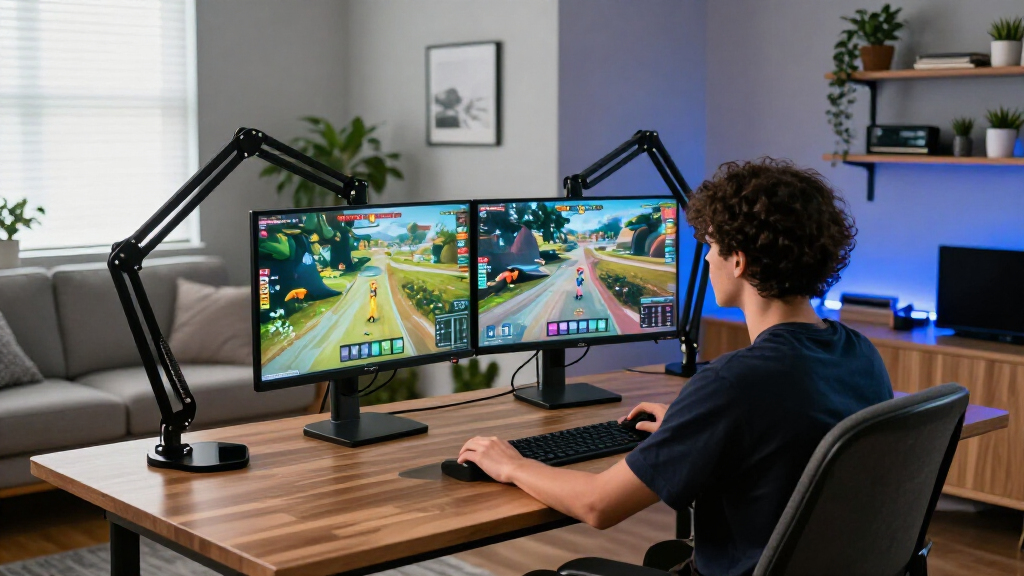

The HUANUO Dual Monitor Stand with USB Ports is my best overall pick for a multi-screen gaming setup, pairing broad screen-size support with convenient USB ports. For a single display, the MSI MPG MT201R V2 stands out for its unusually high stated capacity and support for screens up to 49 inches, while the Ergotron LX is the premium choice for buyers who prioritize a refined single-arm design. The main tradeoffs are single versus dual-screen flexibility, weight capacity, desk space, and how much adjustability you need. A large or curved gaming display calls for closer attention to screen weight and mounting compatibility than its size alone suggests. Read on for the full breakdown and guidance on choosing the right arm for your desk.

Get business pricing on your home office setup
- Business-only prices and quantity discounts
- Tax-exempt purchasing
- Multiple users, one account, clear invoices
Complete the kit


Key Takeaways
- Dual-screen buyers have the widest choice: HUANUO, ErGear, VIVO, and other dual mounts serve different desk and screen-fit needs, so compare each model’s stated range rather than assuming all dual arms support the same displays.
- The MSI MPG MT201R V2 has the broadest stated single-screen ceiling: its support for screens up to 49 inches and stated 44-pound capacity make it a standout for heavier, larger displays, subject to checking the monitor’s actual weight and VESA fit.
- Ultrawide compatibility is not interchangeable: the WALI ultrawide arm also lists support up to 49 inches, but its stated 33-pound capacity differs from MSI’s, making weight a key separator.
- Several HUANUO FlowLift choices target lighter, more common screens: the standard FlowLift single and FlowLift Pro both list 13–32-inch displays, while the lineup also includes dual-screen options for buyers who need more than one mount point.
- The premium and value decisions depend on the whole setup: Ergotron LX is the dedicated premium single-arm pick, while simpler ErGear and WALI models may suit buyers who want a more straightforward mount without prioritizing premium positioning or extra features.
| HUANUO Dual Monitor Stand with USB Ports, for 13–40-Inch Monitors |  | Best for Dual Gaming Displays | Supported monitors: Two monitors, 13–40 inches | Maximum weight per arm: 26.4 lbs | VESA compatibility: 75×75 mm and 100×100 mm | VIEW LATEST PRICE | See Our Full Breakdown |
| NB SmooVex Mechanical Spring Monitor Arm, 17–32 Inch, Black |  | Best for Mechanical-Spring Simplicity | Supported screen size: 17–32 inches | Spring type: Mechanical spring | VESA compatibility: 75×75 mm and 100×100 mm | VIEW LATEST PRICE | See Our Full Breakdown |
| ErGear Single Monitor Arm for 13–34-Inch Screens |  | Best for Mid-Size Monitor Flexibility | Supported screen size: 13–34 inches | Maximum monitor weight: 19.8 lbs | VESA patterns: 75×75 mm and 100×100 mm | VIEW LATEST PRICE | See Our Full Breakdown |
| MSI MPG MT201R V2 Premium RGB Single Monitor Stand Arm |  | Best Heavy-Duty RGB Pick | Supported screen size: Product data lists 17–49 inches and also a 35-inch maximum | Maximum weight capacity: 44 lbs (20 kg) | VESA compatibility: 75×75 mm and 100×100 mm | VIEW LATEST PRICE | See Our Full Breakdown |
| ASUS ROG Ergo Monitor Arm (AAS01R) |  | Best for ROG Setups and Large Displays | Recommended display size: Up to 39 inches | Maximum supported screen size: 49 inches | Weight capacity: Flat: 3–13.5 kg; curved: 3–10.5 kg | VIEW LATEST PRICE | See Our Full Breakdown |
| HUANUO FlowLift Pro Monitor Arm for 13–32-Inch Screens |  | Best for Easy Setup and Fine-Tuning | Screen size: 13–32 inches | Flat-screen capacity: 4.4–19.8 lb | Curved-screen capacity: 4.4–15.4 lb | VIEW LATEST PRICE | See Our Full Breakdown |
| WALI Ultrawide Single Monitor Arm for 17-49 inch Curved Screen, up to 33lbs |  | Best for Heavy Ultrawide Gaming Monitors | Screen size: 17–49 inches | Load capacity: Up to 33 lb | VESA: 75×75 mm and 100×100 mm | VIEW LATEST PRICE | See Our Full Breakdown |
| HUANUO FlowLift Single Monitor Mount for 13–32-Inch Monitors |  | Best Value for a Standard Gaming Monitor | Claimed screen size: 13–32 inches; another product detail lists 17–27 inches | Weight capacity: 4.4–19.8 lb | VESA: 75×75 mm and 100×100 mm | VIEW LATEST PRICE | See Our Full Breakdown |
| WALI Adjustable Single Monitor Arm for 13-34 inch Screens, up to 26.4 lbs |  | Best for Larger Mainstream Monitors | Screen compatibility: 13–34 inches; up to 34 inches flat and 32 inches regular | Flat-screen capacity: Up to 26.4 lb | Curved-screen capacity: Up to 19.8 lb | VIEW LATEST PRICE | See Our Full Breakdown |
| HUANUO Dual Monitor Desk Mount, White |  | Best for a Coordinated Two-Screen Gaming Setup | Monitor count: Two | Screen size: 13–32 inches per monitor | Capacity: 4.4–19.8 lb per arm | VIEW LATEST PRICE | See Our Full Breakdown |
| Acer Single Monitor Mount – Fully Adjustable Monitor Arm for 17‑34″ Screens |  | Best for Quick, Simple Setup | Supported screen size: 17–34 inches | Weight capacity: 4.4–19.8 lb | VESA compatibility: 75×75 mm and 100×100 mm | VIEW LATEST PRICE | See Our Full Breakdown |
| ErGear Dual Monitor Arm for 13–32-Inch Screens |  | Best Dual-Arm Adjustability | Screen size compatibility: 13–32 inches per monitor | Maximum load: 19.8 lb per monitor | VESA compatibility: 75×75 mm or 100×100 mm | VIEW LATEST PRICE | See Our Full Breakdown |
| VIVO Adjustable Dual Monitor Desk Mount for 17–32 Inch Screens |  | Best Steel Dual-Monitor Workhorse | Compatible screen size: 17–32 inches per monitor | Supported weight: 4.4–19.8 lb per monitor | VESA compatibility: 75×75 mm and 100×100 mm | VIEW LATEST PRICE | See Our Full Breakdown |
| HUANUO Dual Monitor Desk Mount for 13–32-Inch Screens |  | Best Dual-Arm Pick for Wood Desks | Screen size compatibility: 13–32 inches per monitor | Weight capacity: 4.4–19.8 lb per arm | VESA compatibility: 75×75 mm or 100×100 mm | VIEW LATEST PRICE | See Our Full Breakdown |
| Ergotron LX Single Monitor Arm Desk Mount, Matte Black |  | Best Premium Single-Arm Pick | Compatible screen size: Up to 34 inches | Monitor weight capacity: 7–25 lb | VESA compatibility: 75×75 mm or 100×100 mm | VIEW LATEST PRICE | See Our Full Breakdown |
| gaming monitor arm | Warranty | VESA compatibility |
|---|---|---|
| HUANUO Dual Monitor Stand with | 5 years | 75×75 mm and 100×100 mm |
| NB SmooVex Mechanical Spring M | 2 years | 75×75 mm and 100×100 mm |
| ErGear Single Monitor Arm for | — | — |
| MSI MPG MT201R V2 Premium RGB | 3 years | 75×75 mm and 100×100 mm |
| ASUS ROG Ergo Monitor Arm | 3 years | — |
| HUANUO FlowLift Pro Monitor Ar | Lifetime | — |
| WALI Ultrawide Single Monitor | 3 years | — |
| HUANUO FlowLift Single Monitor | — | — |
| WALI Adjustable Single Monitor | 10 years | — |
| HUANUO Dual Monitor Desk Mount | — | — |
| Acer Single Monitor Mount | 1 year | 75×75 mm and 100×100 mm |
| ErGear Dual Monitor Arm for 13 | 5 years | 75×75 mm or 100×100 mm |
| VIVO Adjustable Dual Monitor D | 3 years | 75×75 mm and 100×100 mm |
| HUANUO Dual Monitor Desk Mount | 5 years | 75×75 mm or 100×100 mm |
| Ergotron LX Single Monitor Arm | 10 years | 75×75 mm or 100×100 mm |
More Details on Our Top Picks
HUANUO Dual Monitor Stand with USB Ports, for 13–40-Inch Monitors
For a two-screen gaming setup, the HUANUO HNDS7 earns its place with support for two monitors up to 40 inches and 26.4 pounds per arm. That capacity gives it a broader pairing range than the NB SmooVex Mechanical Spring Monitor Arm, which supports one screen up to 32 inches. The HUANUO also offers generous reach and a wide adjustment range, useful for pulling a primary display forward while turning a second screen toward chat, streaming controls, or game guides. Two USB ports and cable management help reduce desktop clutter. The tradeoff is footprint and fit: this is a dual mount, so it needs room for two displays and a desk compatible with its clamp or grommet hardware. Check desk thickness and monitor weight before buying.
Pros:- Supports two monitors, each weighing up to 26.4 pounds
- Broad reach, height, tilt, swivel, and rotation adjustment
- Two built-in USB ports and cable management
- Clamp and grommet mounting options
Cons:- A dual-arm mount takes more desk and screen space than single-arm options such as the ErGear Single Monitor Arm
- Desk thickness and grommet-hole dimensions must match the mounting hardware
Best for: PC gamers who want to position two mid-sized or large VESA monitors independently and keep peripherals within easy reach.
Not ideal for: Single-monitor players, or buyers whose desk exceeds the 3.54-inch clamp limit or cannot accommodate the specified grommet hole.
- Supported monitors:Two monitors, 13–40 inches
- Maximum weight per arm:26.4 lbs
- VESA compatibility:75×75 mm and 100×100 mm
- Mounting:C-clamp or grommet
- Maximum arm extension:25.59 inches
- Maximum arm height:21.1 inches
- Adjustment:Swivel -90° to +90°; tilt -30° to +85°; rotation 360°
- USB ports:2
- Warranty:5 years
Our verdict“Choose the HUANUO HNDS7 if you need a flexible dual-display gaming mount with useful USB ports and have a compatible desk.”
NB SmooVex Mechanical Spring Monitor Arm, 17–32 Inch, Black
The NB SmooVex A5-B is a straightforward single-screen choice for gamers who want frequent position changes without choosing a gas-spring arm. Its mechanical spring supports height travel of 230 mm, plus tilt, swivel, and rotation, making it suited to switching between an upright gaming position and a more relaxed screen angle. Compared with the ErGear Single Monitor Arm, it uses a narrower stated screen range—17 to 32 inches—and does not specify a supported weight range. That missing figure matters: check your monitor’s weight with its stand removed before committing. Clamp and grommet mounting add desk flexibility, but the two-year warranty is shorter than the HUANUO dual arm’s five years. This pick favors a simpler mechanical-spring design over extra capacity or dual-screen utility.
Pros:- Mechanical-spring adjustment avoids reliance on a gas spring
- 230 mm of height travel for changing screen position
- Supports standard 75×75 mm and 100×100 mm VESA patterns
- Includes C-clamp and grommet mounting
Cons:- Screen support is limited to 32 inches, below the ErGear arm’s 34-inch range
- The supplied product data does not state a supported monitor weight range
Best for: Gamers with a 17–32-inch VESA monitor who want adjustable positioning from a mechanical-spring arm and can verify monitor weight compatibility.
Not ideal for: Owners of monitors above 32 inches or buyers who need a clearly stated weight limit before choosing a mount.
- Supported screen size:17–32 inches
- Spring type:Mechanical spring
- VESA compatibility:75×75 mm and 100×100 mm
- Height travel:230 mm
- Tilt:-25° to 90°
- Rotation:±90°
- Mounting:C-clamp or grommet
- Material:Aluminum
- Warranty:2 years
Our verdict“Pick the NB SmooVex for a standard-size gaming monitor if its weight is confirmed compatible and you prefer a mechanical spring.”
ErGear Single Monitor Arm for 13–34-Inch Screens
The ErGear Single Monitor Arm is a practical fit for gamers using one flat or curved display up to 34 inches, with a stated 19.8-pound limit. Its tilt, swivel, and full rotation make it easier to line up a screen for gaming or rotate it for a vertical side task. Compared with the NB SmooVex, ErGear gives buyers a larger stated screen range and a clear weight ceiling, removing some compatibility guesswork. It also includes tool-free VESA mounting, which can make attaching the display less fiddly. Its reach tops out at 18.1 inches, shorter than the HUANUO dual arm’s extension, and its weight capacity is far below the MSI arm’s 44-pound rating. Desk thickness must also fall within the clamp or grommet ranges.
Pros:- Supports flat and curved screens from 13 to 34 inches
- Clear maximum monitor weight of 19.8 pounds
- Tool-free VESA mounting and integrated cable management
- Clamp and grommet desk mounting options
Cons:- 18.1-inch maximum reach is shorter than the HUANUO dual arm’s reach
- 19.8-pound limit rules out many heavier large-format displays
- Desk thickness must fit the specified clamp or grommet range
Best for: Single-monitor gamers with a 13–34-inch VESA display weighing no more than 19.8 pounds who want broad positioning adjustments.
Not ideal for: Owners of heavy ultrawides or buyers who need more reach and load capacity than this single arm provides.
- Supported screen size:13–34 inches
- Maximum monitor weight:19.8 lbs
- VESA patterns:75×75 mm and 100×100 mm
- Maximum height adjustment:17.5 inches
- Maximum reach:18.1 inches
- Tilt:+80°/-50°
- Swivel and rotation:±90° swivel; 360° rotation
- Desk mounting thickness:C-clamp: 0.39–2.56 inches; grommet: 0.39–2.95 inches
Our verdict“Choose ErGear for a single mid-size gaming monitor when its 19.8-pound limit and desk-mount dimensions fit your setup.”
MSI MPG MT201R V2 Premium RGB Single Monitor Stand Arm
The MSI MPG MT201R V2 stands apart for gamers who want a heavy-duty mount with a visible setup accent: its gas spring is rated for monitors up to 44 pounds, and the arm includes RGB lighting. That capacity is well above the ErGear Single Monitor Arm’s 19.8-pound ceiling, making MSI the stronger candidate for a heavier display. A quick-release plate and clamp or grommet mounting also help with installation and desk fit. There is a serious compatibility caveat, however: the supplied data lists a 17–49-inch range in its marketing details but also gives a maximum supported size of 35 inches. I would verify support for the exact monitor before buying rather than treating 49 inches as settled. At 13.3 pounds, the arm itself may also be cumbersome to install.
Pros:- 44-pound stated capacity suits heavier monitors
- Gas-spring adjustment supports repositioning
- Integrated RGB lighting adds a gaming-focused visual feature
- Quick-release plate and clamp or grommet mounting
Cons:- Product data conflicts on maximum screen size, listing both 35 and 49 inches
- The 13.3-pound arm may be awkward to handle during installation
- Tilt is specified as a 50-degree range without further angle detail
Best for: Gamers prioritizing high stated weight capacity, gas-spring positioning, and RGB styling for a compatible VESA display.
Not ideal for: Buyers who need clear confirmation that a specific 36–49-inch monitor is supported, or who prefer a lighter arm for installation.
- Supported screen size:Product data lists 17–49 inches and also a 35-inch maximum
- Maximum weight capacity:44 lbs (20 kg)
- VESA compatibility:75×75 mm and 100×100 mm
- Mounting:Clamp or grommet
- Movement:Articulating and swivel
- Tilt:50-degree maximum tilt angle
- Material and color:Aluminum and metal; gray
- Item weight:13.3 lbs
- Warranty:3 years
Our verdict“Consider MSI for a heavy gaming display and RGB styling, but confirm screen-size compatibility before purchase.”
ASUS ROG Ergo Monitor Arm (AAS01R)
The ASUS ROG Ergo AAS01R pairs gaming-oriented branding with a broad range of mechanical-spring adjustments, including height, tilt, swivel, pivot, and distance changes. Its stated support for screens up to 49 inches makes it a more relevant large-display option than the ErGear Single Monitor Arm, which tops out at 34 inches. Yet ASUS gives two different size signals: the recommended display size is up to 39 inches, while the maximum is 49 inches. Weight capacity also changes by display type—up to 13.5 kg for flat screens, but 10.5 kg for curved ones—so owners of large curved gaming monitors should check their model carefully. Clamp and grommet mounting and integrated cable management add practical flexibility, though the arm is specified for 100×100 mm VESA only.
Pros:- Extensive height, tilt, swivel, pivot, pan, and rotation adjustment
- Stated maximum screen size of 49 inches
- Clamp and grommet mounting with integrated cable management
- Separate weight limits are provided for flat and curved monitors
Cons:- Recommended size is up to 39 inches despite the 49-inch maximum claim
- Curved-monitor capacity is lower than flat-monitor capacity
- VESA compatibility is listed only for 100×100 mm
Best for: ROG-focused gamers with a compatible 100×100 mm VESA display who want extensive positioning options and may use a large screen.
Not ideal for: Owners of curved monitors above 10.5 kg, displays without 100×100 mm VESA, or buyers seeking an unambiguous recommendation for a 40–49-inch screen.
- Recommended display size:Up to 39 inches
- Maximum supported screen size:49 inches
- Weight capacity:Flat: 3–13.5 kg; curved: 3–10.5 kg
- VESA mounting:100×100 mm
- Maximum extension:63.8 cm
- Maximum height:49.98 cm
- Tilt and swivel:Tilt +80° to −25°; swivel +90° to −90°
- Mounting options:Desk clamp or grommet
- Warranty:3 years
Our verdict“Choose the ASUS ROG Ergo for an adjustable ROG-style setup if your monitor meets its VESA and type-specific weight limits.”
HUANUO FlowLift Pro Monitor Arm for 13–32-Inch Screens
The FlowLift Pro is a sensible pick for a standard gaming monitor when you want to adjust arm tension without guesswork. Its visible tension indicator helps match the mechanical spring to the screen, while the quick-release VESA plate makes attaching the monitor less awkward than a fixed plate. It supports flat screens up to 19.8 lb, though curved displays are limited to 15.4 lb. Compared with the HUANUO FlowLift Single Monitor Mount, this version adds the tension indicator and a lifetime warranty, making it the more reassuring choice for frequent repositioning. The tradeoff is that both arms share a 13–32-inch screen range, so the Pro is not a route to mounting an ultrawide. Its desk guidance is also specific: wood surfaces 0.59–3.54 inches thick are recommended.
Pros:- Visible tension indicator helps match spring force to the monitor
- Quick-release VESA plate simplifies monitor attachment
- C-clamp and grommet mounting options
- Lifetime warranty and TÜV Rheinland certification
Cons:- Curved monitors are limited to 15.4 lb, less than the flat-screen capacity
- Recommended desk fit is limited to wood surfaces 0.59–3.54 inches thick
- 13–32-inch range rules out larger ultrawide displays
Best for: PC gamers with a 13–32-inch VESA monitor who want easier spring adjustment, a quick-release plate, and long warranty coverage.
Not ideal for: Ultrawide owners, heavier curved-screen users, or gamers mounting to a desk outside the recommended wood thickness range.
- Screen size:13–32 inches
- Flat-screen capacity:4.4–19.8 lb
- Curved-screen capacity:4.4–15.4 lb
- VESA:75×75 mm and 100×100 mm
- Adjustments:Tilt, swivel, and rotation
- Mounting:C-clamp or grommet
- Recommended desk thickness:Wood desks, 0.59–3.54 inches
- Warranty:Lifetime
Our verdict“Choose the FlowLift Pro for a conventional gaming monitor if straightforward tension tuning and long warranty coverage matter more than ultrawide support.”
WALI Ultrawide Single Monitor Arm for 17-49 inch Curved Screen, up to 33lbs
For a large curved gaming display, the WALI GSM001XLN makes a stronger case than the smaller arms in this group: it supports screens up to 49 inches and 33 lb, with 21.14 inches of reach and broad height adjustment. That extra capacity gives ultrawide owners more flexibility than the WALI Adjustable Single Monitor Arm, which tops out at 34 inches and 26.4 lb for flat screens. Full motion—including tilt, swivel, and rotation—helps position a wide panel for a centered play area or a turned-aside work setup. The compromises are desk fit and installation: the clamp or grommet is specified for desks 0.39–1.96 inches thick, and installation is recommended only on wooden desks without crossbeams. Check the monitor’s VESA pattern and actual weight before choosing it.
Pros:- 33 lb capacity suits many large ultrawide and curved monitors
- Supports displays up to 49 inches
- 21.14-inch extension reach and 20.59-inch height adjustment
- C-clamp or grommet mounting with integrated cable management
Cons:- Desk thickness is limited to 0.39–1.96 inches
- Installation is recommended only on wooden desks without crossbeams
- Monitor weight and VESA fit need checking before purchase
Best for: Gamers with a 17–49-inch flat or 1800R curved ultrawide weighing no more than 33 lb, and a compatible wooden desk.
Not ideal for: Owners of standard-size lightweight screens seeking a simpler mount, or anyone with a desk thicker than 1.96 inches or obstructed by crossbeams.
- Screen size:17–49 inches
- Load capacity:Up to 33 lb
- VESA:75×75 mm and 100×100 mm
- Extension reach:21.14 inches
- Height adjustment:20.59 inches
- Tilt:±75°
- Mounting and desk thickness:C-clamp or grommet; 0.39–1.96 inches
- Warranty:3 years
Our verdict“Pick this WALI when your gaming setup centers on a heavy ultrawide that exceeds the size or load limits of the other single-monitor arms here.”
HUANUO FlowLift Single Monitor Mount for 13–32-Inch Monitors
The HUANUO FlowLift covers the core adjustments most single-screen gaming setups need: tilt from −50° to +85°, ±90° swivel, and full rotation. Its 4.4–19.8 lb capacity and 13–32-inch stated range fit many conventional monitors, while the C-clamp and grommet choices give buyers two ways to attach it. Compared with the FlowLift Pro, this model lacks the stated visible tension indicator, quick-release plate, and lifetime warranty; its appeal is the more straightforward feature set, not extra setup aids. There is also a product-detail conflict: one listing detail gives a 17–27-inch range, despite the 13–32-inch claim. That uncertainty makes checking the exact monitor fit especially important. It is a practical candidate for a basic single-screen arrangement, but less convincing when documentation clarity is a priority.
Pros:- Supports tilt, ±90° swivel, and 360° rotation
- C-clamp and grommet installation options
- Alloy-steel construction
- Weight capacity covers many standard gaming monitors
Cons:- Product details conflict on the supported screen-size range
- No quick-release plate or visible tension indicator is listed
- Desk clearance and suitability can affect installation
Best for: Gamers using a typical 13–32-inch, 4.4–19.8 lb monitor who want tilt, swivel, rotation, and either clamp or grommet installation.
Not ideal for: Buyers who need a clearly confirmed fit for a monitor near the stated size limits, or who want a tension indicator and quick-release plate.
- Claimed screen size:13–32 inches; another product detail lists 17–27 inches
- Weight capacity:4.4–19.8 lb
- VESA:75×75 mm and 100×100 mm
- Tilt:−50° to +85°
- Swivel:±90°
- Rotation:360°
- Mounting:C-clamp or grommet
- Construction:Alloy steel
Our verdict“Choose this FlowLift for a straightforward standard-size setup only after confirming that the listed screen range matches your monitor.”
WALI Adjustable Single Monitor Arm for 13-34 inch Screens, up to 26.4 lbs
The WALI GSMP001N sits between compact 13–32-inch arms and the much larger WALI ultrawide model. Its stated range reaches 34 inches for flat displays, with a 26.4 lb flat-screen limit and 19.8 lb curved-screen limit. That makes it a useful middle ground for gamers whose monitor is too large or heavy for an entry-level arm but does not call for a 49-inch-rated mount. It extends 19.3 inches and offers full swivel, tilt, and rotation, plus cable management. Compared with the WALI Ultrawide Single Monitor Arm, it gives up capacity and reach but fits more ordinary desks: its mounting range goes to 2.76 inches thick. The listed desk guidance still favors wood and warns about crossbeams, and curved-screen capacity is lower than flat-screen capacity.
Pros:- Supports flat displays up to 34 inches and 26.4 lb
- Full swivel, tilt, and 360° rotation
- 19.3-inch extension reach and 17.3-inch height adjustment
- Cable management and both clamp and grommet mounting
Cons:- Curved-screen capacity is lower at 19.8 lb
- Wooden desks are recommended, and crossbeams may prevent fit
- Less load capacity and reach than the WALI ultrawide arm
Best for: Gamers with a larger flat monitor up to 34 inches, or a curved screen within the 19.8 lb limit, who want full repositioning.
Not ideal for: Owners of heavy 49-inch ultrawides, or gamers whose desk has crossbeams or is not suitable for the recommended wooden-desk installation.
- Screen compatibility:13–34 inches; up to 34 inches flat and 32 inches regular
- Flat-screen capacity:Up to 26.4 lb
- Curved-screen capacity:Up to 19.8 lb
- VESA:75×75 mm and 100×100 mm
- Extension reach:19.3 inches
- Height adjustment:17.3 inches
- Desk thickness:0.39–2.76 inches
- Warranty:10 years
Our verdict“Pick this WALI for a larger mainstream gaming monitor when the ultrawide arm’s extra size and capacity are unnecessary.”
HUANUO Dual Monitor Desk Mount, White
When a gaming desk needs two screens rather than one oversized panel, the HUANUO Dual Monitor Desk Mount offers separate arms rated for 4.4–19.8 lb each. Both can tilt, swivel, rotate, and adjust in height, so a main gaming monitor and a secondary screen can be arranged side by side or repositioned for streaming and other tasks. Its white finish also gives it a different visual role from the black single-monitor arms here. Compared with the WALI Adjustable Single Monitor Arm, this mount prioritizes two-screen positioning over higher capacity for one display; it is not the right answer for a heavy ultrawide. Each monitor still needs compatible VESA holes and must stay within the per-arm size and weight limits. Desk mounting and assembly also take more planning than adding one arm.
Pros:- Holds two monitors, each rated for 4.4–19.8 lb
- Independent tilt, swivel, rotation, and height adjustment
- C-clamp and grommet mounting options
- Cable management and white finish
Cons:- Each monitor must fit the 13–32-inch and 4.4–19.8 lb limits
- Does not suit a single large ultrawide as well as the WALI ultrawide arm
- Requires desk installation and space for two screens
Best for: Gamers running two 13–32-inch monitors who want independent positioning and a white mount to match their desk setup.
Not ideal for: Owners of a single heavy ultrawide, monitors above 32 inches, or screens outside the per-arm weight and VESA limits.
- Monitor count:Two
- Screen size:13–32 inches per monitor
- Capacity:4.4–19.8 lb per arm
- VESA:75×75 mm and 100×100 mm
- Adjustments:Tilt, swivel, rotation, and height adjustment
- Maximum tilt:85°
- Mounting:C-clamp or grommet
- Construction and finish:Alloy steel, white
Our verdict“Choose this HUANUO mount if you need two adjustable gaming screens and can keep both within its per-arm limits.”
Acer Single Monitor Mount – Fully Adjustable Monitor Arm for 17‑34″ Screens
The Acer AMS001 is a straightforward pick for a single gaming display when you want frequent height and angle changes without a complicated setup. Its gas spring supports monitors from 17 to 34 inches and up to 19.8 pounds, while tilt, swivel, and full rotation make it easier to line up a screen for gaming or turn it toward another seat. Compared with the Ergotron LX, it has a lower stated weight limit and a shorter warranty, so it is a less compelling match for heavier displays or buyers prioritizing long-term coverage. Its advantage is tool-free installation with either a clamp or grommet mount. Skip it if your desk edge cannot accept a clamp or your monitor exceeds its capacity.
Pros:- Gas-spring height adjustment supports easy repositioning during the day.
- Tilt, swivel, and 360-degree rotation offer flexible screen alignment.
- C-clamp and grommet mounting cover two common desk setups.
- Tool-free installation keeps setup simple.
Cons:- The 19.8-pound limit rules out some heavier gaming monitors.
- The one-year warranty is shorter than the coverage listed for the Ergotron LX.
- Clamp mounting is unsuitable for some desk edges and enclosed desk designs.
Best for: Gamers with a 17–34-inch monitor under 19.8 pounds who want quick installation and regular ergonomic repositioning.
Not ideal for: Owners of heavier monitors or desks with enclosed backs, double shelves, or curved edges that prevent secure clamp mounting.
- Supported screen size:17–34 inches
- Weight capacity:4.4–19.8 lb
- VESA compatibility:75×75 mm and 100×100 mm
- Mounting options:C-clamp or grommet
- Desk thickness:15–80 mm
- Adjustment:Gas-spring height adjustment; tilt, swivel, and 360-degree rotation
- Warranty:1 year
Our verdict“Choose the Acer for a single, moderate-weight gaming monitor when fast setup and broad adjustment matter more than a higher load limit or longer warranty.”
ErGear Dual Monitor Arm for 13–32-Inch Screens
The ErGear dual arm suits gaming desks that need two independently positioned screens without giving up a wide range of movement. It supports 13–32-inch displays up to 19.8 pounds each, with 17.5 inches of maximum height adjustment, 18.1 inches of extension, and generous tilt, swivel, and rotation. That reach gives it more positioning detail on paper than the HUANUO HNDS6, whose listed maximum height is 15.75 inches. ErGear also includes tool-free VESA mounting and cable clips, which can make setup and desk cleanup less fussy. The tradeoff is desk compatibility: the maker recommends a wooden desk, and underside crossbeams can interfere with mounting. Choose another option if your desk construction is uncertain.
Pros:- Supports two flat or curved monitors from 13 to 32 inches.
- 18.1-inch extension and 17.5-inch height adjustment provide broad positioning range.
- Tool-free VESA plates simplify attaching compatible monitors.
- Cable clips help keep a dual-screen gaming desk tidier.
Cons:- Manufacturer recommends installation on a wooden desk.
- Desk crossbeams can block access or interfere with underside mounting.
Best for: Gamers using two 13–32-inch monitors who want substantial arm extension and individual screen positioning on a compatible wooden desk.
Not ideal for: Gamers with glass or plastic desktops, obstructing underside crossbeams, or monitors heavier than 19.8 pounds each.
- Screen size compatibility:13–32 inches per monitor
- Maximum load:19.8 lb per monitor
- VESA compatibility:75×75 mm or 100×100 mm
- Maximum height adjustment:17.5 inches
- Maximum extension:18.1 inches
- Tilt and swivel:+80°/−50° tilt; ±90° swivel
- Rotation:360 degrees
- Desk thickness:C-clamp: 0.39–2.56 inches; grommet: 0.39–2.95 inches
- Warranty:5 years
Our verdict“Pick the ErGear when two-screen positioning range is your priority and your desk is a compatible wooden surface.”
VIVO Adjustable Dual Monitor Desk Mount for 17–32 Inch Screens
The VIVO STAND-V002O is a practical dual-screen mount for gamers who value a sturdy steel build and straightforward mechanical-spring adjustment over tool-free attachment details. It supports two 17–32-inch monitors weighing 4.4–19.8 pounds each, with tilt, swivel, and 360-degree rotation for arranging a main display alongside a stream, chat, or game guide screen. Unlike the ErGear dual arm, the supplied description does not specify long extension or height-adjustment measurements, so buyers who need precise reach figures may prefer that model. VIVO includes assembly hardware and instructions, but its arms extend past the desk edge; that can be awkward in tight rooms or near walls. Check the desk thickness and available rear clearance before choosing it.
Pros:- Supports two monitors in a broad 17–32-inch range.
- Alloy-steel construction provides a substantial mount structure.
- Tilt, swivel, and 360-degree rotation allow flexible screen orientation.
- Assembly hardware and step-by-step instructions are included.
Cons:- Arms extend beyond the desk edge and need rear clearance.
- Desk thickness limits can rule out some clamp and grommet installations.
Best for: Gamers building a two-monitor setup who want an alloy-steel mount with flexible screen orientation and a three-year warranty.
Not ideal for: Users with shallow desks, little clearance behind the desk, or surfaces outside the clamp or grommet thickness limits.
- Compatible screen size:17–32 inches per monitor
- Supported weight:4.4–19.8 lb per monitor
- VESA compatibility:75×75 mm and 100×100 mm
- Material:Alloy steel
- Tilt:+90° to −90°
- Swivel and rotation:180-degree swivel; 360-degree rotation
- Mounting options:C-clamp or optional grommet mount
- Warranty:3 years
Our verdict“Choose the VIVO for a conventional two-monitor gaming desk with room behind it and compatible mounting thickness.”
HUANUO Dual Monitor Desk Mount for 13–32-Inch Screens
The HUANUO HNDS6 is a sensible dual-monitor choice for gamers whose setup is anchored to a compatible wooden desk. It accepts two 13–32-inch screens up to 19.8 pounds each and offers tilt, swivel, and full rotation, so the displays can be arranged side by side or turned for a different task. Its 15.75-inch maximum height is below the ErGear dual arm’s listed 17.5 inches, making ErGear the stronger fit when extra lift is a deciding factor. HUANUO counters with a five-year warranty, cable management, and both clamp and grommet mounting options. Those options do not make it suitable for every surface: the manufacturer advises against plastic or glass desks, and crossbeams or panels can block installation.
Pros:- Supports two monitors from 13 to 32 inches and up to 19.8 pounds each.
- Tilt, swivel, and 360-degree rotation allow flexible screen placement.
- Includes both C-clamp and grommet mounting options.
- Cable management and a five-year warranty suit a permanent dual-screen setup.
Cons:- Not recommended for plastic or glass desks.
- Underside crossbeams or panels can prevent mounting.
- Maximum height of 15.75 inches is lower than the ErGear dual arm’s listed 17.5 inches.
Best for: Gamers with two 13–32-inch displays and a solid wooden desk who want cable management and flexible mounting methods.
Not ideal for: Owners of glass or plastic desks, or desks with underside panels and crossbeams that obstruct the mount.
- Screen size compatibility:13–32 inches per monitor
- Weight capacity:4.4–19.8 lb per arm
- VESA compatibility:75×75 mm or 100×100 mm
- Maximum height:15.75 inches
- Tilt and swivel:+85°/−50° tilt; ±90° swivel
- Rotation:360 degrees
- Desk thickness:0.59–3.54 inches
- Mounting options:C-clamp or grommet
- Warranty:5 years
Our verdict“Pick the HUANUO HNDS6 for an adjustable dual-screen setup on a clear, sturdy wooden desk, but look elsewhere if your desk surface is glass or plastic.”
Ergotron LX Single Monitor Arm Desk Mount, Matte Black
The Ergotron LX is the premium single-arm choice here for gamers whose monitor is heavier than the Acer can support but still falls within a defined 7–25-pound range. It fits flat, curved, and ultrawide screens up to 34 inches, with 13 inches of lift, 17.3 inches of maximum height above the work surface, and 360-degree rotation. Compared with the Acer AMS001, its higher weight ceiling and 10-year warranty better suit a long-term setup, though the supplied details do not specify a gas-spring mechanism or tool-free installation. It also costs more in commitment space: its 9.8-pound metal body needs a compatible clamp or grommet location. Check your monitor’s actual weight, since displays below seven pounds fall outside its stated range.
Pros:- Supports compatible flat, curved, and ultrawide monitors up to 34 inches.
- 25-pound upper capacity exceeds the Acer AMS001’s 19.8-pound limit.
- Includes clamp and grommet mounting hardware.
- Ten-year warranty and metal construction suit a long-term setup.
Cons:- The stated 7–25-pound range excludes lighter monitors.
- Its 9.8-pound arm is heavier than a lightweight mounting solution.
- The supplied specifications do not state a gas-spring mechanism.
Best for: Gamers with a compatible 7–25-pound monitor, including an ultrawide up to 34 inches, who want a metal arm backed by a long warranty.
Not ideal for: Owners of monitors under 7 pounds, above 25 pounds, or larger than 34 inches, and buyers seeking a lightweight arm.
- Compatible screen size:Up to 34 inches
- Monitor weight capacity:7–25 lb
- VESA compatibility:75×75 mm or 100×100 mm
- Mounting options:Desk clamp or grommet
- Maximum lift:13 inches
- Maximum height above worksurface:17.3 inches
- Tilt and rotation:75-degree tilt; 360-degree rotation
- Material and item weight:Metal; 9.8 lb
- Warranty:10 years
Our verdict“Choose the Ergotron LX if your monitor falls within its 7–25-pound range and you value a higher load ceiling and long warranty over a lighter arm.”

How We Picked
I compared these gaming monitor arms by the details that most affect a gaming desk: stated screen-size range, supported weight, single- or dual-screen layout, and the adjustment features described for each model. I also weighed practical fit, including whether a product targets ultrawide displays, includes USB ports, offers a quick-release plate, or uses a mechanical spring or gas-spring design. Those features matter because a mount needs to fit the display and the desk before its range of motion can improve the setup.
The ranking favors options with a clear use case and useful flexibility, not a claim that every buyer needs the most elaborate arm. The HUANUO dual stand leads as a versatile pick for multi-screen gaming, while MSI and WALI separate themselves for large displays through their stated size and load limits. Ergotron LX earns the premium role; more straightforward single and dual arms rank as practical alternatives for buyers with simpler requirements. Product fit can vary by monitor and desk, so I treat listed limits as starting points for verification rather than a substitute for checking the manufacturer’s compatibility details.
Factors to Consider When Choosing Gaming Monitor Arms
Choosing a gaming monitor arm starts with compatibility, but the best match also depends on how your desk is used during play. I would check these factors before choosing a mount, especially for an ultrawide, a heavy screen, or a multi-monitor arrangement.
Match the Arm to Monitor Weight, Not Just Screen Size
Screen size is an easy first filter, but it does not tell you how heavy a monitor is or whether an arm can hold it securely. Check the monitor’s weight without its original stand and compare it with the arm’s stated capacity; leave some margin rather than choosing right at the limit. A large curved display may be far heavier than a similarly sized flat screen. Also confirm VESA mounting compatibility, since a monitor that fits the weight range may still need a different mounting pattern. A mismatch can limit movement or make the arm sag, so verify the exact monitor model before ordering.
Treat Ultrawide Support as a Separate Compatibility Check
An arm listing support for a 49-inch screen is not automatically suitable for every 49-inch ultrawide. Display weight, depth, curvature, and center of gravity can all affect how the arm behaves when extended. Compare the monitor’s specifications with both the arm’s size range and load limit, and check whether the manufacturer lists support for curved displays. A heavier arm may suit a large screen but take up more desk space or require a sturdier mounting point. If the screen sits close to the arm’s limits, prioritize a secure fit over maximum reach.
Choose Single or Dual Based on How You Use the Desk
A dual arm can clear desk space and keep two displays aligned, but it also needs enough room for both screens to move without hitting a wall, speaker, or each other. A single arm is often easier to position when one display is the focus and the desk is narrow. Before buying a dual mount, measure the combined width of your monitors and the clearance they need when angled inward. Think about whether the second screen is used for chat, streaming controls, or another task, since that affects how often it needs to move. Buying a dual arm for a single monitor can leave you paying in space and complexity for capacity you do not use.
Check Desk Construction and Mounting Options
Clamp and grommet mounts both need a desk surface that can handle concentrated pressure. Thin, hollow, glass, or unusually shaped desks may not suit every clamp, even when the arm itself supports the monitor. Measure the desk edge, inspect the underside for a frame or cable tray, and check whether a grommet hole is available if you prefer that installation style. A desk protector or reinforcement plate may help spread pressure, but it cannot make every surface compatible. Confirm the mount’s required clearance before buying so the clamp does not collide with a wall or desk accessory.
Decide How Much Adjustment You Will Actually Use
Frequent repositioning benefits from an arm that moves smoothly and holds its position, while a screen that rarely changes height may not need elaborate articulation. Consider the motions you need for your gaming habits: raising the display, pulling it closer, turning it for a second seat, or clearing space between sessions. Spring-based mechanisms can make adjustment easier, but the arm still needs to be balanced for the monitor’s weight. A quick-release plate can simplify installation or later removal, whereas USB ports add convenience only if their placement and cable routing suit your setup. Focus on useful movement rather than feature count.
Plan Cable Routing and Screen Position Before Installation
Monitor arms can free the desktop, but cables may become taut when the display moves through its full range. Leave enough slack for height and rotation changes, and route power, display, and peripheral cables so they do not snag on the joints. Decide where the screen should sit during normal play before tightening the mount, then test the arm’s movement without pulling on connected cables. A setup with several displays may need separate cable paths to avoid a bundle pressing against an arm. This small planning step can prevent repeated repositioning and protect ports from unnecessary strain.
Frequently Asked Questions
How do I know whether an arm can hold my gaming monitor?
Check the monitor’s weight without its stand, then compare that figure with the arm’s stated capacity. Verify the VESA pattern and listed screen-size range as separate requirements; passing one check does not guarantee the others. Leave a margin below the maximum capacity when possible, especially for a deep or curved display. If the monitor’s weight or mounting pattern is unclear, consult its manufacturer specifications before choosing an arm. The MSI and WALI ultrawide options illustrate why capacity matters: both list support up to 49 inches, but their stated weight limits differ.
Should I choose a dual arm if I may add a second monitor later?
Choose a dual arm now only if you have a realistic plan for a second screen and enough desk width to position both displays comfortably. A dual mount can reduce clutter when both screens are in use, but its arms and clamp occupy space even before the second monitor arrives. Check the mount’s per-screen capacity and supported size range rather than treating its total capacity as available to either display. If your second screen is only a possibility, a single arm may be simpler until you know its size and weight. That approach also avoids buying a layout that may not suit your eventual monitors.
Can I use an arm labeled for a 32-inch monitor with a heavier 34-inch ultrawide?
Do not rely on screen size alone to answer this. Compare the ultrawide’s weight, VESA pattern, and dimensions with the arm’s full specifications; a 34-inch display may exceed its load limit even if the size appears close. A longer or curved screen can also place more leverage on the arm when extended. If any compatibility detail falls outside the listed range, choose an arm specifically rated for that display rather than hoping to compensate by keeping it close to the desk. The lineup includes arms with different stated limits, so match the mount to the screen, not just the category label.
Will a monitor arm fit a desk with a cable tray or a thick edge?
It may, but desk construction can rule out a mount even when the monitor is compatible. Measure the thickness of the edge and inspect the underside to see whether a tray, support rail, or drawer blocks the clamp. Check the mount’s clamp range and required clearance before installation, and look for a grommet option if your desk has a suitable opening. A glass or hollow desktop may need a mounting solution approved for that surface rather than a standard clamp. When the desk is expensive or delicate, confirm compatibility with the desk maker before tightening a mount against it.
Is a premium single arm worth choosing over a simpler gaming monitor arm?
A premium arm makes the most sense when you will adjust the display often, want a refined single-monitor setup, or value a dedicated premium option such as the Ergotron LX. For a screen that stays in one position, a simpler mount may provide the movement you need without paying for features you rarely use. Large-monitor owners should put capacity and compatibility ahead of premium positioning; the MSI model’s stated load limit may be more relevant than a general preference for a premium arm. Compare the mounting method, range of motion, and monitor fit before deciding. The right choice is the one that solves a real desk problem, not the one with the longest feature list.
Conclusion
For most multi-monitor gaming desks, I would start with the HUANUO Dual Monitor Stand with USB Ports as the best overall pick, while buyers seeking a straightforward value option can compare the ErGear and WALI single-arm models against their screen requirements. The Ergotron LX is my best premium choice for a dedicated single-screen setup, and the HUANUO FlowLift Single is a sensible beginner pick for a compatible 13–32-inch display. For large or heavy ultrawides, put stated load capacity first: the MSI MPG MT201R V2 lists a 44-pound capacity, while the WALI ultrawide arm lists up to 33 pounds. If you need two screens, choose among the dual mounts only after checking each monitor’s weight, VESA fit, and the desk space available. That matching process matters more than choosing the arm with the most features.
Halloween Picks
halloween
As an affiliate, we earn on qualifying purchases.