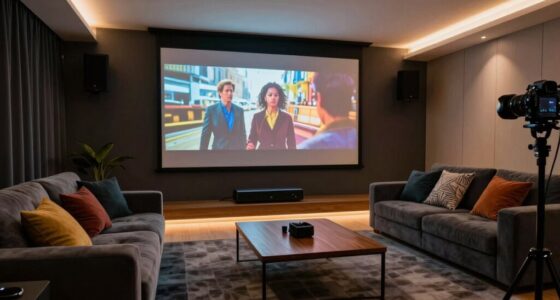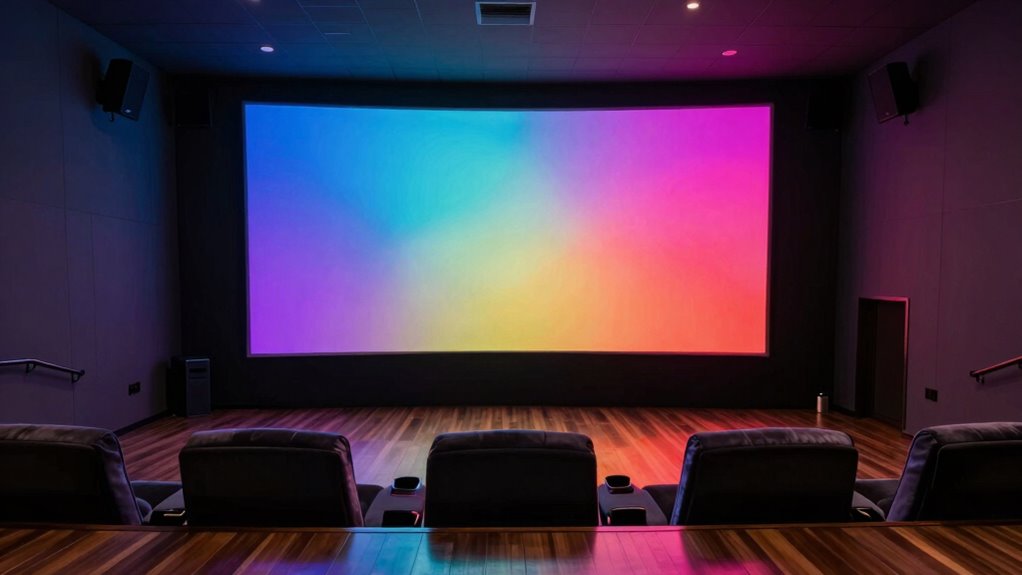

For a 120-inch screen, your ideal viewing distance is about 13 to 22 feet, based on the screen width of roughly 104 inches. Too close, and you risk pixelation, especially with lower-resolution projectors, while sitting too far can reduce immersion. The right spot depends on your projector’s resolution and technology. Keep in mind, personal comfort and room size matter, so experimenting with placement will help you get the best experience. Want to find out more?

Get your home office setup delivered free — and shop member deals
- Fast, free delivery on millions of items
- Access to Prime Big Deal Days deals on October 6–7
- Prime Video, Amazon Music and more included
Key Takeaways
- The ideal viewing distance for a 120-inch screen is roughly 13 to 22 feet, depending on resolution and personal preference.
- Higher resolutions like 4K or 8K allow for closer seating without pixelation, enhancing immersion.
- Larger screens demand more space for optimal clarity; too close can cause pixelation, too far reduces immersion.
- Projection technology (laser, DLP, LCD) influences contrast, brightness, and thus optimal viewing distance.
- Personal comfort and room size are crucial; experimentation ensures the best balance between clarity and immersion.

When setting up a 120-inch screen, determining the perfect viewing distance is vital to maximize your viewing experience. The distance you sit from your large screen influences how immersive your viewing feels and how well you can discern details. Many people overlook this, but the right distance depends on a few key factors, especially projection technology and screen resolution. If your projector uses advanced projection technology, like 4K or even 8K, you can sit closer without losing sharpness or noticing pixelation. Higher screen resolution means more detail, so you don’t have to be far back to enjoy crisp images. Conversely, if your projector has a lower resolution, sitting closer might reveal pixel structures or blurriness, spoiling the experience.
Optimal viewing distance depends on projection technology and resolution for a crisp, immersive experience.
The size of your screen isn’t the only thing to evaluate; it’s also about how your eyes perceive the image. Sitting too close can make the picture appear pixelated or grainy if the resolution isn’t high enough, while sitting too far might diminish the feeling of immersion. For a 120-inch display, a general rule of thumb is to position yourself roughly 1.5 to 2.5 times the screen width away. For example, if your screen width is about 104 inches, sitting between 156 and 260 inches (around 13 to 22 feet) can work well. But this is a starting point, not a strict rule. Your personal preferences, room size, and viewing habits matter too. Optimal viewing distance varies based on individual preferences and the specific setup, so experimentation is key. Additionally, understanding projection technology helps you make informed decisions about positioning and image quality. Recognizing the impact of resolution on image clarity can also guide your arrangement choices.
You also need to factor in the quality of your projection technology. Laser projectors, for instance, tend to have better contrast and color accuracy, which can influence how close you want to sit for the best visual impact. DLP and LCD projectors might have different ideal distances based on their brightness and contrast ratios. The resolution of your projector plays a vital role here. If you have a 4K projector, you can sit closer and appreciate fine details, because the image remains sharp and clear. If you opt for a lower resolution projector, like 1080p, sitting too close could make the image appear pixelated or blurry, degrading your viewing pleasure. Additionally, understanding the resolution quality of your projector helps determine the optimal distance for a crisp picture. It’s also helpful to consider how the screen size influences your viewing comfort and immersion.
In the end, the perfect viewing distance balances projection technology, screen resolution, and your personal comfort. It’s worth experimenting with different distances to find what feels most immersive without sacrificing clarity. Remember, the goal isn’t just to fill your field of vision but to enjoy a crisp, comfortable, and cinematic experience.
As an affiliate, we earn on qualifying purchases.
Frequently Asked Questions
How Does Room Lighting Affect Viewing Experience at This Distance?
Room lighting considerably impacts your viewing experience at this distance. Too much ambient light can lower ambient contrast, making the screen look washed out and reducing image clarity. Glare from bright lights or windows can distract you and create reflections. To enhance your viewing, use dim lighting or curtains to control ambient contrast and incorporate glare reduction measures, ensuring sharp images and immersive visuals on your 120-inch screen.
Is a Special Type of Screen Necessary for Optimal Clarity?
You don’t need a special screen for clarity, but choosing one with high screen resolution makes a big difference. Imagine crisp details and vibrant colors that draw you into the scene. A wide viewing angle guarantees everyone gets a clear view without distortion. For a 120-inch display, opt for a quality projector or TV with excellent resolution and broad viewing angles, so the picture remains sharp and immersive from every seat in the room.
How Do Seating Arrangements Impact Comfort and Visibility?
Your seating arrangements directly affect comfort and visibility by optimizing seating ergonomics and viewing angles. Sit at a distance where your eyes are level with the center of the screen, avoiding strain. Choose chairs that support good posture, and arrange seats to minimize glare and guarantee everyone has a clear line of sight. Proper spacing and positioning enhance your viewing experience, making it more enjoyable and comfortable.
What Are the Long-Term Eye Health Considerations?
You might find yourself facing eye strain and visual fatigue after long viewing sessions. To protect your eye health, take regular breaks and follow the 20-20-20 rule—look 20 feet away for 20 seconds every 20 minutes. Ensuring proper lighting and maintaining a comfortable distance can also reduce long-term risks, helping you enjoy your giant screen without compromising your vision over time.
Can This Size Screen Be Used Outdoors Effectively?
Yes, a 120-inch screen can be used outdoors effectively if it offers good outdoor durability and weather resistance. Look for screens specifically designed for outdoor use, with sealed enclosures and UV-resistant materials. Make certain it’s protected against rain, dust, and extreme temperatures. Proper placement under a shade or awning helps improve visibility and prolongs the screen’s lifespan, making outdoor entertainment enjoyable without worry.
4K laser projector for home theater
As an affiliate, we earn on qualifying purchases.
As an affiliate, we earn on qualifying purchases.
Conclusion
Ultimately, choosing a 120-inch screen is like planting a seed that promises a lush, immersive forest—if you give it the right space to breathe. Remember, the ideal viewing distance isn’t just about size; it’s about creating a harmonious balance that keeps your eyes comfortable and your experience vivid. So, measure twice, watch once, and let your home theater blossom into a true masterpiece where every detail blooms in perfect clarity.
projection screen size and distance calculator
As an affiliate, we earn on qualifying purchases.
As an affiliate, we earn on qualifying purchases.
best projector for large screens
As an affiliate, we earn on qualifying purchases.
As an affiliate, we earn on qualifying purchases.
Halloween Picks
halloween
As an affiliate, we earn on qualifying purchases.