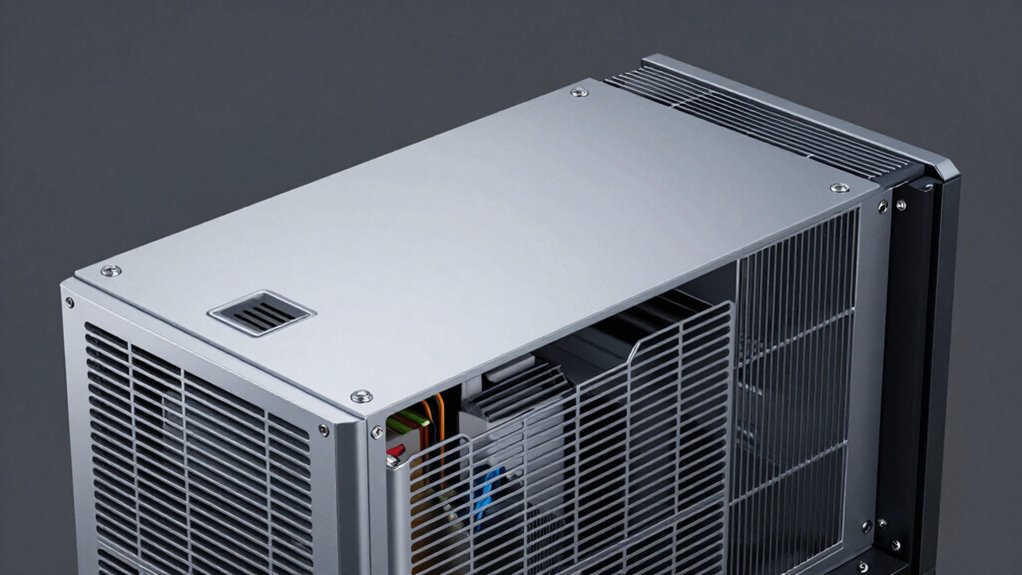

To improve ventilation in your projector cabinet, the one change that makes a real difference is adding an exhaust fan or vents to promote better airflow. This helps dissipate heat, prevent overheating, and keep internal components cool. Ensuring unobstructed airflow and using filters to block dust can also boost performance. Making this simple upgrade can extend your projector’s lifespan and maintain image quality—stay with us to discover all the key tips to optimize your setup.

Get your home office setup delivered free — and shop member deals
- Fast, free delivery on millions of items
- Access to Prime Big Deal Days deals on October 6–7
- Prime Video, Amazon Music and more included
Key Takeaways
- Install a dedicated exhaust fan to actively remove hot air and improve airflow within the cabinet.
- Ensure unobstructed passive vents for natural airflow and efficient heat dissipation.
- Use filters on vents to prevent dust buildup that hampers ventilation and causes overheating.
- Organize cabling neatly to avoid airflow blockages and promote better air circulation.
- Regularly clean and maintain ventilation components to sustain optimal cooling performance.
As an affiliate, we earn on qualifying purchases.
Why Good Ventilation Keeps Your Projector Running Smoothly

Proper ventilation is essential because projectors generate a significant amount of heat during operation. When heat builds up, it can cause overheating, which affects performance and longevity. By ensuring good airflow optimization, you help dissipate heat effectively, keeping the projector cool and functioning properly. Proper thermal management prevents components from overheating, reducing the risk of damage and unexpected shutdowns. Good ventilation allows fresh air to flow in and hot air to escape, maintaining a stable operating temperature. You’ll notice smoother operation, improved image quality, and a longer lifespan for your projector. Investing in effective ventilation isn’t just about comfort; it’s about protecting your equipment and ensuring it performs reliably over time. Proper airflow and thermal management are key to keeping your projector in top shape, especially since heat buildup can significantly impact its lifespan. Additionally, understanding the airflow dynamics within your cabinet can help optimize cooling efficiency. Ensuring proper ventilation design can make a noticeable difference in the overall performance and durability of your projector.
passive ventilation vents for projector
As an affiliate, we earn on qualifying purchases.
As an affiliate, we earn on qualifying purchases.
Signs Your Projector Cabinet Needs Better Airflow

If your projector cabinet isn’t getting enough airflow, you might notice several warning signs. One common indicator is fluctuations in color temperature, which can cause images to appear washed out or overly warm. You may also see color inconsistencies that suggest the projector is struggling to maintain accurate calibration. Over time, poor airflow can lead to increased heat buildup, affecting lens calibration and causing blurry or distorted images. If the projector’s fans are louder than usual or you detect a persistent musty odor, these are signs the ventilation isn’t sufficient. Ignoring these symptoms could accelerate wear and tear. Regularly check for these signs to guarantee your projector operates at its best and maintains consistent image quality. Ensuring proper air circulation can also help prevent unnecessary damage and extend the lifespan of your device. Proper ventilation systems are essential for maintaining optimal operating conditions and avoiding thermal stress. Additionally, incorporating adequate airflow measures can significantly improve the performance and durability of your projector. Maintaining adequate airflow management is crucial to preventing heat-related issues that can compromise image quality and device longevity. Proper airflow regulation can further optimize the cooling efficiency, especially in enclosed spaces.
dust filters for projector vents
As an affiliate, we earn on qualifying purchases.
As an affiliate, we earn on qualifying purchases.
How Overheating Can Damage Your Projector Over Time
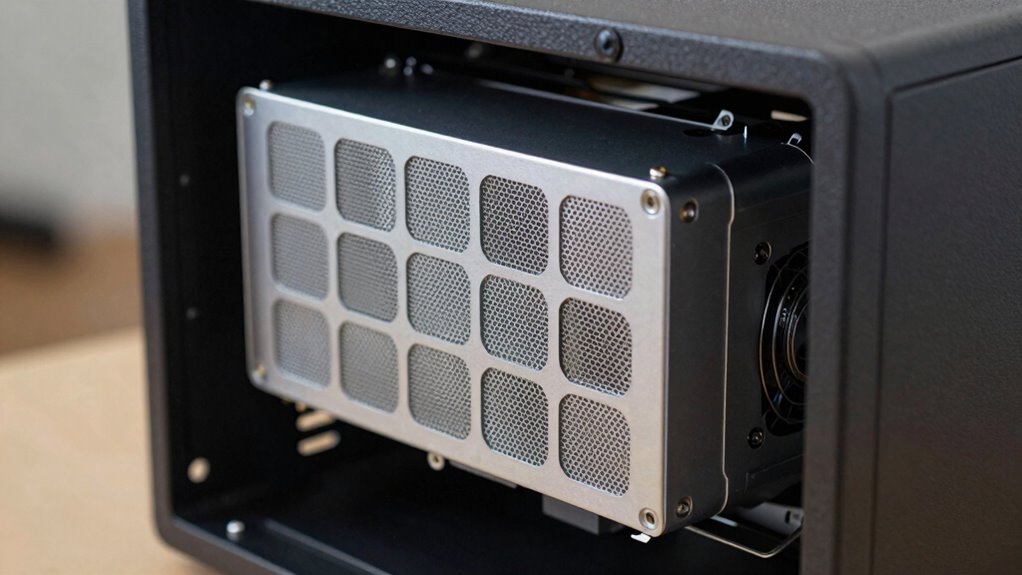
When your projector overheats, heat buildup can cause internal components to weaken or fail. Over time, this damage reduces your projector’s lifespan and leads to costly repairs or replacements. Proper ventilation is essential to keep it running smoothly and avoid these long-term issues.
Heat Buildup Causes Damage
Heat buildup inside a projector cabinet can cause serious damage over time, especially if it’s not properly ventilated. When air quality inside the cabinet is poor, heat isn’t effectively expelled, leading to higher temperatures. This excess heat accelerates wear on internal components, potentially causing them to fail prematurely. Without proper temperature regulation, the projector’s internal parts expand and contract unevenly, stressing delicate circuits and optics. Over time, this can result in reduced image quality, increased noise, or complete shutdowns. Ensuring good airflow and ventilation helps maintain a stable environment inside the cabinet, preventing heat from accumulating. Proper ventilation isn’t just about comfort; it’s essential for protecting your projector’s longevity and maintaining ideal performance. Additionally, inadequate ventilation can lead to heat-related damage, decreasing your projector’s lifespan significantly.
Overheating Shortens Lifespan
Overheating inside your projector cabinet doesn’t just cause immediate issues; it gradually shortens the lifespan of your device’s internal components. When airflow patterns are disrupted, heat builds up, stressing parts like the lamp and circuit boards. Temperature sensors help monitor these changes, alerting you to rising heat levels before damage occurs. Poor ventilation allows heat to linger, accelerating wear and tear over time. To illustrate, consider the table below:
| Effect of Overheating | Consequence |
|---|---|
| Disrupted airflow | Hot spots damage internal parts |
| No temperature sensors | Delayed overheating detection |
| Poor ventilation | Shortened projector lifespan |
| Adequate ventilation | Prolonged device longevity |
Keeping airflow optimized and sensors active prevents long-term damage, extending your projector’s life.
As an affiliate, we earn on qualifying purchases.
Simple Ways to Improve Air Circulation in Your Projector Cabinet

Improving air circulation in your projector cabinet is essential to prevent overheating and guarantee ideal performance. Good airflow not only protects your equipment but also offers aesthetic enhancement and space optimization. Here are three simple ways to boost circulation:
- Add passive vents or vents with filters to increase airflow without cluttering your cabinet.
- Rearrange equipment to ensure unobstructed airflow paths, reducing hotspots.
- Use cable management solutions to keep cords organized, encouraging better air movement and a cleaner look.
- Incorporate ventilation technology such as small exhaust fans or airflow guides to further enhance air exchange within the cabinet. Understanding the importance of media insights can help you make informed decisions about your setup and ventilation needs.
These small adjustments make a big difference, keeping your projector cool while enhancing your space’s overall look. Better ventilation also means longer equipment life, saving you money and effort over time.
How to Choose the Best Ventilation Fans for Your Projector
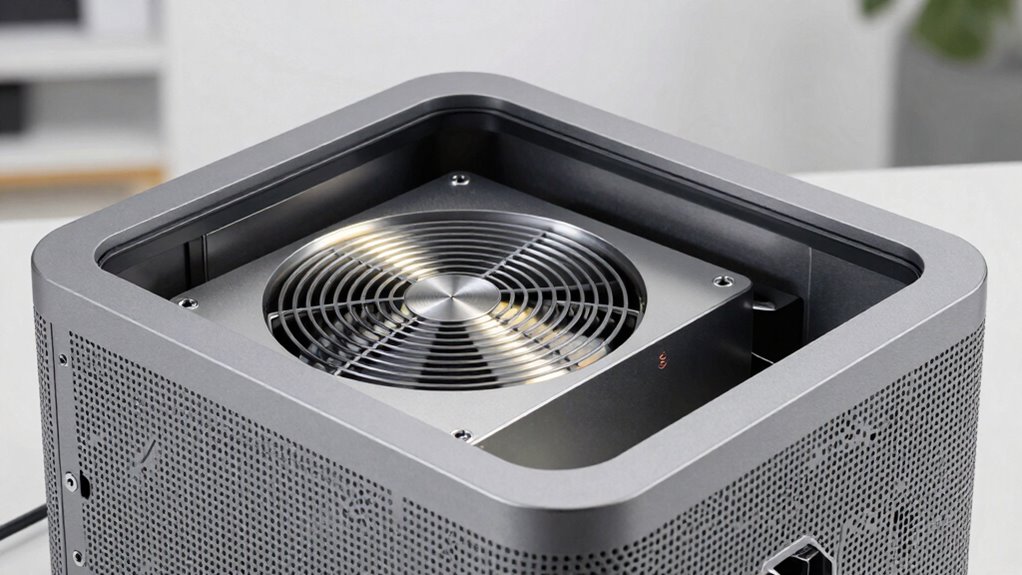
When selecting ventilation fans for your projector cabinet, you need to evaluate the airflow capacity to guarantee it cools effectively without overworking the fan. Noise levels matter too, especially if you want a quiet environment, so look for fans designed for minimal sound. Don’t forget to check power compatibility to make sure the fan matches your setup’s voltage and wiring requirements.
Airflow Capacity Requirements
Choosing the right ventilation fan for your projector cabinet depends largely on its airflow capacity requirements. To determine this, you need to take into account your cabinet’s size, heat output, and airflow design. Proper airflow ensures heat is effectively removed without over-ventilating, which can waste energy. Refer to ventilation standards relevant to electronic equipment, and select fans that match these guidelines. Here are key points to consider:
- Calculate the volume of your cabinet to estimate necessary cubic feet per minute (CFM).
- Ensure the fan’s airflow capacity aligns with your heat generation and ventilation standards.
- Choose a fan with adjustable speed options for better control over airflow capacity, adapting to changing conditions.
Matching these factors guarantees ideal cooling performance and prolongs your projector’s lifespan.
Noise Level Considerations
Even though ventilation fans are essential for managing heat in your projector cabinet, their noise levels can considerably impact your viewing experience. To minimize disruption, choose fans with low noise ratings and focus on sound insulation and vibration control. Proper sound insulation reduces the transmission of fan noise, creating a quieter environment. Vibration control prevents fan vibrations from amplifying noise and transferring to the cabinet structure. Here’s a quick guide:
| Fan Type | Noise Level | Vibration Control |
|---|---|---|
| Brushless DC | Low | Yes |
| Axial Fans | Moderate | Limited |
| Centrifugal | Quiet | Yes |
| Inline Fans | Low | Yes |
| Squirrel Cage | Moderate | Limited |
Choosing the right fans with good sound insulation and vibration control enhances your viewing comfort.
Power Compatibility Factors
Selecting the right ventilation fan for your projector cabinet requires careful attention to power compatibility to guarantee safe and reliable operation. You need to verify your fan’s power adapters match your setup and that voltage compatibility is maintained. Mismatched power supplies can cause overheating or damage. To choose wisely:
- Check the fan’s voltage rating and compare it with your power source.
- Verify that the power adapter’s connector matches your fan’s input port.
- Confirm the maximum current draw of the fan doesn’t exceed your power supply’s capacity.
- Consider electrical safety standards to ensure your setup adheres to best practices and reduces risk.
- Ensuring proper wiring is essential to prevent short circuits and electrical failures. Additionally, understanding power compatibility factors helps you select the most suitable ventilation fans for your setup.
Proper attention to these factors prevents electrical issues and ensures your ventilation system functions smoothly. Matching power adapters and maintaining voltage compatibility are vital steps for a safe, effective, and durable solution.
DIY Tips for Installing Effective Ventilation Solutions

To guarantee your projector cabinet stays cool and functions properly, you need to install effective ventilation solutions. Start by choosing suitable ventilation materials, like small fans, vents, or passive intake and exhaust vents. For DIY installation, measure your cabinet carefully to determine the best locations for airflow. Drill holes for vents or fan mounts, ensuring they’re secure and sealed to prevent dust infiltration. When installing fans, connect them to a power source and test their operation before sealing everything up. Keep wiring organized and away from heat sources. Use weatherproof or heat-resistant materials if needed. Proper placement and secure installation are key to ensuring consistent airflow, helping your projector stay cool without risking damage from overheating.
Best Practices for Maintaining Proper Airflow in Your Setup
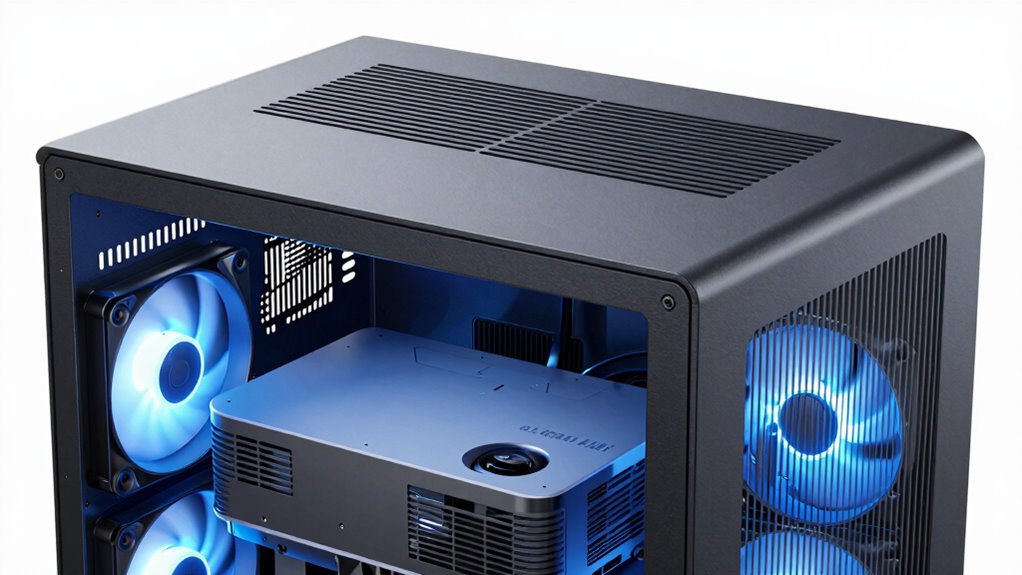
Maintaining proper airflow in your projector cabinet setup requires regular attention and proactive adjustments. To keep your system running smoothly, focus on these best practices:
- Regularly check and adjust your mounting options to guarantee vents aren’t blocked and airflow is unobstructed.
- Monitor your projector’s color calibration, as overheating can affect image quality and color accuracy.
- Clean filters and vents routinely to prevent dust buildup, which can hinder airflow and cause overheating.
- Consider integrating home improvement gadgets designed to optimize ventilation and ensure consistent airflow in your setup.
Passive vs. Active Ventilation: Which Is Better for Your Projector?

When choosing between passive and active ventilation, you’ll want to think about efficiency and power use, as active systems often consume more energy. Noise levels and ongoing maintenance are also key factors, since active fans can be louder and require regular upkeep. Understanding these points helps you decide which system best protects your projector without adding unnecessary hassle.
Efficiency and Power Usage
Are passive and active ventilation methods equally efficient when it comes to power consumption? Not quite. Passive systems typically use no electricity, relying on natural airflow to cool your projector, which reduces energy consumption and improves cooling efficiency. Active systems, on the other hand, employ fans or blowers that consume power but can offer better airflow control.
Consider these points:
- Passive ventilation minimizes energy use but may struggle in stagnant air conditions.
- Active systems provide consistent cooling but increase power consumption.
- The choice impacts overall energy efficiency and operational costs.
Your decision depends on balancing energy consumption with effective cooling. Passive setups save power but may need supplementary measures, while active systems deliver reliable cooling at a higher energy cost.
Noise and Maintenance
Have you considered how noise levels and maintenance needs differ between passive and active ventilation systems for your projector cabinet? Passive systems are quieter, often benefiting from soundproofing techniques that reduce sound transmission, making them ideal for aesthetic design that prioritizes a sleek look. They require minimal maintenance since they have no moving parts, but their airflow can be limited in high-heat environments. Active ventilation, on the other hand, uses fans that generate noise, which may necessitate additional soundproofing to prevent disturbance. While active systems need regular filter cleaning and occasional repairs, they offer better airflow control, especially for powerful projectors. Your choice depends on balancing noise sensitivity, maintenance willingness, and your aesthetic preferences.
Troubleshooting Common Ventilation Problems
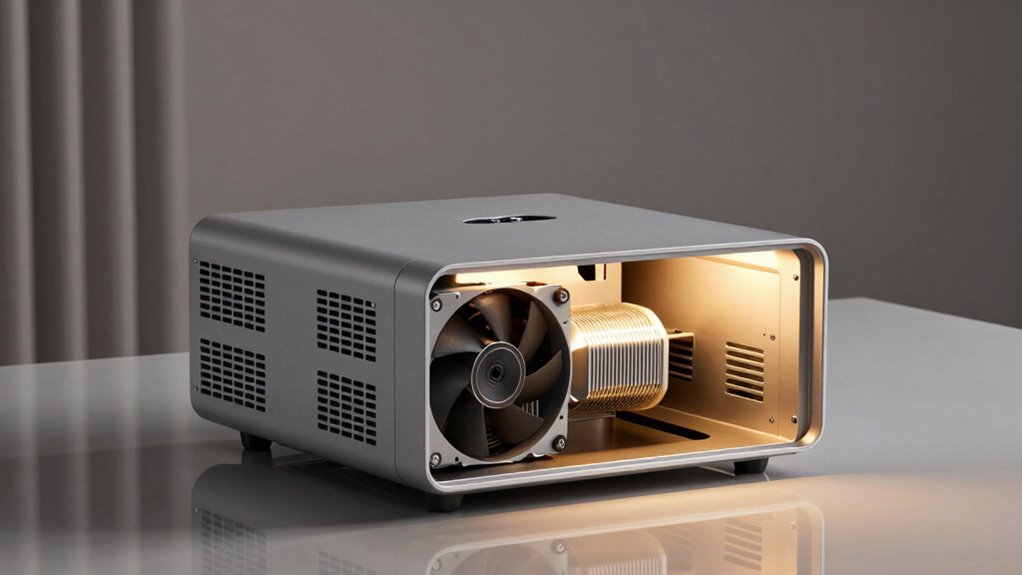
Despite careful planning, ventilation issues in projector cabinets can still arise, leading to overheating and potential damage to your equipment. Common problems include blocked airflow, inadequate fan capacity, and poor cabinet placement. To troubleshoot:
- Check for obstructions that restrict airflow, ensuring vents are clear and unobstructed.
- Verify that fans are functioning properly and providing sufficient airflow for your projector’s heat output.
- Confirm the cabinet’s placement isn’t obstructing ventilation, and that ambient temperature doesn’t impact cooling.
- Regularly monitor your projector’s temperature and family lifestyle to identify early signs of overheating.
- Consider incorporating proper ventilation design techniques to enhance airflow and prevent future issues.
- Additionally, assessing ventilation system efficiency can help identify underlying problems that may not be immediately apparent. Proper maintenance and system performance checks are essential to ensure optimal operation.
- Incorporating airflow optimization strategies can further improve the effectiveness of your ventilation system and reduce the risk of overheating.
Poor ventilation can also affect color temperature, causing inconsistent image quality, and complicate lens calibration, which relies on stable operating conditions. Addressing these issues guarantees your projector runs efficiently, maintains proper image settings, and prevents overheating.
How Improving Ventilation Can Extend Your Projector’s Lifespan and Enhance Image Quality

Improving ventilation in your projector cabinet directly contributes to a longer lifespan for your equipment and better image quality. Proper air filtration removes dust and debris that can clog vents and damage internal components, reducing overheating risks. Humidity control is equally important, as excessive moisture can cause corrosion and electrical issues, while low humidity prevents mold growth. By ensuring good airflow, you prevent your projector from overheating, which can degrade image clarity and cause premature failure. Effective ventilation also maintains consistent temperature levels, allowing your projector to operate efficiently. Additionally, understanding ventilation and airflow principles helps optimize your cabinet setup for maximum performance. Ensuring proper air circulation can significantly improve the overall environment inside your cabinet, preventing heat buildup and prolonging your equipment’s life. This simple change *considerably* boosts your equipment’s performance and durability.
Frequently Asked Questions
Can Poor Ventilation Affect a Projector’s Color Accuracy?
Poor ventilation can definitely affect your projector’s color accuracy. When ventilation is inadequate, projection heat builds up, which can cause the internal components to overheat and distort color output. Dust accumulation worsens this problem by blocking airflow and trapping heat. Over time, these issues can lead to less vibrant images and inaccurate colors, making proper ventilation essential for maintaining best projector performance and ensuring accurate color projection.
How Often Should I Clean Ventilation Fans and Filters?
You should clean your ventilation fans and filters at least once every three to six months. Regular air filter maintenance prevents dust buildup and promotes proper airflow, which in turn reduces fan noise considerations. Keep the cabinet cool and clean by consistently checking and cleaning filters and fans, ensuring your projector performs at its best. Staying proactive with maintenance guarantees clear visuals and quieter operation, making your viewing experience smoother and more satisfying.
Are There Specific Ventilation Requirements for Different Projector Models?
Yes, different projector models have specific ventilation needs. You should check each model’s airflow enhancement and ventilation design recommendations, usually found in the user manual. Some projectors generate more heat and require improved airflow, while others need minimal ventilation. Tailoring your ventilation system to these specifications guarantees ideal cooling, prevents overheating, and extends your projector’s lifespan. Always follow manufacturer guidelines for the best performance.
What Are the Risks of Installing Too Many Ventilation Fans?
Installing too many ventilation fans can lead to increased fan noise and higher power consumption, which might distract you during presentations or viewing. Excess fans can also cause airflow imbalances, leading to inefficient cooling and potential overheating of your projector. Additionally, the added energy use raises operational costs. To avoid these risks, carefully balance the number of fans, ensuring sufficient airflow without excessive noise or power drain.
Can External Environmental Factors Influence Ventilation Effectiveness?
Yes, external environmental factors can influence ventilation effectiveness. You might notice changes in airflow patterns caused by outdoor wind or temperature fluctuations, which can disrupt your cabinet’s airflow. Humidity and moisture levels outside also impact moisture control, risking condensation inside your cabinet. To maintain ideal ventilation, guarantee your system adapts to these external factors, promoting consistent airflow and preventing moisture buildup that could damage your projector equipment.
Conclusion
By improving your projector cabinet’s ventilation, you’re giving your device the breath it needs to thrive. Think of it as opening a window to let fresh air in—suddenly, everything runs smoother and brighter. Don’t let overheating be the villain in your setup story. With better airflow, you’ll enjoy clearer images, longer lifespan, and fewer headaches. It’s a small change that can turn your projector into the star of your home theater or office.
Fall Picks
fall essentials
As an affiliate, we earn on qualifying purchases.