TL;DR

Get business pricing on your home office setup
- Business-only prices and quantity discounts
- Tax-exempt purchasing
- Multiple users, one account, clear invoices
Home theater projectors can create a far larger image than most TVs, but the result depends on brightness, contrast, screen size, room lighting, and placement as much as resolution. Before you buy, measure your throw distance, choose a screen that fits your room, and compare tested performance and gaming features instead of relying on a 4K or lumen label alone.
A projector can turn a blank wall into a 120-inch movie screen, but that same image can look rich and cinematic at night and pale as dishwater with the curtains open. Your room is part of the projector, whether you planned for it or not.
This guide explains how to match brightness, resolution, screen, and placement to the space you have. You’ll also learn what 4K labels mean, when an ultra-short-throw model makes sense, and which details matter for sports, games, and everyday streaming.
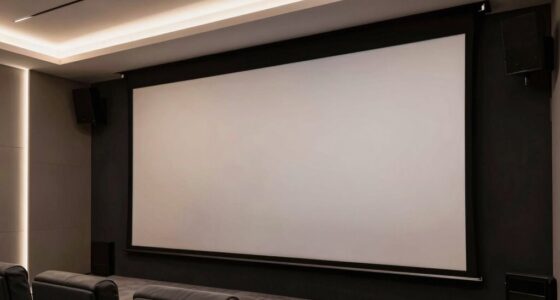
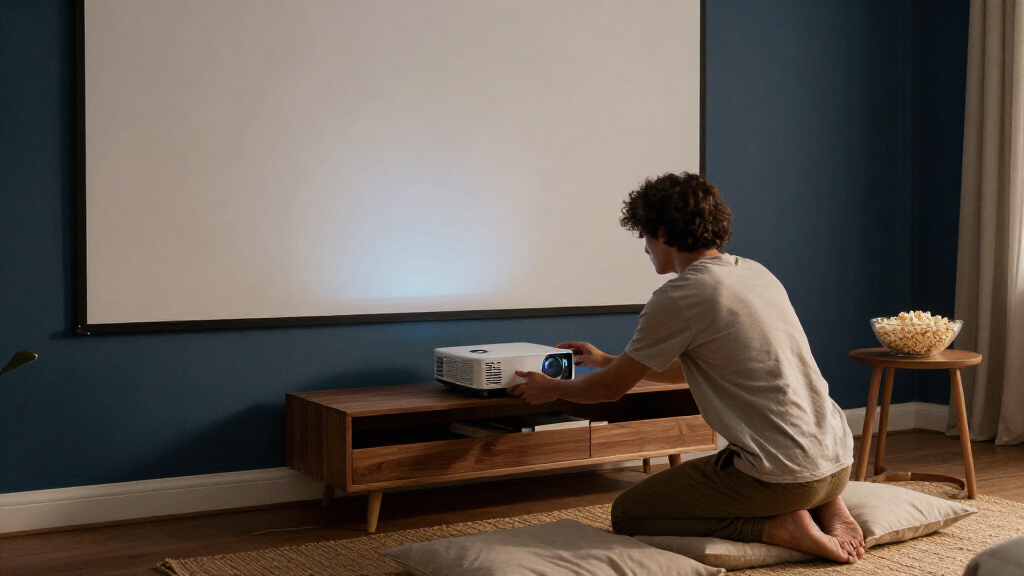
Think of a home theater as a small team: the projector makes the image, but the screen, light control, sound, and installation help it perform. Get those pieces working together and movie night feels different. The picture fills your view, the room dims, and even an ordinary living room takes on a little theater hush.
Match brightness to both your room lighting and screen size; a larger image spreads the same light over more area.
Check whether a 4K projector uses a native chip or pixel shifting, then compare contrast and real-world measurements too.
Measure throw distance and projector placement before buying; optical lens shift generally preserves detail better than digital keystone correction.
Control room light and choose a screen that suits the surface and viewing conditions, especially for ultra-short-throw models.
Check input lag in the gaming mode you plan to use, and decide in advance how you will route sound.
Choose a projector by matching it to your room
A home theater projector is a video device that shines an image onto a screen, often at a much larger size than a television can provide. It works best when you match its light output, contrast, and placement to the room. For a dark basement and a 100-inch screen, you may value deep blacks and quiet operation; a bright living room calls for stronger light control and often more brightness.
Image quality depends on more than resolution. The lens, image processing, contrast, screen material, viewing distance, and light bouncing off your walls all shape what you see. A detailed image can still look flat if daylight washes out the dark scenes, much like a charcoal drawing held under a bright lamp.
Consider a family that watches films in a windowless room at night. They can close the door, dim the lights, and enjoy a projector with moderate brightness. A household that watches cartoons and afternoon football in a sunny lounge faces a different tradeoff: closing curtains may help, but a television is usually easier to see in daylight.
Start with the room and screen you can support. A projector should fit your viewing habits, not just your wish list.
Home theater projectors range from compact models with smart apps to dedicated cinema units with advanced optics. That variety makes it tempting to shop by headline features. Instead, jot down when you watch, how much light you can control, how large an image you want, and where the projector could sit. Those four answers narrow the field quickly.
Popular right now

Samsung 65-Inch QN70FA Neo QLED 4K Smart TV with 8-Foot WireLogic Ruby Ultra High Speed HDMI Cable (2025)

Vitamix 64 oz Low-Profile Blender Container with SELF-DETECT, BPA-Free

De'Longhi Classic Signature Espresso Machine with Adjustable Milk Frother
As an affiliate, we earn on qualifying purchases.
Compare 4K and brightness without getting fooled by labels
For a projector, 4K describes the image detail a model can display, while brightness describes how much light it puts on the screen. Neither label alone predicts how good the picture will look in your room. Before comparing models, check whether 4K comes from a native 4K imaging chip or pixel shifting, and look for brightness measurements made under comparable conditions.
Pixel-shifted 4K moves or combines pixels from a lower-resolution chip to create a detailed image. Native 4K uses an imaging chip with a higher native pixel count. A pixel-shifted model can look impressively sharp for less money; at a typical sofa distance, many viewers may care more about contrast and room lighting than the hardware distinction.
Lumen figures need context. Manufacturers may state brightness using different methods, and the same model looks dimmer on a larger screen. Imagine projecting a flashlight beam onto a notebook, then spreading it across a garage door: the larger surface receives less light per area. A 120-inch screen in a dark room may look satisfying, while a 150-inch image from that same projector could feel washed out.
| What you’re comparing | What to check | Why it matters |
|---|---|---|
| 4K label | Native or pixel-shifted | Explains how the projector creates fine detail |
| Brightness | Measurement method and test conditions | Helps you compare light output fairly |
| Screen size | Brightness at your intended size | A bigger image spreads the available light |
| HDR support | Tone mapping and measured performance | An HDR logo alone cannot promise bright highlights |
According to the supplied product guidance, projectors have lower peak brightness than many modern televisions, which makes HDR tone mapping and room conditions especially important. Treat “supports HDR” as a compatibility claim, then look for independent measurements and reviews that describe the test setup. Resolution is one clue, not the whole picture.
Get screen size and throw distance right before buying
Screen size and throw distance tell you whether a projector can create the image you want from the place you plan to install it. Throw ratio describes the distance from the projector lens to the screen compared with the image width. Check a model’s throw range against your room dimensions before you order; a projector that cannot reach your screen size from your shelf will not be rescued by a higher resolution.
Measure the actual room, including the space behind a ceiling mount or shelf and the depth of the projector itself. Suppose your screen is 100 inches wide and your available lens-to-screen distance is 10 feet. A throw ratio near 1.2 would need roughly 10 feet for that width, but the exact fit depends on the model’s zoom range and installation position. Check the manufacturer’s calculator or manual for that specific unit.
Optical lens shift moves the image without digitally reshaping it, which usually preserves image detail better than keystone correction. Keystone correction can help when you cannot place the projector squarely, but it digitally alters the image and may reduce usable detail. If your ceiling mount sits off-center, lens shift can save you from a crooked, softened picture.
- Measure your viewing distance, screen width, and possible projector locations.
- Check throw ratio and zoom to confirm the image fits from that location.
- Confirm lens shift, mounting, and connections before choosing a model.
- Test the image size and focus before drilling or fixing a permanent mount.
A quick paper plan can prevent a costly return. Mark the lens position, screen edges, and cable path with painter’s tape. If you have to route power or install a ceiling mount, follow local building and electrical requirements; use a licensed professional for electrical or structural work, and keep power off during permitted installation tasks.
Pick a screen and light plan that protect contrast
A projector screen gives the image a consistent surface, and room light determines how much contrast you can see. A plain, smooth, neutral-colored wall can work for casual viewing, but its texture, color, and flatness affect the result. A proper screen often produces a more even picture, and some specialized screens can help in rooms where you cannot darken every window.
Ambient light washes out contrast. Brightness helps, but it cannot fully defeat sunlight spilling across the screen or bouncing off pale walls. Picture a dark film scene with a black jacket: in a controlled room, the fabric looks deep and textured; with lamps reflecting from the wall, it can turn gray. Closing curtains, dimming lamps, and choosing a screen suited to your room can all improve the image.
An ambient-light-rejecting screen may be useful when a living room has unavoidable side light, but it does not make a projector immune to daylight. Screen gain, material, viewing angle, and projector alignment all matter. For ultra-short-throw models, a suitable flat screen is especially helpful because the steep projection angle can reveal small wall bumps and waves. A slight ripple that seems invisible in normal light can make a bright menu line look bent.
Try a low-cost reality check before buying: darken the room at the times you expect to watch, then inspect the wall from each seat. If a bright window throws a clear rectangle across your intended screen area, plan for a curtain or consider whether a TV better suits daytime viewing. The screen and room are part of the system. They can matter as much as the projector itself.
- Dark room: prioritize contrast and a screen that suits your viewing distance.
- Room with windows: plan light control first, then compare brightness and suitable screen materials.
- Casual setup: a smooth wall may work, but check its color and texture in the room’s usual lighting.
Choose the right light source, audio, and gaming features
The light source affects maintenance, while the projector’s connections and processing affect how you use it. Traditional lamps eventually need replacement; laser and LED sources are generally rated for many more operating hours and often start up quickly. A quoted lifetime still depends on the model, usage, and operating mode, and brightness can decline over time.
Laser is convenient, but it does not guarantee a better picture. Optics, contrast, and processing still matter. If you watch one film a week, lamp replacement may feel distant; if you run the projector for long sports weekends or daily streaming, a long-life light source may be more appealing. Compare the maker’s lamp or light-source rating with replacement costs and the hours you expect to use it.
For gaming, check input lag at the resolution and refresh rate you actually plan to use. A model may advertise a high refresh rate but respond differently when certain image-processing features are active. If you play a fast game, look for measured input lag in the relevant mode and confirm the projector supports the HDMI features your console needs.
Plan sound before you mount the projector. Built-in speakers can handle a quick show, but a soundbar or surround receiver usually gives dialogue more presence and action more weight. One common setup sends video to the projector and routes audio separately to a receiver; check connection locations and cable runs first, especially if the projector sits behind your sofa. Smart apps and built-in speakers offer convenience, but an external streaming device or audio system may serve you better over time.
Make the final choice with a short room-first checklist
The best projector for your home is the model that fits your room, screen, and everyday routine. Before purchasing, confirm the installation distance, screen size, light conditions, and connections. These checks catch practical problems that a glossy 4K badge cannot: the projector may sit too close, the image may be dim at your chosen size, or the nearest power outlet may be on the wrong side of the room.
Imagine you want a 120-inch screen for weekend films, but you also watch the news at lunch. You might choose a projector for evening cinema and accept that daytime contrast will be limited, or keep a television for bright-room use. There is no universal winner. A projector can make the film feel enormous; a TV usually handles daylight with less effort.
Write down your priorities in order. A movie enthusiast might put black levels first, then lens shift and quiet operation. A family that watches games and streams all afternoon could put brightness, ease of setup, and connection flexibility higher. Independent measurements are especially useful when they state screen size, image mode, and room conditions, because projector specifications are easiest to interpret with their test context.
- Room: Can you control windows and lights during viewing?
- Screen: What size and surface suit your seats and available brightness?
- Placement: Does throw distance, zoom, and lens shift work in your layout?
- Picture: What resolution method, contrast performance, and HDR handling do reviews report?
- Use: Are input lag, refresh rate, sound, streaming, and maintenance right for you?
Check the return policy as well. A projector can look different in your home than it did in a showroom, and a few evenings of real viewing will tell you whether the screen feels comfortable and the brightness suits your room. What matters most is the complete setup, not the longest feature list.
Frequently Asked Questions
Is a projector better than a large TV for a home theater?
A projector can give you a much larger image, especially in a dark room. A television is usually brighter in daylight and simpler to install. Choose based on your screen-size goal, room lighting, budget, and tolerance for setup.
How many lumens do I need for a home theater projector?
It depends on screen size, screen gain, and ambient light. A smaller screen in a dark room needs less light than a large screen in a bright lounge. Compare brightness figures only when their measurement methods and test conditions are clear.
Do I need a native 4K projector?
No. Pixel-shifted 4K models can produce detailed images and may cost less. Native 4K can suit viewers seeking maximum fine detail, but screen size, viewing distance, content, and contrast affect how noticeable the difference is.
Can I use a projector in a bright room?
Yes, though daylight and room light can wash out contrast. Closing curtains, choosing a suitable screen, and using a brighter projector can help, but they cannot remove every effect of ambient light. For regular daytime viewing, a television may be more practical.
What is the difference between standard-throw and ultra-short-throw projectors?
A standard-throw projector sits farther from the screen, often on a shelf or ceiling mount. An ultra-short-throw projector sits very close to the display surface, but it still needs precise alignment and a flat, suitable screen or wall.
Can a projector work well for gaming?
Yes. Check input lag at your intended resolution and refresh rate, along with supported HDMI features and the performance of the gaming mode. A high refresh-rate claim does not guarantee low lag in every mode.
Conclusion
Choose your projector by starting with the room, screen, and distance you actually have. Then compare brightness, contrast, resolution method, and the features you will use; a bigger image only feels cinematic when it stays clear and comfortable to watch.
Measure first, manage the light, and plan your sound. When the lamps dim and the screen glows wall to wall, the right setup makes your living room feel like it has quietly grown a front row.