One common mistake is misjudging the projector’s throw distance, which makes the image feel off or stretched. If you place it too close, the picture will be too small; too far, and it might be oversized or distorted. To get it right, use the projector’s throw ratio and measure carefully before installing. This way, your setup looks professional and displays a crisp, properly scaled image. Keep going to discover how to perfect your projector placement.
Key Takeaways
- Incorrectly calculating or ignoring the projector’s throw ratio leads to improperly sized images, causing distortion or gaps.
- Placing the projector too close or too far from the screen results in images that are too small, stretched, or blurry.
- Failing to measure and match the desired screen size with the projector’s throw ratio causes setup frustration.
- Not considering room dimensions and furniture placement can make the projection feel awkward or unbalanced.
- Overlooking proper distance calculations reduces image quality and detracts from a professional, neat setup at home.
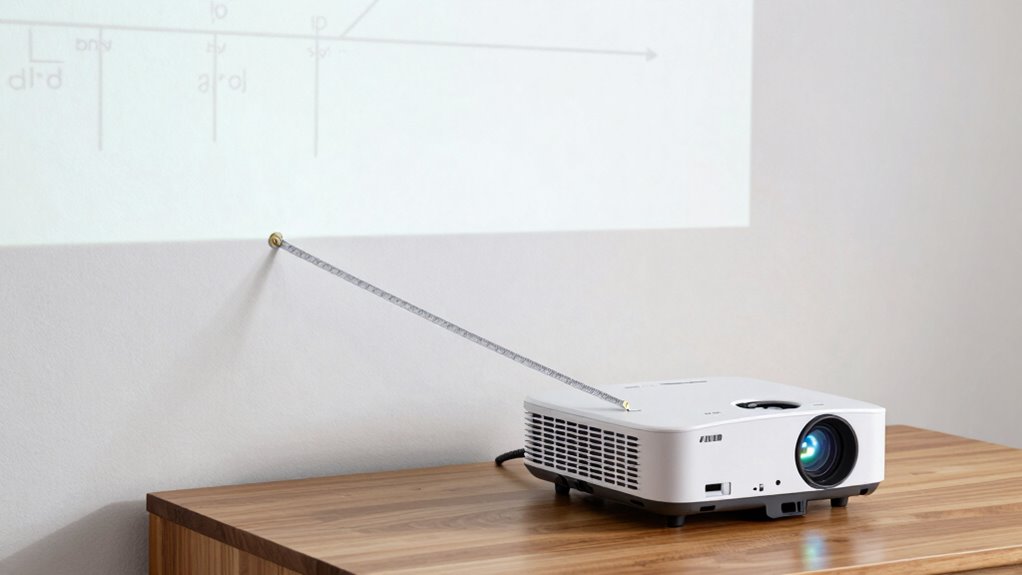
Understanding projector throw distance is essential for setting up your home or office theater correctly. When you’re trying to achieve the perfect display, knowing how far your projector should be from the screen is crucial. If you get this measurement wrong, your screen size won’t match your expectations, and the picture quality could suffer. The key lies in understanding the relationship between projector placement and screen size. The closer you place the projector to the screen, the smaller the image, and vice versa. If you’re not precise, you might find yourself with an image that feels either cramped or impossibly stretched out, making the setup feel awkward or unprofessional.
Proper projector placement ensures a perfectly scaled display and professional-looking setup.
Many people make the mistake of assuming that a projector’s distance from the screen is just a matter of eyeballing it or following vague guidelines. But this approach often leads to frustration because it ignores the specific throw ratio of your projector. The throw ratio is a critical factor that determines how wide an image your projector will produce at a certain distance. For example, a projector with a 1.5:1 throw ratio will produce a 100-inch image when placed about 12.5 feet away. If you ignore this and just place it somewhere in the room, you risk ending up with an image that’s either too small or too large for your wall space.
To avoid this mistake, you need to calculate your ideal projector placement based on your desired screen size. First, decide on the size of the screen you want. Once you know that, check your projector’s throw ratio and use it to determine the correct distance. This way, your projector will be at the right spot to fill your chosen screen size without distortion or gaps. It’s also important to account for room dimensions and furniture placement, which can impact where you can realistically position the projector. Additionally, understanding the throw ratio helps you plan a more efficient setup, saving time and avoiding unnecessary adjustments. Knowing the projector specifications is equally important to ensure compatibility with your space and needs. It’s a good idea to measure carefully before buying or installing your projector.
Getting the projector placement right isn’t just about avoiding a bad picture; it also ensures your setup looks neat and functions smoothly. When you take the time to understand the math behind throw distance, you’ll enjoy a crisp, properly scaled image that makes your movies or presentations truly come alive. So don’t guess or rely on defaults—calculate, measure, and place your projector precisely for the best viewing experience.
projector throw distance calculator
As an affiliate, we earn on qualifying purchases.
As an affiliate, we earn on qualifying purchases.
Frequently Asked Questions
How Do Ambient Light Conditions Affect Projector Throw Distance?
Ambient lighting greatly influences your projector’s throw distance. Bright rooms require you to position the projector closer to maintain a clear, sharp image, while darker spaces let you place it farther away. Keep in mind, ambient light can wash out colors, so proper color calibration becomes crucial to guarantee vibrant visuals. Adjust your projector’s placement accordingly, considering ambient lighting, to attain the best image quality without compromising throw distance accuracy.
What Is the Ideal Projector Placement for Small Rooms?
A stitch in time saves nine, so start with correct screen placement and projector calibration. For small rooms, position your projector close to the screen, ideally within 6 to 8 feet, to avoid distortion and maintain brightness. Make certain the projector is centered and aligned, minimizing the throw distance. This setup prevents the image from feeling off and maximizes your viewing experience, making your small space feel just right.
Can Ceiling Height Impact Throw Distance Calculations?
Yes, ceiling height can impact throw distance calculations because it influences how high you mount the projector and the overall room aesthetics. A higher ceiling may require adjustments in throw distance to guarantee the image fits your screen properly. Conversely, a lower ceiling might limit placement options, affecting both the visual setup and the room’s appearance. Always consider your ceiling height to optimize projector positioning for a balanced look.
How Does Screen Size Influence Optimal Throw Distance?
Think of your screen size as the canvas that shapes your viewing experience. Larger screens demand a longer throw distance, ensuring the image remains sharp and undistorted. The zoom ratio helps you adjust the projector’s lens to fine-tune this distance, maintaining image quality. So, as your screen size grows, you’ll need to increase your throw distance accordingly, using the zoom ratio to keep that perfect, immersive picture.
Are There Differences in Throw Distance for Different Projector Brands?
Yes, throw distance varies between different projector brands because of projection angles and lens variations. You’ll notice some brands have wider or narrower throw ratios, affecting how far back you need to place the projector for a specific screen size. Always check each brand’s specifications, especially lens options and projection angles, to guarantee your setup aligns with your room’s dimensions. This helps avoid distortion or image size issues.
As an affiliate, we earn on qualifying purchases.
Conclusion
Remember, mastering the math means more than just measurements; it’s about making your movie moments magnificent. Don’t let distorted distances dampen your delight—double-check your calculations, and design your space with precision. When you get the throw distance right, you’ll enjoy a perfectly positioned projection, turning your home into a haven of happiness. So, stay savvy with your specs, and let your setup smoothly shine, transforming your space into a spectacular cinema sanctuary.
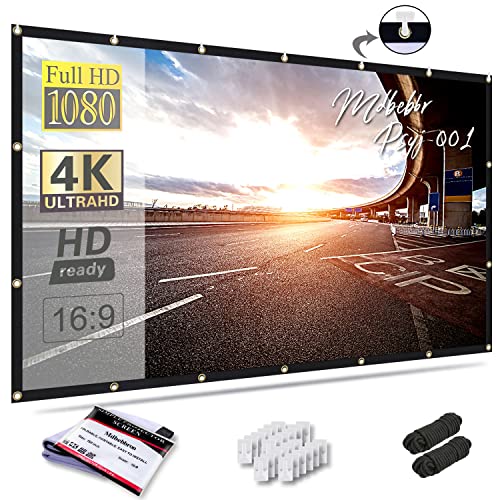
Mdbebbron 120 inch Projector Screen 16:9 Foldable Anti-Crease Portable Projector Movies Screens for Home Theater Outdoor Indoor Support Double Sided Projection
- Portable and Lightweight: Foldable design for easy transport
- Versatile Usage: Suitable for home, office, and outdoor
- Anti-Crease Material: Made of smooth, wrinkle-resistant polyester
As an affiliate, we earn on qualifying purchases.
As an affiliate, we earn on qualifying purchases.

ViewSonic PS502W 4000 Lumens WXGA Short Throw Projector, High Brightness for Business and Education, Easy Widescreen Setup, Dual HDMI, and USB-A Connectivity Inputs
- Short Throw DLP Lamp Projector: WXGA (1280x800p) resolution with a…
- Vibrant Colors: SuperColor technology delivers a wide…
- Large Screen Projection: Projects screen sizes from 80"…
As an affiliate, we earn on qualifying purchases.
As an affiliate, we earn on qualifying purchases.