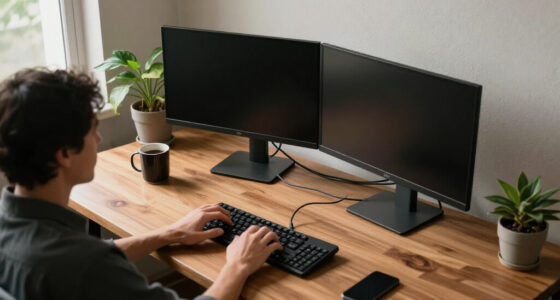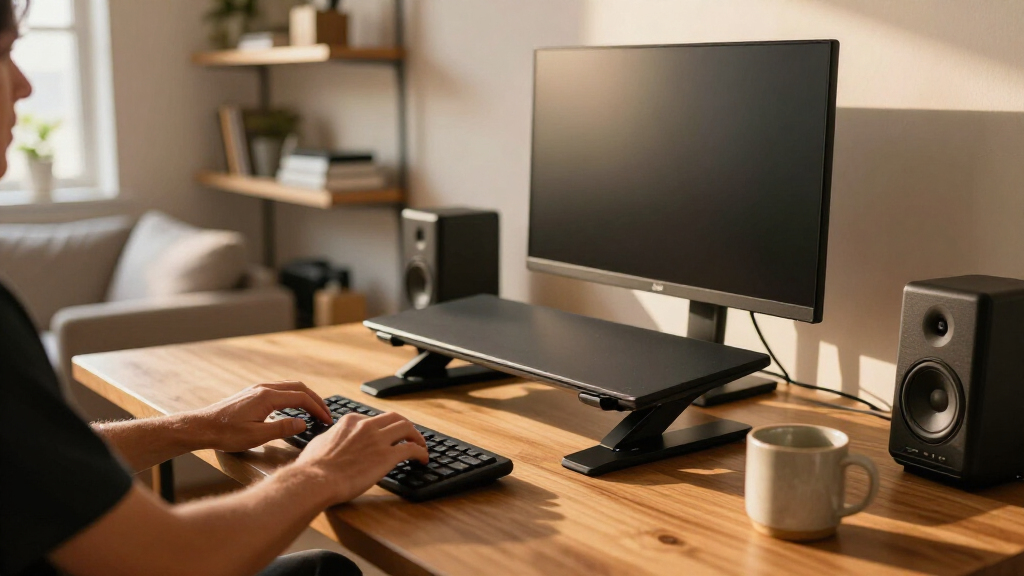
Ergonomic standing desk converters sit on top of your existing desk and lift your monitor and keyboard to a healthy standing height, without the cost or commitment of replacing the whole desk. After comparing 15 leading models, the FLEXISPOT 36-Inch Electric Standing Desk Converter stands out as the best overall pick for its effortless motorized lift and generous two-monitor work surface, while the VIVO 32-Inch Height-Adjustable Converter is the smarter buy if you want proven manual performance at a lower cost, and the VERSADESK PowerPro 36 is the power-user choice for push-button height memory. The main tradeoffs in this category come down to manual spring lift versus electric motors, keyboard tray depth (which determines real ergonomic wrist comfort), and whether a wide 36-inch platform or a compact 24-inch footprint fits your space. Cheaper converters often wobble at full extension or force your wrists into an angled position, so build quality matters more than the listed height range. Keep reading for the full breakdown of all 15 models and which one fits your desk, budget, and body.

Get business pricing on your home office setup
- Business-only prices and quantity discounts
- Tax-exempt purchasing
- Multiple users, one account, clear invoices
Complete the kit



Key Takeaways
- Electric models like the FLEXISPOT 36 and VERSADESK PowerPro dominated the top of the ranking because push-button lifting removes the main excuse for not standing — but they cost and weigh considerably more than manual spring-lift rivals.
- Keyboard tray depth was the biggest differentiator among the manual risers: shallow trays on budget 23.6-inch models force hunched shoulders, while the VIVO DESK-V000V and JOY Worker 35 keep your forearms level at standing height.
- The 32-inch format (VIVO, Mount-It!, JOY Worker 32) hit the sweet spot for single-monitor users — enough surface for a laptop plus monitor, without the 36-inch models’ weight and desk-depth demands.
- Compact converters under 25 inches, like the Decoholic 24 and the generic 23.6-inch risers, work well only for laptop users or single small monitors; pairing them with a large display creates neck strain.
- Dual-handle spring designs (TechOrbits 36, KYDEVO 31.5) proved smoother and safer to raise one-handed than single-lever models, which can jerk upward if you don’t load both sides evenly.
| VIVO 32-Inch Height-Adjustable Standing Desk Converter |  | Best Overall | Top surface: 31.5 x 15.7 inches | Keyboard tray: 31.3 x 11.8 inches | Height adjustment range: 4.5 to 20 inches | VIEW LATEST PRICE | See Our Full Breakdown |
| Decoholic 24-inch Height Adjustable Standing Desk Converter (Black) |  | Best Budget Pick | Surface dimensions: 23.6 x 13.4 inches | Adjustment levels: 6 gears | Lift mechanism: Scissor lift | VIEW LATEST PRICE | See Our Full Breakdown |
| Mount-It! 32 x 22 in. Standing Desk Converter |  | Best for Zero Assembly | Platform dimensions: 32 x 22 inches | Height range: 2.5 to 16.9 inches | Lift mechanism: Gas spring | VIEW LATEST PRICE | See Our Full Breakdown |
| SANODESK 28″ Standing Desk Converter with Mechanical Spring Lift |  | Best for Small Desks | Top surface: 28.7 x 16.3 inches | Keyboard tray: 28.3 x 12.2 inches | Height adjustment range: 4.7 to 19.6 inches | VIEW LATEST PRICE | See Our Full Breakdown |
| Height Adjustable Standing Desk Converter with Keyboard Riser, 23.6 Inch, Black |  | Best for Beginners | Desktop dimensions: 13.3 x 23.6 inches | Height range: 2.3 to 16 inches | Lift mechanism: Manual scissor-lift | VIEW LATEST PRICE | See Our Full Breakdown |
| TechOrbits Black 36″ Standing Desk Converter (OF-S06-2) |  | Best for Taller Users | Dimensions: 36″ W x 24.4″ D x 19.7″ H | Weight: 29.8 lb | Height Range: 15 cm to 131 cm (maximum height) | VIEW LATEST PRICE | See Our Full Breakdown |
| FLEXISPOT 36-Inch Standing Desk Converter, Black |  | Best Value Mid-Size Pick | Dimensions: 36″ W x 24.9″ D x 19.6″ H | Weight: 34.5 lb | Desktop Capacity: 33 lb | VIEW LATEST PRICE | See Our Full Breakdown |
| JOY Worker Standing Desk Converter, 35″ Height Adjustable Desk Riser, White |  | Best for Style-Conscious Small Workspaces | Desktop Size: 35.5″ x 15.7″ | Keyboard Tray Size: 25.4″ x 10.3″ | Height Range: 4.9″ to 19.3″ | VIEW LATEST PRICE | See Our Full Breakdown |
| VERSADESK PowerPro 36 Inch Electric Standing Desk Converter with Push-Button Height Adjustment and Keyboard Tray |  | Best Premium Pick | Width: 36 inches | Adjustment Type: Electric push-button motorized | Weight Capacity: 80 lb | VIEW LATEST PRICE | See Our Full Breakdown |
| VIVO 36 inch Height Adjustable Standing Desk Converter (DESK-V000V), Black |  | Best One-Motion Adjustment | Desktop Dimensions: 36″ W x 22″ D | Height Range: 6.5″ to 17″ | Weight Capacity: 33 lb | VIEW LATEST PRICE | See Our Full Breakdown |
| JOY Worker 32″ Standing Desk Converter |  | Best for Dual-Monitor Budget Setups | Height Range: 4.9″ to 19.3″ | Top Tier Dimensions: 31.5″ W x 15.7″ D | Keyboard Tray Dimensions: 24.4″ W x 11.8″ D | VIEW LATEST PRICE | See Our Full Breakdown |
| FLEXISPOT 36″ Electric Standing Desk Converter |  | Best Premium Electric Lift | Dimensions: 36″ W x 16.3″ D x 19.7″ H max | Height Range: 4.9″ to 19.7″ | Weight Capacity: 44 lbs top / 11 lbs tray | VIEW LATEST PRICE | See Our Full Breakdown |
| Adjustable Height Standing Desk Converter, 23.6-Inch |  | Best Compact No-Assembly Option | Work Surface: 23.6″ x 13.3″ | Height Range: 2.3″ to 16″ | Overall Dimensions: 13.4″ D x 23.6″ W x 15.6″ H | VIEW LATEST PRICE | See Our Full Breakdown |
| 32″ Standing Desk Converter with Quick Sit-to-Stand Riser |  | Best Pneumatic Lift Value | Desktop Size: 32″ x 15.7″ | Height Range: 4.9″ to 19.3″ | Desktop Capacity: 33 lbs | VIEW LATEST PRICE | See Our Full Breakdown |
| KYDEVO Standing Desk Converter, 31.5″ Dual Monitor Riser |  | Best Manual All-Rounder | Work Surface: 31.5″ x 15.7″ | Keyboard Tray: 29.5″ x 11.8″, detachable | Height Range: 5.3″ to 19.5″ | VIEW LATEST PRICE | See Our Full Breakdown |
| ergonomic standing desk converter | Height range | Color | Assembly |
|---|---|---|---|
| VIVO 32-Inch Height-Adjustable | — | — | — |
| Decoholic 24-inch Height Adjus | — | Black | Minimal / none required |
| Mount-It! 32 x 22 in. Standing | 2.5 to 16.9 inches | Black | Preassembled |
| SANODESK 28" Standing Desk Con | — | Black | — |
| Height Adjustable Standing Des | 2.3 to 16 inches | Black | — |
| TechOrbits Black 36" Standing | 15 cm to 131 cm (maximum height) | — | One person |
| FLEXISPOT 36-Inch Standing Des | — | — | Mostly assembled; attach keyboard tray |
| JOY Worker Standing Desk Conve | 4.9" to 19.3" | White | — |
| VERSADESK PowerPro 36 Inch Ele | — | — | Ships fully assembled |
| VIVO 36 inch Height Adjustable | 6.5" to 17" | — | Minimal — attach keyboard tray and feet |
| JOY Worker 32" Standing Desk C | 4.9" to 19.3" | White | — |
| FLEXISPOT 36" Electric Standin | 4.9" to 19.7" | Black | — |
| Adjustable Height Standing Des | 2.3" to 16" | Black | None required |
| 32" Standing Desk Converter wi | 4.9" to 19.3" | — | — |
| KYDEVO Standing Desk Converter | 5.3" to 19.5" | White | Nearly pre-assembled; attach tray only |
More Details on Our Top Picks
VIVO 32-Inch Height-Adjustable Standing Desk Converter
This VIVO converter earns the top spot because it solves the problem most budget risers ignore: keyboard and monitor heights move together. The separate 31.3-inch keyboard tray rises in sync with the main platform, so your wrists stay neutral instead of reaching up toward a raised screen. Compared with the Decoholic 24-inch model, which puts everything on one shallow tier, this dual-level design is far friendlier to all-day typing. The 4.5 to 20-inch lift range accommodates most users from seated to full standing, and minimal assembly means you are working within minutes.
The tradeoff is weight. At 26 pounds it is not something you will shuttle between rooms, and the 33-pound capacity rules out heavy ultrawide monitor arms or stacked equipment. Dual standard monitors fit fine — dual heavy ones may not.
Pros:- Keyboard tray rises in sync with the main surface for true ergonomic typing height
- 31.5-inch surface comfortably fits dual monitors
- Generous 4.5 to 20-inch lift range suits most seated and standing heights
- Minimal assembly with a 3-year warranty
Cons:- 33-pound weight capacity limits heavy monitor setups
- At 26 pounds it is awkward to relocate between rooms
Best for: Dual-monitor workers who want proper keyboard ergonomics without replacing their entire desk
Not ideal for: Anyone with heavy ultrawide displays or monitor arms — the 33-pound ceiling fills up fast
- Top surface:31.5 x 15.7 inches
- Keyboard tray:31.3 x 11.8 inches
- Height adjustment range:4.5 to 20 inches
- Maximum weight capacity:33 pounds
- Item weight:26 pounds
- Frame material:Alloy steel
- Top material:Engineered wood
- Warranty:3-year manufacturer warranty
Our verdict“The safest all-around pick if you type all day and run two monitors on a standard desk.”
Decoholic 24-inch Height Adjustable Standing Desk Converter (Black)
Not everyone needs a 32-inch dual-tier workstation, and the Decoholic is proof that a simple scissor-lift riser covers the basics well. Six height gears give you distinct, repeatable settings rather than a free-floating range, and the safety lock keeps the platform from drifting mid-task — a small feature the generic 23.6-inch Adjustable Height Converter in this lineup skips entirely. The waterproof, wear-resistant surface shrugs off coffee rings in a way raw engineered wood does not.
The compromise is structural. Everything sits on one 23.6 x 13.4-inch tier, so unlike the VIVO 32-inch there is no separate keyboard tray, and the 13.4-inch depth is tight for a monitor plus a keyboard without crowding. Laptop users will be fine; dual-monitor users will not.
Pros:- Six distinct height gears with a safety lock against accidental movement
- Waterproof, wear-resistant surface wipes clean easily
- Minimal assembly — essentially ready out of the box
- Sturdy scissor structure holds peripherals steady
Cons:- 13.4-inch depth is cramped for monitor-plus-keyboard layouts
- Single-tier design forces keyboard and screen to the same height
Best for: Laptop users and students who want a cheap, low-commitment way to try standing work
Not ideal for: Dual-monitor setups — the single shallow tier leaves no room for a separate keyboard and screen
- Surface dimensions:23.6 x 13.4 inches
- Adjustment levels:6 gears
- Lift mechanism:Scissor lift
- Surface material:Wear-resistant, waterproof
- Safety features:Safety lock
- Assembly:Minimal / none required
- Color:Black
Our verdict“A sensible low-cost entry point for laptop-first workers who can live with one flat surface.”
Mount-It! 32 x 22 in. Standing Desk Converter
Where most converters in this roundup arrive in pieces, the Mount-It! shows up fully preassembled — set it on your desk and go. The real differentiator, though, is the gas-spring vertical lift. Instead of tilting forward as it rises like scissor-lift models such as the Decoholic or the manual 23.6-inch riser, this platform travels straight up, keeping your monitor distance constant through the entire range. The 2.5 to 16.9-inch span is slightly shorter than the SANODESK’s 19.6-inch maximum, which taller users will notice.
The 22-inch depth is the deepest footprint here — generous for a monitor arm and paperwork, but it will overwhelm a shallow apartment desk. Gas springs also lift with less effort than manual scissor arms, though they carry long-term seal-failure risk that mechanical designs avoid.
Pros:- Preassembled — usable immediately with no build step
- Gas-spring lift requires minimal effort through the full range
- Vertical rise keeps monitor distance constant, unlike tilting scissor lifts
- Extra-deep 22-inch platform fits monitor arms and paperwork
Cons:- 22-inch footprint demands a large existing desk
- 16.9-inch top height may fall short for very tall users
- Gas springs can eventually lose pressure over years of use
Best for: Buyers who want a deep, stable work surface with effortless lift and zero setup hassle
Not ideal for: Small or shallow desks — the 22-inch depth eats most of the tabletop
- Platform dimensions:32 x 22 inches
- Height range:2.5 to 16.9 inches
- Lift mechanism:Gas spring
- Lift design:Vertical
- Assembly:Preassembled
- Color:Black
Our verdict“The pick for a spacious desk owner who values plug-and-play simplicity and smooth, one-hand lifting.”
SANODESK 28″ Standing Desk Converter with Mechanical Spring Lift
The SANODESK carves out a smart middle ground: narrower than the 32-inch VIVO and Mount-It! models, yet still offering a dedicated keyboard tray that the Decoholic lacks. That 28-inch footprint makes it one of the few two-tier converters that genuinely fits dorm desks and compact home-office corners. Its mechanical spring lift is the other selling point — no gas cylinder to leak or fade, a durability argument the gas-spring Mount-It! cannot make. The reinforced steel frame keeps things steady even fully extended at 19.6 inches.
Be realistic about the tray, though: a 4.4-pound keyboard tray limit rules out mechanical keyboards with metal cases or anything heavy, and the 33-pound main tier matches the VIVO rather than beating it. This is a laptop-and-single-monitor machine, not a battlestation.
Pros:- Compact 28-inch footprint fits desks the 32-inch models overwhelm
- Mechanical spring lift avoids gas-spring leakage and failure
- Reinforced steel frame stays wobble-free at full 19.6-inch extension
- Separate keyboard tray preserves neutral wrist positioning
Cons:- Keyboard tray limited to 4.4 pounds
- 33-pound main-tier cap restricts multiple heavy monitors
- Requires assembly unlike the preassembled Mount-It!
Best for: Apartment dwellers, students, and small-desk owners who still want proper two-tier ergonomics
Not ideal for: Mechanical keyboard enthusiasts or heavy-monitor users — the tray and tier weight limits are unforgiving
- Top surface:28.7 x 16.3 inches
- Keyboard tray:28.3 x 12.2 inches
- Height adjustment range:4.7 to 19.6 inches
- Weight capacity (main tier):33 lbs
- Weight capacity (keyboard tray):4.4 lbs
- Lift mechanism:Mechanical spring
- Frame material:Reinforced steel
- Color:Black
Our verdict“The best two-tier option when desk space is the constraint, provided your peripherals are lightweight.”
Height Adjustable Standing Desk Converter with Keyboard Riser, 23.6 Inch, Black
For a first dip into standing work, this 23.6-inch riser removes every barrier: no assembly at all, a scratch- and oil-resistant surface, and a manual scissor-lift that adjusts from 2.3 to 16 inches with a simple squeeze. It shares the out-of-the-box readiness of the Mount-It! but asks far less of your desk, sitting comfortably on surfaces the 22-inch-deep Mount-It! would swallow. The non-slip base keeps it planted during height changes, and the oil-resistant finish forgives the learning-curve coffee spills.
What you give up is refinement. Manual lifting takes more effort than the SANODESK’s spring assist, and the 2.3-inch low setting sits slightly above a bare desk — noticeable for precise seated ergonomics. At full extension with heavy gear, some wobble creeps in, so this suits lighter single-screen setups best.
Pros:- Completely assembly-free — usable the moment it arrives
- Scratch- and oil-resistant desktop cleans up easily
- Non-slip base keeps the unit stable during adjustments
- Compact footprint suits small and shared desks
Cons:- Manual scissor lift takes more effort than spring- or gas-assisted rivals
- Can wobble at maximum height with heavier equipment
- Raised 2.3-inch lowest setting slightly alters seated desk height
Best for: Standing-work newcomers who want a zero-commitment, zero-assembly way to test the habit
Not ideal for: Heavy or dual-monitor users — expect wobble near the 16-inch maximum under real load
- Desktop dimensions:13.3 x 23.6 inches
- Height range:2.3 to 16 inches
- Lift mechanism:Manual scissor-lift
- Base:Non-slip
- Surface:Scratch- and oil-resistant
- Assembly required:No
- Color:Black
Our verdict“The easiest, lowest-risk way to try a standing routine before investing in a bigger converter.”
TechOrbits Black 36″ Standing Desk Converter (OF-S06-2)
The TechOrbits Rise-X Pro earns its place here because of one thing most 36-inch converters can’t match: reach. Where the VIVO DESK-V000V tops out at 17 inches of lift, the TechOrbits climbs much higher, which makes a real difference if you’re over six feet tall and have watched other risers leave you hunching even while “standing.” The alloy steel base keeps the platform steady through the full range, and the assembly genuinely is a one-person job.
The tradeoff is portability and load. At 29.8 pounds, it’s not something you’ll shuffle between rooms, and its 35 lb ceiling means a dual-monitor-plus-docking-station setup is off the table. Compared with the VERSADESK PowerPro’s 80 lb rating, this is clearly a lighter-duty machine for a lighter-duty desk.
Pros:- Extra-tall height range suits taller standing users
- Alloy steel base keeps the platform stable
- Compact footprint fits small offices
- Simple one-person assembly
Cons:- 29.8 lb weight makes it awkward to relocate
- 35 lb load capacity limits heavy equipment
Best for: Taller users (6’0″ and up) who need extra lift height that standard converters can’t provide
Not ideal for: Anyone with a multi-monitor, multi-device setup — the 35 lb capacity fills up fast
- Dimensions:36″ W x 24.4″ D x 19.7″ H
- Weight:29.8 lb
- Height Range:15 cm to 131 cm (maximum height)
- Weight Capacity:35 lb
- Top Material:Engineered wood (MDF)
- Base Material:Alloy steel
- Assembly:One person
- Warranty:Limited
Our verdict“Buy this if standard-height risers leave you stooping — skip it if your desk carries a heavy dual-monitor rig.”
FLEXISPOT 36-Inch Standing Desk Converter, Black
This FLEXISPOT 36-inch converter lands in the sweet spot of the lineup: dual-monitor space, a reinforced steel frame, and near-out-of-the-box readiness, without climbing into motorized territory. The mechanical spring lift moves smoothly between sitting and standing heights, and unlike the TechOrbits model, the 33 lb desktop capacity comfortably handles two monitors plus a laptop.
Where FLEXISPOT cuts costs is the keyboard tray — it’s rated for just 4.4 lbs, the same limit as the JOY Worker, so a heavy mechanical keyboard stays on the main surface. Compared with the VERSADESK PowerPro, you give up electric adjustment and USB charging, but if a squeeze-and-lift mechanism doesn’t bother you, this model delivers the core sit-stand experience for considerably less commitment.
Pros:- Smooth mechanical spring lift system
- Reinforced steel frame stays stable at full extension
- 36-inch surface fits a dual-monitor setup
- Arrives mostly assembled
Cons:- Keyboard tray limited to 4.4 lbs
- Tray must be attached before first use
Best for: Budget-conscious dual-monitor users who want a sturdy steel frame and minimal setup hassle
Not ideal for: Mechanical keyboard owners — the 4.4 lb tray limit forces bulky boards onto the main desktop
- Dimensions:36″ W x 24.9″ D x 19.6″ H
- Weight:34.5 lb
- Desktop Capacity:33 lb
- Keyboard Tray Capacity:4.4 lb
- Top Material:Engineered wood
- Base Material:Metal
- Assembly:Mostly assembled; attach keyboard tray
Our verdict“The most sensible middle ground in this batch — dual-monitor capacity and steel stability for buyers who don’t need a motor.”
JOY Worker Standing Desk Converter, 35″ Height Adjustable Desk Riser, White
In a roundup dominated by black boxes, the JOY Worker 35-inch riser stands out for buyers whose workspace is part of their living space. The white MDF finish and patented X-shaped frame look considered rather than industrial, and the little touches — cable management slots and a magnetic board for notes — push it toward a curated desk setup rather than a bare-bones riser.
Its squeeze-handle adjustment is genuinely tool-free and faster than the FLEXISPOT’s spring system for frequent position changes, though the 28.6 lb top-tier capacity is the lowest in this batch, behind both the FLEXISPOT (33 lb) and the VIVO. That’s fine for a laptop-plus-monitor arrangement, but two large displays plus speakers will test it. And the white-only colorway is a dealbreaker if your aesthetic runs darker.
Pros:- Tool-free squeeze-handle height adjustment
- 35.5-inch top tier fits dual monitors
- Cable slots and magnetic board add desk organization
- Very minimal assembly
Cons:- 28.6 lb top capacity is the lowest among these 36-inch models
- Only available in white
Best for: Home-office users in visible living spaces who want a bright, organized look with light equipment loads
Not ideal for: Heavy equipment users or anyone wanting a black finish to match existing gear
- Desktop Size:35.5″ x 15.7″
- Keyboard Tray Size:25.4″ x 10.3″
- Height Range:4.9″ to 19.3″
- Top Tier Capacity:28.6 lb
- Lower Tier Capacity:4.4 lb
- Material:MDF board with X-shaped frame
- Color:White
Our verdict“The pick for style-driven home workspaces with modest gear — heavier setups should look at the FLEXISPOT instead.”
VERSADESK PowerPro 36 Inch Electric Standing Desk Converter with Push-Button Height Adjustment and Keyboard Tray
The VERSADESK PowerPro is the ceiling of this category. Its push-button electric lift removes the last bit of friction from sit-stand work — no squeezing, no lifting, just a quiet motor and a child safety lock that matters in households with curious kids. The 80 lb carbon steel build doubles the capacity of the FLEXISPOT and VIVO models, so dual monitors, a laptop, and speakers all ride along without a wobble.
It also ships fully assembled and carries a lifetime warranty, which none of the manual risers here can claim. The catches: monitors and arms cost extra, and the steel construction makes this the heaviest item to reposition in the batch. This pick makes the most sense for daily power users who consider a converter a decade-long purchase rather than an experiment.
Pros:- Effortless quiet push-button electric adjustment
- 80 lb carbon steel capacity with minimal wobble
- Ships fully assembled
- Built-in USB port, cable grommets, child safety lock, lifetime warranty
Cons:- Monitors and monitor arms sold separately
- Heavy steel construction makes repositioning difficult
Best for: Daily power users and families willing to invest in motorized convenience, heavy-duty capacity, and long-term support
Not ideal for: Casual or occasional standers who won’t justify the premium — a manual riser like the FLEXISPOT does the same basic job for less
- Width:36 inches
- Adjustment Type:Electric push-button motorized
- Weight Capacity:80 lb
- Material:Carbon steel
- USB Charging Port:Built-in
- Cable Management:3 grommet holes
- Assembly:Ships fully assembled
- Safety Features:Child safety lock
- Warranty:Lifetime warranty, 30-day returns
Our verdict“If standing-desk conversion is a permanent part of your workday, this is the one that removes every remaining excuse to sit.”
VIVO 36 inch Height Adjustable Standing Desk Converter (DESK-V000V), Black
The VIVO V Series solves the annoyance shared by many manual risers: fiddly two-handed cranking or locking. Its dual pneumatic springs deliver a genuine one-motion lift from sitting to standing, and the keyboard tray rises in sync — a small detail that keeps your typing angle consistent throughout the day, which the JOY Worker also handles well but at lower capacity.
The compromise is material quality. The plastic top is the weakest surface in this batch — the TechOrbits and FLEXISPOT both use engineered wood — and it may show wear or flex under concentrated loads like monitor stands. The 6.5-to-17-inch range also sits lower than the TechOrbits, so taller users may find full standing height just out of reach. Backed by a 3-year warranty, this model suits pragmatic buyers who prioritize smooth motion over premium surfaces.
Pros:- Quick one-motion adjustment with dual pneumatic spring assist
- 36-inch surface fits dual monitors or laptop setups
- Synced keyboard tray preserves ergonomic typing angle
- Minimal assembly with 3-year warranty
Cons:- Plastic top less durable than wood or laminate alternatives
- 33 lb weight makes repositioning difficult
- 17-inch maximum lift falls short for very tall users
Best for: Workers who change position frequently and want the fastest, smoothest manual lift available
Not ideal for: Taller users needing maximum lift height, or anyone wanting a premium wood desktop surface
- Desktop Dimensions:36″ W x 22″ D
- Height Range:6.5″ to 17″
- Weight Capacity:33 lb
- Item Weight:33 lb
- Material:Alloy steel frame, plastic top
- Assembly:Minimal — attach keyboard tray and feet
- Warranty:3-year limited manufacturer warranty
Our verdict“The smoothest manual lift in this batch for frequent position-switchers, as long as a plastic desktop doesn’t bother you.”
JOY Worker 32″ Standing Desk Converter
This model stands out for squeezing dual-monitor capacity into a 32-inch footprint at an accessible price point. The handle-squeeze adjustment is genuinely one-handed, which the 24.4-inch keyboard tray rising in sync makes even more practical — you set your typing height once and it tracks the monitor tier. Compared with the KYDEVO, the tray here is slightly narrower but the top capacity is similar enough for typical monitor weights. The tradeoff is material: engineered wood rather than steel-reinforced build means it feels less premium than the FLEXISPOT 36″ electric model, and at 26.3 lbs it’s not something you’ll shuttle between rooms. Still, for a first standing setup at a fixed desk, it covers the essentials without overcomplicating things.
Pros:- One-handed handle adjustment from sitting to standing in seconds
- 31.5-inch top tier fits dual monitors comfortably
- Keyboard tray rises in sync with the platform
- Minimal two-step assembly
Cons:- Keyboard tray capacity limited to 4.4 lbs
- Particle board construction may not age as well as steel-framed rivals
- Relatively heavy for a manual converter
Best for: Home office workers with dual monitors who want a simple manual converter at a fixed desk
Not ideal for: Anyone who rearranges their workspace often — at 26.3 lbs it’s a chore to reposition
- Height Range:4.9″ to 19.3″
- Top Tier Dimensions:31.5″ W x 15.7″ D
- Keyboard Tray Dimensions:24.4″ W x 11.8″ D
- Top Tier Capacity:28.6 lbs
- Keyboard Tray Capacity:4.4 lbs
- Material:Engineered wood with X-shaped frame
- Item Weight:26.3 lbs
- Color:White
Our verdict“A sensible pick if you want dual-monitor ergonomics without paying for a motor.”
FLEXISPOT 36″ Electric Standing Desk Converter
Of everything in this lineup, this is the only electric option besides the pricier VERSADESK PowerPro, and that motor changes the experience more than any spec sheet suggests. Pressing a button and getting a whisper-quiet lift means you’ll actually change positions during the day instead of dreading the crank of a manual riser. Compared with the JOY Worker 32″, you gain a wider 36-inch surface and a much higher 44-lb capacity — enough for dual monitors plus accessories without wobble. The catches are real, though: it needs a power outlet, so your desk placement is tethered, and at 33.5 lbs it’s the heaviest converter here. If your outlet situation is awkward, a manual model like the KYDEVO solves that problem entirely.
Pros:- Motorized push-button lift with near-silent operation
- 36-inch surface handles dual monitors with room to spare
- 44-lb alloy frame stays stable fully extended
- Arrives nearly fully assembled
Cons:- Requires a nearby power outlet to function
- At 33.5 lbs, it’s impractical to relocate
Best for: Professionals at a dedicated desk who change positions frequently and want zero-effort adjustment
Not ideal for: Desks without a reachable power outlet, or anyone who needs to move the converter regularly
- Dimensions:36″ W x 16.3″ D x 19.7″ H max
- Height Range:4.9″ to 19.7″
- Weight Capacity:44 lbs top / 11 lbs tray
- Item Weight:33.5 lbs
- Material:Engineered wood top, alloy frame
- Operation:Electric motor
- Color:Black
Our verdict“The most effortless sit-stand experience in this batch, provided your desk sits near an outlet.”
Adjustable Height Standing Desk Converter, 23.6-Inch
This is the easiest entry point in the entire roundup — it ships fully assembled, so it works the moment the box opens. The 23.6 x 13.3-inch surface is the smallest here, but that’s precisely the point: it fits a laptop-and-keyboard arrangement or a single monitor, and it leaves your actual desk usable for papers and coffee. Compared with the JOY Worker or the 32″ pneumatic riser, there’s no separate keyboard tray, which keeps things simple but means your typing height is locked to your screen height — a real ergonomic compromise for long sessions. The 2.3-inch starting height is also the lowest in this batch, sitting nearly flush with the desk when collapsed. It doubles as a study table or lap desk, which adds versatility the bigger units can’t match.
Pros:- No assembly required at all
- Very low 2.3-inch collapsed profile keeps desks looking clean
- Doubles as a laptop desk or study table
- Light and easy to move or store
Cons:- Single-tier design ties keyboard height to monitor height
- 23.6 x 13.3-inch surface is tight for anything beyond one screen
Best for: Students and small-space workers who want a zero-setup, single-monitor or laptop riser
Not ideal for: Dual-monitor users or anyone who types for hours — the single-tier design can’t separate screen and keyboard height
- Work Surface:23.6″ x 13.3″
- Height Range:2.3″ to 16″
- Overall Dimensions:13.4″ D x 23.6″ W x 15.6″ H
- Top Material:Wood
- Base Material:Metal
- Operation:Manual
- Assembly:None required
- Color:Black
Our verdict“The low-commitment choice for small setups, as long as you don’t need a separate keyboard tray.”
32″ Standing Desk Converter with Quick Sit-to-Stand Riser
The standout feature here is the pneumatic spring with a brake system, which moves the platform straight up and down rather than in the arc many manual converters use — your monitors stay exactly where you positioned them. That straight-line motion puts it ahead of similarly sized rivals like the JOY Worker 32″ for anyone precise about screen placement. The oversized keyboard tray fits a 17-inch laptop, a flexibility most trays in this roundup don’t offer, though it carries the same 4.4-lb limit as the JOY Worker’s. With 33 lbs of desktop capacity it handles a monitor plus laptop comfortably, but dual monitors get cramped on the 32-inch span — step up to the FLEXISPOT 36″ if that’s your setup. Setup is quick with the included instructions.
Pros:- Pneumatic lift with brake moves straight up and down
- Oversized tray fits a 17-inch laptop
- 33-lb desktop capacity in a compact frame
- Lighter and more portable than most 32-inch rivals
Cons:- Keyboard tray capped at 4.4 lbs
- Too small for comfortable dual-monitor use
Best for: Single-monitor-plus-laptop users who value precise, wobble-free height positioning
Not ideal for: Dual-monitor workstations — the 32-inch desktop runs out of space quickly
- Desktop Size:32″ x 15.7″
- Height Range:4.9″ to 19.3″
- Desktop Capacity:33 lbs
- Keyboard Tray Capacity:4.4 lbs
- Lift Mechanism:Pneumatic spring with brake
- Movement:Straight up and down
- Tray Compatibility:17-inch laptop or keyboard and mouse
Our verdict“A smart middle ground if you want smooth manual adjustment and a tray that fits a laptop.”
KYDEVO Standing Desk Converter, 31.5″ Dual Monitor Riser
This model makes the strongest case for skipping electric entirely: a gas spring lift handles the effort for you, the steel frame carries a full 44 lbs — matching the motorized FLEXISPOT — and it arrives nearly pre-assembled. Compared with the JOY Worker 32″, the differences add up: a wider 29.5-inch detachable tray, a lighter 20-lb body, and a sturdier alloy steel frame instead of particle board throughout. The maximum height of 19.5 inches is the one limitation worth flagging, as users over roughly six feet may find their standing posture slightly hunched — the FLEXISPOT’s 19.7-inch ceiling doesn’t solve this either, so very tall writers should check measurements before committing to any converter in this group. For everyone else, the balance of capacity, tray size, and easy setup is hard to beat among manual risers.
Pros:- Gas spring lift makes height changes nearly effortless
- 44-lb steel frame capacity with no wobble
- Extra-wide 29.5-inch detachable keyboard tray
- Nearly pre-assembled out of the box
Cons:- Height ceiling of 19.5″ may be low for tall standing users
- 20-lb weight makes workstation-to-workstation moves awkward
Best for: Dual-monitor users who want maximum load capacity and smooth manual adjustment without a motor
Not ideal for: Taller users over about six feet — the 19.5-inch standing height may fall short
- Work Surface:31.5″ x 15.7″
- Keyboard Tray:29.5″ x 11.8″, detachable
- Height Range:5.3″ to 19.5″
- Weight Capacity:44 lbs
- Frame Material:Alloy steel
- Top Material:Engineered wood
- Item Weight:20 lbs
- Assembly:Nearly pre-assembled; attach tray only
- Color:White
Our verdict“The best manual converter in this batch for heavy dual-monitor setups, unless you’re very tall.”
How We Picked
I evaluated each converter against the factors that actually determine daily satisfaction: lifting mechanism smoothness, keyboard tray ergonomics, stability at full standing height, weight capacity, footprint versus work surface, and ease of assembly. A converter can rise 17 inches on paper, but if it wobbles every time you type or the keyboard tray sits too close to your body, it fails its one job. I weighted stability and tray geometry heavily because these are the two areas where cheap converters cut corners and where buyers regret their purchase most.
The ranking also reflects who each product serves rather than raw specs alone. Electric models rank highest for users who adjust height frequently, while well-built manual risers rank close behind for everyone else — a spring lift you actually use beats a motor you never engage. Compact models earn their place for small desks and laptop setups, and budget picks appear only where their build quality genuinely holds up, not simply because they cost less.
Factors to Consider When Choosing Ergonomic Standing Desk Converters
Before choosing a specific model, it helps to understand what separates a converter you will use daily from one that ends up permanently parked at sitting height. These are the factors that shaped my ranking and the mistakes I see buyers make most often.Manual Spring Lift vs. Electric Motor
The lifting mechanism is the single biggest decision, and it affects price, weight, and behavior more than any other spec. Manual spring-assisted risers are lighter, cheaper, and never need a power outlet, but they require you to lift 20 to 40 pounds of monitor yourself — and the resistance must roughly match your load, or the platform either slams down or refuses to stay up. Electric converters raise and lower at the press of a button, which sounds like a luxury until you realize it removes the friction that stops most people from alternating positions. The common mistake is assuming electric is always better: if your outlet access is awkward or you move your workstation between rooms, a quality manual unit like a dual-handle spring riser is the more practical choice. Frequent position-changers and people with back or shoulder issues should pay extra for the motor; everyone else can spend the difference on a better monitor arm.
Keyboard Tray Geometry — The Real Ergonomics Test
Most buyers fixate on the top platform size, but the keyboard tray is where ergonomic standing desk converters succeed or fail. For neutral wrists and relaxed shoulders, the tray needs to sit roughly 6 to 8 inches below your monitor and deep enough that your keyboard sits close to the tray edge nearest your body. Trays under about 10 inches of usable depth force you to reach forward, which rounds your shoulders within an hour. Another overlooked factor: check whether the tray tilts or stays flat when raised — some Z-frame designs angle the tray upward at full extension, which is worse than no converter at all. If you use an ergonomic split keyboard or a large keyboard with a wrist rest, measure it before buying, because many trays physically cannot accommodate both.
Stability at Full Extension
Every converter is rock-solid at sitting height; the test is what happens when it is fully raised with your monitors on it. Wobble at standing height is the most common complaint in this category, and it comes from three sources: single X-frame arms instead of dual parallel arms, thin platform steel, and exceeding the rated weight capacity. Monitor shake is annoying for typing but disqualifying for anything precise — design work, gaming, or reading dense text. A useful rule: choose a converter whose weight capacity is at least a third higher than your actual load, because manufacturers often rate capacity at the lowest position. Wider bases and 36-inch platforms also distribute the load better, which is partly why the larger models in this lineup outperform their compact siblings on stability.
Footprint, Desk Depth, and Monitor Count
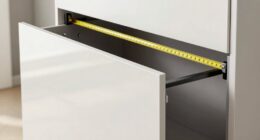
A converter must fit the desk it sits on, and this is where online listings mislead buyers. The base of most Z-frame risers is larger than the top platform, so measure the base dimensions, not the work surface, against your desk depth. You generally want at least 24 inches of desk depth for a 32-inch converter and closer to 30 inches for the 36-inch models, or the rear frame will overhang. Monitor count matters just as much: dual-monitor setups need roughly 32 inches of top surface, while a single monitor plus laptop can fit comfortably on 24 to 28 inches. The classic mistake is buying a compact converter for a dual-monitor setup and ending up with screens angled inward at your face, which recreates the neck strain the converter was supposed to fix.
Height Range and Your Own Body
Published height ranges of 15 to 18 inches mean nothing without matching them to your stature and your desk’s fixed height. A converter’s maximum lift should put your monitor’s top edge at or just below eye level when you stand — and since your desk height doesn’t change, taller users on standard 29-inch desks need every inch of range, while shorter users may never use the top settings. One advantage of electric models is precise intermediate height adjustment: manual spring risers typically have only two or three preset stopping points, which can leave you stuck between a too-low and a too-high position. Also check the lowest sitting position, because some stacked designs raise your monitor two to three inches even when collapsed, which changes your seated posture and may require a keyboard tray adjustment you did not plan for.
When to Skip a Converter and Buy a Full Standing Desk
Converters excel at converting an existing desk cheaply, but they have structural limits worth acknowledging before you spend. If you weigh down your workstation with an ultrawide monitor, dual large displays, speakers, and a desktop tower, even the best 36-inch converter will strain its capacity and wobble — a full electric standing desk with a 200-plus pound capacity is the better investment. Converters also consume desk depth and leave you with a keyboard tray instead of a full lower surface, which some users never adjust to. On the other hand, if you rent, share an office, or simply want to test whether standing work suits you before committing several hundred dollars, a converter is the low-risk entry point. A reasonable strategy: start with a quality manual converter, and if you find yourself standing most of the day after three months, that is your signal to upgrade to a full desk rather than a premium converter.
Frequently Asked Questions
Do standing desk converters work with dual monitors?
Yes, but only on models with enough top-surface width and weight capacity, which rules out most converters under 30 inches. Dual standard 24-inch monitors really need a 36-inch platform — the FLEXISPOT 36, VERSADESK PowerPro, TechOrbits 36, and VIVO DESK-V000V all handle this configuration comfortably. Two important caveats: check the combined weight of your monitors and stands against the converter’s capacity, keeping a comfortable margin, and confirm your monitor stands have small enough bases to sit side by side. If you use ultrawide displays over 34 inches, no converter in this category is ideal, and a full standing desk with a monitor arm becomes the better path.
Are electric standing desk converters worth the extra cost over manual risers?
It depends entirely on how often you expect to change positions. If you alternate between sitting and standing four or more times a day, a motorized unit like the FLEXISPOT 36 or VERSADESK PowerPro pays for itself in convenience, especially if you have any shoulder, wrist, or back condition that makes lifting 30 pounds of monitor unpleasant. If you tend to pick one posture for most of the day — as many remote workers discover they do — a smooth manual spring-lift riser does the same job for less, weighs less, and has no motor to fail. One middle-ground consideration: dual-handle manual designs are much easier to raise one-handed than single-lever models, so mechanism design matters as much as whether it is electric.
Will a converter fit on my existing desk, and how do I measure?
Measure your desk’s depth (front to back) first, because that is the dimension converters most often exceed. Compare it against the converter’s base footprint, not its top platform — Z-frame risers have a rear base that extends beyond the work surface, and you generally want at least 24 inches of desk depth for 32-inch models and 30 inches for 36-inch models. Also check the converter’s collapsed height: it adds several inches on top of your desk even at the lowest position, which can push your monitor above seated eye level and leave no room for a monitor riser underneath. Finally, leave a few inches of clearance behind the desk, because most converters shift slightly rearward as they rise.
Do I still need a monitor arm if I buy a converter?
Usually not, and that is part of the appeal — the converter raises your monitor to standing eye level as a unit, so a separate arm is redundant for most single-monitor setups. A monitor arm becomes worth adding in two situations: if your converter’s maximum height still leaves the screen below your eye line (common for taller users), or if you want to reclaim keyboard-tray and surface space by mounting the display instead of using its stand. Just remember that an arm plus monitor counts against the converter’s weight capacity, and a heavy arm applying leverage at full extension increases wobble on lighter frames. In most cases, the better fix for height mismatch is choosing a converter with a taller lift range in the first place.
Are cheap standing desk converters under $100 a false economy?
Not necessarily — the budget end of this lineup proves that well-designed spring risers can be genuinely good — but the cheap segment is where the real lemons live. The reliable budget models share identifiable traits: dual-handled lifting, a reasonably deep keyboard tray, and a stable base at full extension. The false economy happens with ultra-compact generic risers that pair a shallow keyboard tray with a small platform, because they compromise ergonomics in both sitting and standing positions. My suggestion is to treat any converter as a failure if it wobbles when you type at full height or forces your wrists to bend upward — those problems get worse, not better, with daily use, and returning a heavy converter is a hassle you want to avoid by checking these details before ordering.
Conclusion
After comparing all 15 models, the right choice maps cleanly to how you work. For the best overall pick, the FLEXISPOT 36-Inch Electric Standing Desk Converter combines effortless push-button lifting, dual-monitor capacity, and steady build quality in one package — the VERSADESK PowerPro is the step-up alternative if you want similar motorized convenience with a heavier-duty frame. For best value, the VIVO 32-Inch Height-Adjustable Converter delivers the core standing-desk experience with a solid tray and stable frame at a fraction of an electric desk’s cost, with the JOY Worker 32 as a close alternative in the same format. For beginners and cautious first-time buyers, the Decoholic 24-inch or a 23.6-inch riser with keyboard deck is a low-commitment way to test whether standing work suits you before spending more. For premium buyers, the VERSADESK PowerPro 36 is the lineup’s ceiling. And for specific needs: laptop-and-monitor users should look at the Mount-It! 32, dual-monitor users on a budget should shortlist the TechOrbits 36 or KYDEVO 31.5, and anyone wanting electric lifting in the FLEXISPOT style but with a different footprint should compare the FLEXISPOT 36 Electric against the VIVO DESK-V000V before deciding. Whichever you choose, prioritize a deep keyboard tray and stability at full height over raw platform size — those two factors separate the converters you will use every day from the ones you will forget about by March.
Fall Picks
fall essentials
As an affiliate, we earn on qualifying purchases.