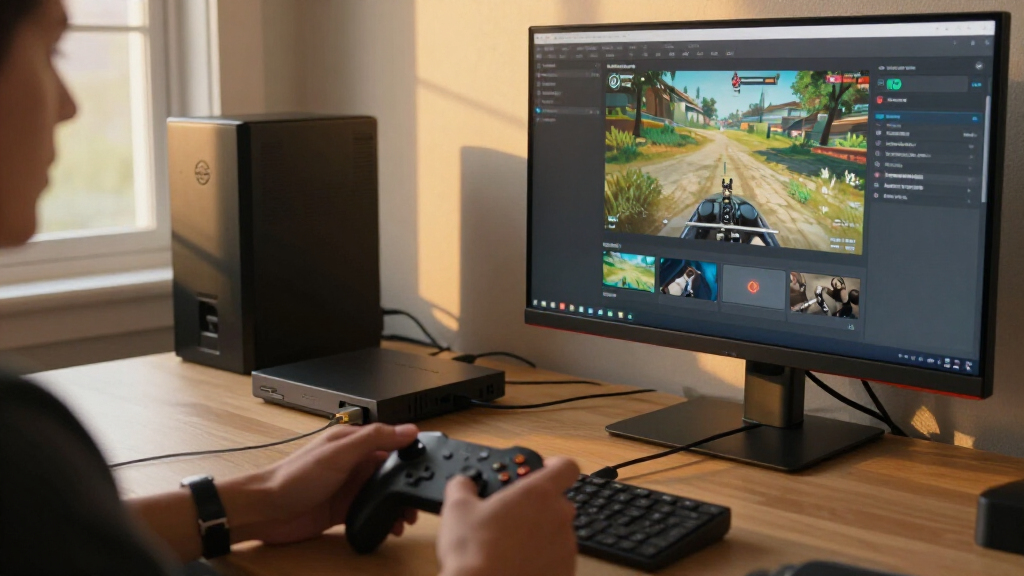

For most streamers, I’d start with the Elgato 4K S for its console-focused feature set, while the Acer USB 3.0 Capture Card is a strong fit if you want 4K loop-out with 1080p60 capture. The Elgato Cam Link 4K stands apart for connecting a camera to a streaming computer. Across these video capture cards for streaming, the main tradeoffs are capture resolution and frame rate, pass-through for a lag-free display, connection type, and how much setup control you need. A 4K input label alone does not mean a card records 4K, so matching capture and pass-through specs to your source matters. Continue reading for the full breakdown and advice on choosing for a console, camera, or simpler streaming setup.

Get business pricing on your home office setup
- Business-only prices and quantity discounts
- Tax-exempt purchasing
- Multiple users, one account, clear invoices
Complete the kit


Key Takeaways
- Elgato 4K S is the lineup’s clearest premium console pick, while the budget-style USB options are better suited to straightforward 1080p streaming.
- Acer USB 3.0 Capture Card pairs 4K loop-out with 1080p60 capture, a practical split for players who want a sharp local display without requiring 4K recording.
- Elgato Cam Link 4K serves a different job from the HDMI game-capture cards: it is aimed at DSLR, camcorder, and action-camera feeds.
- Several listed cards advertise 4K input or pass-through alongside 1080p capture; buyers should check each mode separately rather than treating “4K” as a recording specification.
- USB 3.0 is the recurring connection choice for higher-frame-rate capture, while the Audio Express USB 2.0 model deserves extra scrutiny if smooth 1080p60 streaming is a priority.
| Newhope USB 3.0 HDMI Capture Card with 1080p 60fps Capture and 4K Pass-Through |  | Best for Console Streamers Who Want a Simple Loop-Out | Connection: USB 3.0 | Capture resolution: Up to 1080p at 60fps; also listed as 2K at 30fps | Pass-through: 4K HDMI | VIEW LATEST PRICE | See Our Full Breakdown |
| Audio Express AXHDCAP 4K HDMI to USB 2.0 Video Capture Card |  | Best for Basic 30fps Streaming Setups | Connection: HDMI input and USB 2.0 | Maximum HDMI input: 3840 × 2160 at 30 Hz | Maximum capture output: 1920 × 1080 at 30fps | VIEW LATEST PRICE | See Our Full Breakdown |
| 4K HDMI Video Capture Card with USB 3.0 and Audio Mixing |  | Best for Streamers Who Need Headphone Monitoring | Connection: USB 3.0 | Maximum HDMI input: 4K | Capture resolution: 1080p at 60fps | VIEW LATEST PRICE | See Our Full Breakdown |
| 4K HDMI Capture Card, USB 3.0, 1080p 60fps |  | Best Compact Pick for a Basic 1080p60 Rig | Connection: USB 3.0 | Capture resolution: 1080p at 60fps | HDMI support: 4K input with real-time preview and pass-through | VIEW LATEST PRICE | See Our Full Breakdown |
| Guermok USB 3.0 HDMI Capture Card, 1080p 60fps and 2K 30fps |  | Best for Flexible Resolution and Audio Connections | Model: GM-34A-DE | Connection: USB 3.0 | Capture resolution: Up to 1920 × 1080 at 60Hz or 2560 × 1440 at 30Hz | VIEW LATEST PRICE | See Our Full Breakdown |
| Acer USB 3.0 HDMI Capture Card with 4K Loop-Out and 1080p 60Hz Capture |  | Best for Flexible Setup | HDMI input: Up to 4K | Capture resolution: 1080p or 720p | Video output: Up to 1080p at 60Hz | VIEW LATEST PRICE | See Our Full Breakdown |
| XIIXMASK USB 3.0 HDMI Capture Card with 4K Pass-Through |  | Best for High-Resolution Pass-Through | Capture resolution: 1080p60 or 1440p30 | HDMI input and pass-through: Up to 4K at 60Hz | Interface: USB 3.0 | VIEW LATEST PRICE | See Our Full Breakdown |
| UGREEN HDMI to USB 3.0 Video Capture Card (4K Input, 2K/1080p Output) |  | Best for Compact Multi-Device Setups | Maximum input resolution: 4K at 30Hz | Maximum output resolution: 2K at 30Hz or 1080p at 60FPS | Interface: HDMI input, USB 3.0/USB-C output | VIEW LATEST PRICE | See Our Full Breakdown |
| 4K HDMI Capture Card, 1080p 60fps for Streaming |  | Best for Mic-and-Headphone Monitoring | Video capture resolution: 1080p at 60fps | Supported input: Up to 4K at 30Hz | HDMI loop-out: Up to 1080p at 60Hz | VIEW LATEST PRICE | See Our Full Breakdown |
| Fifine AmpliGame 1080p 60fps Video Capture Card with 4K HDMI Pass-Through |  | Best for Console Beginners | Capture resolution: 1080p at 60fps | HDMI pass-through: 4K at 30fps | Hardware interface: HDMI, USB 3.0 Type-A | VIEW LATEST PRICE | See Our Full Breakdown |
| Guermok USB 3.0 HDMI Video Capture Card, 1080p 60fps |  | Best for Flexible Device Compatibility | HDMI input: Up to 4K at 30Hz | Capture output: Up to 1080p at 60fps or 2K at 30Hz | Interfaces: HDMI, USB 3.0 Type-A, USB-C | VIEW LATEST PRICE | See Our Full Breakdown |
| Elgato Cam Link 4K Capture Card for DSLR, Camcorder, and Action Cameras |  | Best for Camera-Based Streaming | Model: CAM LINK 4K | Hardware interface: USB 3.0 | Video capture resolution: 1080p60 or 4K60 | VIEW LATEST PRICE | See Our Full Breakdown |
| HDMI to USB 3.0 Capture Card, 1080p 60fps with 4K HDMI Input and Pass-Through |  | Best for Console Play with Commentary | Video capture resolution: Up to 1080p | HDMI input: Up to 4K at 60Hz; does not support 4K at 120Hz or 144Hz | HDMI output: Up to 2K at 30Hz | VIEW LATEST PRICE | See Our Full Breakdown |
| Elgato 4K S Capture Card for PS5, Xbox Series X/S, and Switch 2 |  | Best for High-Frame-Rate Console Streaming | Capture resolutions: 4K60, 1440p120, 1080p240 | HDR support: HDR10 capture on Windows | Hardware interface: USB 3.0 Type-C | VIEW LATEST PRICE | See Our Full Breakdown |
| 4K HDMI USB 3.0 Video Capture Card with USB-C Adapter |  | Best Compact Everyday Capture Pick | HDMI input: Up to 4K at 30Hz | Capture resolution: Up to 2K at 30Hz or 1080p at 60fps | Interfaces: HDMI, USB 3.0, USB Type-C | VIEW LATEST PRICE | See Our Full Breakdown |
| video capture cards for streaming | Operating systems | Capture resolution |
|---|---|---|
| Newhope USB 3.0 HDMI Capture C | Windows 7/8/8.1/10, macOS, Linux, iPadOS 17+ | Up to 1080p at 60fps; also listed as 2K at 30fps |
| Audio Express AXHDCAP 4K HDMI | Windows 10 or later, macOS 10.13 or later, Linux, Android with OTG support | — |
| 4K HDMI Video Capture Card wit | Windows, macOS, Linux, Unix | 1080p at 60fps |
| 4K HDMI Capture Card | Windows, macOS | 1080p at 60fps |
| Guermok USB 3.0 HDMI Capture C | — | Up to 1920 × 1080 at 60Hz or 2560 × 1440 at 30Hz |
| Acer USB 3.0 HDMI Capture Card | Linux, Windows, macOS, Android | 1080p or 720p |
| XIIXMASK USB 3.0 HDMI Capture | Windows 7/8/8.1/10, macOS, Linux, Android, iPadOS 17+ | 1080p60 or 1440p30 |
| UGREEN HDMI to USB 3.0 Video C | — | — |
| 4K HDMI Capture Card | Windows, Linux, macOS | — |
| Fifine AmpliGame 1080p 60fps V | Windows, Mac OS | 1080p at 60fps |
| Guermok USB 3.0 HDMI Video Cap | Windows, macOS, Linux, Android | — |
| Elgato Cam Link 4K Capture Car | — | — |
| HDMI to USB 3.0 Capture Card | — | — |
| Elgato 4K S Capture Card for P | Windows 11, macOS 13 or later, iPadOS with USB-C | — |
| 4K HDMI USB 3.0 Video Capture | Windows 7/8/10/11, macOS, Linux, Android | Up to 2K at 30Hz or 1080p at 60fps |
More Details on Our Top Picks
Newhope USB 3.0 HDMI Capture Card with 1080p 60fps Capture and 4K Pass-Through
The Newhope combines 1080p at 60fps capture with 4K HDMI loop-out, so you can stream smooth Full HD video while viewing the source on a separate display. That makes it a better fit for console play than the Audio Express AXHDCAP, which tops out at 30fps capture and has no HDMI output for a display. Newhope also includes a 3.5 mm microphone input and works with Windows, macOS, Linux, and iPadOS 17+, giving it broader stated system coverage than the Windows-and-macOS-only 4K HDMI Capture Card, USB 3.0, 1080p 60fps. The tradeoff is that its capture tops out at 1080p 60fps, and the mic connection is limited to a standard TRS headset rather than USB or TRRS microphones. It is a straightforward choice when pass-through matters more than higher-resolution capture.
Pros:- Captures up to 1080p at 60fps for smooth Full HD streams
- 4K HDMI pass-through lets gameplay appear on an external display while capturing
- USB 3.0 plug-and-play connection does not require external power
- Supports Windows, macOS, Linux, and iPadOS 17+
Cons:- Capture output is limited to 1080p at 60fps, despite the 4K pass-through
- Microphone input is specified for a 3.5 mm TRS headset, limiting microphone choices
Best for: Console streamers who want 1080p60 capture, a 4K display loop-out, and a simple wired microphone connection.
Not ideal for: Creators planning to capture above 1080p60 or use a USB or TRRS microphone, since the capture ceiling is Full HD and the mic input is 3.5 mm TRS.
- Connection:USB 3.0
- Capture resolution:Up to 1080p at 60fps; also listed as 2K at 30fps
- Pass-through:4K HDMI
- Video connections:HDMI input and loop-out
- Microphone input:3.5 mm TRS
- Operating systems:Windows 7/8/8.1/10, macOS, Linux, iPadOS 17+
- Compatible sources:PS4, PS5, Switch, Xbox, DSLR cameras, set-top boxes, PCs, and laptops
- Weight:0.2 kg
Our verdict“Choose Newhope if you want a simple console capture setup with 4K display loop-out, but skip it if you need higher-resolution capture or broader mic support.”
Audio Express AXHDCAP 4K HDMI to USB 2.0 Video Capture Card
The Audio Express AXHDCAP suits a basic stream or video call where 1080p at 30fps is enough and easy setup matters more than smooth high-frame-rate gameplay. Its USB 2.0, plug-and-play connection needs no external power or driver installation, and its listed Android OTG support adds a mobile option that the Newhope and Guermok models do not specify. The tradeoff is a clear performance step down: the Newhope captures at 60fps, while this card is limited to 30fps, which can make fast game action look less fluid. Although it accepts 4K HDMI input, that does not mean it captures 4K; output is capped at 1080p30. It also lacks HDMI output, so unlike the Newhope, it cannot feed a separate display through the card.
Pros:- Plug-and-play setup requires no driver installation
- Runs without an external power supply
- Supports Windows, macOS, Linux, and Android devices with OTG
- Accepts HDMI input up to 4K at 30 Hz
Cons:- USB 2.0 limits capture to 1080p at 30fps
- No HDMI output for connecting a separate display
- 4K input is not the same as 4K capture; output is limited to 1080p
Best for: Beginners, presenters, and casual console users who need straightforward 1080p30 capture for calls, lessons, or slower-paced streams.
Not ideal for: Fast-action gamers or streamers who want 60fps capture, 4K capture, or HDMI loop-out to a separate gaming display.
- Connection:HDMI input and USB 2.0
- Maximum HDMI input:3840 × 2160 at 30 Hz
- Maximum capture output:1920 × 1080 at 30fps
- Audio:Stereo
- Operating systems:Windows 10 or later, macOS 10.13 or later, Linux, Android with OTG support
- Power:No external power supply required
- Setup:Plug and play; no driver installation required
- Compatible platforms:Nintendo Switch and PlayStation
Our verdict“Pick the AXHDCAP for simple 1080p30 capture and broad device support, but choose Newhope or Guermok for smoother 60fps gameplay.”
4K HDMI Video Capture Card with USB 3.0 and Audio Mixing
This card’s defining advantage is its paired microphone input and headphone output: you can connect commentary gear and monitor audio from the same capture setup. It also accepts 4K HDMI input and captures at 1080p60 over USB 3.0, placing it closer to the Guermok than to the 30fps Audio Express for gameplay streaming. Unlike Guermok, though, the supplied details do not list multiple audio connections such as separate audio-in and speaker-out ports; its simpler arrangement may be easier for a basic mic-and-headphones setup. The tradeoff is that capture remains limited to 1080p, and the product recommends a direct USB 3.0 port for best performance. Buyers using a hub or a computer without that port should look elsewhere or plan to connect directly.
Pros:- Captures up to 1080p at 60fps
- Accepts HDMI sources up to 4K
- Includes both a 3.5 mm microphone input and headphone output
- Works with Windows, macOS, Linux, and Unix without extra drivers
Cons:- Capture output is limited to 1080p
- Direct USB 3.0 connection is recommended for best performance
- Audio connections are less extensive than Guermok’s listed mic, audio-in, headphone, and speaker ports
Best for: Streamers and remote presenters who want 1080p60 capture with a dedicated headphone output for audio monitoring.
Not ideal for: Creators who need capture above 1080p, many separate audio connections, or reliable operation through a USB hub.
- Connection:USB 3.0
- Maximum HDMI input:4K
- Capture resolution:1080p at 60fps
- Audio ports:3.5 mm microphone input and headphone output
- Operating systems:Windows, macOS, Linux, Unix
- Compatible sources:Gaming consoles, cameras, and personal computers
- Recommended uses:Game recording, live streaming, video conferencing, and teaching
- Setup:Plug and play; direct USB 3.0 connection recommended
Our verdict“Choose this model if headphone monitoring and a mic input matter more than advanced audio routing or capture above 1080p.”
4K HDMI Capture Card, USB 3.0, 1080p 60fps
With a listed size of 1 × 1 × 2.7 inches and a weight of 0.21 kg, this capture card is the compact, uncomplicated option in this group. It records at 1080p60, supports 4K HDMI input with real-time preview and pass-through, and works with OBS Studio, Streamlabs, and XSplit. Compared with the Newhope, it has a similar Full HD capture ceiling but lists compatibility only with Windows and macOS, rather than Newhope’s broader operating-system coverage and microphone input. That simpler feature set may suit a console-to-stream setup that already handles commentary separately. The main limitation is that the 4K label applies to input and pass-through, not capture; output remains 1080p. It also requires USB 3.0, so it is not a fit for a USB 2.0-only setup.
Pros:- Captures HDMI video at 1080p60
- Supports 4K input with real-time preview and pass-through
- Compact listed dimensions make it easy to fit in a streaming setup
- Works with OBS Studio, Streamlabs, and XSplit without driver installation
Cons:- Capture resolution is limited to 1080p
- Requires a USB 3.0 port
- Listed operating-system compatibility is limited to Windows and macOS
Best for: Console streamers with a Windows or Mac computer who want a compact 1080p60 capture device and already manage commentary separately.
Not ideal for: Linux or iPadOS users, anyone needing a listed microphone input, or creators seeking capture above 1080p.
- Connection:USB 3.0
- Capture resolution:1080p at 60fps
- HDMI support:4K input with real-time preview and pass-through
- Operating systems:Windows, macOS
- Compatible software:OBS Studio, Streamlabs, XSplit
- Compatible sources:PS5, PS4, Nintendo Switch, Xbox, PC, and cameras
- Dimensions:1 × 1 × 2.7 inches
- Weight:0.21 kg
Our verdict“Pick this compact card for a straightforward Windows or Mac 1080p60 setup, but choose Newhope if you need broader OS support or a mic input.”
Guermok USB 3.0 HDMI Capture Card, 1080p 60fps and 2K 30fps
Guermok is the most flexible capture option here on paper: it supports 1080p at 60fps or 1440p at 30fps, plus 4K pass-through with different format and frame-rate limits. That makes it a stronger match than the Newhope if you want a 1440p capture mode, while the Newhope offers a simpler, more clearly stated 4K pass-through setup. Guermok also lists mic-in, audio-in, headphone monitoring, and speaker output, giving streamers more ways to connect and check sound than the single mic input on Newhope. The tradeoffs are that supported capture rates can vary with software and USB bandwidth, and its microphone input may not work with TRRS headsets or USB microphones. Buyers should check their audio gear and USB setup before choosing it.
Pros:- Offers capture up to 1080p60 or 1440p30
- Supports 4K pass-through up to 60Hz in YUV420 mode
- Provides mic-in, audio-in, headphone monitoring, and speaker output
- Compatible with common streaming and conferencing software on Windows and macOS
Cons:- Capture resolution and frame rate can vary with software and USB bandwidth
- Microphone input may not support TRRS headsets or USB microphones
- 4K pass-through limits vary by format: up to 60Hz in YUV420 or 30Hz in RGB/YUV444
Best for: PC and Mac streamers who want a choice between 1080p60 and 1440p30 capture, 4K pass-through, and several analog audio connections.
Not ideal for: Creators relying on USB microphones or TRRS headsets, or anyone who needs the same capture mode to work regardless of software and USB bandwidth.
- Model:GM-34A-DE
- Connection:USB 3.0
- Capture resolution:Up to 1920 × 1080 at 60Hz or 2560 × 1440 at 30Hz
- HDMI input:Up to 4K at 60Hz
- HDMI pass-through:Up to 4K at 60Hz in YUV420 or 4K at 30Hz in RGB/YUV444
- Audio ports:Mic In, Audio In, headphone monitoring, speaker output
- Compatibility:OBS Studio, Streamlabs, VLC, XSplit, Zoom, Teams; Windows and macOS
- Weight:66.1 g
Our verdict“Choose Guermok if you want flexible 1080p60 or 1440p30 capture and several audio connections, provided your microphone and USB setup are compatible.”
Acer USB 3.0 HDMI Capture Card with 4K Loop-Out and 1080p 60Hz Capture
The Acer is a good fit for streamers who want 1080p60 capture with a simple path for adding live commentary. Its 3.5 mm mic input gives you a direct way to connect a headset or microphone, while plug-and-play operation avoids extra drivers and power supplies. Compared with the Fifine AmpliGame, the Acer lists broader operating-system support, including Linux and Android; the Fifine instead adds RGB lighting and specifies 4K30 pass-through. The Acer accepts an HDMI signal up to 4K, but captured video tops out at 1080p, so it is not the pick for recording a 4K master. You’ll also need a USB 3.0 port to get the stated connection performance. I’d choose it for a straightforward multi-device streaming setup, not for high-resolution archival capture.
Pros:- Captures up to 1080p at 60Hz from an HDMI source supporting up to 4K input
- 3.5 mm input supports a connected microphone or headset for commentary
- Plug-and-play setup requires no extra drivers or external power
- Lists Linux, Windows, macOS, and Android compatibility
Cons:- Capture resolution is limited to 1080p or 720p
- USB 3.0 is required for USB 3.0 operation
Best for: Streamers using a console, camera, or mobile device who want 1080p60 capture, a mic input, and compatibility across desktop and mobile operating systems.
Not ideal for: Creators who need 4K recording or whose computer lacks a USB 3.0 port.
- HDMI input:Up to 4K
- Capture resolution:1080p or 720p
- Video output:Up to 1080p at 60Hz
- Video formats:YUY2, MJPEG
- Audio input:3.5 mm microphone or headset
- Interfaces:HDMI, USB 3.0 Type-A, USB 3.0 Type-C
- Operating systems:Linux, Windows, macOS, Android
- Setup:Plug and play; no extra drivers or external power required
Our verdict“Choose the Acer for simple 1080p60 streaming with a mic input and broad device support, but skip it if you need 4K capture.”
XIIXMASK USB 3.0 HDMI Capture Card with 4K Pass-Through
The XIIXMASK stands out for combining 4K60 pass-through with capture choices of 1080p60 or 1440p30. That gives streamers a way to play at a high refresh-friendly resolution while sending a more manageable feed to streaming software. Compared with the UGREEN HDMI to USB 3.0 Video Capture Card, which offers 4K input but lists output up to 2K30 or 1080p60, this model spells out 4K60 pass-through and adds a 1440p30 capture option. A 3.5 mm mic input also supports commentary, though the product data warns that party chat is not recorded. Setup can take extra attention: OBS may need a restart after audio configuration. I’d favor it for console streamers prioritizing smooth 4K monitoring over recording beyond 1440p.
Pros:- Supports 4K at 60Hz HDMI pass-through for gameplay monitoring
- Captures up to 1080p60 or 1440p30
- Includes a 3.5 mm mic input for commentary
- Works with USB-A or USB-C devices and lists broad operating-system support
Cons:- Does not record party chats
- OBS may need to be restarted after audio setup
- Capture resolution does not reach 4K
Best for: Console streamers with a 4K display who want 4K60 pass-through and the option to capture at 1080p60 or 1440p30.
Not ideal for: Creators who need 4K recording, reliable party-chat capture, or a setup that requires no audio troubleshooting.
- Capture resolution:1080p60 or 1440p30
- HDMI input and pass-through:Up to 4K at 60Hz
- Interface:USB 3.0
- Audio input:3.5 mm microphone or headset
- Operating systems:Windows 7/8/8.1/10, macOS, Linux, Android, iPadOS 17+
- Compatible devices:Laptop, PS4/PS5, Xbox, Switch 1/2, PC, Mac, camera
- Weight:0.15 kg
- Included cable:USB 3.0 to USB-A/USB-C
Our verdict“Pick the XIIXMASK if 4K60 gameplay pass-through matters more than 4K recording or party-chat capture.”
UGREEN HDMI to USB 3.0 Video Capture Card (4K Input, 2K/1080p Output)
UGREEN is the most clearly specified choice here for streamers who switch between newer computers and mobile devices: it includes USB-A and USB-C connectivity and lists support for Windows, macOS, Linux, Android, and iPadOS 17 or later. Its aluminum casing and 50 g weight suit a portable kit, while 1080p60 output gives standard streaming software a familiar format. Compared with the XIIXMASK, it lacks the listed 4K60 pass-through and 1440p30 capture option, but its 2K30 output can be useful when a higher-resolution feed matters more than frame rate. The tradeoff is clear: this is not a 4K capture card, and console users may need to disable HDCP before capturing. I’d shortlist it for cross-device flexibility, not high-frame-rate 2K capture.
Pros:- USB-A and USB-C output supports a range of host devices
- Offers 1080p60 or 2K30 output from an HDMI source
- Aluminum alloy casing is designed for heat dissipation
- Lists compatibility with Windows, macOS, Linux, Android, and iPadOS 17+
Cons:- Output tops out at 2K30 or 1080p60 rather than 4K
- Console capture may require HDCP to be disabled
- iPadOS compatibility requires version 17 or later
Best for: Streamers who move between USB-A and USB-C computers or compatible mobile devices and want a compact 1080p60 capture option.
Not ideal for: Creators who need 4K recording, 4K60 pass-through, or 2K capture at 60 frames per second.
- Maximum input resolution:4K at 30Hz
- Maximum output resolution:2K at 30Hz or 1080p at 60FPS
- Interface:HDMI input, USB 3.0/USB-C output
- Data transfer speed:5 Gbps
- Compatibility:Windows, macOS, Linux, Android, iOS (iPadOS 17+), Nintendo Switch, PS4/PS5, Xbox Series X, Meta Quest
- Material:Aluminum alloy
- Weight:50 g
- Dimensions:5.91 x 3.94 x 0.67 inches
Our verdict“Choose UGREEN for a portable, USB-A/USB-C-friendly setup, but look elsewhere for 4K recording or 2K60 capture.”
4K HDMI Capture Card, 1080p 60fps for Streaming
This capture card makes the most sense when your stream setup needs both microphone input and headphone output on the capture device itself. It records at 1080p60, accepts a signal up to 4K30, and provides 1080p60 HDMI loop-out, covering the basics for console or camera streams without external power or driver installation. Compared with the Acer USB 3.0 HDMI Capture Card, it adds a dedicated headphone output, while Acer lists broader operating-system support and 4K input. The limitation is its direct-connection requirement: the product data advises against hubs and extension cables, which can constrain desk layouts. Its loop-out also stops at 1080p60, so it is less suitable than the XIIXMASK for a 4K60 monitoring path. I’d pick it for a tidy voice-monitoring setup, provided a USB 3.0 port is close by.
Pros:- Captures video and audio at up to 1080p60
- Includes both a 3.5 mm microphone input and headphone output
- Supports 1080p60 HDMI loop-out
- Works without drivers or external power
Cons:- Requires a direct USB 3.0 connection; hubs and extension cables are not recommended
- HDMI loop-out is limited to 1080p60
- Operating-system support is listed for Windows, Linux, and macOS only
Best for: Streamers who want a built-in mic input and headphone output for a direct-connected 1080p60 console or camera setup.
Not ideal for: Users who need 4K60 pass-through, USB hub placement, or a long extension between capture card and computer.
- Video capture resolution:1080p at 60fps
- Supported input:Up to 4K at 30Hz
- HDMI loop-out:Up to 1080p at 60Hz
- Interface:USB 3.0
- Audio ports:3.5 mm microphone input and headphone output
- Operating systems:Windows, Linux, macOS
- Power:No external power required
- Compatible devices:PC, PS5, PS4, Xbox, Switch, DVD players, cameras, camcorders, webcams
Our verdict“Choose this model for built-in headphone monitoring and mic connectivity in a direct USB 3.0 setup, not for 4K pass-through.”
Fifine AmpliGame 1080p 60fps Video Capture Card with 4K HDMI Pass-Through
The Fifine AmpliGame is a straightforward starting point for a console streamer who wants 1080p60 capture and 4K pass-through without a complicated setup. Plug-and-play operation keeps the connection simple, while its line-in and headset ports give beginners room to add audio gear. The RGB lighting is a visual extra rather than a streaming advantage, so I’d weigh the practical ports more heavily than the styling. Compared with the XIIXMASK, Fifine lists pass-through only up to 4K30 rather than 4K60 and does not list Linux, Android, or iPadOS support. The tradeoff is a narrower platform range and a USB 3.0 requirement, but it covers common PS4, PS5, Switch, and Xbox setups. I’d choose it for a Windows or Mac console stream, not for high-refresh 4K monitoring.
Pros:- Captures at 1080p60 for smooth standard-resolution streams
- 4K30 HDMI pass-through supports gameplay monitoring
- Line-in and headset ports provide options for audio connections
- Plug-and-play setup works with listed Windows and Mac systems
Cons:- Pass-through is limited to 4K30, below the XIIXMASK’s listed 4K60
- Requires a USB 3.0 port
- Operating-system compatibility is listed for Windows and Mac only
Best for: New Windows or Mac streamers capturing gameplay from PS4, PS5, Nintendo Switch, or Xbox who want simple setup and basic audio connections.
Not ideal for: Streamers who need 4K60 pass-through, Linux or mobile-device support, or capture above 1080p60.
- Capture resolution:1080p at 60fps
- HDMI pass-through:4K at 30fps
- Hardware interface:HDMI, USB 3.0 Type-A
- Operating systems:Windows, Mac OS
- Compatible devices:PS4, PS5, Nintendo Switch, Xbox, laptop, PC
- Audio features:Line-in and headset ports
- Weight:3.36 ounces
- Dimensions:4.24 x 2.8 x 1.21 inches
Our verdict“Pick the Fifine for a simple Windows or Mac console-streaming setup, but choose the XIIXMASK if 4K60 monitoring is a priority.”
Guermok USB 3.0 HDMI Video Capture Card, 1080p 60fps
The Guermok is a practical choice for streamers who need a small capture card that can work across several kinds of setups. It accepts HDMI input up to 4K at 30Hz and captures at 1080p60, while its USB-A connection and included USB-C adapter offer more flexibility than the USB-C-only Elgato 4K S. Driver-free setup and support for Windows, macOS, Linux, and Android suit a mixed-device household or a portable streaming kit. The tradeoff is that it has no listed HDMI pass-through, so it is less convenient for playing on a separate display while capturing than the pass-through option from HDMI to USB 3.0 Capture Card, 1080p 60fps with 4K HDMI Input and Pass-Through. You’ll also need capture software, a USB 3.0 port for stable performance, and room for some video latency.
Pros:- Captures up to 1080p at 60fps for smooth streaming
- USB-A connection and included USB-C adapter accommodate different host ports
- Works with Windows, macOS, Linux, and Android
- Requires no extra drivers or external power
Cons:- No HDMI pass-through is specified for monitoring gameplay on a separate display
- USB 3.0 is recommended for stable capture performance
- Video decoding introduces latency
Best for: Streamers who switch between Windows, Mac, Linux, or Android devices and want a compact HDMI capture option with both USB-A and USB-C support.
Not ideal for: Console players who want HDMI pass-through to a gaming display, or anyone who needs low-latency monitoring while playing.
- HDMI input:Up to 4K at 30Hz
- Capture output:Up to 1080p at 60fps or 2K at 30Hz
- Interfaces:HDMI, USB 3.0 Type-A, USB-C
- Operating systems:Windows, macOS, Linux, Android
- Software compatibility:OBS Studio, VLC, PotPlayer, Zoom
- Included accessories:USB 3.0 to USB-C adapter, user manual
- Minimum system requirements:Windows 10/11 (64-bit) or macOS 10.15 or later; Intel Core i3 or AMD Ryzen 3 equivalent; 4GB RAM; USB 3.0 port
Our verdict“Choose the Guermok if broad operating-system support and flexible USB connections matter more than HDMI pass-through or minimal capture latency.”
Elgato Cam Link 4K Capture Card for DSLR, Camcorder, and Action Cameras
For a stream built around a DSLR, camcorder, action camera, or compatible iPhone, the Cam Link 4K is a more targeted fit than general-purpose HDMI capture cards. It connects a camera to a PC or Mac over USB 3.0 and supports up to 1080p60 or 4K60, giving creators a route to use camera video in apps such as OBS, Zoom, and Discord. Its stated low latency suits live presentation better than the Guermok USB 3.0 HDMI Video Capture Card, which notes latency from video decoding. The main limitation is that 4K60 depends on a compatible camera and the latest Cam Link 4K model, so buyers should verify their specific setup rather than assume every camera reaches that mode. It is also a camera-link device, not a gaming capture card with listed HDMI pass-through.
Pros:- Supports capture up to 1080p60 or 4K60 with compatible cameras
- Designed for camera, camcorder, action camera, and iPhone sources
- Low-latency video and audio support live presentation
- Works with popular streaming and conferencing apps
Cons:- 4K60 depends on a compatible camera and the latest Cam Link 4K model
- The listing gives inconsistent operating-system information
- No HDMI pass-through is specified
Best for: Creators using a compatible DSLR, camcorder, action camera, or iPhone as a live video source on a PC or Mac.
Not ideal for: Console streamers who want HDMI pass-through for playing on a separate monitor, or buyers who need confirmed 4K60 support without checking camera and model compatibility.
- Model:CAM LINK 4K
- Hardware interface:USB 3.0
- Video capture resolution:1080p60 or 4K60
- Compatible devices:PC, Mac, iPad; compatible cameras, camcorders, action cameras, and iPhones
- Weight:20.14 g
- Dimensions:3.19 × 1.22 × 0.47 inches
- Included components:Cam Link 4K, USB 3.0 extension cable, Quick Start Guide
Our verdict“Pick the Cam Link 4K when your stream depends on a compatible camera and camera-to-computer capture matters more than console pass-through.”
HDMI to USB 3.0 Capture Card, 1080p 60fps with 4K HDMI Input and Pass-Through
This card is a strong fit for console streamers who want to keep playing on an HDMI display while sending a separate capture feed to a computer. Its HDMI pass-through supports low-latency gameplay, and the 3.5 mm TRS microphone input gives headset users a direct way to add commentary. That combination makes it more gaming-focused than the Guermok USB 3.0 HDMI Video Capture Card, which offers broad device compatibility but no listed pass-through. The capture ceiling is the tradeoff: recording tops out at 1080p, even though the card accepts up to 4K60 input. Its HDMI output is listed up to 2K at 30Hz, and it does not support 4K input at 120Hz or 144Hz, so high-refresh-rate players should look at the Elgato 4K S instead. The microphone input also requires a 3.5 mm TRS headset.
Pros:- HDMI pass-through supports low-latency gameplay on a separate display
- 3.5 mm TRS microphone input supports wired headset commentary
- Accepts HDMI input up to 4K at 60Hz
- Plug-and-play setup requires no driver or external power supply
Cons:- Capture resolution is limited to 1080p
- Does not support 4K input at 120Hz or 144Hz
- Microphone input requires a 3.5 mm TRS headset
Best for: Console streamers who want HDMI pass-through for local gameplay and a wired 3.5 mm TRS headset input for commentary.
Not ideal for: Creators who need captured footage above 1080p, or high-refresh-rate console players who want 4K120 or 4K144 input support.
- Video capture resolution:Up to 1080p
- HDMI input:Up to 4K at 60Hz; does not support 4K at 120Hz or 144Hz
- HDMI output:Up to 2K at 30Hz
- Interfaces:HDMI, USB 3.0 Type-A, USB 3.0 Type-C, 3.5 mm audio
- Audio format:MJPEG
- Microphone input:3.5 mm TRS
- Compatibility:Windows, Mac OS
- Weight and dimensions:0.18 kg; 3 × 2 × 1 inches
Our verdict“Choose this card for 1080p streaming with pass-through and wired headset commentary, but skip it if you need higher-resolution capture or high-refresh-rate input.”
Elgato 4K S Capture Card for PS5, Xbox Series X/S, and Switch 2
The Elgato 4K S is the performance pick for streamers who want to capture modern console gameplay without giving up high-refresh-rate play. It records up to 4K60, with support for 1440p120 and 1080p240, and adds VRR passthrough for compatible gaming setups. That makes it a different class of option from the 1080p-limited HDMI to USB 3.0 Capture Card, 1080p 60fps with 4K HDMI Input and Pass-Through: the latter suits standard 1080p streaming, while the 4K S is built for higher capture and play modes. HDR10 capture is limited to Windows, however, and the 4K S requires USB 3.0 Type-C plus a supported operating system. Its higher-end modes make the most sense for creators with compatible consoles, displays, and host hardware.
Pros:- Captures up to 4K at 60fps
- Supports 1440p120 and 1080p240 modes
- VRR passthrough supports compatible variable-refresh gaming setups
- Includes a 3.5 mm analog audio input
Cons:- HDR10 capture is limited to Windows
- Requires a USB 3.0 Type-C port and supported operating system
- Higher-resolution and frame-rate modes require compatible source and host setups
Best for: Console streamers with compatible PS5, Xbox Series X/S, or Switch 2 setups who want 4K60 capture or high-frame-rate 1440p and 1080p modes.
Not ideal for: Budget-conscious 1080p streamers, or Mac and iPad users who specifically need HDR10 capture, which is listed for Windows only.
- Capture resolutions:4K60, 1440p120, 1080p240
- HDR support:HDR10 capture on Windows
- Hardware interface:USB 3.0 Type-C
- Video output:HDMI
- Analog audio input:3.5 mm
- Compatible devices:Gaming consoles, computers, tablets
- Operating systems:Windows 11, macOS 13 or later, iPadOS with USB-C
- Weight and dimensions:0.09 kg; 0.67 × 4.41 × 2.83 inches
- Warranty:2 years
Our verdict“Choose the 4K S if you have compatible gaming hardware and want high-frame-rate passthrough alongside capture beyond 1080p.”
4K HDMI USB 3.0 Video Capture Card with USB-C Adapter
This compact card makes sense for streamers who want straightforward 1080p60 capture from an HDMI source without paying for advanced console features they may not use. It accepts input up to 4K at 30Hz and can capture at 1080p60 or 2K30, with a USB-C adapter included for compatible setups. Its aluminum alloy shell and plug-and-play design suit a portable kit for cameras or consoles. Compared with the Elgato 4K S, it gives up 4K60 capture, VRR passthrough, and high-frame-rate modes; compared with the Guermok USB 3.0 HDMI Video Capture Card, its listed operating-system range includes older Windows versions. The practical limits are its 4K30 input ceiling and the need for enough computer processing power. Tablet use may also require OTG support.
Pros:- Captures 1080p at up to 60fps or 2K at 30fps
- Includes a USB 3.0 to USB-C adapter
- Aluminum alloy shell suits a compact portable setup
- Supports Windows, macOS, Linux, and Android
Cons:- HDMI input is limited to 4K at 30Hz
- Requires a USB 3.0 or USB-C connection and sufficient computer processing power
- Tablet use may require enabling OTG
Best for: Streamers who want a compact, simple capture device for 1080p60 from a console, camera, or other HDMI source across Windows, Mac, Linux, or Android.
Not ideal for: Creators who need 4K60 capture, high-refresh-rate passthrough, or reliable tablet use without checking OTG support and host performance.
- HDMI input:Up to 4K at 30Hz
- Capture resolution:Up to 2K at 30Hz or 1080p at 60fps
- Interfaces:HDMI, USB 3.0, USB Type-C
- Operating systems:Windows 7/8/10/11, macOS, Linux, Android
- Features:Plug and play, low latency, compact design
- Included items:HDMI capture card, USB 3.0 to USB-C adapter, user manual
Our verdict“Pick this card for portable, straightforward 1080p60 capture across varied operating systems, not for 4K60 or high-refresh-rate gaming.”
How We Picked
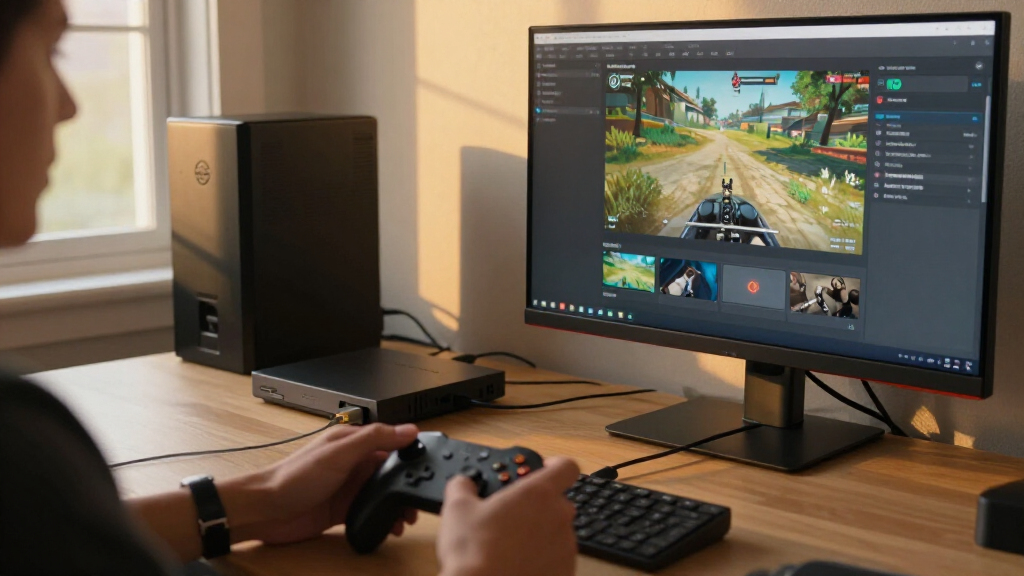
I ranked these video capture cards for streaming by how clearly their listed capabilities match common streaming jobs: capturing a console, connecting a camera, or adding a simple HDMI feed to a computer. I gave more weight to explicit capture details such as 1080p60 capture than to a 4K input or pass-through label on its own, since those describe different parts of the signal path. Connection type, pass-through, audio features, and stated device compatibility also shaped the order.
The ranking favors products with a more defined use case and useful workflow advantages, then places more generic USB capture adapters lower when their listed specifications leave performance or setup details unclear. That does not make a simple card a poor choice: a basic model can suit a single-console stream well. I also weighed tradeoffs, including the limits of USB 2.0, the distinction between camera and console capture, and the possibility that a card’s headline resolution does not match its recording resolution.
Factors to Consider When Choosing Video Capture Cards For Streaming
Before choosing a card, I’d map out the whole signal path: source device, display, capture card, streaming computer, and audio routing. The right choice depends less on the biggest resolution printed in a product name and more on where you need smooth gameplay, clean footage, or a reliable camera feed.
Separate Capture Resolution From Pass-Through
A capture card can accept a 4K signal while sending a lower-resolution feed to streaming software. Pass-through describes what reaches a connected display; capture describes what the computer records or streams. If you play on a 4K screen but stream at 1080p, a model such as the listed Acer or Fifine can fit that split-use workflow when its stated modes match your setup. Do not assume that a 4K label means the card captures 4K video. Check the supported resolution and frame rate for both paths, including any limits when HDR or high refresh rates are involved. If those details are not clear, choose based on the capture mode the listing explicitly states rather than its headline input resolution.
Match Frame Rate to the Content You Stream
For fast games, stable 60-frame-per-second capture can matter more to the viewer than a higher resolution recorded at a lower frame rate. Slower gameplay, presentations, and camera scenes may place less emphasis on frame rate, so a basic capture mode can be enough. Check whether a product’s 60fps claim applies to its capture output or only to pass-through. The computer also needs enough USB bandwidth and processing capacity to handle the selected format without dropped frames. A capture card cannot compensate for an overloaded streaming PC or an unsuitable cable and port. I’d choose a clear, supported 1080p60 path over an ambiguous “4K” claim when smooth streaming is the priority.
Plan for the Full Connection and Audio Chain
List every connection before buying: console or camera output, card input, card-to-computer USB connection, and any display loop-out. A USB 2.0 card may be convenient for simple feeds, but its interface can restrict the formats and bandwidth available compared with USB 3.0 options. Audio can add another layer: game sound, a microphone, party chat, and capture-card audio may travel by different routes. A card with audio mixing may help consolidate sources, but it does not automatically replace a dedicated microphone or mixer. Confirm which audio inputs and software controls are actually supported, then decide whether you want the card to handle sound or prefer managing it in your streaming software.
Choose a Card for the Source, Not Just the Stream
Console capture and camera capture share HDMI, but their everyday needs differ. Console streamers may prioritize loop-out, high-refresh gameplay, and straightforward compatibility with their console and streaming software. Camera users should check whether the camera can output a clean HDMI signal and whether it stays active for long sessions. The Cam Link 4K is the lineup’s camera-oriented option, while most other entries are framed as general HDMI capture cards. If you plan to switch between several sources, think through cable changes, audio routing, and whether you need a switcher; a capture card is not always a multi-input hub. Buying around the source you use most can prevent paying for features that do not improve your broadcast.
Check Computer Compatibility and Setup Needs
USB connectors can look interchangeable while offering different bandwidth, and an adapter does not upgrade a slower port. Check your computer’s available USB ports, operating system, streaming software, and the card’s stated compatibility before ordering. A USB-C adapter can help with physical fit, but buyers should confirm that the connection still supports the required data rate. Simple plug-and-play designs can be appealing for a first stream, yet device recognition and audio settings may still need adjustment in software. If you stream from a laptop, leave room for other devices competing for USB bandwidth. A short setup check can save time troubleshooting a card that works electrically but cannot deliver the mode you planned to use.
Decide When Premium Features Earn Their Place
Paying for a more capable model makes sense when its features solve a real workflow problem: console-specific support, camera integration, reliable pass-through, or more control over audio. A basic 1080p card may be the better value for a single console and a 1080p stream, especially if you do not need a separate display feed. Do not pay extra for 4K pass-through if your display, source, or stream does not use it. At the same time, a card that forces you to lower gameplay settings or complicates audio can cost time every session. I’d compare the complete signal path and the feature you will use most often, rather than choosing solely by the highest resolution in the product name.
Frequently Asked Questions
Does a capture card with 4K input record 4K video?
Not necessarily. “4K input” means the card can accept a 4K signal, while pass-through and capture output describe separate capabilities. Several products in this roundup pair 4K input or pass-through with 1080p60 capture, which can work well for playing on a 4K display while streaming in 1080p. Check the capture resolution and frame rate specifically if recording 4K is your goal. If the listing does not state a 4K capture mode, do not infer one from the input label.
Should I choose USB 2.0 or USB 3.0 for 1080p60 streaming?
I would favor USB 3.0 when 1080p60 capture is a priority, since the higher-bandwidth connection is a better fit for demanding video feeds. The Audio Express model in this roundup is listed as USB 2.0, so its advertised input resolution should not be treated as proof of smooth 1080p60 capture. USB 2.0 may still suit simpler or lower-bandwidth tasks, but confirm the exact capture modes before buying. Also connect the card to a compatible port directly when possible, because hubs and shared devices can affect available bandwidth.
Can I use a console capture card to stream from a DSLR or camcorder?
Some HDMI capture cards may accept a camera’s video signal, but camera compatibility depends on the camera’s output behavior and the card’s supported modes. The camera needs a suitable HDMI output, and many creators also need a clean feed without menus and a way to keep the camera powered during a stream. The Elgato Cam Link 4K is the lineup’s specifically camera-oriented choice, while the other cards are presented mainly for general HDMI capture. Check the camera model’s output settings and the card’s compatibility details before relying on it for a live broadcast. A capture card also will not solve camera overheating or battery limitations.
Do I need pass-through if I stream console games?
Pass-through is useful when you want to play on a separate display while the capture card sends video to your computer. It can keep the gameplay screen independent of the preview inside streaming software, which may add delay. If you play directly at your computer and accept the software preview, pass-through may matter less. Check whether the card supports your display’s resolution and refresh rate through the pass-through path, not just whether it has an HDMI output. For a 4K display with a 1080p stream, the Acer and Fifine listings show why those two specifications should be checked separately.
Which type of capture card makes the most sense for a first-time streamer?
For a first setup, I’d choose a card with a clearly stated capture mode that matches the source, plus a connection your computer can support. A straightforward USB 3.0 model advertising 1080p60 capture may be easier to plan around than a card whose listing emphasizes input resolution without clarifying what it records. If you are streaming a console, decide whether you need display pass-through before choosing; if you are using a camera, start with a camera-focused option such as the Cam Link 4K. Keep the first setup to one video source and a simple audio route, then add switching or mixing gear only when your stream needs it.
Conclusion
For the broadest console-focused recommendation, I’d choose the Elgato 4K S as best overall, while the Acer USB 3.0 Capture Card is my best value-style fit for buyers who want 4K loop-out and 1080p60 capture without aiming to record 4K. The Elgato Cam Link 4K is the best pick for DSLR, camcorder, or action-camera streaming, and the Fifine AmpliGame is a sensible beginner option for a clear 1080p60 workflow with pass-through. For a premium console setup, I’d favor the 4K S; for a simple, lower-complexity setup, compare the basic USB 3.0 1080p60 models against your computer’s ports and required audio path. Buyers who only need basic HDMI capture can look at the Newhope, Guermok, UGREEN, and other generic USB choices, but should verify capture modes and compatibility before deciding. The best card is the one whose actual capture output, pass-through, and connections match your source and stream—not the one with the largest resolution claim.
Columbus Day / Indigenous Peoples' Day Picks
long weekend sales
As an affiliate, we earn on qualifying purchases.