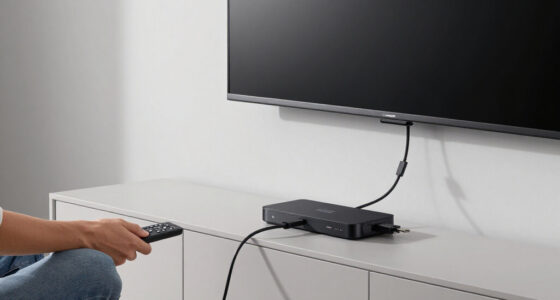
Choosing smart home devices for a media room comes down to how much coordination you want. A voice assistant setup can turn on compatible lights, adjust a thermostat, and control supported streaming devices with simple commands. A dedicated smart home hub can connect a wider mix of devices and run routines across them, but usually takes more planning and may cost more.

Get business pricing on your home office setup
- Business-only prices and quantity discounts
- Tax-exempt purchasing
- Multiple users, one account, clear invoices

Echo Studio (Graphite)
- ✔ Color: Graphite
- ✔ Audio: Dolby Atmos and spatial audio
- ✔ Smart home hub: Omnisense

Echo Studio with Home Camera, 13 MP, Visual Intelligence, Immersive Sound, Alexa+, Graphite
- ✔ Color: Graphite
- ✔ Camera: 13 MP with Live View and visual intelligence
- ✔ Audio: Dolby Atmos and spatial audio

Echo Hub (8") – Redesigned Smart Home Control Panel with Customizable Dashboard and Alexa+
- ✔ Display: 8-inch touchscreen, 1280 × 800
- ✔ Power: USB-C PD; PoE supported with an additional compatible converter
- ✔ Audio: Pair of top-ported full-range stereo speakers
The practical choice is between easy entry and room to build. A few devices from compatible brands are usually simpler to manage through a voice assistant. If you want one “movie night” command to control lighting, shades, and other equipment across different systems, a hub is often the stronger foundation. The right fit depends less on the label and more on your devices, desired automations, and tolerance for setup.
At a Glance
| Criteria | Voice assistant setup | Dedicated smart home hub | Winner |
|---|---|---|---|
| Setup and ease of use | Quick to set up with compatible devices and an assistant app | More planning and configuration, especially across brands | A |
| Device compatibility | Good within supported brands and ecosystems; gaps can arise across protocols | Often broader when the hub supports multiple protocols and integrations | B |
| Automation depth | Best for straightforward voice commands and basic routines | Better suited to multi-device scenes, triggers, and room-wide routines | B |
| Reliability | Can depend on internet access, cloud services, and each device’s integration | Can offer local control for supported devices, though results vary by hub and setup | B |
| Voice control | Usually the strongest and most direct control method | May support voice through an assistant, but voice is not always built in | A |
| Cost and value | Lower starting cost if you already own a compatible speaker or display | Higher upfront cost, which can pay off in complex setups | Depends |
Echo Studio (Graphite)
For most media rooms, the Echo Studio (Graphite) is the best starting point because it treats the room as both an entertainment space and part of a connected home. Dolby Atmos and spatial audio are the headline features: they are intended to create a more enveloping presentation than a device chosen mainly for voice control. Its Omnisense smart home hub adds a practical second role, letting the speaker serve as a central connection point for compatible devices such as lights, locks, and blinds.Compared with the camera-equipped Echo Studio, this version is the simpler choice when we want a capable speaker without a camera built into the media room. It still includes an eero Wi-Fi extender, which may help improve coverage for connected devices, though it is not a substitute for evaluating the home’s overall network. The main compromises are physical: this is a large speaker that can be awkward in a compact setup, and the full Alexa+ feature set requires Prime membership. Buyers choosing primarily for a screen-based control panel should consider the Echo Hub instead; it makes controls visible and customizable, but does not deliver the Studio’s immersive sound.
Pros:
- Dolby Atmos and spatial audio are suited to a more immersive media-room presentation.
- Built-in Omnisense hub supports smart-home control beyond playback.
- Integrated eero Wi-Fi extender can help extend network coverage.
- Alexa+ adds voice-led access to compatible services and connected devices.
Cons:
- Large size can be difficult to accommodate in a compact room or crowded media console.
- Full Alexa+ feature set requires an Amazon Prime membership.
Best for: We recommend it for buyers building a primary media room who want immersive audio and a useful smart-home hub in one substantial speaker.
Not ideal for: Skip it if your room is small, you need a dedicated touchscreen for controls, or you do not want a large speaker or Prime-dependent Alexa+ features.
Bottom line: We rank the Echo Studio first for combining media-focused sound with the most balanced set of useful smart-home extras.
“We rank the Echo Studio first for combining media-focused sound with the most balanced set of useful smart-home extras.”
Echo Studio with Home Camera, 13 MP, Visual Intelligence, Immersive Sound, Alexa+, Graphite
This Echo Studio is for buyers who want the regular Studio’s Dolby Atmos and spatial audio but also have a reason to check in on the room remotely. Its built-in 13 MP camera supports Live View and visual intelligence, making it distinct from the camera-free Echo Studio. The combination could suit a media room that doubles as a general living space, where monitoring is useful even when nobody is watching a screen.That extra capability also changes the decision. A camera in a room used for family gatherings, guests, or private downtime may be unwelcome, even with a camera LED, hardware mute controls, and app settings. Compared with the standard Echo Studio, this model is a more specialized purchase rather than a straightforward sound upgrade. Both include an eero extender, while this model adds camera-based monitoring; neither has the Echo Hub’s dedicated, customizable control display. The adjustable stand is sold separately, and the large speaker may be hard to place in smaller rooms. We would choose it only when Live View is a real use case and the household is comfortable with a camera in that space.
Pros:
- Combines Dolby Atmos and spatial audio with a built-in 13 MP camera.
- Live View supports remote checks of the room.
- Built-in eero extender can support connected-device coverage.
- Hardware mute buttons, camera LED, and app controls provide privacy options.
Cons:
- The camera may be a poor fit for a private or frequently shared media room.
- Adjustable stand is sold separately, and the device is large.
Best for: We recommend it for households that want immersive media-room sound and a built-in camera for remote Live View in a multipurpose room.
Not ideal for: Skip it if a camera feels inappropriate in your media room, you only need a speaker, or you want a compact device with a dedicated control screen.
Bottom line: Choose this Studio over the standard version only when its built-in camera provides a meaningful benefit for your room.
“Choose this Studio over the standard version only when its built-in camera provides a meaningful benefit for your room.”
Echo Hub (8") – Redesigned Smart Home Control Panel with Customizable Dashboard and Alexa+
The Echo Hub earns its place for a different reason than either Studio: it puts smart-home controls on an eight-inch touchscreen rather than centering the experience on sound. Its customizable dashboard lets us arrange and resize controls, while camera views and routines make common media-room tasks easier to call up. Think of adjusting connected lights before a film or checking a camera from a fixed point in the room—not adding a new audio system.Its protocol range is the lineup’s strongest differentiator: support includes Zigbee, Thread, Matter, and Sidewalk, as well as Wi-Fi and Bluetooth LE. That breadth can make it a more flexible control point for a mixed-device home than either Studio, but Matter support is described as controller-only. The panel needs a wall mount or a separately sold tabletop stand, and optional PoE requires an additional USB-C converter, so installation is less immediate than placing a speaker. Compared with the Studios, it is the better choice for visible, hands-on control and the weaker one for a media room where immersive sound is the main goal.
Pros:
- Customizable dashboard lets users organize and resize controls for the room.
- Broad support includes Zigbee, Thread, Matter controller, and Sidewalk.
- Can display cameras and launch routines from a dedicated touchscreen.
- Includes a physical microphone-off button and recycled materials.
Cons:
- Requires wall mounting or a separately sold tabletop stand.
- PoE power needs an additional compatible USB-C converter.
- Does not replace the immersive audio offered by either Echo Studio.
Best for: We recommend it for buyers who want a fixed, customizable touchscreen for lights, routines, cameras, and compatible devices in or near a media room.
Not ideal for: Skip it if you expect an audio upgrade, need a portable controller, or want a tabletop setup without buying a separate stand.
Bottom line: The Echo Hub is our control-first pick: choose it over a Studio when visible smart-home management matters more than room-filling sound.
“The Echo Hub is our control-first pick: choose it over a Studio when visible smart-home management matters more than room-filling sound.”
As an Amazon Associate we earn from qualifying purchases.
Key Differences
The voice assistant setup wins on convenience. It makes sense when the room has a handful of compatible products and the main goal is to say “dim the lights” or “pause the show.” Setup is often familiar, and a smart speaker may already be part of the room. Its limits emerge when devices use different standards, brands, or apps: a voice command may work, but coordinating everything into one dependable scene can take extra integrations.
A dedicated hub is designed to coordinate devices, so it has an advantage in automation depth and, with supported products, local control. That can matter when a movie routine should dim several lights, lower shades, and set the room temperature together. The tradeoff is effort: hub selection, compatibility checks, and routine configuration take time. A hub is not automatically more reliable or compatible; those benefits depend on the specific model and devices.
For a modest media room, the assistant setup is usually better value. Paying for a hub makes sense when you can name the automations it enables, need support for devices the assistant does not handle well, or want the option to expand. If you are still choosing equipment, check the supported standards and integrations before buying either approach.
Detailed Comparison
Setup and ease of use (Voice assistant setup wins — moderate)
Voice assistant setup wins by a moderate margin. Adding a compatible speaker and a few connected devices is generally straightforward, and commands are easy for guests to understand. A hub takes more initial configuration and may require checking device support and building routines. That extra work pays off only if you plan to use the hub’s broader coordination.
Device compatibility (Dedicated smart home hub wins — moderate)
The hub often wins, with a moderate gap. A hub that supports several protocols can bring different categories of devices into one system. A voice assistant can handle many common products, but compatibility is more dependent on its ecosystem and each manufacturer’s integration. Check the exact devices: a hub does not support every product, and standards support varies.
Automation depth (Dedicated smart home hub wins — major)
The dedicated hub wins by a major margin for complex scenes. A voice assistant can run useful routines, such as dimming lights at a spoken cue. Hubs are generally better suited to linking multiple devices and triggers into room-wide routines. If all you want is a basic “movie time” command, the difference may be minor; if the scene includes varied devices or conditions, it becomes meaningful.
Reliability (Dedicated smart home hub wins — moderate)
The hub has a moderate potential advantage. Some hubs can run supported automations locally, reducing reliance on an internet connection or cloud service. Voice assistant setups often depend more on cloud access, but a hub still relies on device quality, network stability, and correct configuration. If local operation matters, confirm that the specific hub and routine support it.
Voice control (Voice assistant setup wins — major)
The voice assistant setup wins by a major margin. Speaking commands is its central strength, and a speaker or display puts that control within easy reach. A hub may connect to a voice assistant, but it is primarily a coordination layer rather than a voice interface. Choose the assistant-led route if voice is how you expect to control the room most of the time.
Cost and value (moderate difference)
Neither wins for every room. The assistant setup has a minor-to-moderate price advantage when you already own a compatible device and need only a few smart products. A hub adds upfront expense, but can be better value if its compatibility and automation features replace several workarounds or support a planned expansion. Pay more only for functions you expect to use.
Voice assistant setup: Pros and Cons
Pros:
- Fast setup for compatible devices
- Natural voice control for everyday actions
- Low additional cost if you already own a compatible speaker or display
Cons:
- Device support can be tied to a particular ecosystem
- Complex scenes may require extra integrations or workarounds
- Some commands and routines may depend on cloud services
Dedicated smart home hub: Pros and Cons
Pros:
- Can coordinate devices across supported brands and protocols
- Better suited to detailed room scenes and triggers
- Some models support local control for compatible devices
Cons:
- Higher upfront cost
- Takes more effort to choose, configure, and maintain
- Compatibility and local automation depend on the specific hub and devices
Who Should Choose What
Choose Voice assistant setup if:
- You want voice control for a few compatible lights, plugs, or media devices.
- You already own a voice assistant speaker and want to keep additional spending low.
- You prefer simple setup over building detailed automations.
Choose Dedicated smart home hub if:
- You want one routine to coordinate several kinds of devices across brands.
- Your planned devices use standards or integrations supported by a specific hub.
- You want local automation where the hub and connected devices support it.
Skip both if: Skip both if your media equipment already meets your needs or the devices you want to control do not integrate with either approach. Check compatibility before buying.
Value for Money
A voice assistant setup is the better value for most people starting with a media room, especially when they already have a compatible speaker. It delivers convenient controls without requiring a separate coordination layer. A dedicated hub is worth paying more for when it solves a real compatibility or automation problem: for example, when one routine needs to manage lighting, shades, and other supported equipment together. Compare the hub’s price with the workarounds it replaces, and do not pay a premium for protocol support you have no plans to use.
Final Verdict
For a typical media room with a few smart devices, choose the voice assistant setup. It is cheaper to extend, easier to operate, and well suited to basic commands such as dimming lights or pausing playback. Choose a dedicated hub when your room needs coordinated scenes across a wider mix of supported devices, or when its local automation features matter to you. The deciding factor is how many devices and actions one routine needs to connect: keep it simple for a small setup, and pay for the hub when its extra control will see regular use.
Frequently Asked Questions
Do I need a dedicated hub for a media room?
No. A voice assistant setup is enough for many rooms with a few compatible devices and simple commands. A hub becomes useful when you need more device support or more detailed automation.
Can a smart home hub control a TV or streaming device?
Sometimes. Support depends on the hub, the media device, and the available integration. Check the specific models before buying; hubs do not automatically control every TV or streamer.
Is a hub more reliable than voice assistant control?
It can be for supported local automations, since those may run without cloud access. Reliability still depends on the hub, network, connected devices, and routine configuration. Verify local operation for the actions you care about.
Is a smart speaker enough for a “movie night” routine?
It may be, if the assistant supports all the devices in the routine and the scene is simple. If the routine spans several brands or requires more detailed triggers, a compatible hub may be a better fit.