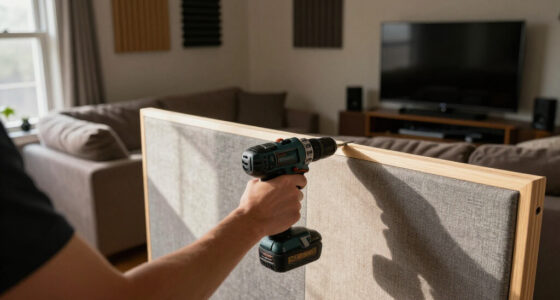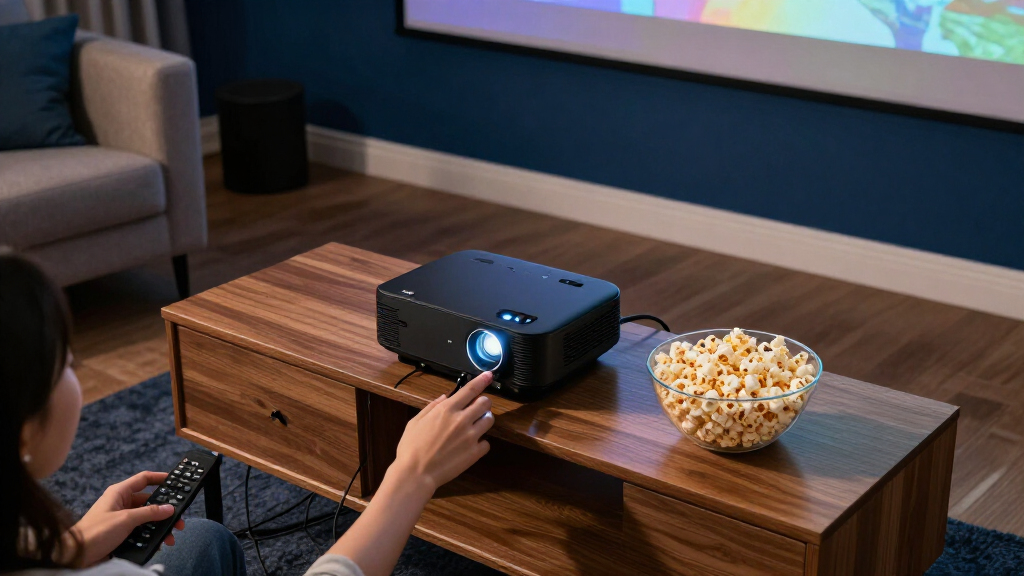

Among these 4K projectors for home theaters, my best overall pick is the Epson Home Cinema 5050UB, which balances theater-focused image performance and flexible installation. The Epson LS11000 is the premium laser choice, while the ViewSonic LX700-4K stands out for buyers who also want responsive gaming. The lineup reveals a key tradeoff: some models create a 4K-class image with pixel shifting, while several budget-friendly smart projectors accept 4K input but display at native 1080p. Brightness, room lighting, installation flexibility, and built-in streaming also matter as much as resolution. Continue reading for the full breakdown and guidance on matching a projector to your room.

Get business pricing on your home office setup
- Business-only prices and quantity discounts
- Tax-exempt purchasing
- Multiple users, one account, clear invoices
Complete the kit


Key Takeaways
- Native resolution matters: The HAPPRUN, X9 Pro, KOGATA, and NexAurea are native 1080p models; their 4K decoding means they can accept 4K sources, not display the full 4K pixel count.
- The Epson 5050UB leads for a dedicated theater: Its 3-chip 3LCD design and lens flexibility make it a stronger fit for a permanent room than the simpler smart projectors.
- The LS11000 is the premium laser step-up: It suits buyers who value laser illumination and a higher-end installation, while its feature set may be excessive for casual viewing.
- Gaming changes the shortlist: The ViewSonic LX700-4K and PX701-4K are more relevant to buyers prioritizing gaming response than models chosen mainly for streaming or theater installation.
- Brightness and room conditions can outweigh smart features: The Epson 3800, Optoma UHZ36, and XGIMI HORIZON 20 offer different paths for larger or more flexible viewing spaces, but screen size and ambient light still shape results.
| XGIMI HORIZON 20 4K RGB Triple Laser Home Projector |  | Best Overall | Native resolution: 3840 × 2160 | Brightness: 3200 ISO lumens | Contrast ratio: 100,000:1 | VIEW LATEST PRICE | See Our Full Breakdown |
| ViewSonic LX700-4K 4K UHD Laser Gaming Projector |  | Best for Competitive Gaming | Native resolution: 3840 × 2160 | Brightness: 3,500 ANSI lumens | Contrast ratio: 3,000,000:1 | VIEW LATEST PRICE | See Our Full Breakdown |
| HAPPRUN Google TV Projector, Native 1080p, 1500 ANSI Lumens, 4K Decoding |  | Best for Built-In Streaming on a Budget | Native resolution: 1920 × 1080 | 4K support: 4K video decoding | Brightness: 1,500 ANSI lumens | VIEW LATEST PRICE | See Our Full Breakdown |
| X9 Pro Smart Projector with VIDAA, Native 1080p, 4K Decoding, Dolby Audio, Wi-Fi 6, and Auto Focus |  | Best for Hands-Off Setup | Native resolution: 1080p | 4K support: 4K video decoding | Brightness: 920 ANSI lumens | VIEW LATEST PRICE | See Our Full Breakdown |
| KOGATA Smart Projector with VIDAA OS, Native 1080p, 4K Decoding, Wi-Fi and Bluetooth |  | Best for Flexible Indoor and Outdoor Viewing | Native resolution: 1080p | 4K support: 4K decoding | HDR: HDR10+ | VIEW LATEST PRICE | See Our Full Breakdown |
| Optoma UHZ36 4K UHD Laser HDR Home Theater Projector, Black |  | Best for Bright, Flexible Rooms | Resolution: 3840 × 2160 (4K UHD) | Display technology: DLP | Brightness: 3,500 lumens | VIEW LATEST PRICE | See Our Full Breakdown |
| Epson Home Cinema 3800 4K PRO-UHD 3LCD Projector with HDR |  | Best for Rainbow-Free 4K Viewing | Projection technology: 3-chip 3LCD with 4K PRO-UHD pixel shifting | Brightness: 3,000 lumens, color and white | HDR: Full 10-bit HDR support | VIEW LATEST PRICE | See Our Full Breakdown |
| ViewSonic PX701-4K UHD DLP Projector |  | Best for Gaming on a Big Screen | Native resolution: 3840 × 2160 | Display technology: DLP | Brightness: 3,200 ANSI lumens | VIEW LATEST PRICE | See Our Full Breakdown |
| Epson Home Cinema 2350 4K PRO-UHD Smart Streaming Projector | 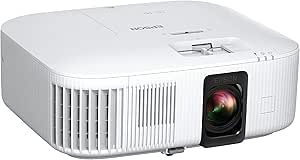 | Best for Built-In Streaming | Resolution: 3840 × 2160 | Display technology: 3-chip 3LCD | Brightness: 2,800 lumens, color and white | VIEW LATEST PRICE | See Our Full Breakdown |
| Epson Home Cinema 5050UB 4K PRO-UHD 3-Chip 3LCD Projector with HDR |  | Best for a Dedicated Cinema Room | Projection technology: 4K PRO-UHD, 3-chip 3LCD with pixel shifting | Native resolution listed: 4096 × 2160 pixels | Maximum display resolution listed: 1920 × 1080p | VIEW LATEST PRICE | See Our Full Breakdown |
| NexAurea Smart Projector with Built-In Apps, Native 1080p, 4K Decoding, HDR10+, Wi-Fi 6, and Bluetooth 5.4 |  | Best for Easy Setup and Built-In Streaming | Native resolution: 1080p | Video decoding: 4K | HDR: HDR10+ | VIEW LATEST PRICE | See Our Full Breakdown |
| Epson Home Cinema LS11000 4K PRO-UHD Laser Projector with HDR10+ |  | Best for Dedicated Home Theaters | Native resolution: 3840 x 2160 | Projection technology: 4K PRO-UHD; 3-chip 3LCD | Light source: Laser array | VIEW LATEST PRICE | See Our Full Breakdown |
| 4K projectors for home theater | Brightness | Native resolution | Contrast ratio | HDR |
|---|---|---|---|---|
| XGIMI HORIZON 20 4K RGB Triple | 3200 ISO lumens | 3840 × 2160 | 100,000:1 | — |
| ViewSonic LX700-4K 4K UHD Lase | 3,500 ANSI lumens | 3840 × 2160 | 3,000,000:1 | — |
| HAPPRUN Google TV Projector | 1,500 ANSI lumens | 1920 × 1080 | — | HDR10+ |
| X9 Pro Smart Projector with VI | 920 ANSI lumens | 1080p | — | HDR10 |
| KOGATA Smart Projector with VI | — | 1080p | — | HDR10+ |
| Optoma UHZ36 4K UHD Laser HDR | 3,500 lumens | — | 1,500,000:1 | — |
| Epson Home Cinema 3800 4K PRO- | 3,000 lumens, color and white | — | Up to 100,000:1 | Full 10-bit HDR support |
| ViewSonic PX701-4K UHD DLP Pro | 3,200 ANSI lumens | 3840 × 2160 | — | — |
| Epson Home Cinema 2350 4K PRO- | 2,800 lumens, color and white | — | 35,000:1 | HDR10 |
| Epson Home Cinema 5050UB 4K PR | 2,600 lumens, color and white | — | Up to 1,000,000:1 | — |
| NexAurea Smart Projector with | — | 1080p | — | HDR10+ |
| Epson Home Cinema LS11000 4K P | — | 3840 x 2160 | — | — |
More Details on Our Top Picks
XGIMI HORIZON 20 4K RGB Triple Laser Home Projector
The XGIMI HORIZON 20 is the strongest all-around fit here for a dedicated home theater that also serves as a gaming setup. Its native 4K resolution, RGB triple laser, and support for Dolby Vision, HDR10+, IMAX Enhanced, and Filmmaker Mode give buyers a broader mix of picture formats than the ViewSonic LX700-4K’s listed HDR/HLG support. Optical zoom and lens shift also make it easier to place without relying solely on digital correction. For gaming, VRR, ALLM, and up to 240Hz are compelling, though the supplied details do not specify input lag as they do for the LX700-4K. Google TV and Harman Kardon speakers reduce setup clutter, but built-in sound is still not a substitute for a proper theater audio system. I would skip it if the listed 220–240-volt power requirement does not suit your home.
Pros:- Native 3840 × 2160 resolution with RGB triple-laser light source
- Supports Dolby Vision, HDR10+, IMAX Enhanced, and Filmmaker Mode
- Optical zoom and lens shift give more placement flexibility
- Google TV and Harman Kardon speakers are built in
Cons:- Listed 220–240-volt power requirement may not suit every home
- A 300-inch image requires substantial projection space
- No input-lag figure is supplied for comparison with the ViewSonic LX700-4K
Best for: Home theater buyers who want native 4K, broad HDR format support, flexible placement, and gaming features in one projector.
Not ideal for: Buyers whose home power setup does not support the listed 220–240 volts, or viewers who need a very large image but lack the projection distance for it.
- Native resolution:3840 × 2160
- Brightness:3200 ISO lumens
- Contrast ratio:100,000:1
- Light source:RGB triple laser
- Maximum image size:300 inches
- Throw distance:1.06–5.31 meters
- Gaming features:Up to 240Hz, 1ms response time, VRR, and ALLM
- Built-in features:Google TV, Harman Kardon speakers, and integrated stand
Our verdict“Choose the HORIZON 20 for a flexible native-4K theater projector that can also handle high-refresh gaming, provided its power requirement fits your home.”
ViewSonic LX700-4K 4K UHD Laser Gaming Projector
The ViewSonic LX700-4K puts gaming response ahead of the HORIZON 20’s wider cinematic format support. Its stated 4.2 ms input lag and refresh rates up to 240Hz make it the clearer pick for players who prioritize responsiveness, while 1440p at 120Hz is specifically supported for Xbox gaming. It still makes sense in a home theater: native 4K, 3,500 ANSI lumens, and a laser light source suit large-screen viewing, and the 1.36x optical zoom plus lens shift help with room placement. Keystone and four-corner adjustments offer extra setup help, though digital correction is not a substitute for careful positioning. Compared with the XGIMI, it has fewer listed premium HDR formats and no built-in streaming platform or speakers. Its supplied light-source-life figures also conflict: 20,000 hours in the specs versus up to 30,000 in the description.
Pros:- Native 4K resolution with up to 3,500 ANSI lumens
- Stated 4.2 ms input lag and refresh rates up to 240Hz
- Supports Xbox gaming at 1440p and 120Hz
- Optical zoom, lens shift, keystone, and four-corner adjustments aid setup
Cons:- No built-in streaming platform or speakers are listed
- Supported HDR formats are listed as HDR and HLG, not Dolby Vision or HDR10+
- Light-source life is inconsistent across the supplied product details
Best for: Console and PC gamers building a theater room who want native 4K, low stated input lag, and high refresh rates.
Not ideal for: Buyers who want streaming apps or speakers built into the projector, or who prioritize Dolby Vision and other premium format support.
- Native resolution:3840 × 2160
- Brightness:3,500 ANSI lumens
- Contrast ratio:3,000,000:1
- Light source:Laser
- Input lag:4.2 ms
- Refresh rate:Up to 240Hz
- Optical zoom:1.36x
- Maximum image size:300 inches
Our verdict“Pick the LX700-4K if responsive high-refresh gaming matters more than built-in streaming and the HORIZON 20’s broader HDR format support.”
HAPPRUN Google TV Projector, Native 1080p, 1500 ANSI Lumens, 4K Decoding
The HAPPRUN is a convenient streaming projector, but it is not a native-4K choice for a home theater. It accepts and decodes 4K content, then displays it at native 1080p; that distinction matters on a large screen, where fine detail will not match the XGIMI HORIZON 20 or ViewSonic LX700-4K. Its strongest case is ease of use: licensed Google TV, voice control, Google Cast, and automatic focus and keystone correction keep setup and streaming straightforward. The 1,500 ANSI-lumen rating is higher than the X9 Pro’s 920 ANSI lumens on paper, though the provided information does not establish bright-room performance. Dolby Audio speakers and Wi-Fi 6 add convenience, but neither changes the resolution ceiling. I’d treat this as a casual viewing option for a theater-adjacent room, not as a true 4K centerpiece.
Pros:- Licensed Google TV includes streaming apps, voice control, and Google Cast
- Automatic focus and keystone correction simplify setup
- 1,500 ANSI-lumen brightness rating exceeds the X9 Pro’s listed 920 ANSI lumens
- Dolby Audio speakers, Wi-Fi 6, and Bluetooth 5.2 are built in
Cons:- Displays at native 1080p rather than native 4K
- Bright-room performance is not specified
- A 300-inch maximum image may need more space than many rooms can provide
Best for: Viewers who want an easy-to-set-up Google TV projector for streaming in a dim room and do not require native 4K image detail.
Not ideal for: Home theater buyers seeking native 4K resolution, or people who need specified performance in a bright viewing room.
- Native resolution:1920 × 1080
- 4K support:4K video decoding
- Brightness:1,500 ANSI lumens
- HDR:HDR10+
- Screen size:40–300 inches
- Throw ratio:1.3:1
- Smart features:Licensed Google TV, Google Voice Assistant, and Google Cast
- Audio:Dolby Audio with dual Hi-Fi speakers
Our verdict“Choose the HAPPRUN for simple Google TV streaming and automatic setup, not for the native-4K detail offered by the HORIZON 20 or LX700-4K.”
X9 Pro Smart Projector with VIDAA, Native 1080p, 4K Decoding, Dolby Audio, Wi-Fi 6, and Auto Focus
The X9 Pro is the easiest-to-position option in this group on paper, thanks to automatic focus, 6D keystone correction, obstacle avoidance, and auto screen fit. That makes it appealing for rooms where the projector is moved or cannot sit squarely in front of the screen. Its 2 × 20W speakers and VIDAA apps also support a self-contained setup. The home theater compromise is substantial, however: the projector displays at native 1080p, so 4K decoding does not provide the detail of the XGIMI HORIZON 20 or ViewSonic LX700-4K. Its 920 ANSI lumens are also the lowest stated brightness among these five products, limiting confidence for larger images or rooms with ambient light. The HAPPRUN has a higher brightness rating and Google TV, while the X9 Pro counters with more extensive auto-adjustment features and a three-year warranty.
Pros:- Auto focus, 6D keystone, obstacle avoidance, and auto screen fit simplify placement
- Dual 20W Dolby Audio speakers provide substantial built-in audio power
- VIDAA includes streaming apps and access to live TV channels
- Supports AirPlay 2, HomeKit, Bluetooth 5.4, and HDMI ARC/CEC
Cons:- Native resolution is 1080p despite 4K decoding
- 920 ANSI lumens is lower than the HAPPRUN’s 1,500 ANSI lumens
- Product details do not specify compatible screen sizes or installation distances
Best for: Buyers who frequently reposition a projector and value automatic image alignment, built-in apps, and strong onboard speakers over native 4K.
Not ideal for: Dedicated theater buyers who want native 4K detail, higher stated brightness, or clear guidance on compatible screen sizes and installation distances.
- Native resolution:1080p
- 4K support:4K video decoding
- Brightness:920 ANSI lumens
- HDR:HDR10
- Speakers:2 × 20W
- Operating system:VIDAA
- Image adjustment:Auto focus, 6D keystone correction, obstacle avoidance, and auto screen fit
- Warranty:3 years
Our verdict“Pick the X9 Pro for automatic setup and built-in sound in a flexible room, but skip it if native 4K is the priority.”
KOGATA Smart Projector with VIDAA OS, Native 1080p, 4K Decoding, Wi-Fi and Bluetooth
The KOGATA’s pitch is flexible viewing rather than true 4K theater performance. Its VIDAA OS, AirPlay, auto focus, and 6D keystone correction make it easier to move between indoor and outdoor setups, and auto obstacle avoidance and screen alignment can reduce readjustment after a change of location. A claimed 60W Dolby Audio and DTS system gives it a more ambitious built-in audio setup than the HAPPRUN’s dual Hi-Fi speakers, though a separate theater system remains the better fit for dedicated cinema sound. Like the HAPPRUN and X9 Pro, it has native 1080p resolution; 4K decoding does not make it a native-4K alternative to the XGIMI HORIZON 20. The listing also gives conflicting Bluetooth versions, 5.3 and 5.4, and some features depend on compatible services or devices.
Pros:- VIDAA provides built-in apps and live TV channels
- Auto focus, 6D keystone, obstacle avoidance, and screen alignment support flexible placement
- Dolby Audio and DTS are paired with a listed 60W sound system
- AirPlay and Wi-Fi 7 support wireless sharing and connectivity
Cons:- Native resolution is 1080p; 4K content is decoded rather than displayed natively
- Bluetooth version is listed as both 5.3 and 5.4
- Some apps and features require compatible services or devices
Best for: People who want one smart projector for casual indoor and outdoor viewing, with automatic alignment, AirPlay, and built-in audio.
Not ideal for: Dedicated home theater buyers who expect native 4K detail or want fully specified wireless features and installation guidance.
- Native resolution:1080p
- 4K support:4K decoding
- HDR:HDR10+
- Motion enhancement:MEMC
- Audio:60W Dolby Audio and DTS
- Wireless connectivity:Wi-Fi 7; Bluetooth listed as 5.3 and 5.4
- Setup features:3-second auto focus, 6D keystone, obstacle avoidance, and auto screen alignment
- Warranty:3 years
Our verdict“Choose the KOGATA for flexible smart viewing and setup automation, but choose the HORIZON 20 if native 4K theater detail matters more.”
Optoma UHZ36 4K UHD Laser HDR Home Theater Projector, Black
The Optoma UHZ36 is the strongest fit here for a home theater that cannot always be fully darkened. Its 3,500-lumen laser output exceeds the Epson Home Cinema 5050UB’s 2,600 lumens, giving it more headroom for ambient light, while Filmmaker Mode preserves the source’s intended frame rate, color, and aspect ratio. The laser is rated for up to 30,000 hours, so it avoids the more frequent light-source replacement concerns attached to the ViewSonic PX701-4K’s listed 6,000-hour life. MEMC can smooth fast motion, though viewers who prefer a film-like cadence may want to leave it off. The tradeoffs are a modest 15W speaker and a 10.4-pound chassis; I would plan on external audio and a fixed tabletop or ceiling position.
Pros:- 3,500 lumens provide more brightness headroom than the Epson Home Cinema 5050UB.
- Laser light source is rated for up to 30,000 hours.
- Filmmaker Mode preserves source frame rate, color, and aspect ratio.
- Throw distance spans 3.19 to 34.6 feet, supporting varied room layouts.
Cons:- The built-in 15W speaker is unlikely to replace a dedicated home theater audio system.
- At 10.4 pounds, it is better suited to a fixed setup than frequent repositioning.
- Its one-year light-source coverage is shorter than the stated maximum operating life.
Best for: Home theater owners who need high brightness, long laser life, and flexible projection distance for a room that is not completely light-controlled.
Not ideal for: Viewers seeking strong built-in sound or a lightweight projector they can move frequently; its 15W speaker is limited and the unit weighs 10.4 pounds.
- Resolution:3840 × 2160 (4K UHD)
- Display technology:DLP
- Brightness:3,500 lumens
- Contrast ratio:1,500,000:1
- Light source:Laser; rated up to 30,000 hours
- Image size:28–300 inches
- Throw distance:3.19–34.6 feet
- Connectivity and audio:HDMI, USB, RCA; built-in 15W speaker
Our verdict“Choose the UHZ36 for a bright, long-life 4K laser setup, provided you have external audio and a place to mount or park it.”
Epson Home Cinema 3800 4K PRO-UHD 3LCD Projector with HDR
The Epson Home Cinema 3800 is a sound choice for households sensitive to the color-fringing effect some viewers see with DLP projectors. Its 3-chip 3LCD design displays the full RGB color signal without rainbow effects, while 3,000 lumens of both color and white brightness helps keep color vivid in a range of home theater conditions. The ViewSonic PX701-4K is the more gaming-focused pick, with a 240 Hz refresh rate and 4.2 ms input lag; the 3800 instead prioritizes placement flexibility through horizontal and vertical lens shift. Pixel-shifting creates its 4K PRO-UHD image rather than using native 4K imaging chips, so buyers seeking native 4K hardware should look elsewhere. Active 3D and Bluetooth add options, but the 3D glasses are separate compatible accessories and the built-in stereo speakers remain a convenience rather than a theater sound system.
Pros:- 3-chip 3LCD imaging avoids rainbow effects associated with some DLP projectors.
- Provides 3,000 lumens of both color and white brightness.
- Vertical and horizontal lens shift make placement easier without relying only on digital correction.
- Includes 4K HDR at up to 60 Hz, active 3D, Bluetooth, and dual 10W speakers.
Cons:- Uses pixel-shifting rather than three native 4K imaging chips.
- Active 3D requires compatible glasses.
- Built-in stereo speakers offer convenience but are limited for immersive theater sound.
Best for: Movie households that notice DLP rainbow effects and need lens shift to fit a projector into a fixed room layout.
Not ideal for: Buyers who require native 4K imaging chips or prioritize very low-latency, high-refresh-rate gaming over flexible film viewing.
- Projection technology:3-chip 3LCD with 4K PRO-UHD pixel shifting
- Brightness:3,000 lumens, color and white
- HDR:Full 10-bit HDR support
- Contrast ratio:Up to 100,000:1
- HDMI:HDMI 2.0, 18 Gbps; supports 4K HDR at 60 Hz
- Lens adjustment:Vertical and horizontal lens shift
- Audio and wireless:Dual 10W stereo speakers; Bluetooth
- 3D:Active 3D support
Our verdict“Pick the Home Cinema 3800 if rainbow-free color and lens-shift flexibility matter more to you than native 4K imaging or gaming-first speed.”
ViewSonic PX701-4K UHD DLP Projector
For a home theater that doubles as a gaming room, the ViewSonic PX701-4K puts speed ahead of the placement refinements found on the Epson Home Cinema 3800. Its 240 Hz refresh rate and 4.2 ms input lag are the standout figures for fast play, while 3,200 ANSI lumens and HDR/HLG support serve movie nights on a screen as large as 300 inches. Auto keystone correction and four-corner adjustment can help square the image when the projector cannot sit perfectly centered, but digital correction is not a substitute for careful placement. The 1.1× optical zoom offers only modest framing flexibility, and the projector is designed for a stationary setup. Its listed 6,000-hour light-source life is also far shorter than the Optoma UHZ36’s laser rating, making long-term use a meaningful tradeoff for gamers who also watch movies regularly.
Pros:- 240 Hz refresh rate and 4.2 ms input lag suit fast-paced gaming.
- 3,200 ANSI lumens and HDR/HLG support accommodate large-screen viewing.
- Auto keystone and four-corner adjustment simplify image alignment.
- Projects images up to 300 inches.
Cons:- Listed light-source life is 6,000 hours, well below the Optoma UHZ36’s laser rating.
- The 1.1× optical zoom provides limited placement and image-sizing flexibility.
- Stationary design is a poor fit for buyers who want to move the projector often.
Best for: Console and PC gamers building a fixed big-screen room who want fast response alongside 4K UHD movie playback.
Not ideal for: Buyers seeking a long-life laser projector, extensive optical placement adjustment, or a portable unit for multiple rooms.
- Native resolution:3840 × 2160
- Display technology:DLP
- Brightness:3,200 ANSI lumens
- Refresh rate:Up to 240 Hz
- Input lag:4.2 ms
- HDR compatibility:HDR/HLG
- Image size:30–300 inches
- Adjustment and light-source life:1.1× optical zoom; auto horizontal and vertical keystone; four-corner adjustment; up to 6,000 hours
Our verdict“Choose the PX701-4K for a fixed gaming-and-movie room where low input lag matters more than long light-source life or extensive lens adjustment.”
Epson Home Cinema 2350 4K PRO-UHD Smart Streaming Projector
The Epson Home Cinema 2350 is the most convenient starting point in this group for buyers who want streaming built into the projector. Android TV gives it an advantage over the ViewSonic PX701-4K, which lists HDMI and USB but no smart platform, while 3-chip 3LCD avoids the rainbow effects associated with some DLP designs. Its 2,800 lumens of color and white brightness is a step below the Epson Home Cinema 3800’s 3,000, but the 2350 adds a compact, portable form and a built-in 10W speaker for simpler setups. Input lag under 20 ms makes casual gaming plausible, though the PX701-4K is the clearer choice for competitive play with its 4.2 ms figure. Streaming depends on a wireless network, and Bluetooth audio does not work with HDMI-connected content, which limits its usefulness as a universal audio link.
Pros:- Android TV provides built-in streaming access without a separate streaming device.
- 3-chip 3LCD avoids rainbow effects associated with some DLP projectors.
- Under-20-ms input lag supports casual gaming.
- Compact design, vertical lens shift, and a built-in 10W speaker simplify flexible setups.
Cons:- Streaming apps require a wireless network connection of at least 5 Mbps.
- Bluetooth audio is unavailable for HDMI-connected content.
- At 2,800 lumens, it has less brightness headroom than the Optoma UHZ36 and ViewSonic PX701-4K.
Best for: Apartment or multipurpose-room viewers who want built-in Android TV, 3LCD color, and occasional gaming without adding a separate streamer.
Not ideal for: Competitive gamers or buyers who expect Bluetooth audio to work with every HDMI source; its input lag is higher than the PX701-4K’s and Bluetooth is limited to Android TV content.
- Resolution:3840 × 2160
- Display technology:3-chip 3LCD
- Brightness:2,800 lumens, color and white
- Contrast ratio:35,000:1
- HDR:HDR10
- Smart platform:Android TV
- Audio:Built-in 10W bass-reflex speaker; Bluetooth audio
- Gaming and placement:Input lag under 20 ms; vertical lens shift
Our verdict“Choose the Home Cinema 2350 if built-in streaming and a flexible, compact 3LCD setup matter more than high-refresh gaming or maximum brightness.”
Epson Home Cinema 5050UB 4K PRO-UHD 3-Chip 3LCD Projector with HDR
The Epson Home Cinema 5050UB is the pick here for a dedicated, light-controlled theater where image processing and contrast matter more than built-in streaming or peak brightness. Its 3-chip 3LCD system displays the full RGB color signal, and its stated contrast ratio reaches up to 1,000,000:1, far above the Epson Home Cinema 3800’s listed 100,000:1. That makes the 5050UB the more cinema-oriented option on paper, though its 2,600-lumen output is lower than the Optoma UHZ36’s 3,500 lumens and may be less suited to rooms with ambient light. It uses pixel-shifting to enhance 4K images rather than native 4K imaging chips, and the supplied data lists a maximum display resolution of 1920 × 1080p despite a separate 4096 × 2160 native-resolution entry. HDR also depends on compatible external devices, so buyers should verify their source chain before choosing it.
Pros:- Stated contrast ratio reaches up to 1,000,000:1, higher than the Home Cinema 3800’s listed figure.
- 3-chip 3LCD displays the full RGB color signal for every frame.
- Full 10-bit HDR processing supports detailed color gradations.
- Supports projection sizes from 50 to 300 inches and front, rear, or ceiling mounting.
Cons:- 2,600 lumens is lower than the Optoma UHZ36 and may be limiting in rooms with ambient light.
- Uses pixel-shift processing rather than native 4K imaging chips.
- The supplied resolution specifications conflict, and HDR performance depends on compatible third-party devices.
Best for: Dedicated home theater owners prioritizing high stated contrast, 3LCD color, and HDR processing in a room they can darken.
Not ideal for: Buyers who need strong brightness in a lit room, built-in streaming, or unambiguous native 4K specifications; its listed brightness is 2,600 lumens and the resolution details conflict.
- Projection technology:4K PRO-UHD, 3-chip 3LCD with pixel shifting
- Native resolution listed:4096 × 2160 pixels
- Maximum display resolution listed:1920 × 1080p
- Brightness:2,600 lumens, color and white
- HDR processing:Full 10-bit
- Contrast ratio:Up to 1,000,000:1
- Projection size:50–300 inches
- Throw distance:1.35–2.84 meters
Our verdict“Pick the Home Cinema 5050UB for a dark, dedicated theater that values contrast and 3LCD color, after verifying that its resolution specifications meet your needs.”
NexAurea Smart Projector with Built-In Apps, Native 1080p, 4K Decoding, HDR10+, Wi-Fi 6, and Bluetooth 5.4
The NexAurea makes the most sense for a home theater where simple setup and app access matter more than native 4K detail. Its built-in Netflix, YouTube, and Prime Video apps can reduce the need for a separate streamer, while autofocus, 6D keystone correction, obstacle avoidance, and electronic zoom help accommodate less-than-perfect room layouts. That flexibility distinguishes it from the Epson Home Cinema LS11000, which offers native 3840 x 2160 resolution and motorized lens controls for a more dedicated theater installation. The tradeoff is central to the choice: NexAurea accepts 4K video decoding, but its native resolution is 1080p, so it cannot match the Epson’s native 4K image detail. Dual 25W speakers and eARC give it useful audio options, though home theater buyers who prioritize picture fidelity should look to a native-4K model instead.
Pros:- Built-in Netflix, YouTube, and Prime Video apps reduce reliance on a separate streaming device.
- Autofocus, 6D keystone correction, obstacle avoidance, and 50%–100% electronic zoom support flexible placement.
- Dual 25W speakers, Dolby Audio, DTS decoding, and HDMI eARC offer both onboard and external audio options.
- Wi-Fi 6 and two-way Bluetooth 5.4 provide wireless streaming and audio connectivity.
Cons:- Native 1080p resolution does not provide the image detail of a native-4K theater projector.
- Some wireless and external-audio features depend on compatible devices.
- The listed 300-inch maximum image size does not by itself establish picture quality at that size.
Best for: Viewers setting up a flexible living-room theater who want built-in streaming apps, automatic image adjustments, and strong onboard speakers without adding a separate streaming device.
Not ideal for: Buyers building a dedicated theater around fine 4K image detail; its native resolution is 1080p, unlike the Epson Home Cinema LS11000’s 3840 x 2160 resolution.
- Native resolution:1080p
- Video decoding:4K
- HDR:HDR10+
- Built-in apps:Netflix, YouTube, Prime Video, app store, browser
- Audio:Dual 25W speakers; Dolby Audio and DTS decoding
- Setup features:Autofocus, 6D keystone correction, automatic obstacle avoidance, 50%–100% electronic zoom
- Wireless connectivity:Wi-Fi 6; two-way Bluetooth 5.4
- Maximum display size:Up to 300 inches
- Warranty and support:3-year warranty; lifetime technical support
Our verdict“Choose the NexAurea for a flexible, app-friendly theater setup, but choose the Epson LS11000 if native 4K detail is your priority.”
Epson Home Cinema LS11000 4K PRO-UHD Laser Projector with HDR10+
The LS11000 is the dedicated-theater pick in this pair: its 3840 x 2160 resolution, laser light source, and 3-chip 3LCD engine put native 4K presentation ahead of the NexAurea, which decodes 4K but displays at native 1080p. Epson also offers 2,500 lumens of both color and white brightness, support for HDR10+ and other HDR formats, and a motorized lens with broad shift and zoom ranges. That combination helps buyers fit the image to a theater screen and switch between supported formats without relying on manual lens adjustments. Its 120Hz capability and below-20ms input lag also give it a credible gaming role. The tradeoffs are practical: this is a substantial installation-oriented choice, it needs a separate screen, and its built-in connectivity is less focused on direct streaming than the NexAurea’s app-led setup.
Pros:- Native 3840 x 2160 resolution offers more 4K image detail than 1080p models that only decode 4K.
- Laser-powered 3-chip 3LCD projection provides 2,500 lumens of both color and white brightness.
- Motorized shift, zoom, focus, and 10 lens-memory presets simplify screen alignment and format changes.
- Up to 120Hz refresh rate and below-20ms input lag suit responsive gaming.
Cons:- A separate screen is required for projection.
- Its large-screen and motorized-lens capabilities are better matched to a planned theater installation than casual repositioning.
- Unlike the NexAurea, it does not list built-in streaming apps.
Best for: Home theater owners planning a dedicated screen installation who want native 4K resolution, motorized lens adjustments, HDR format support, and responsive gaming performance.
Not ideal for: Casual viewers seeking a quick, self-contained setup with streaming apps and no separate screen; the NexAurea offers built-in apps and automatic setup aids.
- Native resolution:3840 x 2160
- Projection technology:4K PRO-UHD; 3-chip 3LCD
- Light source:Laser array
- Color and white brightness:2,500 lumens each
- HDR formats:HDR, HDR10, HDR10+, HLG
- Refresh rate and input lag:Up to 120Hz; below 20ms
- Lens and adjustment:Motorized shift, zoom, and focus; ±47% horizontal and ±96% vertical lens shift
- Screen size and aspect ratios:Up to 300 inches; 16:9 to 21:9
- Connectivity:Dual HDMI, Ethernet, USB; eARC on one HDMI port
Our verdict“Choose the LS11000 for a dedicated home theater where native 4K, installation flexibility, and gaming response matter more than built-in streaming.”
How We Picked
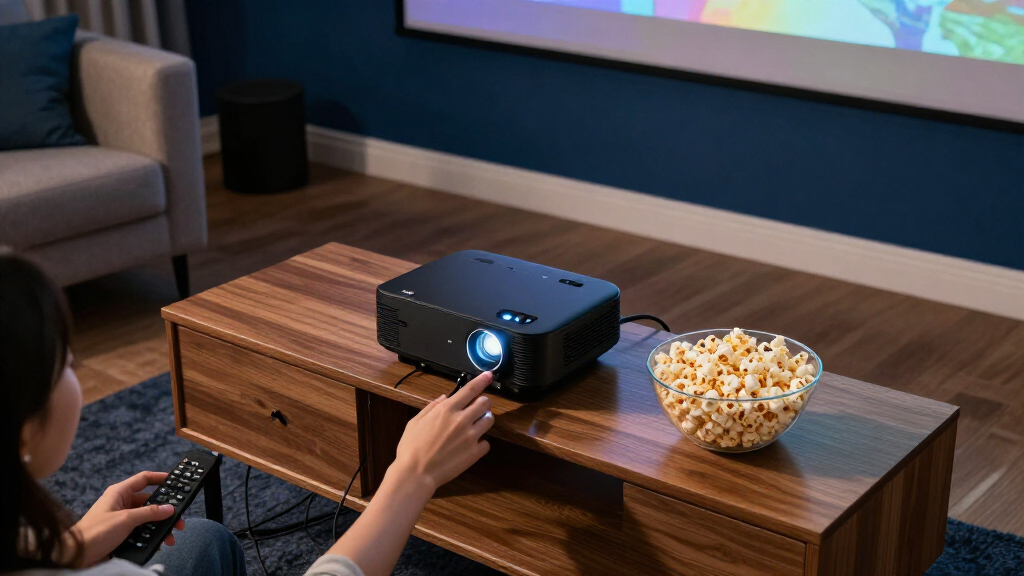
I ranked these projectors for home theater use, giving the most weight to image detail, contrast and color potential, brightness for a practical screen size, and installation flexibility. I also looked at light-source type, gaming relevance, built-in streaming, setup aids, and whether a model’s stated 4K capability describes its displayed resolution or only the input it accepts. Those distinctions matter: a native 1080p projector that decodes 4K is not a like-for-like substitute for a 4K-class display when fine detail is the priority.
The order reflects theater performance and versatility first, with convenience and specialized uses shaping the placements that follow. The Epson 5050UB and LS11000 rank highly for dedicated rooms, while the ViewSonic gaming models serve a narrower but clear role. Native 1080p smart projectors rank lower for a 4K-focused theater, though their app support and simpler setup can suit casual viewing. I also treated each product’s tradeoffs as part of its value: a projector that fits a smaller screen or a flexible room may be a better match than a more advanced model used in the wrong setting.
| 4K projectors for home theater | HDR |
|---|---|
| XGIMI HORIZON 20 4K RGB Triple | — |
| ViewSonic LX700-4K 4K UHD Lase | — |
| HAPPRUN Google TV Projector | HDR10+ |
| X9 Pro Smart Projector with VI | HDR10 |
| KOGATA Smart Projector with VI | HDR10+ |
| Optoma UHZ36 4K UHD Laser HDR | — |
| Epson Home Cinema 3800 4K PRO- | Full 10-bit HDR support |
| ViewSonic PX701-4K UHD DLP Pro | — |
| Epson Home Cinema 2350 4K PRO- | HDR10 |
| Epson Home Cinema 5050UB 4K PR | — |
| NexAurea Smart Projector with | HDR10+ |
| Epson Home Cinema LS11000 4K P | — |
Factors to Consider When Choosing 4K Projectors For Home Theaters
Choosing a home theater projector starts with the room and viewing habits, not the word “4K” on the box. These broader factors can help you decide whether to prioritize resolution, light output, installation, or convenience—and avoid paying for capabilities your setup cannot use.
Check What “4K” Means on the Spec Sheet
Projector listings may use “4K” for native 4K display, pixel-shifted 4K-class imaging, or simply the ability to decode a 4K signal. Those descriptions are not interchangeable: a native 1080p projector can accept a 4K stream but still display a 1080p image. Before choosing, check the projector’s displayed resolution and its imaging method, then compare those details with your screen size and seating distance. Fine pixel structure is easier to notice on a large screen or from a closer seat. A smaller screen and more distant seating can make the resolution gap less obvious, so spending more for added detail may bring less benefit in that room.
Match Brightness to Your Room and Screen
Brightness requirements rise with screen size and ambient light, but a projector’s advertised brightness alone does not predict the image you will see in every mode. A dark, light-controlled theater can make contrast and black levels more apparent, while daytime viewing in a bright room calls for more light output and often a screen suited to those conditions. A larger screen spreads the available light over more area, so a model that looks adequate on a modest screen may seem dim when enlarged. Avoid choosing a large screen first and assuming any projector will fill it convincingly. Think about curtains, wall and ceiling reflections, and when the room will be used before settling on screen size.
Plan the Installation Before Buying
Throw distance, lens shift, zoom range, and keystone correction determine whether a projector can sit where your room allows. A fixed installation benefits from matching the model’s throw range to the planned screen width before mounting anything. Lens shift can help position the image without digital correction, while keystone adjustments may make setup easier but can reduce usable image detail. Ceiling mounts, shelves, and cables also affect placement; check where power and source devices will sit. A projector with stronger placement flexibility can be the better home theater choice even if another model has a more appealing headline specification.
Choose a Light Source for Your Use Pattern
Laser and lamp projectors differ in upkeep, operating habits, and how buyers plan to use them over time. A laser model can be attractive for frequent viewing and a more permanent installation because it avoids routine lamp replacement. Lamp-based options may still make sense when their image features and setup fit the room, especially if the projector will see occasional use. Compare the manufacturer’s stated light-source life and maintenance guidance rather than assuming every laser model is maintenance-free. Also consider access: a projector mounted in a hard-to-reach spot makes any service task more inconvenient.
Decide Whether Gaming and Streaming Belong in the Projector
Home theater buyers who also game should check supported refresh rates, input lag information, and available HDMI features for the consoles or PC they plan to connect. A projector marketed for gaming may prioritize responsiveness or high-refresh modes over the features that matter most for films. Built-in streaming apps can reduce cable clutter, but external streamers are often easier to replace and may offer broader app support. Smart features also depend on reliable network access and software support over time. Choose convenience inside the projector when simplicity matters; choose separate devices when you want more flexibility or plan to upgrade sources independently.
Budget for the Whole Viewing Setup
The projector is only one part of a theater system: screen, mount, cabling, sound, and room light control all influence the finished experience. A white wall can work for casual viewing, but surface texture and wall color may affect image uniformity and perceived color. Projector speakers can simplify setup, yet a separate audio system usually gives films more convincing dialogue and sound effects. Long cable runs may require compatible signal hardware, particularly with high-resolution sources. Set aside room for these supporting pieces before choosing a projector tier; a balanced setup often serves the room better than putting every available feature into the projector alone.
Frequently Asked Questions
Does a projector that accepts 4K video show a true 4K image?
Not necessarily. “4K decoding” means the projector can receive and process a 4K source, but a native 1080p model still displays an image at 1080p resolution. Some projectors use pixel shifting to produce a 4K-class image without native 4K imaging chips. Check the displayed resolution and the manufacturer’s description of its imaging method rather than relying on the input specification. This distinction matters most when you want fine detail on a large screen or sit relatively close to it.
Should I choose a brighter projector or one with better contrast for a dark theater?
For a room with good light control, contrast and the projector’s ability to render dark scenes can matter more than maximizing brightness. A very bright image is not automatically a more cinematic one, especially if you watch in a dark room on a moderate-size screen. In a room with windows or lights on, brightness becomes more important, though reflected light can still wash out blacks and color. Match both characteristics to your actual viewing conditions and screen size. If possible, plan to control room light before moving up to a larger projector solely for extra brightness.
Is a laser projector worth choosing over a lamp model?
A laser projector is a sensible fit for frequent viewing, long sessions, or an installation where convenient light-source upkeep matters. Lamp models can remain appealing when their image performance and installation features match your needs and the projector will be used less often. Compare the stated light-source life, maintenance instructions, and replacement arrangements for the exact models you are considering. A laser light source does not by itself guarantee better contrast, color, or placement flexibility. Treat it as one part of the decision, not a substitute for comparing the full image and setup specifications.
Can a home theater projector work well for both movies and console gaming?
Yes, but the best choice depends on how demanding your gaming setup is. Check input lag, refresh-rate support, resolution at the modes you intend to use, and compatibility with your console or PC. A gaming-focused projector can be a stronger fit for responsive play, while a theater-focused model may offer installation or image features you value more for films. Decide which activity takes priority if no single model satisfies every preference. Also plan for the projector’s location and cable path so gaming sources can connect without awkward routing.
What should I check before buying a projector for a large screen?
Start by confirming the projector’s throw range and whether your room can place it at the required distance. Then check brightness against both the screen size and the amount of light you can control; a large image uses the projector’s output across more area. Confirm the screen’s aspect ratio and gain, since those affect the image you see. Make sure the seating distance suits the resolution you are paying for, and account for mounting, ventilation, and cable runs. A larger screen is not always a better theater if the projector cannot light it evenly and convincingly in your room.
Conclusion
For a dedicated theater, I’d choose the Epson Home Cinema 5050UB as the best overall balance, while the Epson LS11000 is my best premium pick for buyers building a higher-end laser setup. The ViewSonic PX701-4K is a value-minded option for buyers who prioritize gaming and 4K-class imaging, and the Epson Home Cinema 2350 makes more sense for beginners who want a simpler smart-projector route. For gaming-led use, compare the ViewSonic LX700-4K with the PX701-4K based on the features your system needs; for a flexible room, consider the XGIMI HORIZON 20 or Epson Home Cinema 3800. Choose the HAPPRUN, X9 Pro, KOGATA, or NexAurea only if native 1080p suits your expectations and convenience outweighs displayed 4K detail. The right pick is the one that fits your screen, room, and viewing habits—not simply the model with the most impressive label.
Black Friday Picks

De'Longhi Rivelia Fully Automatic Espresso Machine with Milk Frother, Black
As an affiliate, we earn on qualifying purchases.