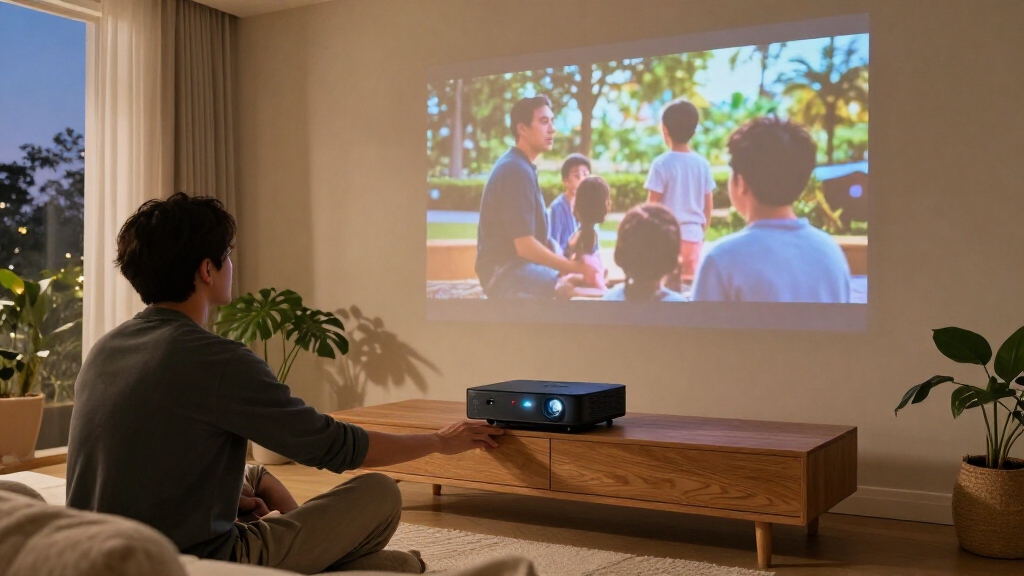
The best ultra short throw projector overall in this roundup is the Hisense PX3-PRO, which pairs 4K resolution and triple-laser color with a broad home-theater feature set. The AWOL VISION Aetherion models stand out for buyers seeking a more premium 4K laser setup, while the Optoma ML1080UST Photon GO is a more portable option. Choosing among ultra short throw projectors means balancing picture quality and room brightness against placement limits, screen requirements, and the cost of a full theater setup. A high lumen figure alone does not guarantee a satisfying daytime image, and a projector’s short throw still needs the right distance and surface. Read on for the full breakdown and guidance on matching a model to your room and viewing habits.

Get business pricing on your home office setup
- Business-only prices and quantity discounts
- Tax-exempt purchasing
- Multiple users, one account, clear invoices
Complete the kit


Key Takeaways
- The Hisense PX3-PRO is the roundup’s strongest all-rounder: its 4K triple-laser design and built-in entertainment and gaming features make it a well-rounded home-theater pick.
- The AWOL VISION Aetherion Max and Aetherion Pro occupy the premium end: they suit buyers prioritizing a dedicated 4K laser theater, rather than shoppers mainly seeking portability or a simple setup.
- Not every short-throw model is a living-room TV replacement: the Epson PowerLite 760W is an education-oriented 3LCD option, while the Optoma Photon GO emphasizes portability.
- Product names can obscure meaningful differences: the Epson Lifestudio Grand and Grand Plus, and the AWOL Aetherion Max and Pro, should be compared by their exact feature sets and room needs—not assumed to be interchangeable.
- Feature-rich models bring setup tradeoffs: triple-laser color, smart platforms, and theater formats add appeal, but buyers still need to plan for screen surface, ambient light, throw distance, and audio.
| Optoma ML1080UST Photon GO Ultra Short Throw 1080p Portable Projector |  | Best Portable UST | Resolution: 1920 x 1080 (Full HD) | Brightness: 650 lumens | Image size: 60–100 inches | VIEW LATEST PRICE | See Our Full Breakdown |
| Hisense PX3-PRO Ultra Short Throw Triple Laser Projector 4K UHD 80‑150″ 3000 Lumens 3000:1 Contrast Dolby Vision & Atmos IMAX Enhanced Google TV for Xbox |  | Best Overall Home Theater | Native resolution: 3840 x 2160 | Brightness: 3,000 ANSI lumens | Image size: 80–150 inches | VIEW LATEST PRICE | See Our Full Breakdown |
| Epson PowerLite 760W Ultra Short Throw 3LCD Projector |  | Best for Classrooms and Meeting Rooms | Native resolution: WXGA (1280 x 800) | Brightness: 4,100 lumens | Image size: 60–150 inches | VIEW LATEST PRICE | See Our Full Breakdown |
| AWOL VISION Aetherion Max 4K Ultra Short Throw Laser Projector |  | Best for High-Refresh Gaming | Native resolution: 3840 x 2160 | Brightness: 3,300 ISO lumens in description; 3,000 lm in specifications | Throw ratio: 0.2:1 | VIEW LATEST PRICE | See Our Full Breakdown |
| Epson Lifestudio Grand Ultra Short Throw 4K PRO-UHD Laser Projector |  | Best All-in-One Living-Room Setup | Resolution: 3840 x 2160 | Brightness: 3,600 lumens | Image size: 60–120 inches | VIEW LATEST PRICE | See Our Full Breakdown |
| AWOL VISION LTV-3000 Pro 4K 3D Ultra Short Throw Triple Laser Projector |  | Best for Dialogue-Centered Home Theater | Native resolution: 3840 × 2160 | Image size: 80–150 inches | Throw ratio: 0.25:1 | VIEW LATEST PRICE | See Our Full Breakdown |
| AWOL VISION Aetherion Pro 4K Ultra Short Throw Laser Home Theater Projector |  | Best for Gaming and Large Screens | Resolution: 3840 × 2160 (4K UHD) | Brightness: 2,600 ISO lumens; 3,000 ANSI lumens listed | Native contrast ratio: 6,000:1 | VIEW LATEST PRICE | See Our Full Breakdown |
| JMGO O2S Ultra 4K Ultra Short Throw Triple Laser Projector |  | Best for Bright-Room Viewing | Resolution: 3840 × 2160 | Display type: RGB triple laser | Brightness: 3,600 ISO lumens | VIEW LATEST PRICE | See Our Full Breakdown |
| XGIMI MIRA 4K Triple-Laser Ultra-Short-Throw Projector |  | Best for Easier Setup | Native resolution: 3840 × 2160 | Brightness: 2,000 ISO lumens | Throw ratio: 0.175:1 | VIEW LATEST PRICE | See Our Full Breakdown |
| Nova Pro 4K Ultra Short Throw Laser Projector with Google TV |  | Best Value for Built-In Entertainment | Resolution: 3840 × 2160 | Display technology: DLP with ALPD laser | Brightness: 2,100 ISO lumens | VIEW LATEST PRICE | See Our Full Breakdown |
| iSinbox Short-Throw Projector with Native 1080p, 4K Support, Netflix, Auto Focus, Dolby Audio and 360° Stand |  | Best Portable Short-Throw Pick | Native resolution: 1080p | 4K support: 4K decoding at native Full HD resolution | Throw ratio: 1.1:1 | VIEW LATEST PRICE | See Our Full Breakdown |
| Epson Lifestudio Grand Plus Ultra Short Throw Laser Projector |  | Best Bright-Room Ultra-Short-Throw Pick | Resolution: 3840 × 2160 | Display technology: Laser, 3-chip 3LCD | Brightness: 4,000 lumens color and white | VIEW LATEST PRICE | See Our Full Breakdown |
| Hisense PT1 Ultra Short Throw Triple Laser Projector |  | Best for Wide-Gamut Color | Resolution: 4K UHD (3840 × 2160) | Light source: Triple laser (TriChroma) | Brightness: 2,500 ANSI lumens | VIEW LATEST PRICE | See Our Full Breakdown |
| ultra short throw projector | Brightness | Image size | Resolution | Throw ratio |
|---|---|---|---|---|
| Optoma ML1080UST Photon GO Ult | 650 lumens | 60–100 inches | 1920 x 1080 (Full HD) | — |
| Hisense PX3-PRO Ultra Short Th | 3,000 ANSI lumens | 80–150 inches | — | — |
| Epson PowerLite 760W Ultra Sho | 4,100 lumens | 60–150 inches | — | — |
| AWOL VISION Aetherion Max 4K U | 3,300 ISO lumens in description; 3,000 lm in specifications | — | — | 0.2:1 |
| Epson Lifestudio Grand Ultra S | 3,600 lumens | 60–120 inches | 3840 x 2160 | — |
| AWOL VISION LTV-3000 Pro 4K 3D | 2,000 lm; maximum white brightness listed as 3,000 ANSI lumens | 80–150 inches | — | 0.25:1 |
| AWOL VISION Aetherion Pro 4K U | 2,600 ISO lumens; 3,000 ANSI lumens listed | 80–200 inches | 3840 × 2160 (4K UHD) | 0.2:1 |
| JMGO O2S Ultra 4K Ultra Short | 3,600 ISO lumens | 80–150 inches | 3840 × 2160 | 0.16:1 |
| XGIMI MIRA 4K Triple-Laser Ult | 2,000 ISO lumens | 80–120 inches | — | 0.175:1 |
| Nova Pro 4K Ultra Short Throw | 2,100 ISO lumens | 80–150 inches | 3840 × 2160 | 0.23:1 |
| iSinbox Short-Throw Projector | — | — | — | 1.1:1 |
| Epson Lifestudio Grand Plus Ul | 4,000 lumens color and white | 60–150 inches | 3840 × 2160 | — |
| Hisense PT1 Ultra Short Throw | 2,500 ANSI lumens | 80–150 inches | 4K UHD (3840 × 2160) | — |
More Details on Our Top Picks
Optoma ML1080UST Photon GO Ultra Short Throw 1080p Portable Projector
The Optoma Photon GO is the most flexible pick here for buyers who need an ultra-short-throw projector they can move between rooms or take on the road. It can make a 60- to 100-inch image from less than a foot away, while Google TV and built-in streaming apps reduce the gear needed for a quick setup. Its battery and 20-watt speakers add convenience that the larger, mains-powered Hisense PX3-PRO does not prioritize. The tradeoff is a clear step down in scale and brightness: at 650 lumens and 1080p, it is better suited to dim rooms and casual viewing than bright-room home theater. The 1.5-hour battery also limits longer sessions, so I would treat portability as a bonus rather than a replacement for dependable wall power.
Pros:- Projects a 60- to 100-inch image from 0.34 to 0.81 feet away.
- Built-in Google TV includes streaming apps, reducing the need for an external player.
- Battery power and USB-A device charging support portable viewing.
- Triple RGB laser light source avoids lamp replacement and supports vivid color.
Cons:- 650 lumens is a poor fit for rooms with substantial ambient light.
- The 1.5-hour battery may not cover a full-length film without a power connection.
- Full HD resolution and a 100-inch maximum are modest beside the 4K, 150-inch Hisense PX3-PRO.
Best for: Apartment dwellers and frequent movers who want a streaming-ready 60- to 100-inch picture and may use the projector away from an outlet.
Not ideal for: Buyers setting up a bright living-room theater or seeking native 4K and a picture larger than 100 inches; its brightness and resolution trail the Hisense PX3-PRO.
- Resolution:1920 x 1080 (Full HD)
- Brightness:650 lumens
- Image size:60–100 inches
- Throw distance:0.34–0.81 ft
- Light source:Triple RGB laser
- Battery life:1.5 hours
- Built-in audio:20-watt stereo speakers
- Connectivity:HDMI, Wi-Fi, Bluetooth, RCA
Our verdict“Choose the Photon GO for portable, close-wall streaming in dim spaces, not for a bright or large-screen 4K theater.”
Hisense PX3-PRO Ultra Short Throw Triple Laser Projector 4K UHD 80‑150″ 3000 Lumens 3000:1 Contrast Dolby Vision & Atmos IMAX Enhanced Google TV for Xbox
The Hisense PX3-PRO earns my best-overall spot by balancing native 4K resolution, 3,000 ANSI lumens and a broad 80- to 150-inch image range. That combination makes it more suited to a dedicated home theater than the portable, 1080p Optoma Photon GO, while its Google TV platform and Harman Kardon speakers keep the setup relatively self-contained. Dolby Vision, Dolby Atmos and IMAX Enhanced support also give compatible movies a richer format toolkit. The main compromise is placement: this is a tabletop unit, not a ceiling-mount solution, and getting the largest image still takes more room than a tiny portable projector’s setup. Its 80-inch minimum can also be too large for compact viewing areas. I would pick it for a fixed living-room or theater setup, not for frequent relocation.
Pros:- Native 3840 x 2160 resolution supports detailed 4K viewing.
- 3,000 ANSI lumens and an image range up to 150 inches suit a dedicated large-screen setup.
- Google TV and Harman Kardon speakers provide streaming and sound without as much external equipment.
- Supports Dolby Vision, Dolby Atmos and IMAX Enhanced formats.
Cons:- Tabletop-only mounting limits installation options compared with the wall-mountable Epson PowerLite 760W.
- The 80-inch minimum image may be too large for smaller rooms.
- A 150-inch picture requires careful positioning and adequate wall space.
Best for: Home-theater buyers who have tabletop space and want native 4K, a large UST image, integrated streaming and built-in audio.
Not ideal for: People who need a ceiling-mounted projector, frequently move their setup, or have a room that cannot accommodate an 80-inch minimum image.
- Native resolution:3840 x 2160
- Brightness:3,000 ANSI lumens
- Image size:80–150 inches
- Throw distance:0.12–0.46 m
- Light source:Triple laser (red, blue, green)
- Light source life:25,000 hours
- Contrast ratio:3,000:1
- Operating system:Google TV
- Audio:Harman Kardon speakers
Our verdict“Choose the PX3-PRO for a mostly fixed home theater where native 4K and a large image matter more than flexible mounting.”
Epson PowerLite 760W Ultra Short Throw 3LCD Projector
The Epson PowerLite 760W is the practical choice when visibility and collaboration matter more than cinematic resolution. Its 4,100 lumens make it better suited to lit classrooms and meeting rooms than the 650-lumen Optoma Photon GO, and the UST design helps keep presenters from blocking the image with their shadows. Wireless casting for up to 50 devices gives a group more ways to share material without passing around a cable. That workplace focus brings compromises for home viewing: native WXGA resolution is lower than the 4K Hisense PX3-PRO and Epson Lifestudio Grand, and its lamp-free installation is more involved if using a wall mount. I would rank it for shared spaces and presentations, not movie-first buyers who want fine 4K detail or an integrated smart-TV experience.
Pros:- 4,100 lumens help keep presentations visible in rooms with ambient light.
- UST projection up to 150 inches can reduce presenter shadows in compact rooms.
- Wireless casting supports up to 50 devices.
- Laser light source is rated for 20,000 hours, reducing lamp-related maintenance.
Cons:- WXGA 1280 x 800 resolution falls well short of the 4K Hisense PX3-PRO and Epson Lifestudio Grand.
- Wall installation may require a compatible mount and more setup planning than a tabletop projector.
- Its classroom and meeting-room feature set is less focused on built-in home streaming and cinematic formats.
Best for: Schools, trainers and meeting-room teams that need a bright, large image and wireless sharing from multiple devices.
Not ideal for: Home-theater buyers who prioritize native 4K, HDR movie formats or easy tabletop streaming; its WXGA resolution and presentation-oriented setup are less fitting.
- Native resolution:WXGA (1280 x 800)
- Brightness:4,100 lumens
- Image size:60–150 inches
- Display technology:3LCD
- Light source:Laser diode
- Light source life:20,000 hours
- Connectivity:HDMI, USB, Ethernet, Wi-Fi
- Wireless sharing:Casting from up to 50 devices via Epson iProjection
- Mounting:Wall-mountable, tabletop, 360-degree placement
Our verdict“Choose the PowerLite 760W for bright shared rooms and group presentations, rather than for a 4K home cinema.”
AWOL VISION Aetherion Max 4K Ultra Short Throw Laser Projector
The AWOL VISION Aetherion Max is the gaming specialist in this group: its support for up to 240Hz, VRR, ALLM and three HDMI 2.1a ports targets players who want a large UST image without giving up modern console and PC features. Its 4K resolution and RGB triple laser also make it a stronger fit for a high-end entertainment room than the WXGA Epson PowerLite 760W. The 0.2:1 throw ratio keeps the projector close to the wall, and the stated 150-inch maximum offers room for a very large display. I would be cautious about choosing it solely on brightness, since the supplied information lists both 3,300 ISO lumens and 3,000 lumens. An ALR screen is recommended for direct overhead light, and its floor-mount design is less flexible than a conventional wall installation.
Pros:- Supports up to 240Hz, VRR and ALLM for a gaming-focused feature set.
- Three HDMI 2.1a ports provide modern connections for gaming equipment.
- 4K resolution and RGB triple laser support detailed, colorful images.
- 0.2:1 throw ratio enables a large image from close to the wall.
Cons:- Provided brightness figures differ: 3,300 ISO lumens in the description and 3,000 lumens in specifications.
- An ALR screen is recommended for clearer results under direct overhead lighting.
- Floor-mount design may constrain placement compared with the wall-mountable Epson PowerLite 760W.
Best for: Console and PC gamers building a large-screen setup who want 4K, high refresh support, VRR and HDMI 2.1a connectivity.
Not ideal for: Buyers who need a verified single brightness figure, plan to project in direct overhead light without an ALR screen, or want flexible mounting options.
- Native resolution:3840 x 2160
- Brightness:3,300 ISO lumens in description; 3,000 lm in specifications
- Throw ratio:0.2:1
- Maximum image size:150 inches
- Light source:RGB triple laser
- Refresh rate:Up to 240Hz
- HDMI ports:3 x HDMI 2.1a
- Gaming features:VRR, ALLM, MEMC
- Light source life:25,000 hours
Our verdict“Choose the Aetherion Max when high-refresh gaming is a priority and you can accommodate its floor placement and screen needs.”
Epson Lifestudio Grand Ultra Short Throw 4K PRO-UHD Laser Projector
The Epson Lifestudio Grand suits buyers who want an ultra-short-throw projector to act as a self-contained living-room entertainment hub. Its 4K PRO-UHD resolution, 3,600 lumens and HDR10 support are a major step up in detail and brightness from the portable Optoma Photon GO, while built-in Google TV and the 2.1 Sound by Bose system reduce the need for separate streaming and audio gear. Compared with the Hisense PX3-PRO, its maximum image is smaller at 120 inches, but that can be an advantage when a room cannot comfortably fit a 150-inch projection. The limits are a 60-inch minimum image and tabletop-only placement, so it is not a flexible choice for a tiny viewing area or a custom-mounted setup. Its listed 278-watt draw may also matter for buyers tracking power use.
Pros:- 4K PRO-UHD resolution and HDR10 support provide a higher-detail movie setup than the Optoma Photon GO.
- 3,600 lumens suit a brighter home environment than the portable 650-lumen Optoma.
- Built-in Google TV supports streaming without an external media player.
- Integrated 2.1 Sound by Bose audio reduces the need for separate speakers.
Cons:- The 60-inch minimum image may be too large for small viewing setups.
- Maximum image size is 120 inches, below the Hisense PX3-PRO and Epson PowerLite 760W at 150 inches.
- Tabletop mounting limits installation flexibility, and listed power consumption is 278 watts.
Best for: Living-room viewers who want 4K UST projection, integrated streaming and capable built-in audio without assembling a separate sound system.
Not ideal for: Buyers needing an image smaller than 60 inches, a 150-inch maximum, or a projector suited to wall or ceiling mounting.
- Resolution:3840 x 2160
- Brightness:3,600 lumens
- Image size:60–120 inches
- Display technology:3-chip 3LCD
- Light source life:20,000 hours
- Contrast ratio:5,000,000:1
- Operating system:Google TV
- Audio:2.1 system with Sound by Bose technology
- Mounting:Tabletop
Our verdict“Choose the Lifestudio Grand for a streamlined 4K living-room setup with built-in streaming and audio, not for the largest possible screen.”
AWOL VISION LTV-3000 Pro 4K 3D Ultra Short Throw Triple Laser Projector
The AWOL VISION LTV-3000 Pro is the lineup’s dialogue-focused choice: its built-in center-channel speaker is designed to anchor voices to the screen, a useful distinction if you want clear conversation without adding a separate center speaker. Its triple-laser color gamut, Dolby Vision, HDR10+, and 3D support give it a broader format mix than the Nova Pro, which lists HDR10 and HLG instead. The tradeoff is its fixed 0.25:1 throw ratio, which calls for careful placement, and its 80-to-150-inch image range is less flexible than the Aetherion Pro’s span up to 200 inches. At 2,000 lm listed brightness, it is better suited to controlled lighting; an ALR screen may help in brighter rooms. Choose it for a theater setup built around dialogue and disc or 3D content, not a casually positioned living-room projector.
Pros:- Built-in center-channel speaker is designed to keep dialogue aligned with the picture.
- Supports Dolby Vision, HDR10+, and 3D.
- Triple-laser light source covers a stated 107% of BT.2020.
- Projects images from 80 to 150 inches.
Cons:- Fixed 0.25:1 throw ratio demands precise projector and screen placement.
- Best suited to darker rooms; brighter spaces may call for an ALR screen.
- 3D viewing requires compatible glasses and content.
Best for: Home-theater viewers who prioritize screen-centered dialogue, HDR format support, and 3D in a room where they can control ambient light.
Not ideal for: Buyers who need a very large image beyond 150 inches, frequent placement changes, or bright-room performance without an ALR screen.
- Native resolution:3840 × 2160
- Image size:80–150 inches
- Throw ratio:0.25:1
- Brightness:2,000 lm; maximum white brightness listed as 3,000 ANSI lumens
- Contrast ratio:2,500:1
- Color gamut:107% BT.2020; 147% DCI-P3
- Light source life:25,000 hours
- Supported features:3D, Dolby Vision, Dolby Atmos, HDR10+
Our verdict“Choose the LTV-3000 Pro if dialogue placement and broad HDR and 3D support matter more than flexible setup or a screen larger than 150 inches.”
AWOL VISION Aetherion Pro 4K Ultra Short Throw Laser Home Theater Projector
The AWOL VISION Aetherion Pro is the most gaming-oriented pick here, pairing a 0.2:1 throw ratio with a stated image range of 80 to 200 inches and fast refresh options. Its 1080p 240Hz mode with 1ms input lag gives competitive players a more responsive option than the LTV-3000 Pro, while Google TV and Wi-Fi 7 reduce dependence on separate streaming hardware. The Aetherion Pro also lists a 6,000:1 native contrast ratio and support for Dolby Vision and HDR10+. Those capabilities come with setup demands: the ultra-short-throw optics need careful alignment, and its VRR support is limited to 1080p. Rainbow-effect reduction is most effective at the Warm 1 color temperature, which may constrain picture preferences. Pick it for a big-screen mix of gaming and streaming, rather than a plug-and-play installation that can be repositioned freely.
Pros:- 1080p gaming modes include 240Hz at 1ms and 120Hz at 4ms.
- 0.2:1 throw ratio supports close placement, with listed image sizes up to 200 inches.
- Google TV, Wi-Fi 7, Bluetooth 5.4, and Gigabit Ethernet are built in.
- RGB triple-laser engine supports Dolby Vision and HDR10+.
Cons:- VRR is limited to 1080p output.
- Ultra-short-throw optics require precise cabinet and screen alignment.
- Rainbow-effect reduction is most effective with the color temperature set to Warm 1.
Best for: Gamers and home-theater builders who want a UST projector with 4K playback, high-refresh 1080p gaming, and room to project up to 200 inches.
Not ideal for: Buyers who need VRR at 4K, dislike fine placement adjustments, or want rainbow-effect reduction to work equally at every color temperature.
- Resolution:3840 × 2160 (4K UHD)
- Brightness:2,600 ISO lumens; 3,000 ANSI lumens listed
- Native contrast ratio:6,000:1
- Throw ratio:0.2:1
- Image size:80–200 inches
- Light source:RGB triple laser
- Gaming modes:1080p 240Hz at 1ms; 1080p 120Hz at 4ms; 4K 60Hz at 2ms
- Smart platform:Google TV, Wi-Fi 7, Bluetooth 5.4
Our verdict“Choose the Aetherion Pro if high-refresh gaming and a screen larger than the LTV-3000 Pro can support are priorities, and you can accommodate its setup constraints.”
JMGO O2S Ultra 4K Ultra Short Throw Triple Laser Projector
The JMGO O2S Ultra makes its case with a listed 3,600 ISO lumens and an unusually short 0.16:1 throw ratio. That brightness spec gives it a stronger starting point for rooms with some ambient light than the LTV-3000 Pro’s listed 2,000 lm, though lighting and screen choice still affect the result. Its 20W Dynaudio system, Dolby Atmos and DTS:X support, Google TV, and native Netflix integration make it a self-contained entertainment setup rather than a projector that depends on extra streaming and audio gear. The main limit is scale: it tops out at 150 inches, while the Aetherion Pro lists support up to 200 inches. The O2S Ultra also lists a maximum throw distance of 4 meters, so check your room layout before buying. It suits viewers who want brightness, built-in sound, and streaming in one tabletop unit.
Pros:- Listed brightness of 3,600 ISO lumens is the highest among these five products.
- 0.16:1 throw ratio allows a large image from a short placement distance.
- Built-in 20W Dynaudio audio supports Dolby Atmos and DTS:X.
- Google TV includes native Netflix integration.
Cons:- Maximum listed image size is 150 inches, below the Aetherion Pro’s 200-inch limit.
- The listed maximum throw distance is 4 meters, which may not suit every room layout.
- The supplied specifications do not list gaming refresh rates or input lag.
Best for: Living-room viewers who want a bright UST image, integrated streaming, and onboard speakers without building a separate sound system.
Not ideal for: Buyers planning a screen larger than 150 inches or those whose room layout does not fit the listed throw-distance range.
- Resolution:3840 × 2160
- Display type:RGB triple laser
- Brightness:3,600 ISO lumens
- Contrast ratio:4,000:1
- Throw ratio:0.16:1
- Image size:80–150 inches
- Audio:20W Dynaudio speakers; Dolby Atmos and DTS:X
- Streaming platform:Google TV with native Netflix
Our verdict“Choose the O2S Ultra if brightness and built-in streaming and audio matter more than projecting beyond 150 inches or having specified high-refresh gaming modes.”
XGIMI MIRA 4K Triple-Laser Ultra-Short-Throw Projector
The XGIMI MIRA is the setup-friendly choice in this group: automatic focus, keystone correction, and screen alignment reduce the manual adjustment involved in getting a UST picture squared up. Its 0.175:1 ratio can place a 100-inch image from 7.6 inches away, while Google TV and 36W Harman Kardon speakers make the tabletop unit more self-contained than the LTV-3000 Pro, whose standout audio feature is specifically a center channel. Gaming features include 1ms input lag, VRR, and ALLM, but the listed brightness is 2,000 ISO lumens—well below the JMGO O2S Ultra’s 3,600 ISO lumens. That makes room lighting a more consequential choice, and the MIRA’s image range stops at 120 inches, not the Aetherion Pro’s 200. Pick it for convenience in a compact setup, not maximum brightness or screen size.
Pros:- Automatic focus, keystone correction, and screen alignment simplify initial setup.
- Projects a 100-inch image from a listed 7.6 inches away.
- Google TV and 36W Harman Kardon speakers are built in.
- Includes 1ms input lag, VRR, and ALLM gaming features.
Cons:- Listed brightness is 2,000 ISO lumens, below the JMGO O2S Ultra’s 3,600 ISO lumens.
- Maximum listed image size is 120 inches, smaller than the Aetherion Pro and several other options.
- Its maximum listed throw distance is just 2 feet, limiting placement flexibility.
Best for: Buyers setting up a tabletop UST projector who value automatic image alignment, integrated streaming, and gaming features for an 80-to-120-inch screen.
Not ideal for: Viewers who need an image larger than 120 inches or stronger listed brightness for a room with substantial ambient light.
- Native resolution:3840 × 2160
- Brightness:2,000 ISO lumens
- Throw ratio:0.175:1
- Image size:80–120 inches
- Throw distance:0.5–2 feet
- Color gamut:110% BT.2020
- Audio:36W Harman Kardon speakers
- Gaming features:1ms input lag, VRR, ALLM
Our verdict“Choose the MIRA if automated setup and integrated gaming and streaming matter more than a brighter image or a screen larger than 120 inches.”
Nova Pro 4K Ultra Short Throw Laser Projector with Google TV
The Nova Pro is the straightforward all-in-one pick for buyers who want 4K UST projection and familiar streaming features without focusing on specialty gaming modes. Its 0.23:1 throw ratio supports an 80-to-150-inch picture, and Google TV, Netflix, Google Cast, voice control, and 30W speakers cover common living-room needs with fewer add-ons. Compared with the AWOL LTV-3000 Pro, it lists HDR10 and HLG rather than Dolby Vision and HDR10+, and its ALPD laser and 110% Rec.709 gamut point to a different color specification than the AWOL’s wide-gamut triple laser. The Nova does add Active 3D and MEMC motion smoothing. Its stated maximum throw distance is only 0.49 meters, so placement still needs planning; bright rooms may call for reduced sunlight or an ALR screen. It is best for streaming-first households, not viewers chasing advanced gaming specifications.
Pros:- Google TV, Netflix, Google Cast, and Google Assistant are built in.
- 30W dual speakers support Dolby Audio and DTS-HD.
- Supports 4K resolution, HDR10, HLG, Active 3D, and MEMC.
- Projects images from 80 to 150 inches.
Cons:- HDR support is limited to HDR10 and HLG, unlike the LTV-3000 Pro’s Dolby Vision and HDR10+ support.
- The listed maximum throw distance is 0.49 meters, requiring careful placement.
- Bright rooms may require reduced direct sunlight or an ALR screen.
Best for: Streaming-first households looking for a tabletop 4K UST with Google TV, native Netflix, voice control, and built-in speakers.
Not ideal for: Buyers prioritizing Dolby Vision, wider stated color gamut, high-refresh gaming modes, or a setup that can be placed farther from the screen.
- Resolution:3840 × 2160
- Display technology:DLP with ALPD laser
- Brightness:2,100 ISO lumens
- Throw ratio:0.23:1
- Image size:80–150 inches
- Throw distance:0.13–0.49 meters
- HDR formats:HDR10, HLG
- Smart features and audio:Google TV, Netflix, Google Cast; dual 15W speakers
Our verdict“Choose the Nova Pro if integrated streaming and built-in audio are your priorities, but pick the LTV-3000 Pro for Dolby Vision and HDR10+ support.”
iSinbox Short-Throw Projector with Native 1080p, 4K Support, Netflix, Auto Focus, Dolby Audio and 360° Stand
The iSinbox is the most flexible choice here for buyers who need a shorter throw without a fixed home-theater installation. Its 1.1:1 ratio can produce a 100-inch picture from 7.9 feet, while the 360° stand makes repositioning easier than with the tabletop-focused Epson Lifestudio Grand Plus. Auto focus, keystone correction, and obstacle avoidance also cut down on manual setup. Built-in streaming apps mean fewer extra boxes, and eARC and Bluetooth 5.4 leave room for better external sound. The tradeoff is image detail: this is native 1080p, not 4K, so decoded 4K content still displays at Full HD. Its throw is short, but not ultra short like the Epson or Hisense PT1, which can sit much closer to the wall.
Pros:- Projects a 100-inch image from 7.9 feet with a 1.1:1 throw ratio
- Auto focus, automatic keystone correction, and obstacle avoidance simplify placement
- 360° stand doubles as a carry handle for flexible positioning
- Built-in streaming apps plus eARC and Bluetooth 5.4 support varied audio setups
Cons:- Native 1080p resolution limits detail compared with the 4K Epson Lifestudio Grand Plus and Hisense PT1
- Requires substantially more wall distance than the ultra-short-throw models in this lineup
- Remote control AAA batteries are not included
Best for: Viewers who want a portable, easy-to-position projector for a modest living room and value built-in streaming over native 4K detail
Not ideal for: Home-theater buyers who need a projector to sit inches from the wall or want native 4K resolution
- Native resolution:1080p
- 4K support:4K decoding at native Full HD resolution
- Throw ratio:1.1:1
- Projection distance:100-inch screen from 7.9 ft
- HDR:HDR10+
- Digital zoom:50–100%
- Stand:360° adjustable stand with carry handle
- Connectivity:Wi-Fi 6, Bluetooth 5.4, eARC, universal M4 mount
Our verdict“Choose the iSinbox for portable, straightforward short-throw viewing, but pick the Epson Lifestudio Grand Plus or Hisense PT1 if you need a true ultra-short-throw setup and 4K resolution.”
Epson Lifestudio Grand Plus Ultra Short Throw Laser Projector
The Lifestudio Grand Plus is the strongest fit in this group for buyers who want a large, detailed image while keeping the projector close to the wall. Its minimum throw distance of 1.1 feet supports a 60- to 150-inch picture, and 4,000 lumens of both color and white brightness give it more headroom for rooms that are not fully dark than the Hisense PT1’s listed 2,500 ANSI lumens. The 3-chip 3LCD system and 4K HDR resolution make this a more living-room-oriented choice than the portable iSinbox. Google TV and Bose 2.1 audio also reduce the need for add-ons. The limits are its narrow placement range—up to 1.7 feet—and tabletop-only mounting, so it offers less positioning freedom than a conventional projector.
Pros:- Projects images from 60 to 150 inches with a minimum throw distance of 1.1 feet
- 4,000 lumens of color and white brightness suit less-dark rooms better than the Hisense PT1 on listed brightness
- 4K resolution with a 3-chip 3LCD laser system
- Google TV and Bose 2.1 audio provide streaming and built-in sound
Cons:- Maximum listed throw distance is only 1.7 feet, limiting placement options
- Tabletop mounting does not offer the flexibility of ceiling-mounted setups
- Built-in streaming and audio add less value for buyers with separate home-theater equipment
Best for: Households seeking a bright, large-screen 4K setup for a living room, with streaming and built-in sound included
Not ideal for: Buyers who need flexible ceiling mounting, a portable projector, or already have dedicated streaming and audio systems
- Resolution:3840 × 2160
- Display technology:Laser, 3-chip 3LCD
- Brightness:4,000 lumens color and white
- Image size:60–150 inches
- Throw distance:1.1–1.7 ft
- Light-source life:20,000 hours
- Audio:Built-in 2.1 stereo system with Bose technology
- Streaming platform:Google TV
Our verdict“Pick the Epson Lifestudio Grand Plus if bright-room output, close placement, and an integrated 4K viewing setup matter more than installation flexibility.”
Hisense PT1 Ultra Short Throw Triple Laser Projector
The Hisense PT1 targets viewers who care most about 4K color and cinematic formats in a genuinely ultra-short-throw design. Its triple-laser engine and 110% BT.2020 color coverage set it apart from the portable iSinbox, whose 4K support is decoded to native 1080p. Dolby Vision and HDR10+ support add compatibility for HDR content, while Google TV keeps streaming built in. The PT1 also lists a 240Hz refresh rate, a point that may appeal to buyers seeking smooth motion, though the provided specifications do not describe how that rate applies across resolutions or inputs. Compared with the Epson Lifestudio Grand Plus, the Hisense has lower listed brightness and depends more on room and screen conditions; its specific ALR screen is sold separately for best results.
Pros:- 4K UHD resolution with a triple-laser light engine
- 110% BT.2020 color coverage supports a wide color gamut
- Dolby Vision and HDR10+ support, with Google TV built in
- 240Hz refresh-rate specification may suit buyers focused on smooth motion
Cons:- Listed brightness is 2,500 ANSI lumens, below the Epson Lifestudio Grand Plus’s 4,000-lumen rating
- A specific ALR screen is recommended for optimal performance and sold separately
- The listed 240Hz specification does not state the supported resolution or input conditions
Best for: Movie and gaming enthusiasts building a dedicated ultra-short-throw setup who prioritize wide-gamut color, 4K, and HDR format support
Not ideal for: Buyers who need a brighter projector for a room with substantial ambient light or want a complete setup without purchasing a compatible ALR screen
- Resolution:4K UHD (3840 × 2160)
- Light source:Triple laser (TriChroma)
- Brightness:2,500 ANSI lumens
- Color space:110% BT.2020
- Image size:80–150 inches
- HDR support:Dolby Vision, HDR10+
- Refresh rate:240Hz
- Streaming platform:Google TV
- Light-source life:25,000 hours
Our verdict“Choose the Hisense PT1 for wide-gamut triple-laser color and HDR features in a dedicated room, but favor the brighter Epson Lifestudio Grand Plus for a less light-controlled space.”
How We Picked
I ranked these ultra short throw projectors by how well their described features suit the main reasons people choose this category: a large image from a short distance, useful picture performance, and a setup that fits a real room. I gave more weight to broadly useful 4K home-theater capabilities and integrated features for the overall positions, while accounting for the tradeoffs of specialist, portable, and lower-resolution models. Resolution, light source, stated brightness and contrast, supported image size, and entertainment or gaming features all informed the comparison.
The order also reflects usability and buyer fit, not just a specification contest. A premium laser model can rank highly for a dedicated theater without being right for a beginner or a tight budget; an education-focused projector can be a better match for presentations than movie nights. I treated the product descriptions as the basis for comparison and did not assume that similarly named versions share the same specifications. Where room setup, screen compatibility, or an exact feature difference is not clear from the provided product information, I recommend verifying it before choosing.
Factors to Consider When Choosing Ultra Short Throw Projectors
Ultra short throw buys more placement flexibility than a conventional projector, but it does not remove the need to plan the room. I would choose around the image you want, the surface it will land on, and how you watch—not just the headline resolution.
Match Throw Distance to Your Furniture and Screen
Measure the distance from the projector’s intended position to the screen wall before comparing models. Ultra short throw ratios vary, so two projectors placed on the same cabinet can produce different image sizes or require different furniture depth. Check the manufacturer’s setup chart for the image size you plan to use, then allow space for the projector’s body and cable connections. A common mistake is to buy for a maximum advertised image size and later discover the room cannot place the unit at the required distance. If the cabinet position is fixed, prioritize a model whose throw range matches that spot over one with a more impressive maximum screen claim. Also check whether the screen or wall can be positioned at the necessary height without blocking the image.
Treat the Screen and Room Light as Part of the System
A projector’s image depends on more than its brightness specification: ambient light, wall color, screen material, and viewing angle all affect what you see. Ultra short throw light reaches the screen at a steep angle, so an ordinary wall or standard screen may reveal texture, waves, or unevenness more readily than expected. A compatible UST screen can improve perceived contrast in a bright room, but it adds cost and needs careful alignment. Buyers often assume that a high lumen figure will make daytime viewing look like a television; sunlight and bright room lighting can still wash out dark scenes. If you usually watch with lights on, give room control and screen choice as much attention as projector output. For a light-controlled room, you may place more value on contrast and color than on maximum brightness alone.
Choose Resolution for Your Viewing Distance and Content
Native resolution and supported input resolution are not the same thing. A listing that says a projector supports 4K does not necessarily mean it displays a native 4K image, so check the manufacturer’s specification sheet if pixel-level detail matters to you. On a very large screen or at a close seating distance, resolution differences are easier to spot; in a smaller room, the screen size and picture processing may matter more. Many 4K laser models in this roundup target cinematic viewing, while the Optoma ML1080UST and Epson PowerLite 760W serve different priorities and should not be judged by home-theater resolution alone. Think about the content you actually watch—films, sports, games, or presentations—and how close your seating will be. Paying for higher resolution makes less sense if your sources, screen, or seating distance will not make use of it.
Separate Smart Features From the Projector’s Core Picture
Built-in platforms and streaming support can reduce the number of boxes and cables in a living room, but they should not distract from throw fit, image quality, or connectivity. Check which streaming services are supported directly and whether the apps you use receive updates; a named smart platform does not guarantee every service works the way you expect. Gamers should verify input lag, supported refresh rates, and the connections needed for their console rather than relying on labels such as “for Xbox.” Audio features such as Dolby Atmos support also do not guarantee that the built-in speakers will satisfy a large room. If you already own a streaming device, compare the convenience of built-in software with the freedom to replace an external device later. This can help you avoid paying extra for features that duplicate equipment you already use.
Budget for Installation, Audio, and Ongoing Care
The projector is only one part of a short-throw setup: a suitable screen, stable furniture, cable routing, and sound can change both the final cost and the daily experience. A UST image can be unforgiving of small alignment errors, so consider how much time you are willing to spend positioning the unit and keeping it in place. Laser light sources can reduce the need for routine lamp replacement, but buyers should still review the maker’s care guidance, warranty, and service options. A common misstep is choosing a premium model and leaving no room in the budget for a screen or audio system that lets it perform as intended. If ease of setup is your priority, favor a clear fit with your room and a straightforward entertainment setup over a long list of advanced formats. Pay more when a feature solves a real constraint—such as a bright room, gaming use, or a dedicated theater—not simply because it appears in a longer specification list.
Frequently Asked Questions
Can an ultra short throw projector replace my living-room television?
It can suit a living room if you can control ambient light, position the projector correctly, and provide a screen or suitable wall. A television is generally easier for bright daytime viewing and requires less alignment, while a projector’s advantage is the large image. Check whether the projector’s built-in streaming features cover your services and whether its sound is adequate for your room. If you watch with windows uncovered most of the day, compare the setup against a large television before buying. For evening films or a room where you can manage light, a UST projector may be a better fit.
Do I need a special screen for an ultra short throw projector?
You can project onto a flat, smooth, light-colored wall, but the result depends on wall texture, color, and room lighting. Because UST light hits the screen at a steep angle, imperfections can be more visible than they are with some conventional projector setups. A screen designed for UST can help manage light and preserve contrast, particularly in a bright room, though it adds cost and needs careful alignment. Check that the screen is specified for ultra short throw use rather than assuming any projector screen will work equally well. If you plan to use a wall, inspect it from the projector’s low angle before deciding that no screen is needed.
Does a projector that supports 4K display native 4K?
Not necessarily: “4K support” may describe the signal the projector accepts rather than its native display resolution. Look for explicit wording about native resolution and the display technology in the manufacturer’s specifications. This distinction matters more on a very large image or when you sit close, where fine detail is easier to notice. If the listing is unclear, verify the exact model number and documentation before paying for a 4K label. Also weigh resolution against contrast, brightness, and room fit, since those factors can have a larger effect on everyday viewing.
What should I check before buying a UST projector for gaming?
Check input lag, supported refresh rates, HDMI capabilities, and the gaming features supported by the specific model. A product name mentioning a console does not establish that every console feature or high-refresh mode is available. Confirm that the projector can create your preferred image size from the cabinet position you have, then check whether your screen and room lighting suit fast-paced play. Built-in streaming and entertainment features may be convenient, but they are separate from gaming responsiveness. If competitive play matters, rely on verified manufacturer specifications for latency and refresh support rather than resolution claims alone.
Should I choose a triple-laser model over a simpler projector?
A triple-laser light source can appeal to buyers who prioritize vivid color and a premium home-theater image, but it does not automatically make a projector the right choice for every room. Compare the model’s full picture specifications, supported formats, setup requirements, and warranty rather than treating the laser label as a guarantee of overall quality. A simpler or more portable option may better fit a secondary room, presentations, or a setup that moves between locations. Also check whether the benefits you want—such as particular color performance or theater features—are documented for the exact model. Choose triple laser when those picture priorities justify the added system cost and room planning.
Conclusion
For most dedicated home-theater shoppers, I would start with the Hisense PX3-PRO as the best overall, thanks to its combination of 4K triple-laser imaging and broad entertainment features. The Optoma ML1080UST Photon GO is my portable pick for buyers who value a more moveable setup over a full-size theater approach, while the Epson PowerLite 760W best fits presentation-focused use. For a premium theater, compare the AWOL VISION Aetherion Max and Aetherion Pro against your room and exact feature needs; the Hisense PX3-PRO is the more balanced starting point if you do not need a specialist premium model. I would not label one product the best value or best for beginners without clear comparative price and setup information, so verify the exact feature set, screen needs, and manufacturer guidance before deciding. The right choice is the model that fits your cabinet, screen, light conditions, and viewing habits—not simply the one with the longest feature list.
Black Friday Picks

De'Longhi Rivelia Fully Automatic Espresso Machine with Milk Frother, Black
As an affiliate, we earn on qualifying purchases.